Have you ever felt that "if only there was a safer mixer to record with" during podcast recordings, live streams, or small-scale live events?
There are times when a speaker suddenly raises their voice, causing distortion, or when the volume is too low, causing the sound to get lost in the noise.
When you're managing both streaming and recording solo, it's not easy to constantly monitor the level meters, right?
To significantly reduce the "risk of recording failures," here’s a compact mixer designed to tackle these issues.
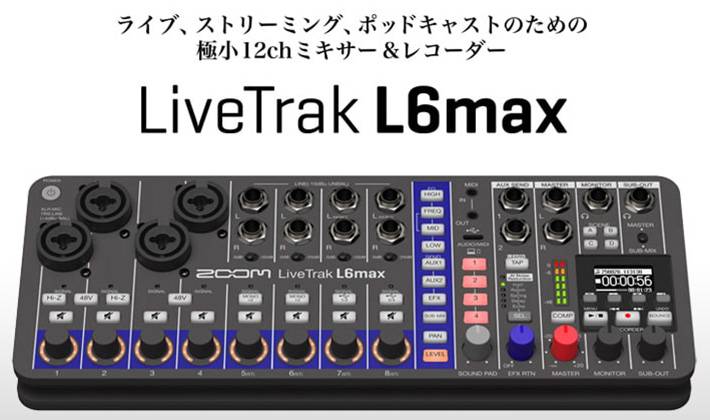
In this article, I would like to introduce the kinds of environments where the L6max truly shines based on actual user experience!
Brief Introduction: What is the LiveTrak L6max?
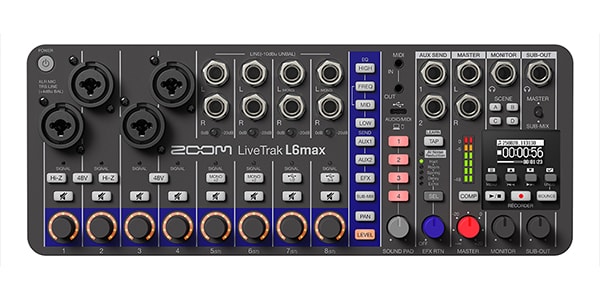
The ZOOM LiveTrak L6max is a compact all-in-one mixer that integrates three key functions: "mixer," "multi-track recorder," and "USB audio interface." One of its major features is:
- Support for 32-bit float recording
- Dual AD converters (Channels 1-4, with Hi-Z support on channels 1/2)
- AI-based noise reduction function
These features make the L6max particularly focused on "reducing the risk of recording failures."
Additionally, as mentioned earlier, it supports multi-track recording of up to 14 tracks simultaneously to a microSD card as an MTR, as well as functioning as a USB audio interface for PC connectivity. This makes it highly versatile, allowing for both standalone use and seamless integration with a PC. In short, it's a user-friendly and reliable mixer that's hard to fail with!
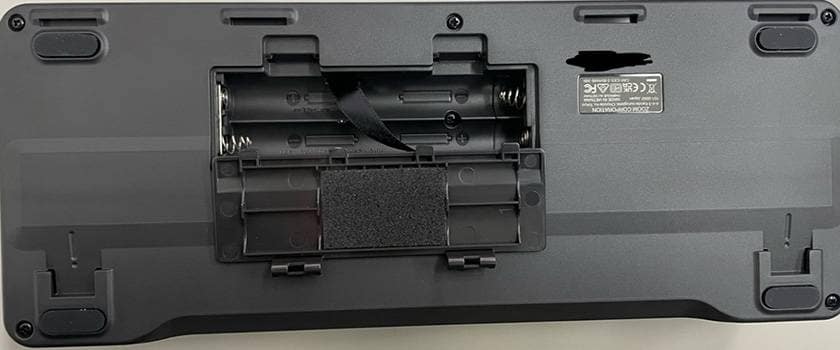
Furthermore, the back panel features a battery compartment, allowing for operation on AA batteries (3xAA).
Included Accessories
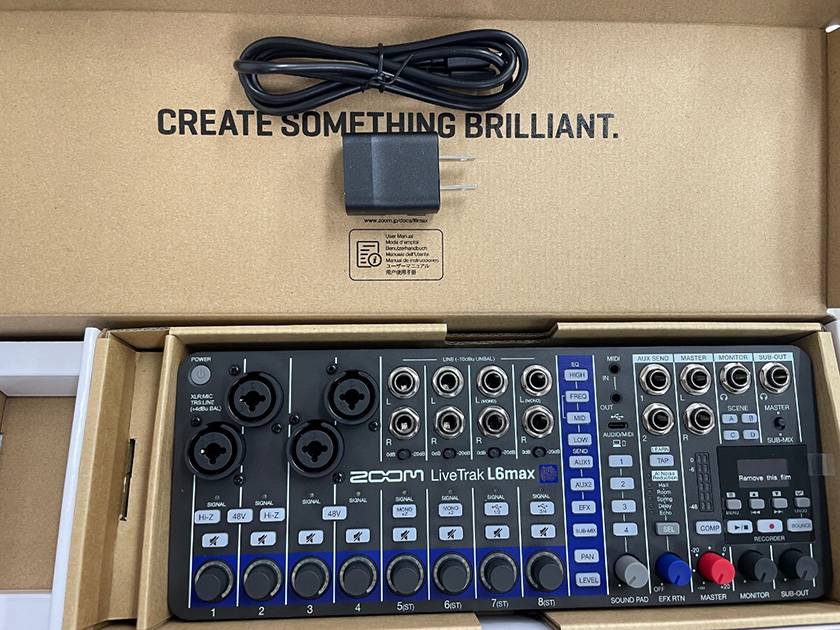
The packaging includes a USB cable and a power connector. Additionally, the decorative box the unit comes in also has a QR code for the user manual.
Size
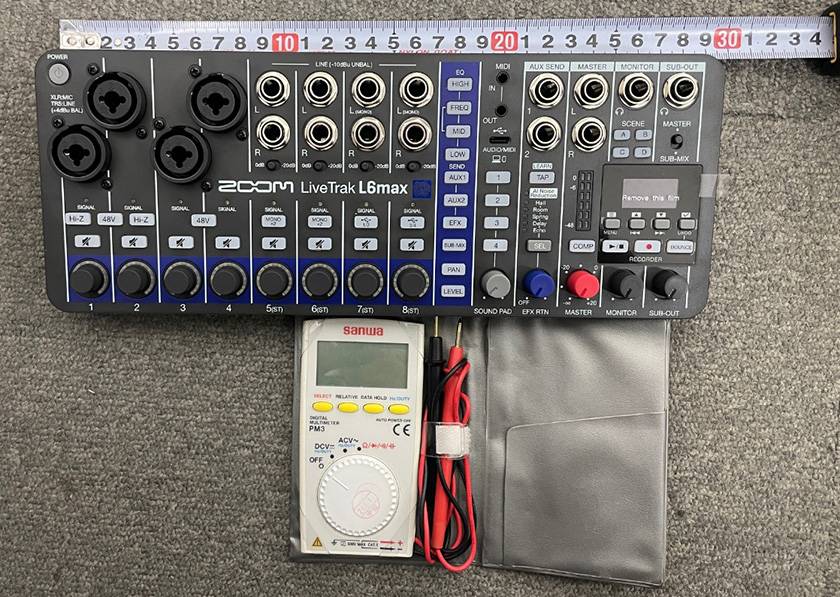
The main unit is about 30 cm in width. Even when placed next to my usual pocket-sized portable tester, its compactness is immediately noticeable.
Actual Use
I used it in the following setup (a simple home recording setup):
- CH1: Vocals
- CH2: Guitar
- CH3/4: Smartphone (for BGM/SE, etc.)
- USB: Connected to the PC as a USB audio interface (USB powered)
- MainOUT: Powered monitor speakers
- PHONES: Headphones
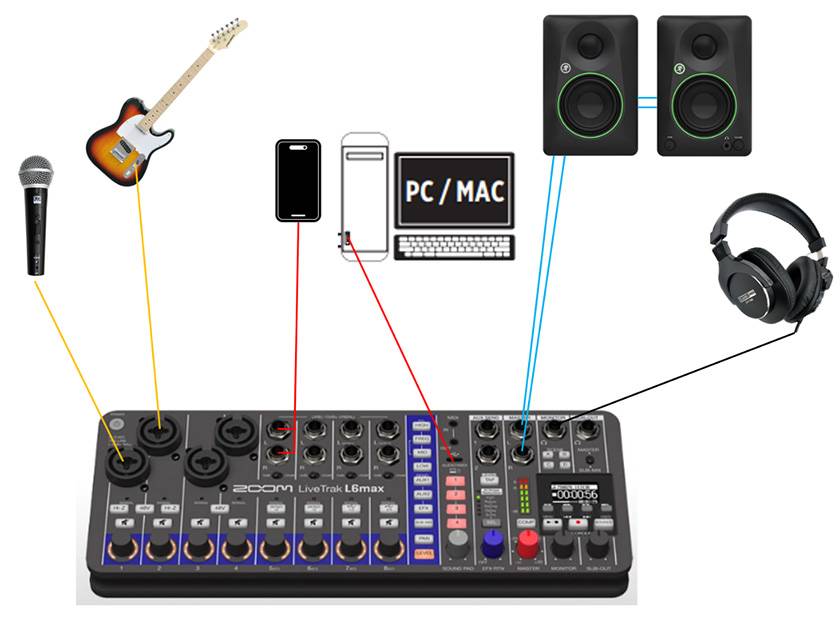
I connected the microphone and guitar directly to the unit, used the smartphone for BGM via line input, and then connected the USB to the PC. This allowed me to simultaneously record and stream without needing a separate audio interface!
What I found especially convenient is that all the volume levels can be intuitively adjusted using the knobs on the unit. I could quickly adjust the mic, guitar, and BGM right at hand, so there was no need to make detailed settings in the streaming software. This made it easy to manage and focus on performing or talking without worrying about detailed gain adjustments in advance. I think this is a huge benefit for staying relaxed while performing or speaking.
I think that it’s particularly well-suited for live streaming performances or talk shows.
The monitoring environment was also very comfortable. The volume of both speakers and headphones could be adjusted independently, and the headphone output was clear and loud enough for monitoring while recording. There were no issues with monitoring the sound.
The sound from the PC and the inputs to the unit mixed seamlessly, so I could:
- Talk while playing BGM
- Play while checking the sound from the PC
- Stream and record simultaneously
All of these tasks could be done smoothly. Overall, I found the mixer to be very easy to use for streaming or live performance purposes!
From home recording to streaming, it’s versatile enough for a wide range of uses. I highly recommend it for those who want to start streaming or performing live from home, as well as for those who want a convenient, high-quality recording setup!



![[2024] 15 Recommended Equipment for Online Broadcasting! Get Started with Live Streaming/Gaming/Podcasting!](/contents/uploads/thumbs/2/2021/12/20211214_2_15561_1.jpg)

 ライブ配信に必要な機材
 ライブ配信に必要な機材を徹底解説 オンラインライブの創り方
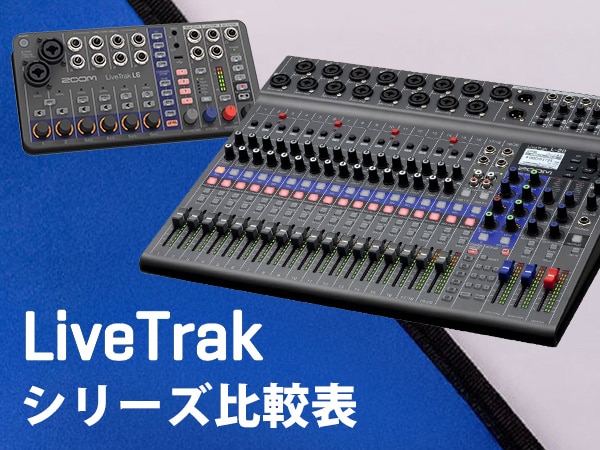 ZOOM LiveTrakシリーズ比較表
 zoom ブランドサイト
 配信・ポッドキャスト特集!(ライブ/動画/ゲーム実況)
 ケーブル購入ガイド
 Discount Sale
 Outlet
 New Arrivals
 Podcast (streaming)
 Headphones / Earphones
 Microphones
 Wireless Equipment
 Speakers
 Power Amps
 Mixers
 Processors
 Portable PA Systems
 Recorders
 Karaoke
 Guitars
 Basses
 Ukuleles
 Drums & Percussion
 Pianos / Synthesizers
 Wind Instruments
 Stringed Instruments
 Japanese Instruments
 Harmonicas, Other
 Software
 DJ & VJ
 Stands
 Cables & Connectors
 Racks & Cases
 Lighting
 Stage & Truss
 Video Equipment
 PC PERIPHERALS
 Power Supplies
 Studio Furniture
 Household Items, Other
 Alcoholic Beverages