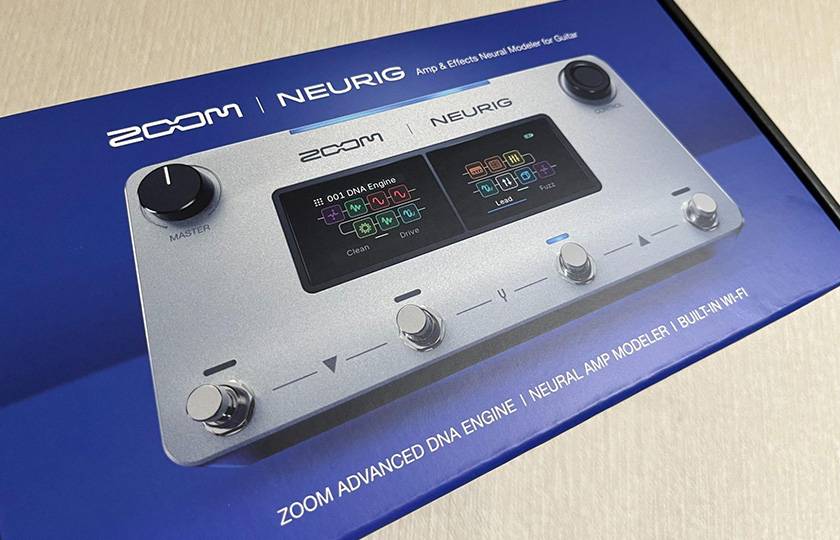
How’s your tone crafting coming along, everyone?
ZOOM has finally announced its long-awaited new multi-effects processor, the NEURIG!
What’s most surprising is the price: just ¥47,800 (tax included, as of October 9, 2026) for a unit with this kind of appearance. But what does it have to offer...?
Let’s take a closer look.
Appearance
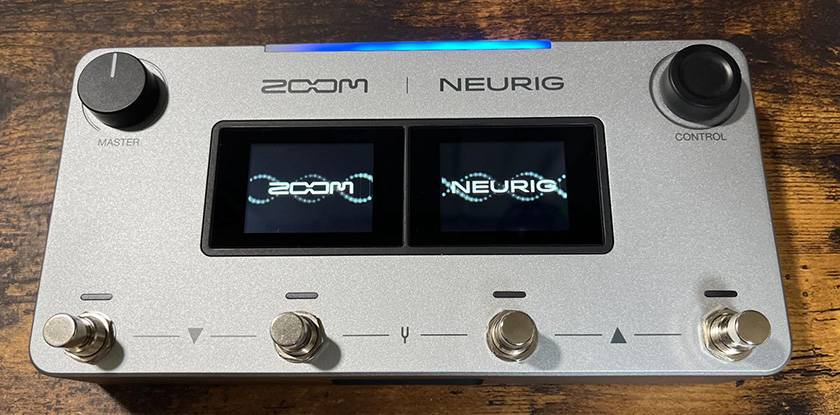
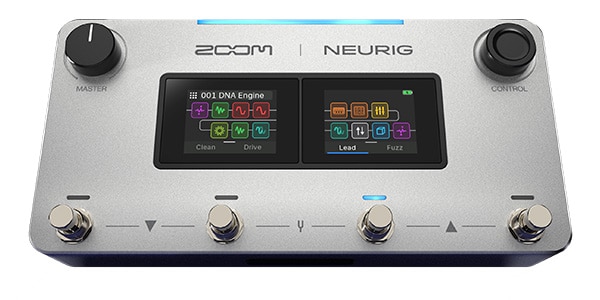
First, let’s talk about the design. Its understated silver finish looks incredibly cool. It also has a nice presence when placed in a room.
ZOOM’s multi-effects processors have always struck a great balance between stylish and approachable designs, but this time, the stylishness has been taken to another level. It also brings to mind the previous MultiStomp Series.
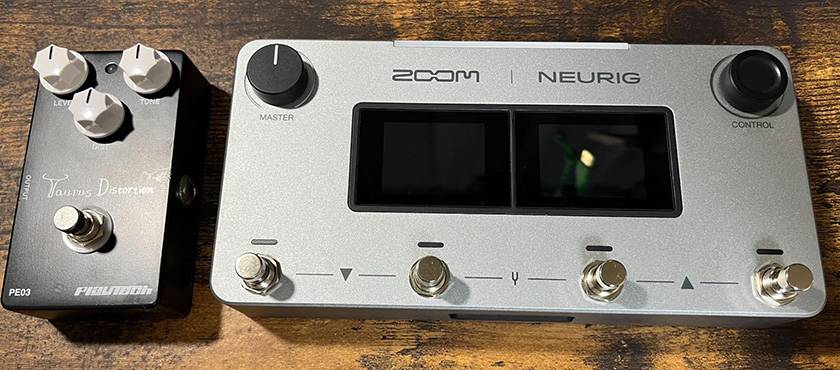
The dimensions are as follows. Its depth is about the same as that of a typical compact effects pedal.
Controls
The unit has just two knobs, keeping things simple: Master, which controls the overall volume, and Control, which is used to navigate and make selections on the screen.
The display features a dual-screen design with touch functionality. Although the screen is divided down the middle, you can drag effects across both screens without any problems when rearranging them. Basically, all operations on the unit can be performed using the touchscreen. Touch responsiveness is excellent.
In addition to Bluetooth, this effects processor can even connect to Wi-Fi (!?). This is particularly useful for firmware updates without a PC, as well as the capture function I will introduce later.
Features
First, let’s go over the key features of NEURIG, a new-generation multi-effects processor!
① New Amp Modeling Technology: DNA Engine
DNA stands for ‘Dynamic Neural Archive’. Neural processing technology that captures and recreates the sound of tube amplifiers is now used in many processors.
Unlike conventional methods that statically reproduce only specific settings, the DNA Engine goes further by reproducing the organic response to GAIN and EQ adjustments—the very essence of a tube amp. ZOOM has developed a method that individually learns how the amp behaves at every possible knob setting.
This innovative learning technology goes beyond simple capturing. That is the DNA Engine.
Incidentally, NEURIG also retains the familiar ZOOM modeling technology.
② Native Support for the A2 Standard of NAM (Neural Amp Modeler)
NAM (Neural Amp Modeler) has become an indispensable part of any discussion about multi-effects processors. It is an open-source, AI-based system designed to accurately model guitar amplifiers, pedals, cabinets, and signal chains while running efficiently on devices. You can download sounds from around the world through the community website TONE3000.
NEURIG natively supports NAM’s latest standard, A2.
While many multi-effects processors convert NAM models into each manufacturer's proprietary format when loading them into the unit, NEURIG allows them to be loaded as individual effect blocks while retaining their original NAM sound.

③ SessionZ Pedal: An App That Goes Beyond a Conventional Editor
This is another feature that could be considered essential in today’s multi-effects processors. By connecting NEURIG to its dedicated app, SessionZ Pedal, you can edit your sounds.
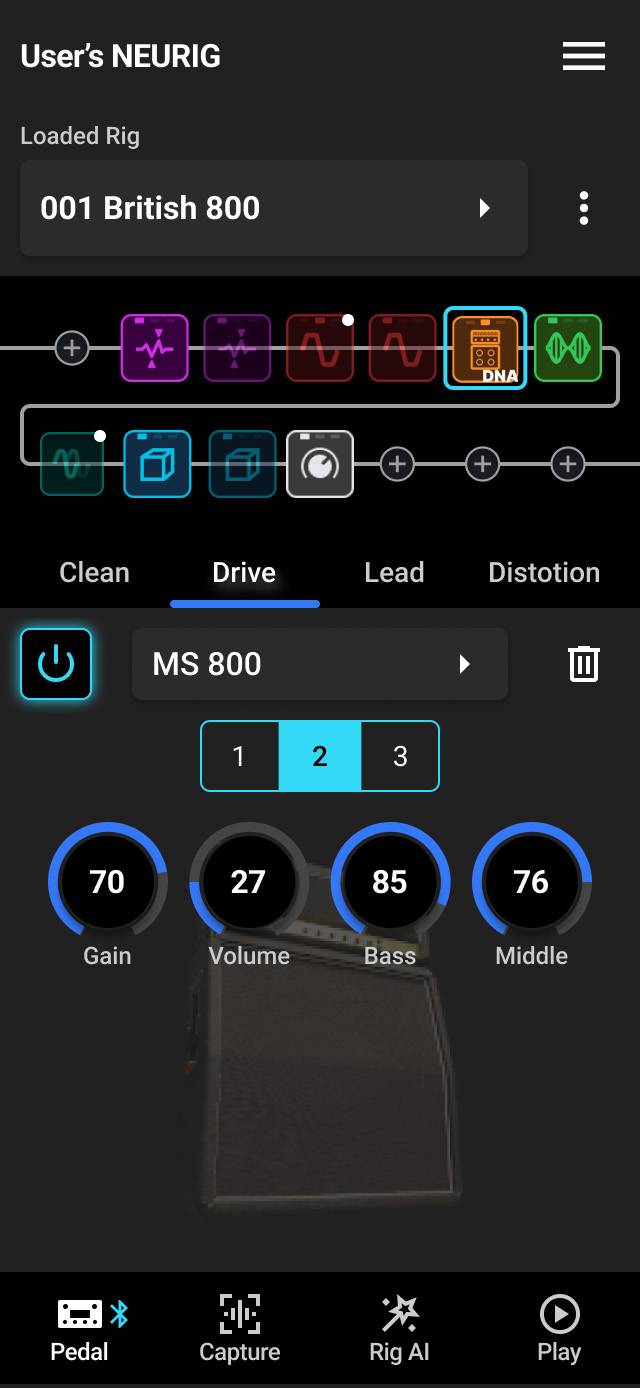
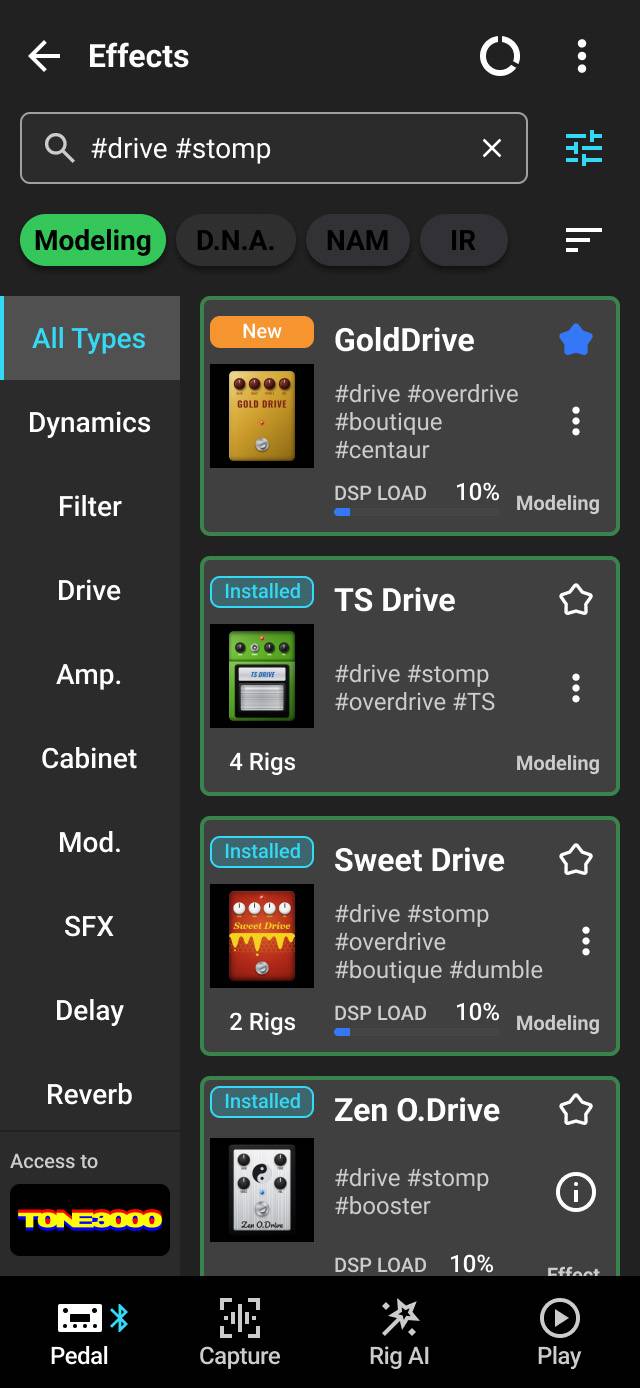
However, this is where things get interesting.
SessionZ Pedal is much more than just an editor app.
AI-Powered Tone Creation
Simply enter a text prompt, such as “the guitar solo sound from [song title],” and NEURIG’s AI model can generate the ideal guitar tone! This technology has been gaining traction this year, particularly in the world of amplifiers, but NEURIG brings it into a multi-effects processor that you can take right onto the stage.
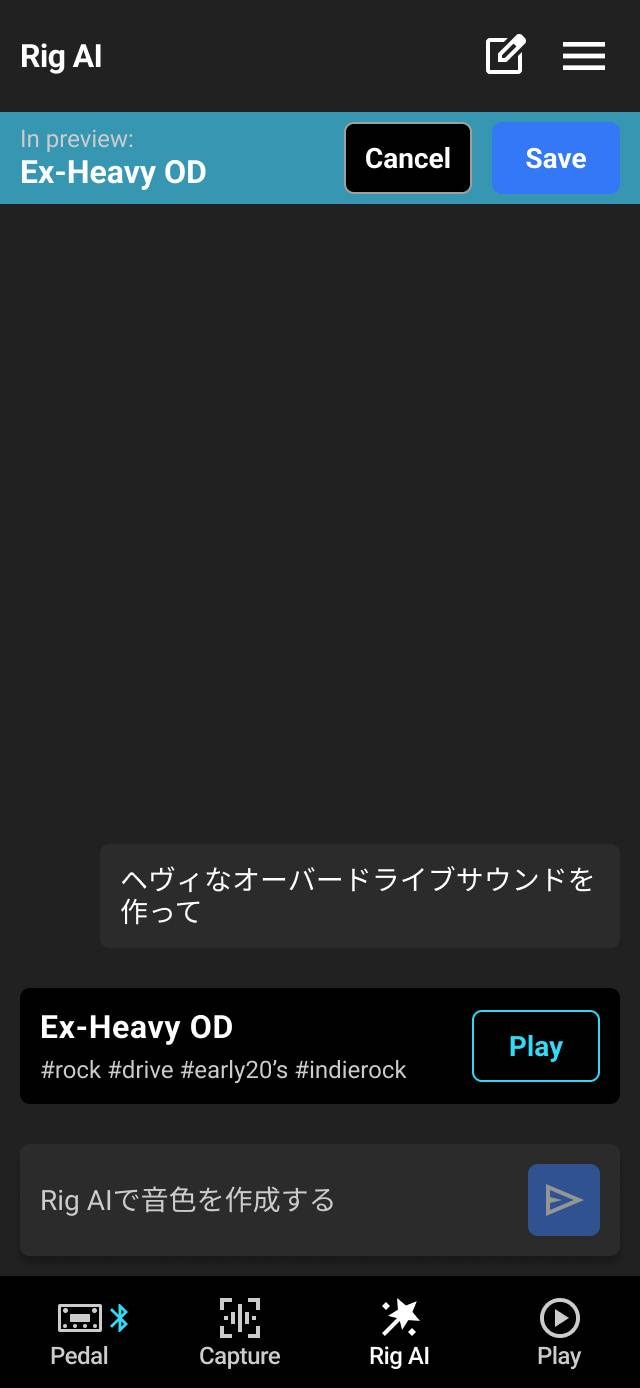
NAM A2 Model Capture Function
Capture functionality has also become a standard feature in multi-effects processors. This technology essentially allows you to bring your own amplifiers and effects pedals into a multi-effects processor. With NEURIG, you can even create your own NAM A2 models, which we introduced earlier!
All you have to do is connect an amplifier or effects pedal to NEURIG’s SEND/RETURN jacks and measure its sonic characteristics. The measured data is automatically sent to TONE3000 via Wi-Fi, where a NAM A2 model is generated.
The measurement process takes only about three minutes! Since the model training is performed on the server side, you can keep capturing new models one after another without having to wait for each training process to finish. That’s a particularly nice touch.
Hands-Free Backing Track Control and Audio Stem Separation
For guitar practice, NEURIG comes with a built-in player that lets you control playback of YouTube videos and audio files. What's more, it works in conjunction with NEURIG’s footswitches, allowing you to play, stop, fast-forward, rewind, and skip ahead by 10 seconds using only your feet while playing guitar!
It also features an advanced AI stem separation function. You can extract specific parts, such as vocals, guitar, bass, and drums, from audio files.
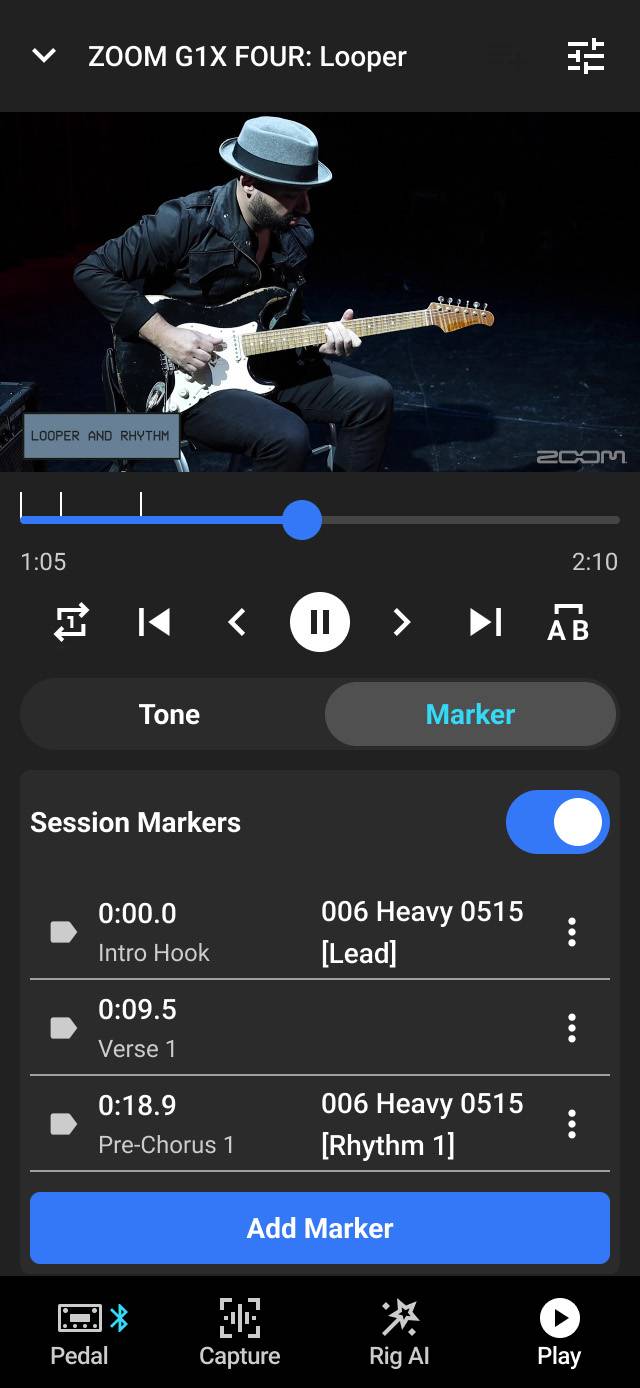
As you can see, SessionZ Pedal packs in not only editor functions but also features commonly found in recent plugins and DAW software. It is truly the ultimate next-generation multi-effects processor, expanding the possibilities of both tone creation and practice with a single unit. Hopefully, you now have a good idea of what it can do.
But NEURIG has much more to offer.
From here, I’m going to get hands-on with the actual unit and explore the essence of what ZOOM has achieved in creating a multi-effects processor.
Ease of Operation
As we've seen so far, NEURIG is equipped with a wide range of features worthy of a state-of-the-art multi-effects processor. However, what I’d particularly like to focus on this time is its ease of operation.
Let’s take a look at the stage-friendly operation that ZOOM has arrived at after thoroughly researching multi-effects processors.
Understanding the Terminology
NEURIG uses the terms ‘Rig’ and ‘Program’.
- Rig
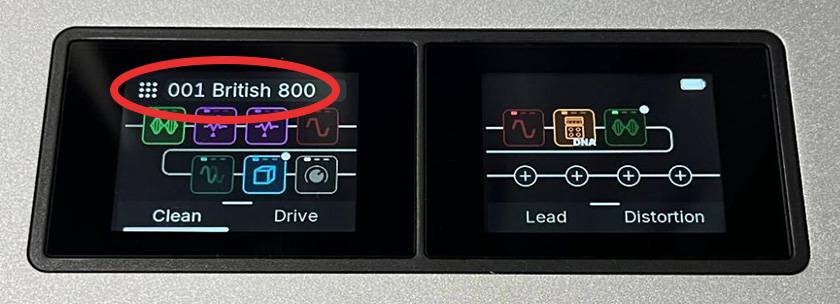
The word ‘rig’, which is also part of this unit’s name, refers to a ‘set of equipment’ or ‘gear setup’. In the context of guitar, it often refers to everything from the instrument itself to the amplifier. NEURIG uses the term in this same sense, referring to the selected combination of effects and amplifiers as a ‘Rig’. It is a concept similar to what is commonly known as a ‘preset’.
The rig selected in the image above is ‘001 British 800’. Within that rig, you can configure four different ‘Programs’.- Program
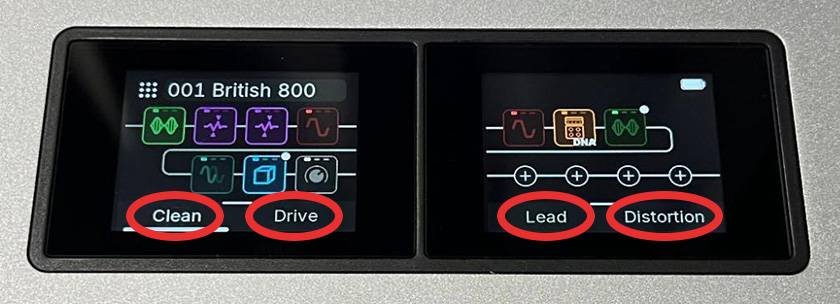
You can set up four Programs within a single rig. Without changing the types of effects and amplifiers selected, you can save and recall their individual on/off states and parameter settings as separate Programs. In other words, it works like a programmable switcher that also offers MIDI control and amplifier channel switching, allowing you to control the entire rig.
It is similar to the Snapshot function in Line 6 products or the Scene function found in Neural DSP products.
In this way, NEURIG is designed primarily around building an effects board and amplifier setup, then controlling that entire rig. Its fundamental concept is quite different from that of multi-effects processors that switch to completely different effects and amplifiers by changing presets.
The first rig, 001 British 800, contains four Programs: Clean, Drive, Lead, and Distortion. The effects displayed on the screen are available in all Programs, and you can configure their on/off states and parameter settings individually for each one.
Parameter Slot
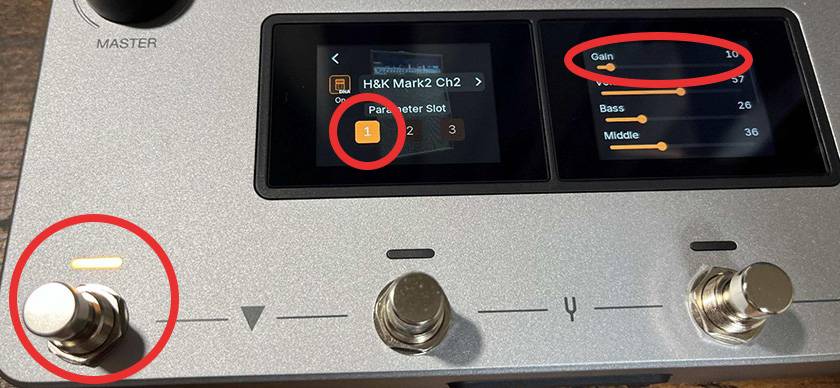
Each effect has three Parameter Slots. This means you can save three different sets of settings for each effect simultaneously.
For example, when configuring the amplifier, you can turn the gain in Parameter Slot ① way down and save it to the Clean Program (the far-left switch).
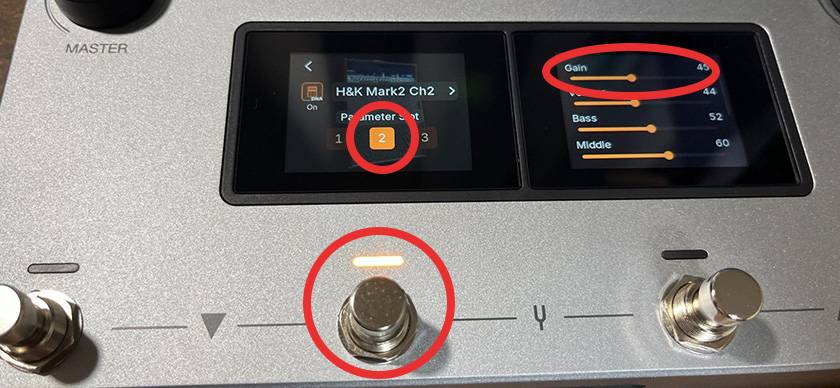
Next, set the gain in Parameter Slot ② to a crunch level and save it to the Drive Program (the second switch from the left).
Finally, turn the gain in Parameter Slot ③ way up and save it to the Lead Program (the second switch from the right).
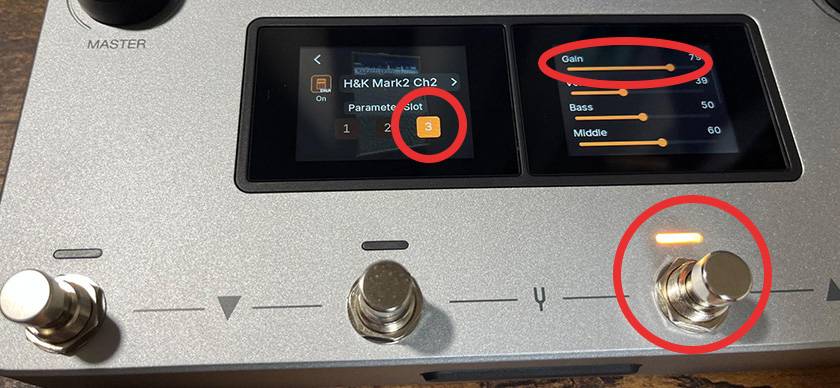
That’s all it takes! You can switch between three different gain levels using the same amplifier, without changing amplifiers or turning distortion pedals on and off. And because you’re not switching amplifiers, there is no audio dropout.
With many multi-effects processors, switching from high gain to crystal-clear clean tones has traditionally required changing to a different amplifier, or setting up the distortion entirely with effects pedals and then turning them off. The Parameter Slot system, which allows dramatic changes in sound while retaining the character of the amplifier itself, is extremely practical and convenient.
On/Off Control
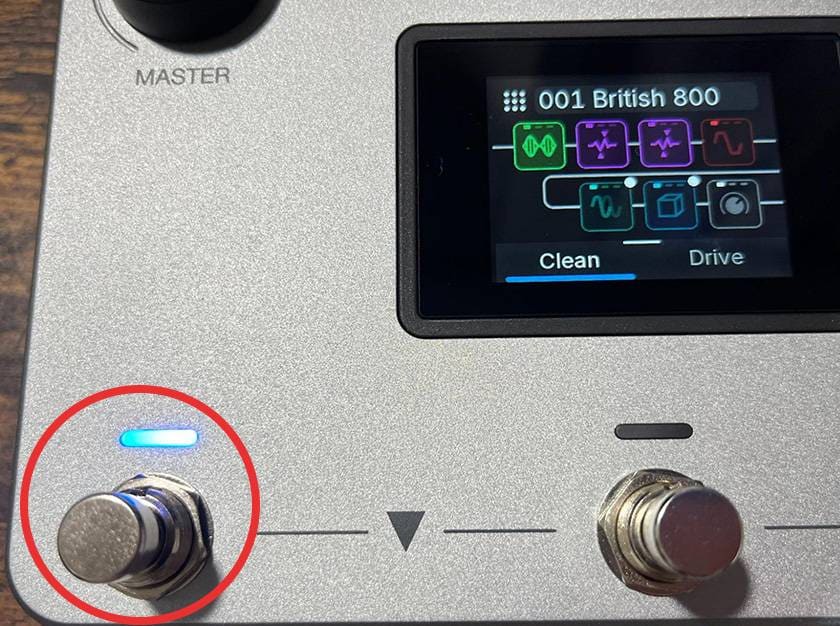
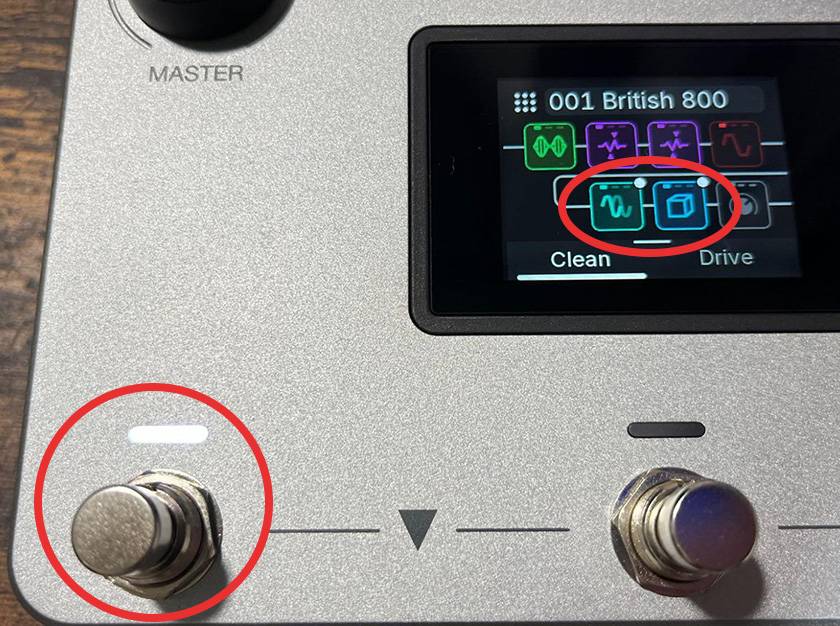
What’s more, you can switch multiple effects on and off within a single Program.
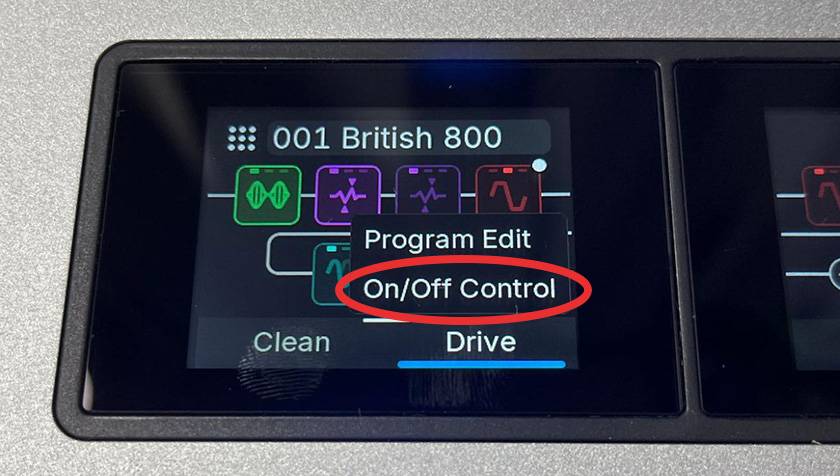
↓ The Clean Program is selected, and the switches are illuminated in blue. Press one of the switches again in this state...
↓ The switch turns white, and the delay and reverb are activated! By combining Program switching with On/Off Control, you can use up to eight different sounds within a single rig.
Now, let’s listen to the sounds of a Rig that makes full use of these functions!
Highly Flexible Routing
Another major feature is the ability to configure the signal flow within the effects processor with considerable freedom. For example, we tried the following setup.
First, place SUB OUT after the amp head, followed by a cabinet.
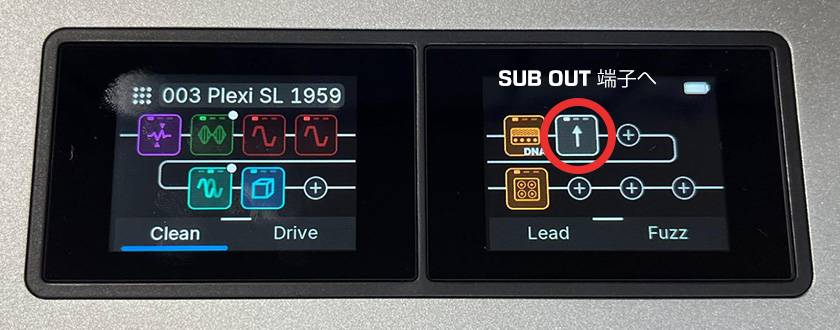
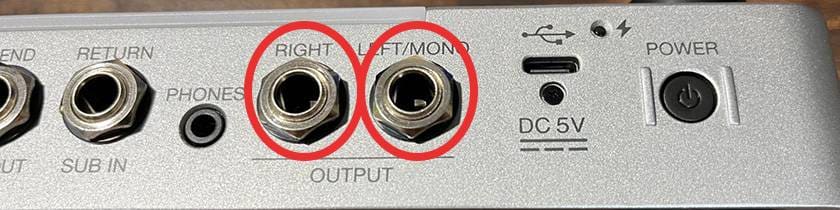
The audio signal at the point where SUB OUT is placed is output through the SEND/SUB OUT jack.
In other words, with this configuration, the signal coming out of the SEND/SUB OUT jack is taken before it passes through the cabinet simulator. You can therefore connect it to the return input of an actual amplifier.
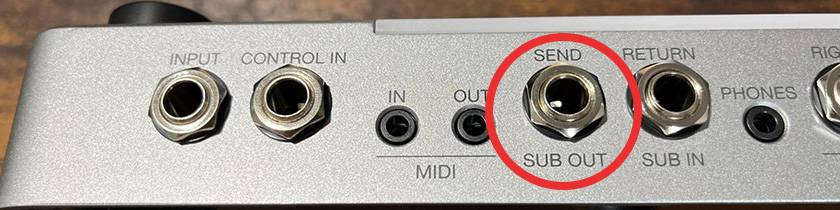
Meanwhile, by placing a cabinet simulator after SUB OUT, the signal coming from the OUTPUT jack will pass through the cabinet simulator. You can send this signal directly to the PA mixer through a DI or similar device on stage.
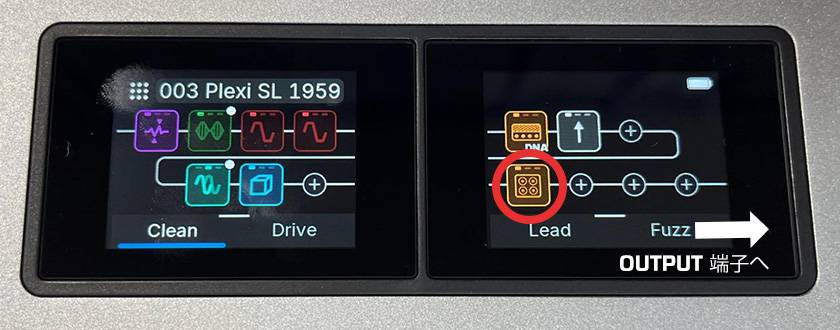
Even when sending a carefully crafted tone using your favorite IRs directly to the PA, there are many situations where you still want the sound of a real amplifier on stage, whether for sound pressure or stage monitoring. NEURIG makes it easy to configure this kind of routing.
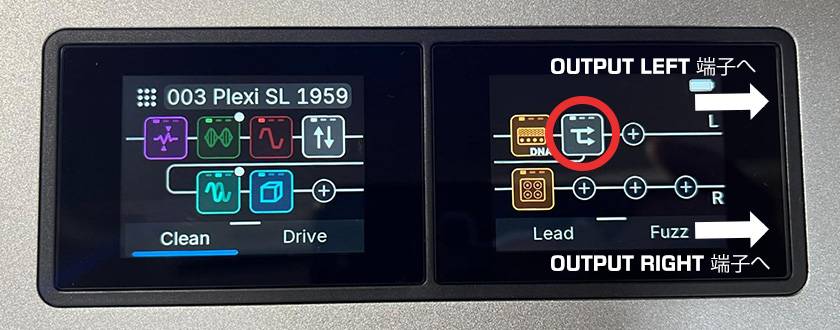
You also don’t need to worry if you’re already using the SEND/RETURN jacks for additional effects. By using a Splitter to split the signal path, you can output different sounds from the left and right OUTPUT jacks.
I think this demonstrates how NEURIG truly functions as a complete RIG that can handle your entire gear setup in a single unit.
Conclusion
What did you think? You can really see how much effort ZOOM has put into this product. My honest impression is that they’ve packed in as much as they possibly could while maintaining the excellent balance that is characteristic of ZOOM.
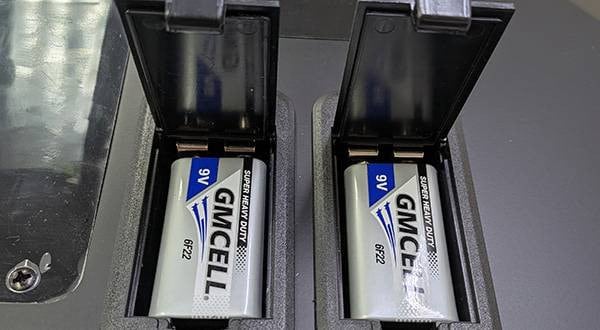
In addition to features that have become standard on multi-effects processors in recent years, such as Bluetooth connectivity, app integration, and a built-in battery, NEURIG offers a fully featured companion app, evolved sound capabilities, and outstanding operability. I think it truly deserves to be called the definitive ZOOM multi-effects processor. It is an excellent choice not only as your first multi-effects processor, but also for players who have experience using much more expensive units. Even experienced players should find plenty to explore and enjoy.
I hope this article has helped convey the appeal of NEURIG.
Until next time, everyone—have a great guitar life!





 zoom ブランドサイト
 【初心者向け】エフェクター講座
 あなたのエフェクターボード見せてください
 ベース用エフェクターの種類
 エフェクターのつなぎ方
 エフェクターの種類
 Discount Sale
 Outlet
 New Arrivals
 Podcast (streaming)
 Headphones / Earphones
 Microphones
 Wireless Equipment
 Speakers
 Power Amps
 Mixers
 Processors
 Portable PA Systems
 Recorders
 Karaoke
 Guitars
 Basses
 Ukuleles
 Drums & Percussion
 Pianos / Synthesizers
 Wind Instruments
 Stringed Instruments
 Japanese Instruments
 Harmonicas, Other
 Software
 DJ & VJ
 Stands
 Cables & Connectors
 Racks & Cases
 Lighting
 Stage & Truss
 Video Equipment
 PC PERIPHERALS
 Power Supplies
 Studio Furniture
 Household Items, Other
 Alcoholic Beverages