When mixing, checking the sound through monitor speakers is extremely important. There are many elements such as soundstage, the sense of low-end weight, and left-right positioning, that are difficult to judge without speakers. However, not everyone can always prepare an ideal monitoring environment.
At home, you may not be able to play at loud volumes, or living in an apartment may make nighttime work difficult. Others may want to make progress on mixing while out or during spare moments while traveling.
In this article, I will introduce key points for mixing based on relatively accessible playback environments such as “headphones,” “built-in speakers of PCs or smartphones,” and “compact Bluetooth speakers.”
Even in environments where monitor speakers cannot be used, it is entirely possible to achieve a high-quality mix with a bit of ingenuity. I hope this article will be helpful to those working on mixes in limited environments.
01 Compare and Listen on Multiple Headphones
The most important point to be careful about when mixing on headphones is that they’re too optimized for a special pair of headphones.
Each headphone model has a very different sound character—some emphasize low frequencies, some make the highs sound sharp, while others are relatively flat overall. If you mix using only one pair of headphones as your reference, the balance can be heavily influenced by its characteristics, which may lead you to feel that it doesn’t sound like you might have expected when listening in a different playback environment.
For this reason, if possible, it is recommended to compare and listen using multiple headphones or earphones with different sound characteristics.
For example, by using both relatively flat headphones intended for monitoring and headphones similar to what general listeners might use, you can check the sound from both the “creator’s perspective” and the “listener’s perspective.”
Personally, I switch between two types of monitor headphones (Audio-Technica ATH-M50x and AKG K240) and inexpensive, no-brand headphones.
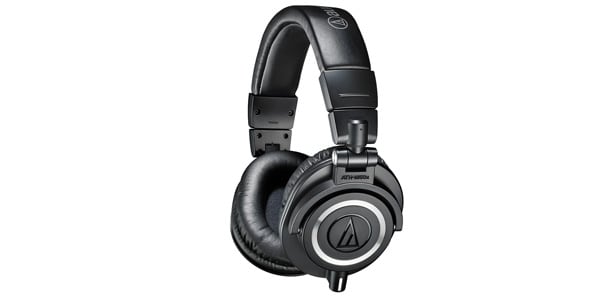
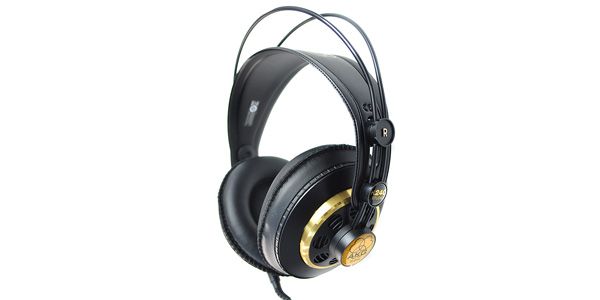
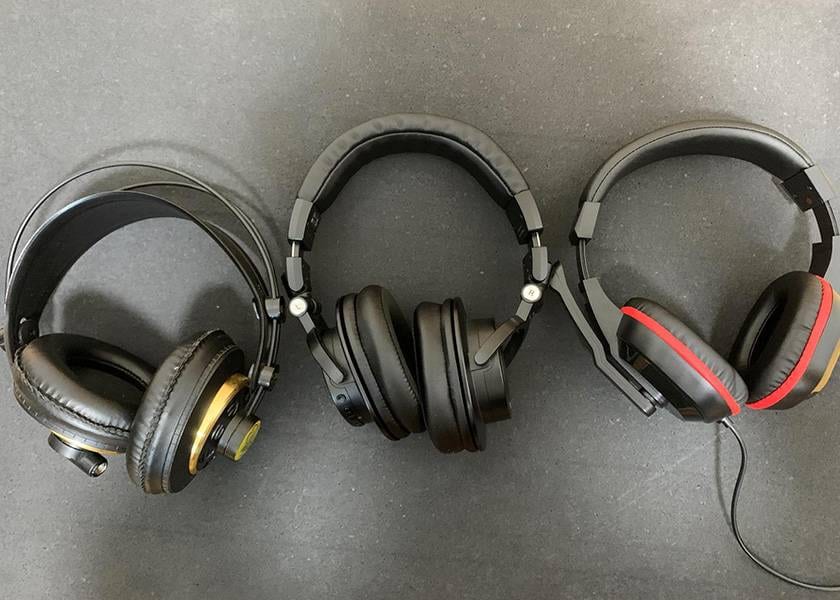
From left: K240, ATH-M50x, no-brand model.
The ATH-M50x has relatively well-defined low frequencies, making it suitable for checking the balance of the rhythm section. On the other hand, the AKG K240 is an open-back design that makes it easier to perceive spatial spread, which helps when assessing the overall balance. In addition, by intentionally listening on headphones with poorer sound quality, I check whether the mix still comes across properly in a “typical” listening environment.
02 Check on smartphones and Bluetooth speakers
Once you have adjusted the balance to some extent using headphones or earphones, the next step is to check the mix on speakers.
However, since this article assumes situations where loud volumes are not allowed or working while on the go, the speakers here are not monitor speakers, but rather smartphone or PC built-in speakers, or small Bluetooth speakers.
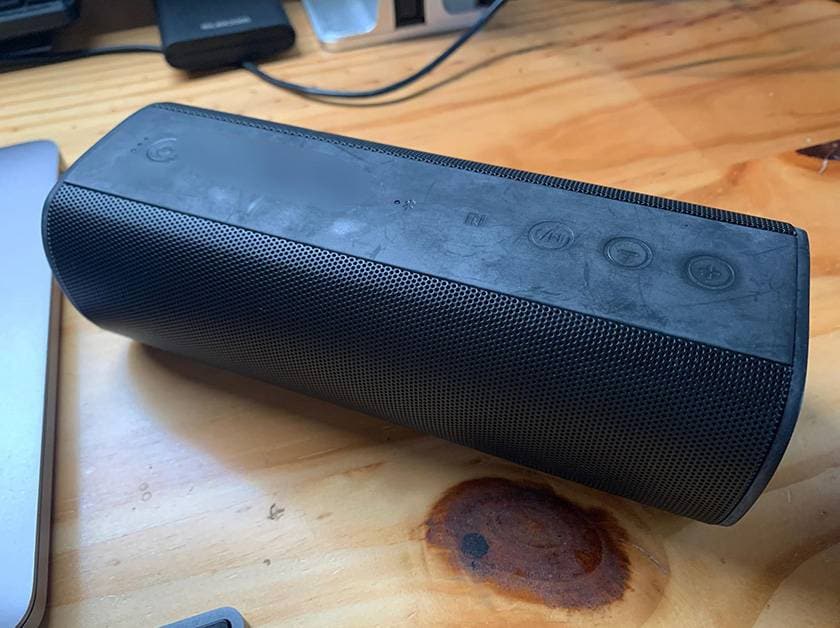
These speakers are by no means ideal in terms of sound quality, but with speaker playback, the left and right sounds blend in physical space, making it easier to notice issues with localization and volume balance. Panning that sounded fine on headphones can often feel unnatural when played through speakers.
If you drive a car, checking the mix through a car audio system is also highly recommended. Although the interior of a car has a unique acoustic environment, many people actually listen to music while driving, making it a representative example of a “practical playback environment.”
One reason for checking on these playback devices is that many general listeners do not necessarily listen to music on expensive audio systems.
In fact, listening on smartphones, earphones, or simple speakers is far more common, so it is important to aim for a mix that doesn’t fall apart even in those environments.
03 Use an analyzer for visual confirmation
When mixing mainly on headphones, there are times when you inevitably rely too much on hearing alone. This is where analysis plugins such as spectrum analyzers become useful.
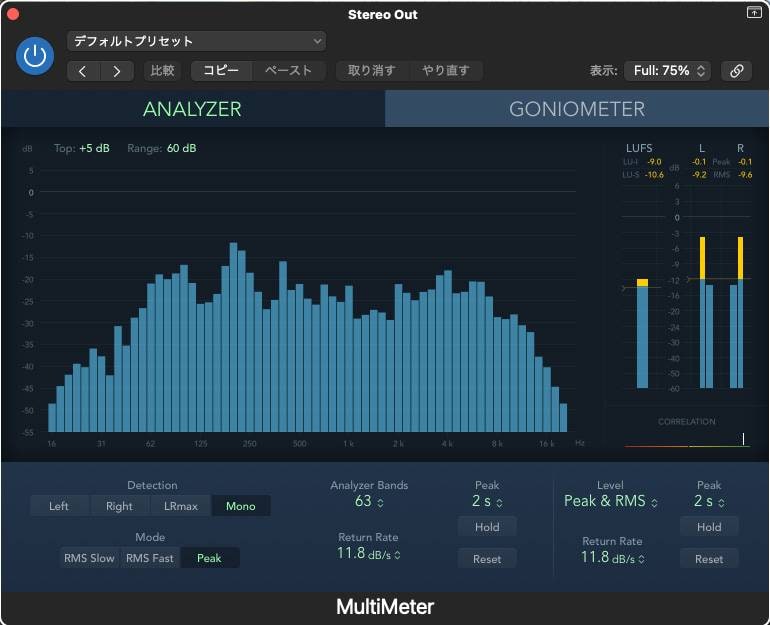
* Logic Pro built-in Multi Meter
By using an analyzer, you can visually grasp the overall frequency balance of a track.
For example, you can objectively check whether low frequencies are building up excessively, whether high frequencies are lacking, or whether only certain frequency bands are being overly emphasized.
It is also effective to prepare a reference track that is close to the sound you are aiming for and compare its frequency distribution with your own mix.
Of course, what an analyzer shows is not always the absolute answer, but it can provide clues for questions such as “Why does this track sound clearer than my mix?”
One important point to note is that analyzers should be used strictly as supporting tools.
If you rely too heavily on visual information, you may lose the original musical balance, so be sure to use them while always confirming with your own ears.
04 Check in Mono
Converting your mix to mono and listening to it once is also a very effective checking method.
Even if it sounds fine in stereo, switching to mono can suddenly cause certain sounds to drop back or specific parts to disappear altogether.
This indicates possible phase issues or a mix that relies too heavily on panning.
If the balance is solid, a well-made mix will usually still sound natural and coherent even in mono.
In particular, smartphone speakers and some Bluetooth speakers often reproduce sound in a way that is effectively close to mono, so checking in advance can help prevent problems.
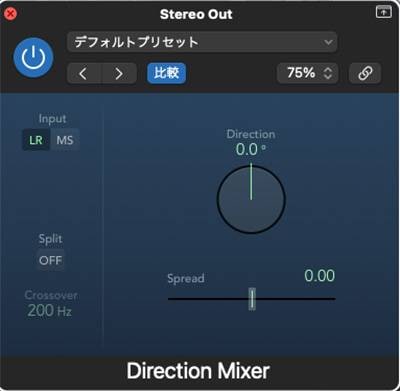
*Logic Pro built-in Direction Mixer
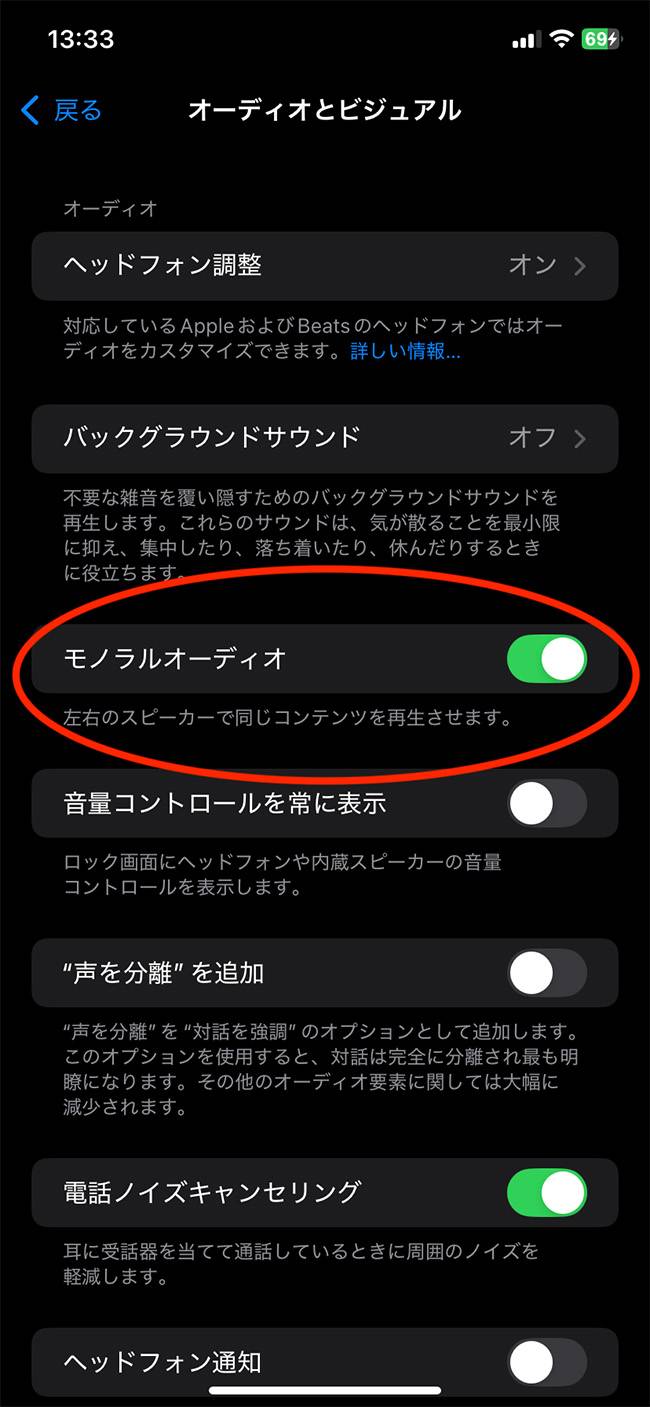
*On iPhone, you can switch to mono from the Settings menu
Summary
By keeping the points I introduced in this article in mind, it is possible to make reasonable progress on mixing even in an environment without monitor speakers.
Checking your mix on multiple playback systems and making adjustments while balancing auditory judgment and visual information is the key to improving the quality of headphone-based mixing.
That said, if you have the opportunity to do a final check using large monitor speakers, there is no better option.
Recently, the number of rental studios and hourly listening rooms where mix work is possible has been increasing, so it may be a good idea to take advantage of such environments at the finishing stage.
The “sound & person” column is made up of contributions from you.
For details about contributing, click here.






 おすすめAKGヘッドホンの選び方
 AKGスタジオモニター3機種 徹底比較!
 AKG ブランドページ
 厳選!人気のおすすめモニターヘッドホン特集
 AUDIO TECHNICA ヘッドホン Mシリーズ
 Discount Sale
 Outlet
 New Arrivals
 Podcast (streaming)
 Headphones / Earphones
 Microphones
 Wireless Equipment
 Speakers
 Power Amps
 Mixers
 Processors
 Portable PA Systems
 Recorders
 Karaoke
 Guitars
 Basses
 Ukuleles
 Drums & Percussion
 Pianos / Synthesizers
 Wind Instruments
 Stringed Instruments
 Japanese Instruments
 Harmonicas, Other
 Software
 DJ & VJ
 Stands
 Cables & Connectors
 Racks & Cases
 Lighting
 Stage & Truss
 Video Equipment
 PC PERIPHERALS
 Power Supplies
 Studio Furniture
 Household Items, Other
 Alcoholic Beverages