◎ Introduction
In this article, I’ll introduce the essential equipment for digital music production and explain how to choose the right gear.
There’s a unique kind of joy in browsing music-production equipment online when you’re just starting out, right? But if you get too excited and buy something on impulse thinking, “This should be fine!” you may end up wasting money.
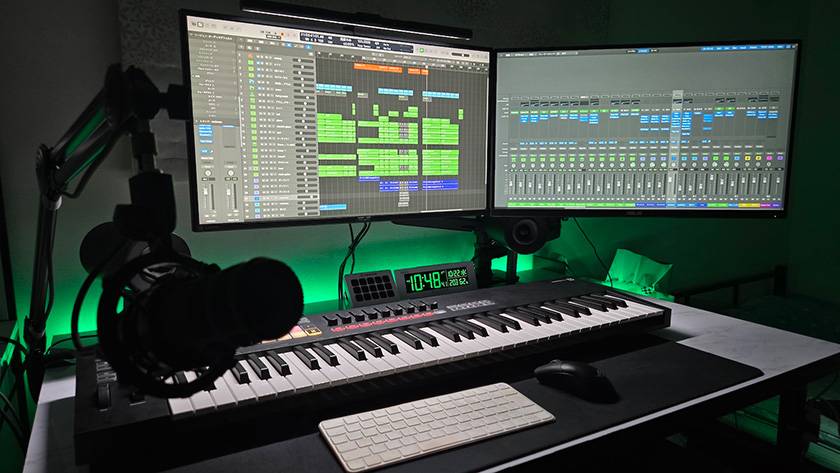
One personal tip for choosing gear is: “Picture your ideal digital music production setup.” Buying standard, well-reviewed items is usually a safe bet, but depending on your workflow, you may later find that you don’t actually use them much—or that they don’t suit your taste.
For example, I once:
- Bought a feature-packed MIDI keyboard that was overkill for my needs—something simpler and cheaper would’ve been enough...
- Bought a best-selling audio interface only to realize later that it didn’t have enough inputs...
and so on.
So I recommend starting with just a computer and headphones, trying out digital music production first, and then deciding what specs you really need before completing your setup.
◎ Essential Items
- Computer
- Audio Interface
- DAW
- MIDI Keyboard
- Monitor Headphones/Earphones
- Monitor Speakers
- Others
01 Computer
Aim for a device with at least 16GB RAM and 500GB storage.
If you plan to produce orchestral music with many tracks, 32GB RAM or more is ideal.
If your computer specs are insufficient, you’ll run into playback issues, software crashes, and other trouble. It’s best to choose the most powerful machine you can reasonably afford.
As for whether to choose Mac or Windows:
- Want to use Logic Pro or adopt the industry-standard OS → Mac
- Want a more affordable system or use a wider variety of non-music apps → Windows
Recording studios and music schools typically use Macs, and macOS is often considered the industry standard. Considering that, choosing a Mac is a safe option.
For students like me, a laptop is perfectly fine—you can collaborate with friends, take it to studios, and still use it comfortably at home.
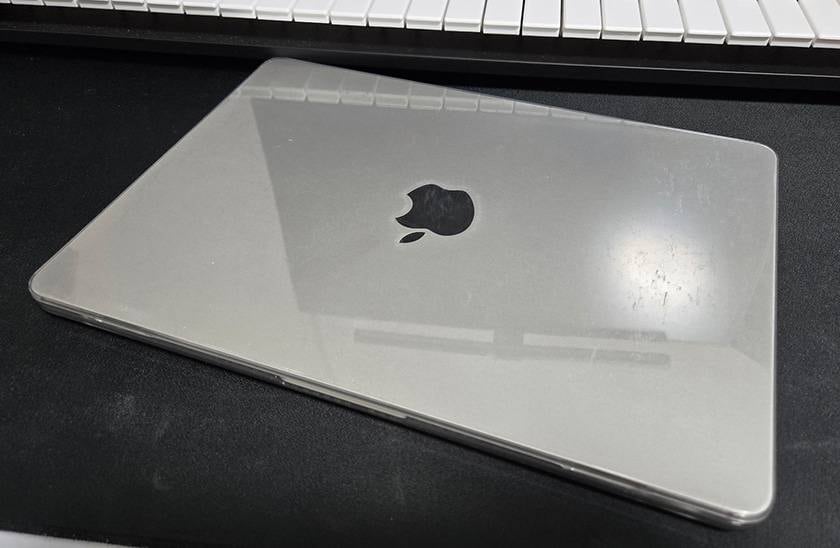
This is my MacBook Air. Since I carry it around a lot, I keep it in a protective case.
02 Audio Interface
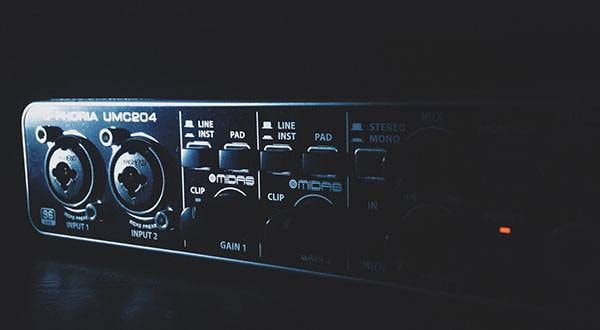
Used to record instruments and vocals into your computer and to monitor sound in high quality.
If you plan on recording instruments or vocals, an interface is a must.
When recording an electric guitar, it’s best to use an audio interface that has a Hi-Z input. Simply put, this feature helps prevent degradation of the weak signal coming from the instrument.
If the output level of your gear is low, using a Hi-Z input is essential to keep the sound quality stable.
If you frequently use (and record) hardware instruments such as synthesizers, it’s best to choose an interface with as many inputs as possible — around four inputs is a safe choice. That way, you can record without constantly having to plug and unplug cables.
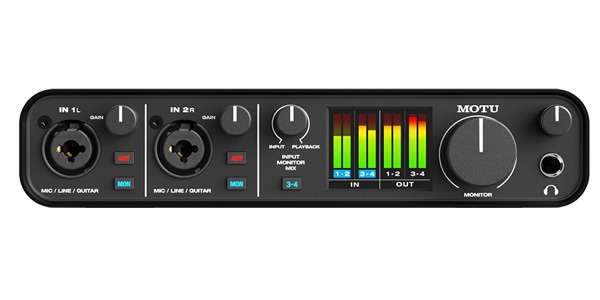
It’s a bit on the expensive side, but it uses components typically found in gear that costs several hundred thousand yen, delivering a clear and transparent sound.
It offers a total of four inputs—on the front panel you can connect guitars or microphones, and on the back you can hook up synthesizers and other hardware.
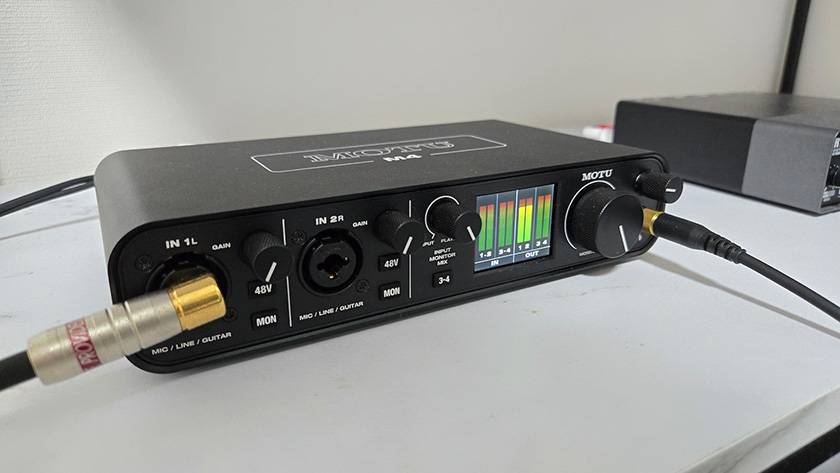
It also features an LCD screen that lets you check input levels at a glance, making it easy to see whether the signal is clipping.
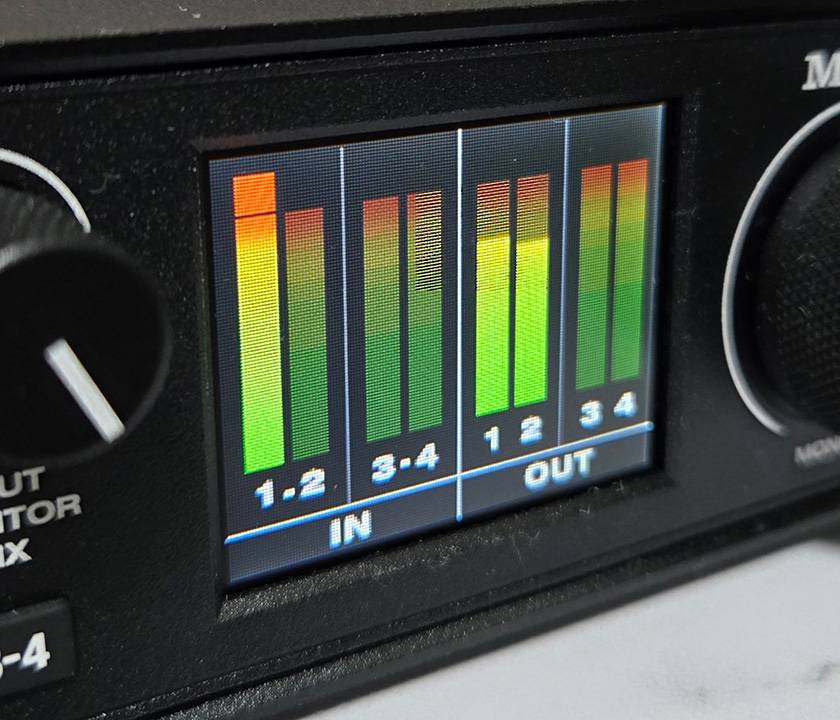
↑ When the input is too hot and starts clipping, the meter will turn red, as shown in the image.
SSL (Solid State Logic) / SSL2 MKII USB Audio Interface
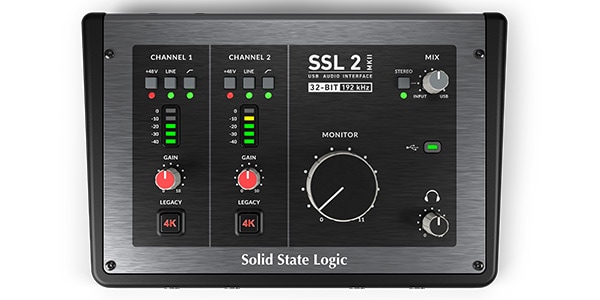
This is a model from the well-known console manufacturer SSL. The unit is a bit large, but it delivers a warm and rich tone. Its standout feature is the 4K switch, which allows you to add an analog-style character to your sound. While the knobs are made of plastic and feel slightly cheap, the overall build quality is very high.
03 DAW
DAW is used for sequencing, recording, and other music production tasks.
While there are several free versions available, they often have limitations such as track count, which can prevent you from producing music exactly as you want. Therefore, it’s recommended to purchase a full paid version.
Many popular DAWs also offer Academic Versions with substantial discounts for high school and university students, so students should definitely check these out!
PreSonus / Studio One Pro 7 (Download Delivery)
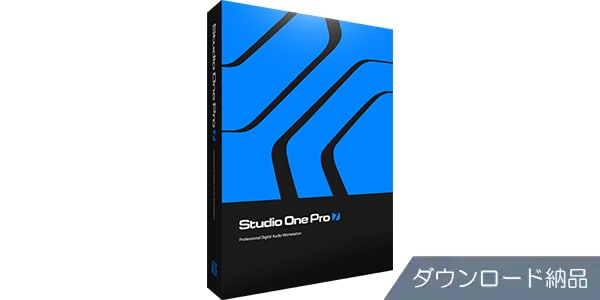
This software is well-known for its high-quality sound and stability. Its intuitive interface makes it easy to insert plugins and allows you to work smoothly and efficiently.
Apple Logic Pro
This is a famous DAW, but it is only available for Mac. However, all updates are currently free, and it comes with a rich selection of instruments and effects, making it highly recommended for Mac users.
04 MIDI Keyboard
A MIDI keyboard isn’t strictly necessary, but it’s almost essential because it allows you to record your playing in real time and easily check the sound and chord progressions.
MIDI keyboards come in two main types:
- Simple and affordable models with just keys and basic buttons
- Expensive, feature-rich models that also include pads, knobs, and faders
For composition purposes, a simple model is usually sufficient.
A 61-key keyboard is recommended as it balances functionality and ease of use.
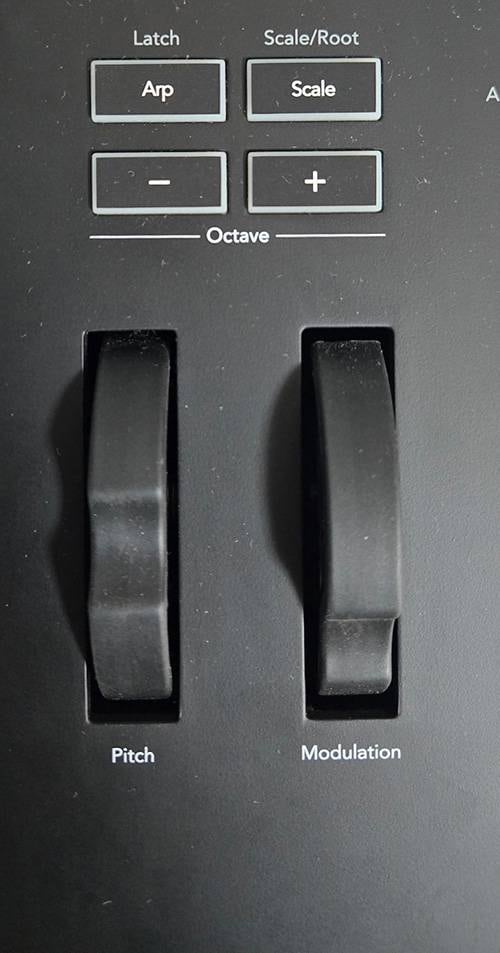
↑ This includes things like the octave buttons and pitch wheel. These are the minimum essentials you really need.
I personally use a relatively feature-rich model, but I’ve found some issues, such as not knowing which track a fader is assigned to, and the controls being too complex to use easily (though, of course, you could just get used to it).
If you want to adjust volume or parameters in real time and use the keyboard for live performance, a more feature-rich model is definitely convenient.
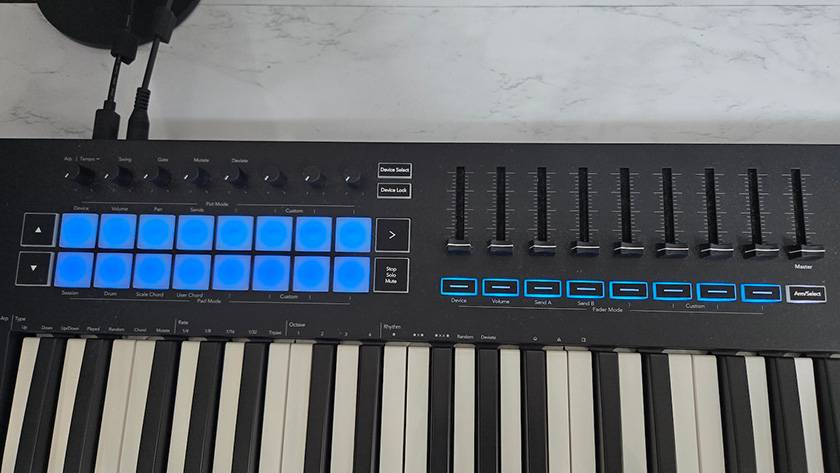
↑ These are faders and knobs that I’ve regretted not fully mastering.
Honestly, am I the only one who thinks they look cooler when they’re there...?
M-Audio / Keystation 61 MK3 MIDI Keyboard
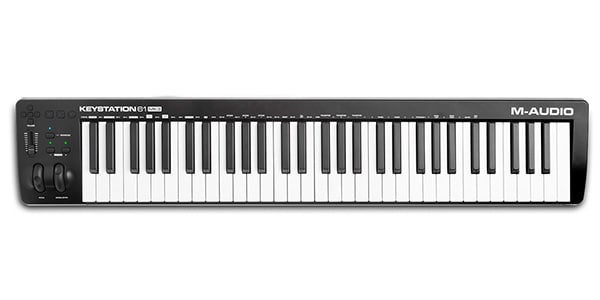
This is a classic model in the simple category. Its operation is straightforward and easy to handle, and because there are no switches behind the keys, the unit is compact and easy to manage.
The key action feels neither too light nor too heavy, giving a high-quality feel (slightly heavier compared to other MIDI keyboards).
Novation / Launchkey 61 MK4 USB-MIDI Keyboard
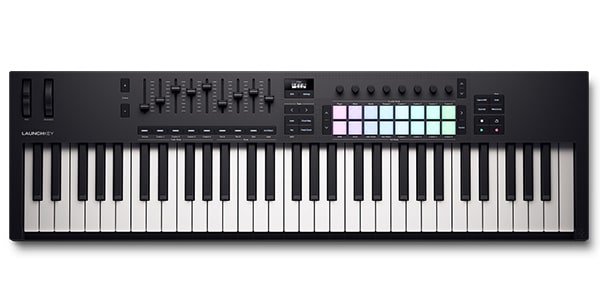
It comes packed with composition support features, such as functions to keep your playing in scale and an arpeggiator.
Additionally, you can adjust the volume and parameters of multiple tracks directly from the keyboard, or use the pads to perform beats, making it highly performance-friendly. For those who only want to compose, it might actually have more features than necessary.
05 Monitor Headphones/Earphones
When composing music, always use monitor-grade headphones or earphones. The reason is simple: they reproduce the sound exactly as it is during the production process.
Consumer headphones and earphones are typically tuned to enhance the listening experience—for example, by boosting the low end.
If you mix your music using such headphones, the bass may sound well-balanced on that specific model, but when you switch to proper monitor headphones, the low end might suddenly feel thin and lacking.
The opposite can happen as well: if you mix with headphones that don’t produce enough bass, your mix may end up with overly loud, boomy low frequencies when played through monitor headphones (speaking from experience).
To avoid these issues, I strongly recommend using monitor headphones that deliver an accurate, uncolored sound.
Personally, I prefer headphones over earphones. When I used earphones for long periods, I experienced itching and ear pain, so I find headphones much more comfortable for extended sessions.
SONY / MDR-CD900ST Closed-Back Studio Monitor Headphones
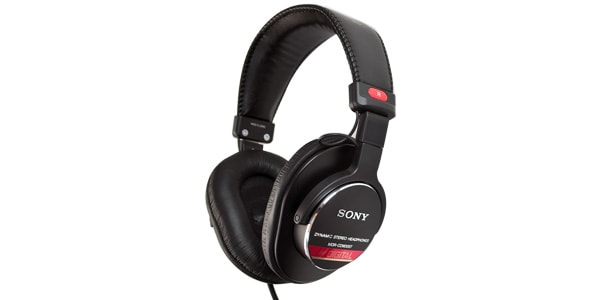
A long-standing standard in the music industry. These headphones offer excellent sound quality and are lightweight, making them comfortable to wear even for long sessions. Another advantage is the availability of individual replacement parts such as drivers and headbands, which makes repairs easy if anything breaks.
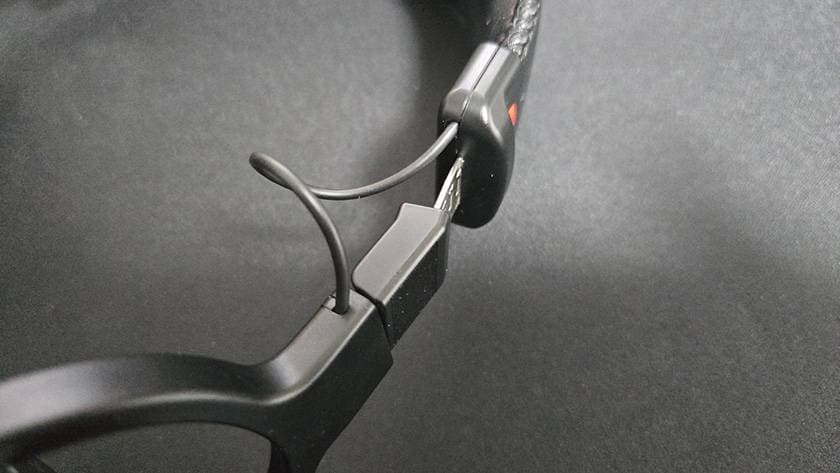
↑ One thing to note, however, is that the cable is exposed. This is something you’ll need to handle carefully during use.
audio-technica / ATH-M50x Black Closed-Back Monitor Headphones
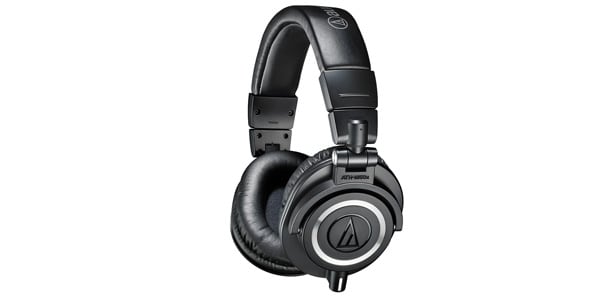
They’re a bit on the heavy side, but the thick ear pads provide a soft, enveloping feel, and the sound is detailed and beautifully balanced. The headphones come with replacement cables and a leather pouch, making them easy to carry and very practical. Also, the coiled cable never tangles — it’s genuinely fantastic. I use them myself.
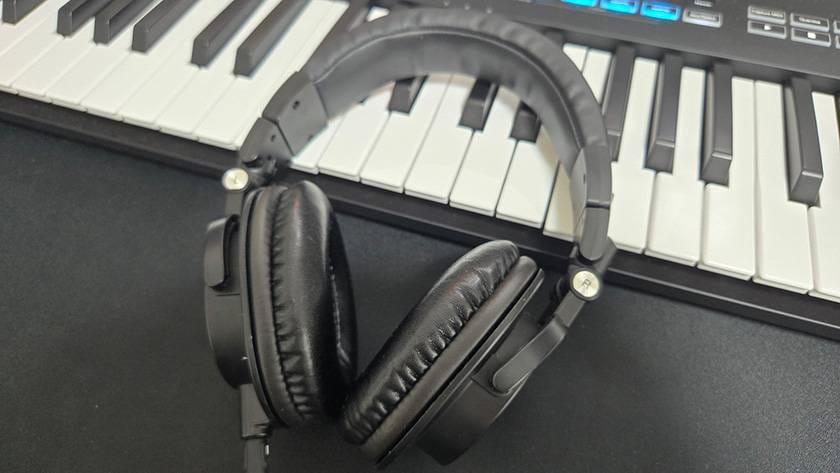
↑ The ear pads are plush, and the overall build quality is solid.
06 Monitor Speakers
Monitor speakers serve the same basic purpose as monitor headphones and earphones, but if you differentiate their roles:
- Monitor headphones/earphones: Checking stereo imaging (panning) and spatial width
- Monitor speakers: Checking the overall balance and cohesion of the track
They’re also more hygienic since they don’t come into direct contact with your ears.
However, for home use they aren’t always essential, mainly because they come with several challenges:
- ① You may not be able to turn them up to a sufficient volume depending on your living environment.
- ② They require a certain amount of space and cost for proper setup.
- ③ You’ll hear the room’s reflections as well, meaning the sound changes depending on your room size and materials (e.g., bass gets absorbed, highs become piercing, etc.)
*Regarding point ③: With calibration software, you can correct the speakers’ output to match your room’s acoustics.
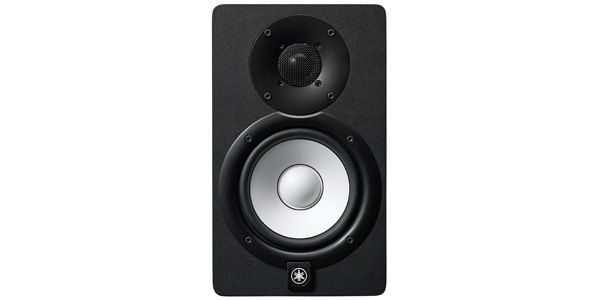
Yamaha / HS5 – Classic Studio Monitor
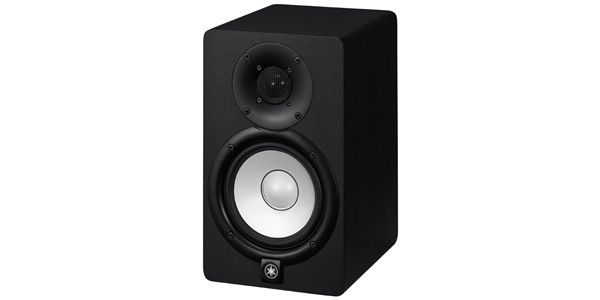
A staple among studio monitors. It delivers a well-balanced, easy-to-listen-to sound. Keep in mind that the cabinet is a little over 20 cm deep, so it requires a fair amount of space.
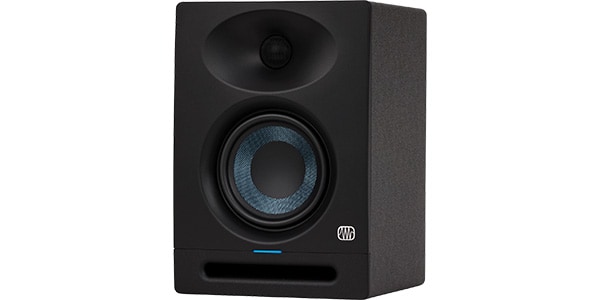
The sound is very clean and detailed, making it easy to hear nuances. However, when you turn up the volume, the high end can get a bit sharp.
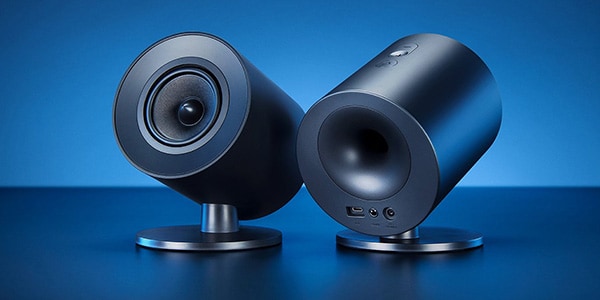
Due to limited desk space, I have a compact gaming speaker set up, but the bass is too strong, making them completely unsuitable as monitor speakers. I only use them for casual listening or quick playback.
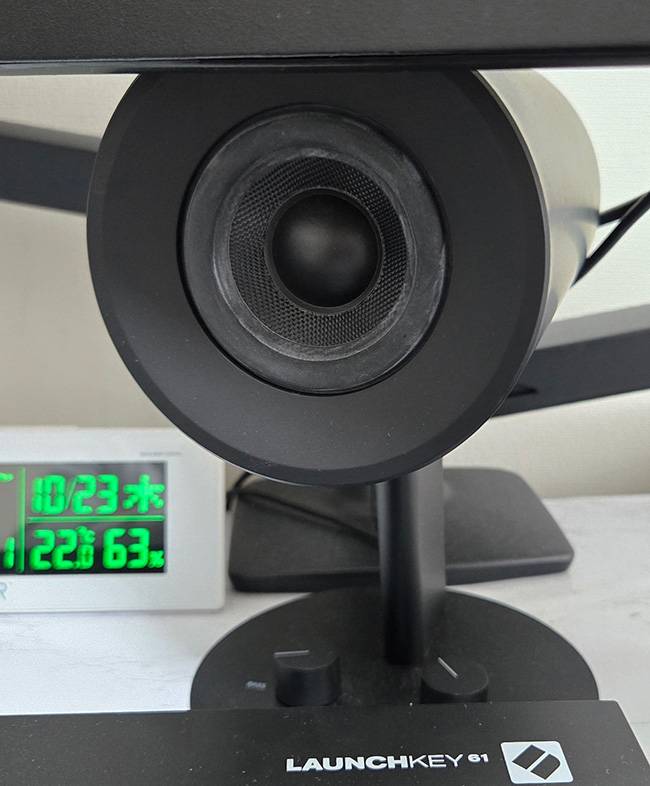
↑ These are the Razer Nommo speakers. A new version has been released, and they deliver solid deep bass, making them perfect for gaming.
07 Others
Finally, here are some items that I found really helpful:
① Sustain Pedal
The pedal at the base of a piano that you press to make the notes sustain.
When you want to achieve a natural, ‘real piano’ feel, you press the pedal along with your playing. This eliminates the need to manually draw automation to extend notes, giving a more natural result.
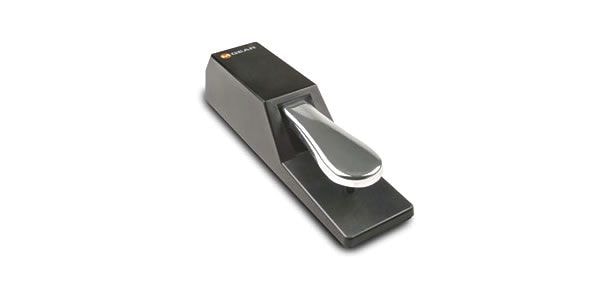
Despite its low price, it has a nice, realistic weight like an actual piano pedal. The non-slip base keeps it very stable during use. After about two and a half years, the pedal has started to feel a little loose, but it’s still functional. I do wish it were a bit more durable.
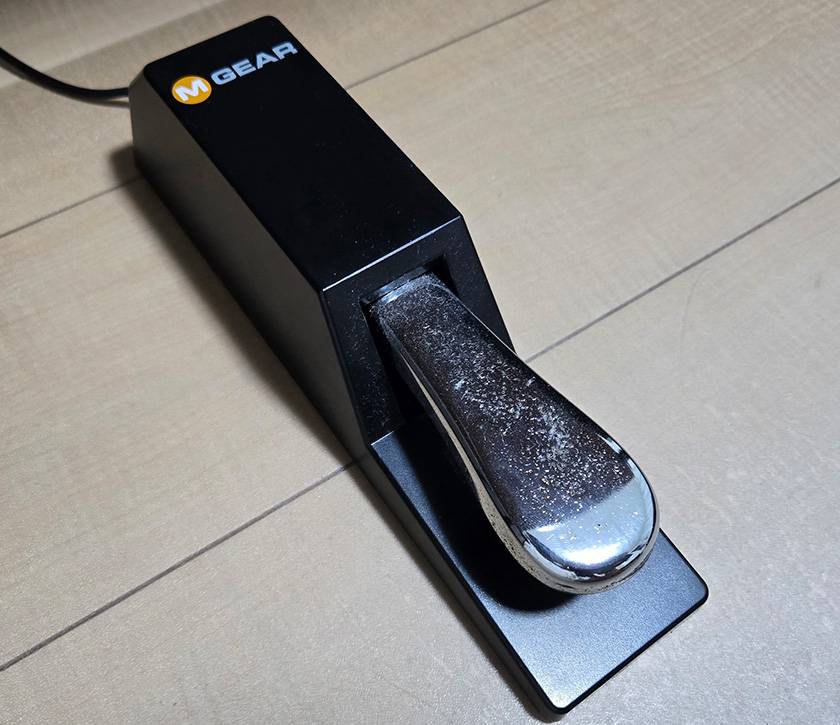
↑ Great value for the price. I’d love to compare it with pedals from other brands.
② USB Hub
Once you have a certain amount of gear, especially with a laptop, you’ll inevitably run out of ports. Using a hub allows you to consolidate connections, making it easier to plug and unplug cables when transporting your setup.
I use the Anker 565 USB hub. By connecting a power cable, part of the power is supplied directly to the hub itself. This allows you to connect multiple devices without causing instability in their operation.
However, there is always a concern that routing your audio interface through a USB hub could degrade the recorded sound.
I connect my interface via a hub because I want to use dual external monitors, but ideally, it’s better to connect devices directly to the computer. So far, I haven’t noticed any significant problems or obvious degradation in audio quality. *Note: Performance may vary depending on the combination of devices and environment, so this does not guarantee operation in all setups.
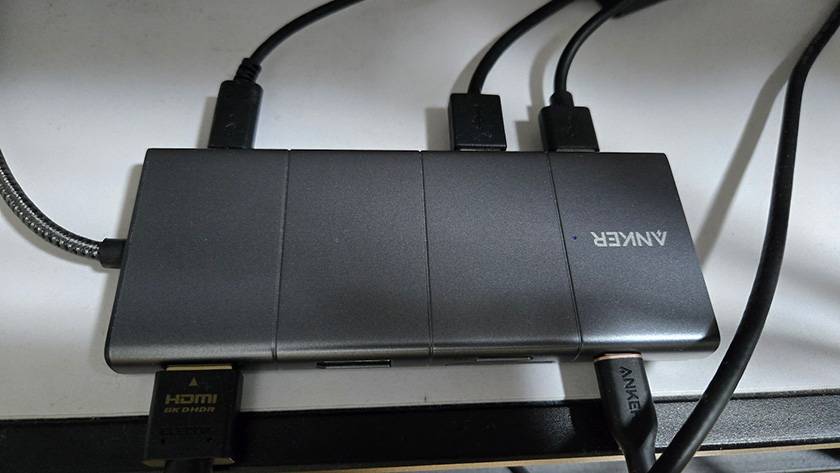
↑ The devices connected to the USB hub are:
- Power Cable
- USB-A Hub (for charging a mouse)
- Audio Interface
- MIDI Keyboard
- Full HD Monitor
③ External Monitors
I use two monitors. As shown in the photo, this allows me to display the DAW’s sequencing/arrangement screen and the mixer screen separately, which greatly improves workflow.
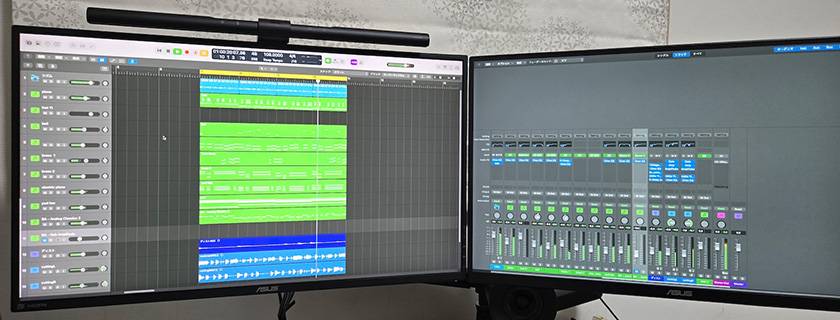
↑ I can work without constantly switching the timeline and mixer views on and off.
The MacBook Air M3 I’m using can support up to two external monitors due to its specifications, but Windows laptops can generally support even more displays (depending on the model). Therefore, Windows offers significantly greater expandability for monitor setups.
◎ Summary
How was it? Choosing equipment can seem difficult at first, but if you build your setup while keeping the finished result in mind, it often goes more smoothly than expected.
I hope this has been even a little helpful. Thank you very much for reading this far.
The “sound & person” column is made up of contributions from you.
For details about contributing, click here.
















![[DTM] Become a Budget DTM-er!](/contents/uploads/thumbs/5/2025/10/20251006_5_33197_1.jpg)
![[Building Your Equipment] Assembling DTM Gear For Under A 100,000 Yen Budget!!](/contents/uploads/thumbs/5/2021/11/20211116_5_15163_1.jpg)

 厳選!人気のおすすめオーディオインターフェイス特集
 NOVATION 特集
 PRESONUS オーディオインターフェイス 製品比較表
 機能で選ぶ オーディオインターフェイス
 DTMに必要な機材
 DTM・DAW購入ガイド
 Discount Sale
 Outlet
 New Arrivals
 Podcast (streaming)
 Headphones / Earphones
 Microphones
 Wireless Equipment
 Speakers
 Power Amps
 Mixers
 Processors
 Portable PA Systems
 Recorders
 Karaoke
 Guitars
 Basses
 Ukuleles
 Drums & Percussion
 Pianos / Synthesizers
 Wind Instruments
 Stringed Instruments
 Japanese Instruments
 Harmonicas, Other
 Software
 DJ & VJ
 Stands
 Cables & Connectors
 Racks & Cases
 Lighting
 Stage & Truss
 Video Equipment
 PC PERIPHERALS
 Power Supplies
 Studio Furniture
 Household Items, Other
 Alcoholic Beverages