In settings where sound is handled, such as PA, recording, streaming, and video production, ‘EQ (equalizer)’ is something that appears in almost every situation.
“Boosting the low frequencies makes the sound more powerful.” “Boosting the high frequencies makes the sound clearer.”
These may seem like obvious assumptions at first glance, but in many cases, organizing unnecessary frequency ranges can actually produce greater impact and clarity.
In other words, EQ is not simply a function for making sound more flashy. It is a tool for making instruments and voices sound more natural and easier to listen to by organizing unnecessary sounds and bringing out the sounds that are needed.
For example, when vocals are buried under the instruments during a live performance, or when a voice sounds muffled during a stream, appropriately adjusting the EQ can sometimes produce surprisingly significant improvements.
On the other hand, using EQ incorrectly can make the sound unnatural or cause noise and feedback, so it is important to understand the basics.
In this article, I’m going to explain in an easy-to-understand way, from the basic mechanisms of EQ and the characteristics of each frequency range to the role of the HPF (High Pass Filter), ways to prevent feedback, and the concept of “cut rather than boost,” which beginners should know, while introducing useful points from actual PA situations.
What Is EQ (Equalizer)?
EQ is a function for adjusting the frequency characteristics of an audio signal, or a piece of equipment used for that purpose.
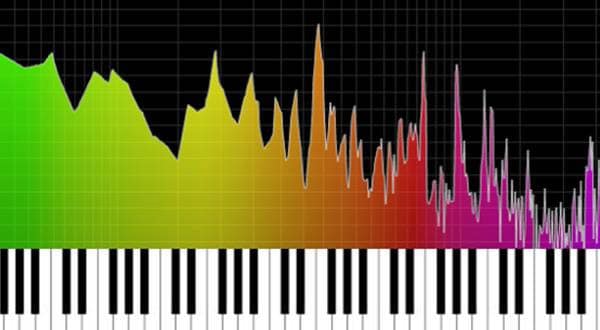
The sounds we normally hear are made up of various frequencies combined together, ranging from low frequencies of around 20Hz to high frequencies of around 20kHz.
With EQ, you can control the tone and balance to a certain extent, such as:
- Slightly reducing the low frequencies
- Emphasizing the midrange to make vocals easier to hear
- Adjusting the high frequencies to add brightness and presence
For example:
- Want to bring the vocals further forward
- Want to improve a muffled guitar sound
- Want to add impact to the kick drum
- Want to reduce feedback during a live performance
EQ can be extremely effective in situations like these.
Sound Is Made Up of ‘Fundamental Tones’ and ‘Harmonics’
To understand EQ, there is one thing you should know a little about: fundamental tones and harmonics. For example, when you play a ‘C’ on a piano, it is not actually only the note ‘C’ that is sounding. In addition to the fundamental tone that determines the pitch, harmonics with frequencies that are multiples of the fundamental are also sounding at the same time. The balance of these harmonics is a major factor in determining the tone.
That is why EQ is not simply about “boosting the low frequencies” or “boosting the high frequencies.” It is important to organize unnecessary frequency ranges and create space for different sounds to coexist without interfering with each other.
The Role of EQ
The role of EQ can be broadly divided into three areas.
① Removing Unnecessary Sounds
EQ can cut frequency ranges that humans generally do not need very much, such as low-frequency noise from air conditioning, vibration sounds, and noises caused by touching a microphone stand.
Especially in live PA, simply cleaning up unnecessary low frequencies can greatly improve the clarity of the sound.
② Making Sounds Easier to Hear
When vocals are buried, slightly boosting the upper-midrange or reducing muddiness in the guitar can make each instrument easier to hear clearly.
Also, when multiple instruments are concentrated in the same frequency range, they interfere with each other and make the sound muddy. For example:
- Kick and bass
- Guitar and keyboard
- Vocals and synth
By using EQ to organize frequency ranges where there is a lot of overlap, you can create a natural and easy-to-listen-to mix.
③Creating the Character of the Sound
The impression of a sound, such as ‘warm’, ‘bright’, or ‘having good presence’, can also change significantly with EQ.
However, care is necessary because excessive boosting or cutting can make the sound unnatural or make noise more noticeable.
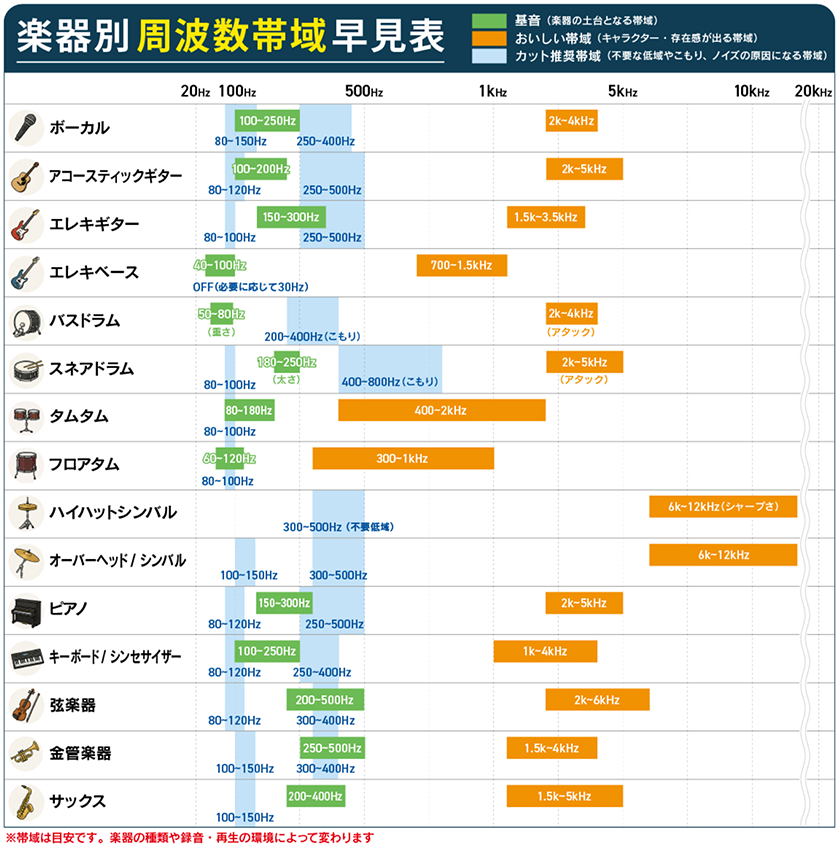
Characteristics of Each Frequency Range
The range of sound that humans can hear is generally said to be approximately 20Hz-20kHz, and each frequency range has its own characteristics.
| Frequency | Characteristics |
|---|---|
| 20〜40Hz | Sub-bass / A range that is felt with the body |
| 60〜250Hz | Low-end thickness and impact |
| 250〜500Hz | A range where muddiness and a muffled quality can easily occur |
| 500Hz〜2kHz | Core and presence of the sound |
| 2〜4kHz | Intelligibility and presence |
| 4〜6kHz | Attack and definition |
| 10〜20kHz | Air and brilliance |
HPF (Low-Cut) Settings
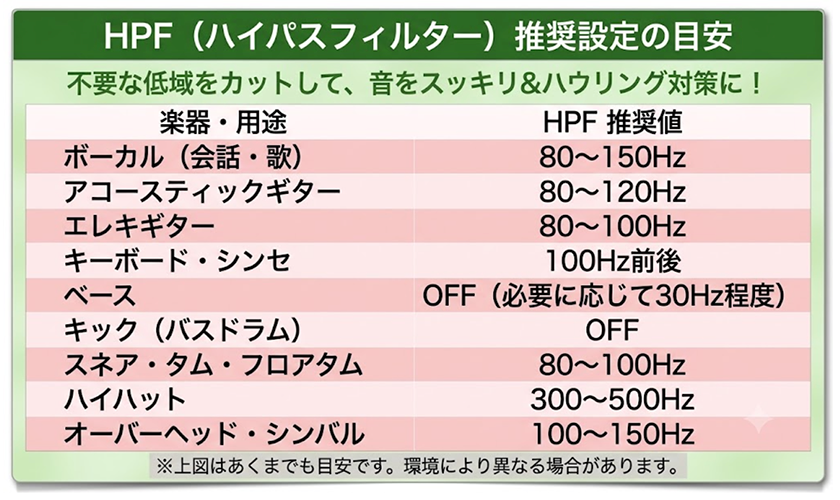
The first thing you want to do with EQ is use an HPF (High Pass Filter). An HPF is a filter that cuts sounds below the set frequency, and is also called a ‘low-cut’. For example:
- Vocals
- Guitar
- Cymbals
- Keyboard
do not require extremely low frequencies. By cleaning up unnecessary low frequencies, the definition of the sound becomes clearer, and it also becomes easier to reduce the effects of low-frequency feedback and unwanted vibrations. On the other hand, be careful not to cut low frequencies unnecessarily on instruments where the low end is important, such as:
- Kick
- Bass
The Relationship Between EQ and Feedback
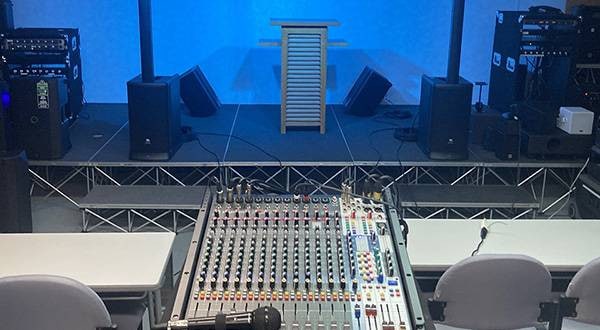
Have you ever experienced a sudden loud ‘screeching’ sound during a live performance, meeting, or lecture? This is a phenomenon called feedback.
Feedback occurs when sound coming from a speaker is picked up by a microphone again, and that sound is repeatedly amplified.
Because only certain frequencies loop and are amplified, feedback is heard as an unpleasant high-pitched sound or a low rumbling noise.
EQ is an essential tool not only for shaping sound quality, but also for suppressing feedback.
For example:
- For vocals, an HPF is often set around 80–100Hz as a guideline
- Clean up unnecessary low frequencies
- Slightly cut only the specific frequency that is feeding back
By making adjustments such as these, feedback becomes less likely to occur. However, cutting too much can also damage the original sound quality, so set the Q (bandwidth) narrowly and start by making small adjustments of around 1-3dB.
| Frequency Ranges Where Feedback Is Likely to Occur | |
|---|---|
| Frequency Range | Common Symptoms / How It Sounds |
| Around 125Hz | A low resonance |
| Around 250Hz | A muffled sound |
| Around 630Hz | A nasal sound |
| Around 1.6kHz | An irritating sound |
| 2.5k-4kHz | A sharp sound |
| 6k-8kHz | An extremely high-pitched sound |
Although it varies depending on the venue, microphone, and speakers, in PA applications these frequency ranges are generally the first ones to check carefully.
Feedback cannot be prevented with EQ alone.
In addition to EQ adjustments, equipment placement and microphone technique are also important.
- Do not point the microphone toward the speakers
- Place the speakers in front of the microphone
- Bring the microphone close to your mouth when speaking
- Do not raise the microphone gain more than necessary
Simply following these basic principles can greatly reduce the likelihood of feedback.
There are also models equipped with an Auto Feedback Suppressor (AFS). These can automatically suppress detected feedback frequencies, making them highly effective in live and installed sound applications.
〇 One-Point Advice
When feedback occurs, it is easy to respond by simply lowering the master volume. However, this also lowers the volume of the entire venue.
First, try to identify which frequency is feeding back, and focus on cutting only that frequency as minimally as possible.
Once you become able to identify feedback frequencies by ear, not only your ability to use EQ but also your skills as a PA operator will improve significantly.
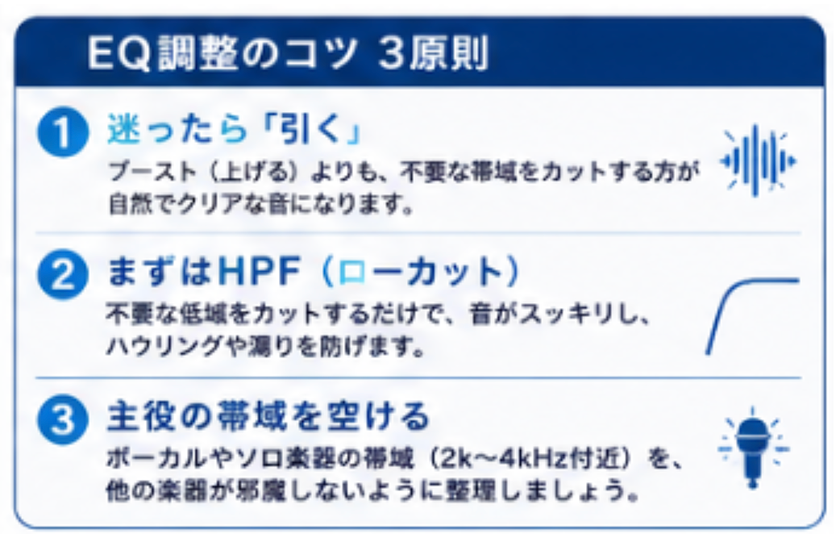
With EQ, ‘Cut’ Rather Than ‘Boost’
One of the most common mistakes beginners make is adjusting the EQ by “boosting everything because it can’t be heard.” However, in actual situations, the basic approach is “cut rather than boost.” For example, when vocals are difficult to hear, lowering the 2-4kHz range of the guitar or keyboard slightly will often sound more natural than boosting the vocals by 6dB. Repeatedly boosting frequencies makes noise and feedback more likely to occur, and can also make the sound harder and more difficult to hear.
When you’re unsure, first try to find unnecessary frequency ranges and focus on cutting them.
Differences Between Parametric EQ (PEQ) and Graphic EQ (GEQ), and Feedback Suppressors
There are various types of EQ, but Parametric EQ (PEQ) and Graphic EQ (GEQ) are especially commonly used in PA and recording.
・Parametric EQ (PEQ)
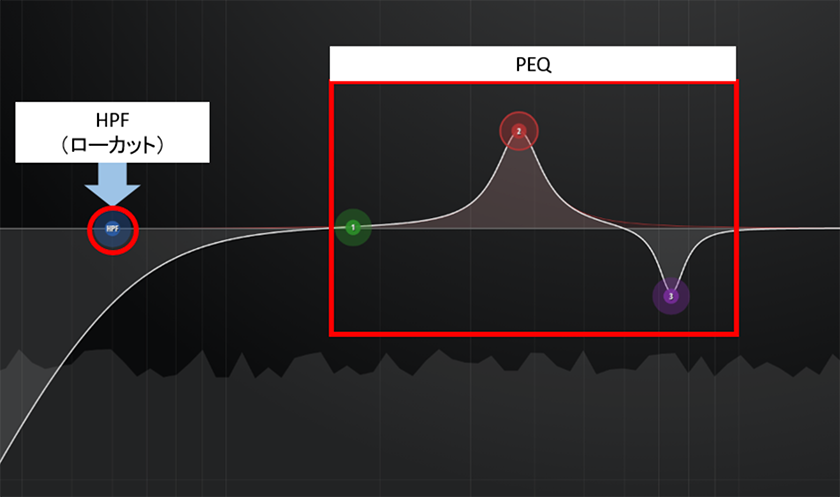
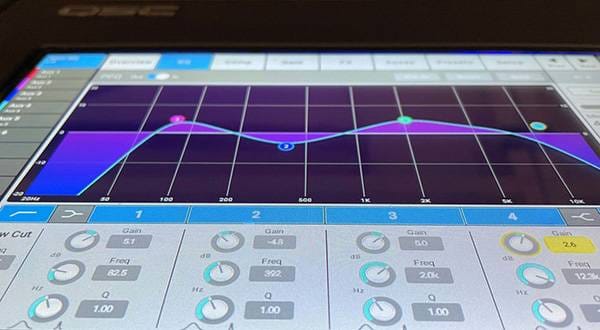
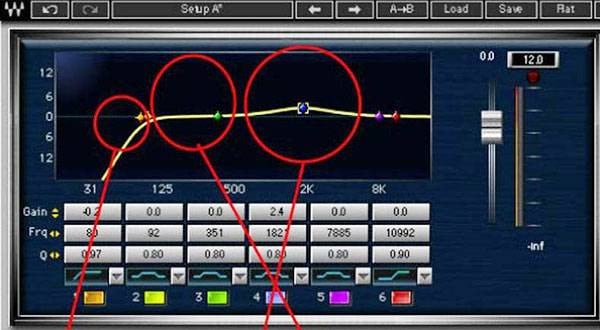
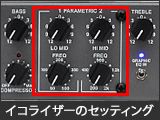
A parametric EQ allows you to freely select the frequency you want to adjust and make detailed corrections to the sound. Generally, you can adjust the following three parameters:
Frequency: Which frequency range to adjust
Gain: How much to increase or decrease it
Q (Bandwidth): How narrow or wide a range to adjust
For example, it is ideal for detailed adjustments such as “Only around 250Hz in the vocals sounds slightly muffled” and “I want only 3kHz to come forward slightly.”
Many digital mixers are equipped with a 4-band PEQ on each input channel, making it the most frequently used type of EQ in PA and recording.
● Recommended Product
Warm Audio / EQP-WA Parametric Equalizer

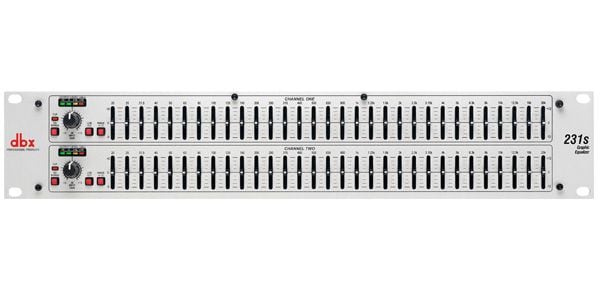
・Graphic EQ (GEQ)
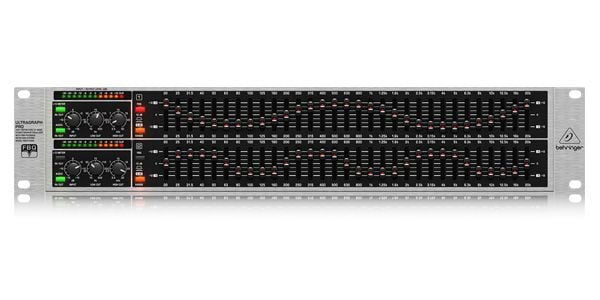
A graphic EQ is an EQ that adjusts the volume at predetermined frequencies. With a 31-band type, the range from 20Hz to 20kHz is divided into fine sections, and the sound quality is adjusted by moving each fader up or down. It is called a ‘graphic EQ’ because the shape of the faders itself forms a graph of the frequency response.
In live PA, it is often used for overall system adjustments, such as:
- Correcting the overall sound quality of the venue
- Shaping the sound of the speakers
- Preventing feedback
major advantage is that you can see the current settings at a glance.
● Recommended Products
| Item | PEQ | GEQ |
|---|---|---|
| Frequency | Can be freely set | Fixed |
| Q (Bandwidth) | Adjustable | Basically fixed |
| Level of adjustment | Extremely detailed | Suited to overall adjustments |
| Main applications | Tone shaping for vocals and individual instruments | Overall PA system and feedback prevention |
Simply put, an easy way to understand the difference is to think of a PEQ as ‘an EQ for making detailed adjustments to individual instruments and vocals’, while a GEQ is ‘an EQ for adjusting the overall venue and speakers’.
Also, many recent digital mixers are equipped with PEQ on individual channels and GEQ or PEQ on the main outputs, allowing them to be used according to the application.
・Digital Speaker Management Processor
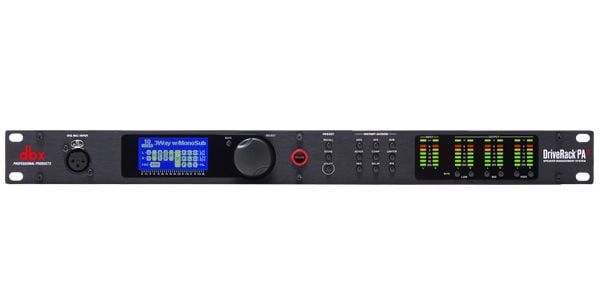
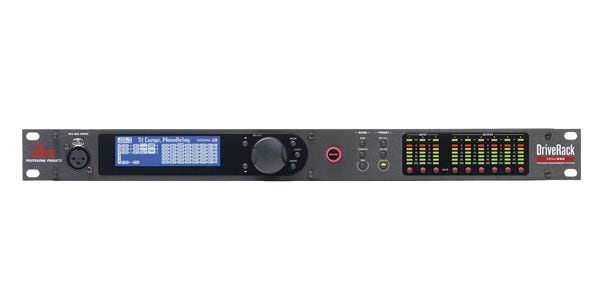
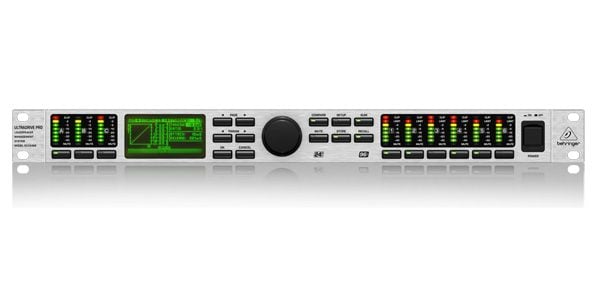
A digital speaker management processor is a piece of audio equipment that combines PEQ, GEQ, crossover, delay, limiter, and other functions in a single unit. In live PA and installed sound applications, it is used to optimize the entire speaker system.
● Recommended Products
dbx / DriveRack PA2 Speaker Processor
dbx / DriveRack VENU360 Speaker Processor
・Feedback Suppressor
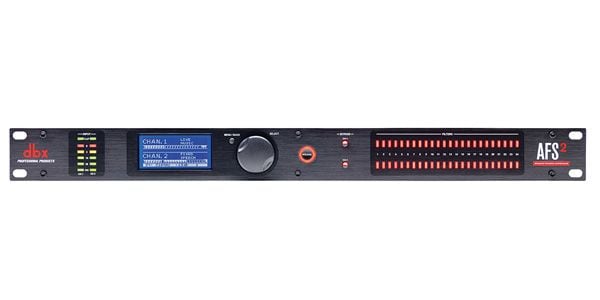
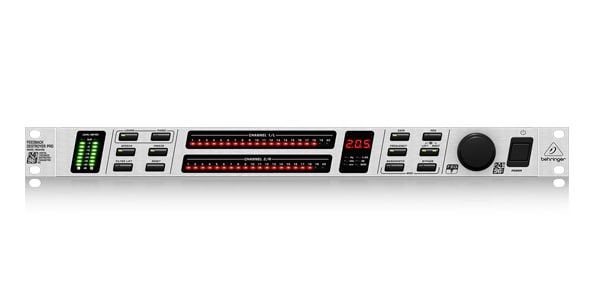
A feedback suppressor is a piece of audio equipment that automatically detects the frequency at which feedback occurs and suppresses only that frequency precisely.
Internally, it uses a narrow-band filter (notch filter), similar to a parametric EQ (PEQ), and cuts only the problematic frequency to prevent feedback while minimizing the impact on sound quality.
It is particularly effective in environments where feedback is likely to occur, such as live PA, meetings, and lectures, where there are many microphones.
However, a feedback suppressor is not a magical device that can completely eliminate feedback.
It is important to use it as a supplementary tool after carrying out basic system setup, including the positioning of the speakers and microphones, appropriate gain settings, and proper EQ adjustment.
● Recommended Products
dbx / AFS2 Feedback Suppressor
・Mixers Equipped with EQ
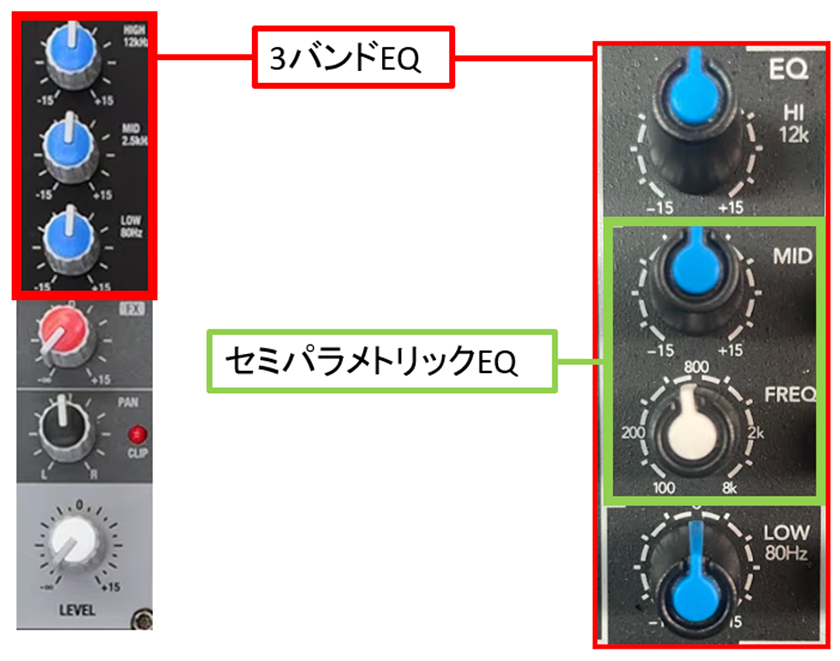
As briefly mentioned earlier, many analog and digital mixers today are equipped with EQ. Analog mixers commonly feature 2–4-band Low, Mid, and High EQs, and tone shaping is performed by adjusting the volume of each frequency range. Models in the mid-range and above may also feature a semi-parametric EQ that allows you to change the frequency of the Mid band.
● Recommended Products
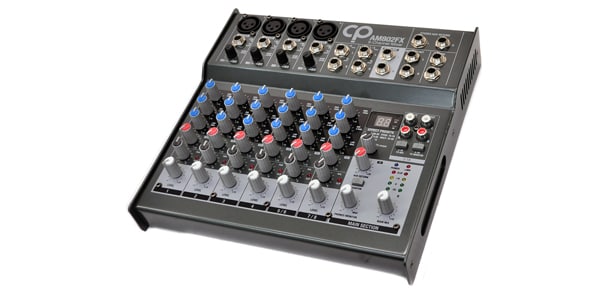
CLASSIC PRO / AM802FX Compact Analog Mixer
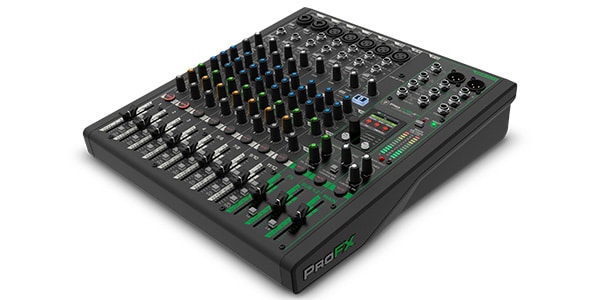
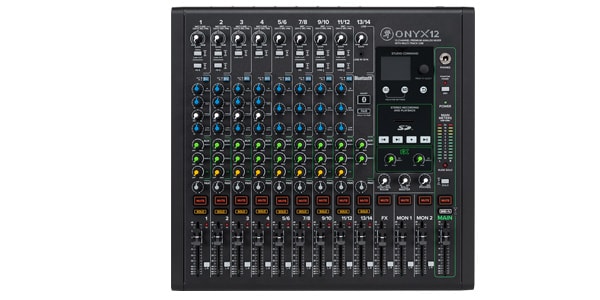
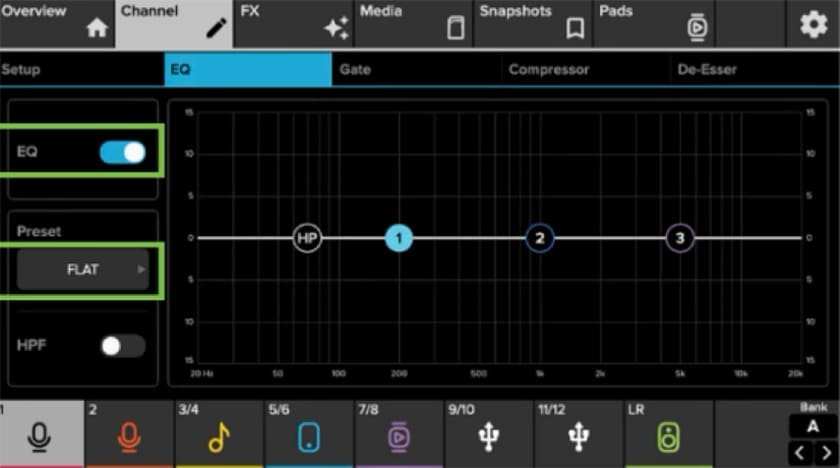
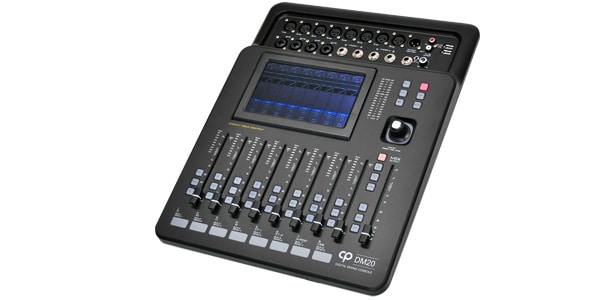
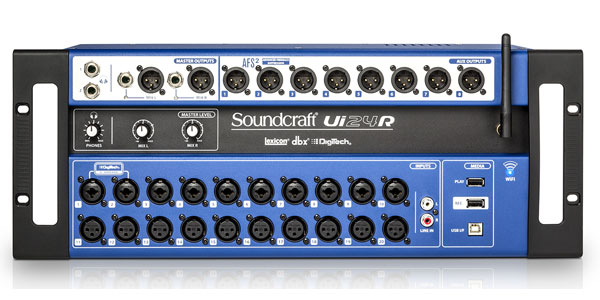
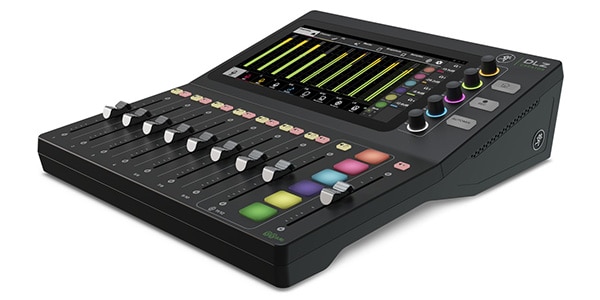
Digital mixers, on the other hand, often feature parametric EQ (PEQ) on each channel, allowing you to finely set the frequency, gain, and Q (bandwidth). In addition, more and more models feature PEQ or GEQ on the main outputs and mix buses, allowing functions such as speaker sound correction and feedback prevention to be handled with a single unit. The ability to flexibly shape sound according to the application, whether for live PA, recording, streaming, or other uses, has become one of the major attractions of digital mixers today.
● Recommended Products
CLASSIC PRO / DM20 Digital Mixer with Motorized Faders
Soundcraft / Ui24R Wi-Fi Control Digital Mixer, 24ch
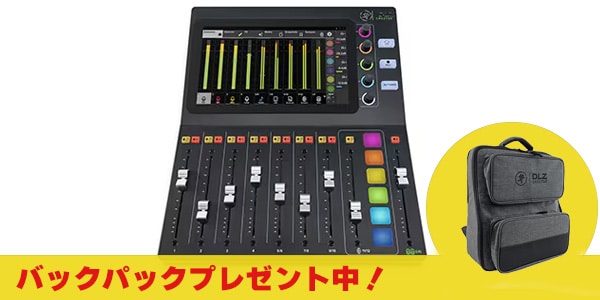
Mackie / DLZ Creator Digital Mixer for Streaming
Common Mistakes
EQ is a useful tool, but using it incorrectly can degrade sound quality or cause feedback and noise. Here are some of the mistakes that beginners are particularly likely to make.
① Not Using an HPF (Low-Cut)
There are cases where sources such as vocals and guitar are mixed without using an HPF, even though they do not require extremely low frequencies.
When unnecessary low frequencies accumulate, the sound can become muddy and can also cause feedback. First, make it a habit to clean up unnecessary low frequencies with an HPF.
② Making Large EQ Adjustments All at Once
Another common mistake is making large adjustments of ±10dB or more because the sound does not seem to be turning out as expected.
Even a change of around 1-3dB can alter the impression of a sound with EQ.
It is important to make adjustments gradually while checking the sound with your ears.
③ Trying to Solve Everything with EQ Alone
Feedback and difficulty hearing a sound are not necessarily caused by EQ alone.
In many cases, simply reviewing the positioning of the microphone and speakers, gain settings, or the distance from the microphone can improve the situation.
④ Shaping the Sound in Solo
EQ is not only for adjusting an individual instrument; it is also used to balance the entire ensemble.
A sound may seem good when heard solo, but once combined with other instruments, it may become buried or, conversely, stand out too much.
Ultimately, make your adjustments while listening to the entire mix.
Conclusion
EQ (equalizer) is not a function for dramatically changing the sound. It is an important tool for organizing unnecessary frequency ranges and making instruments and voices sound more natural and easier to listen to.
First, use an HPF (low-cut) to clean up unnecessary low frequencies, and then make gradual adjustments while understanding the characteristics of each frequency range as needed.
Also, when you’re unsure, try returning the EQ to flat and keeping “cut rather than boost” in mind. This can help you achieve a more natural and well-balanced sound.
Furthermore, by understanding the characteristics and applications of parametric EQ (PEQ) and graphic EQ (GEQ) and using them appropriately, you can use them not only for shaping the sound of vocals and instruments, but also for preventing feedback and improving the overall sound quality of a venue.
EQ is not something where you find the correct answer in a single attempt.
Making small adjustments, listening to the changes with your ears, and gaining experience is the fastest way to get closer to your ideal sound.
















![[Product Review] Warm Audio WA273-EQ by soki kimura](/contents/uploads/thumbs/5/2023/10/20231013_5_24212_1.jpg)

 WARM AUDIOとは
 BEHRINGER シンセサイザー特集
 DTMに必要な機材
 CLASSIC PRO
 DBX 製品カテゴリ一覧
 イコライザーのセッティング
 Discount Sale
 Outlet
 New Arrivals
 Podcast (streaming)
 Headphones / Earphones
 Microphones
 Wireless Equipment
 Speakers
 Power Amps
 Mixers
 Processors
 Portable PA Systems
 Recorders
 Karaoke
 Guitars
 Basses
 Ukuleles
 Drums & Percussion
 Pianos / Synthesizers
 Wind Instruments
 Stringed Instruments
 Japanese Instruments
 Harmonicas, Other
 Software
 DJ & VJ
 Stands
 Cables & Connectors
 Racks & Cases
 Lighting
 Stage & Truss
 Video Equipment
 PC PERIPHERALS
 Power Supplies
 Studio Furniture
 Household Items, Other
 Alcoholic Beverages