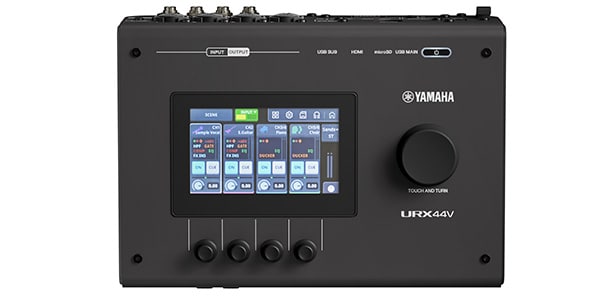
For many years, Yamaha has been a driving force behind Japan’s music industry and content creation scene, introducing countless legendary products. Now, the company has unveiled the URX44V, a next-generation audio interface that seamlessly brings together high-quality audio and video in a single, powerful solution.
Building on the legacy of Yamaha’s flagship interfaces, the new URX44V proudly carries the ‘V’ for Video, reflecting its focus on modern content creation. It’s designed not only for musicians and home studio producers, but also for today’s streamers, video creators, and multimedia professionals—making it an all-in-one solution that feels tailor-made for the modern creative workflow.
So, how well does the URX44V live up to Yamaha’s reputation for exceptional quality and innovation? In this review, I’m going to explore its standout features, put it through real-world testing, and share our firsthand impressions of what this exciting new interface has to offer.
*If you’d like to learn more about the differences within the URX Series, including sound quality comparisons and each model’s intended use, be sure to check out our previous review as well.
→ Hands-On Review of the Yamaha URX22!: A Next-Generation Audio Interface with a Built-In DSP Mixer
URX44V Overview
Let’s start by taking a look at the URX44V’s key specifications and comparing them with the other two models in the URX Series. As the flagship model for streaming and content creation, it offers a well-rounded feature set with virtually no compromises.
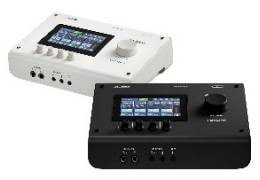
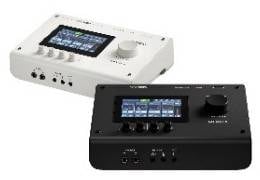
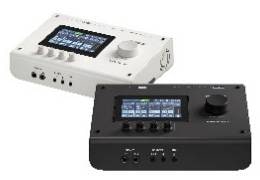
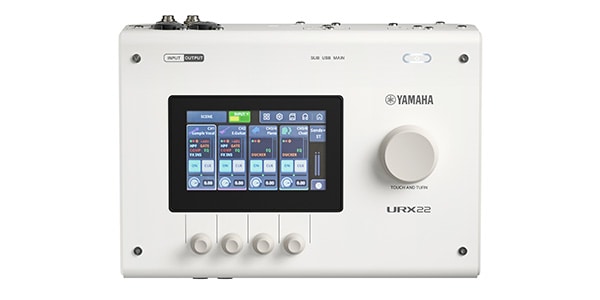
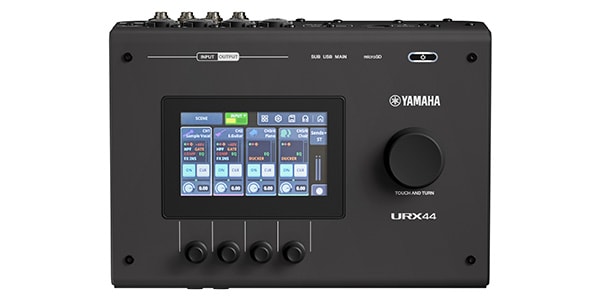
URX22 / URX44 / URX44V Comparison
| Feature | URX22 | URX44 | URX44V |
|---|---|---|---|
 |
 |
 |
|
| Target User | Streaming / Music Production | Professional Production | Video Production / Streaming |
| Positioning | Next-Generation 2-Channel | Next-Generation 4-Channel | Flagship Model |
| Inputs | 2 + AUX | 4 + AUX | 4 + AUX |
| Outputs | 2 | 4 | 4 |
| USB | USB-C ×2 | USB-C ×2 | USB-C ×2 |
| DSP Mixer | Onboard Control | Onboard Control | Onboard Control |
| Touch LCD | ○ | ○ | ○ |
| Scene Recall | ○ | ○ | ○ |
| Stream Deck Integration | ○ | ○ | ○ |
| Auto Gain | ○ | ○ | ○ |
| Clip Safe | ○ | ○ | ○ |
| Ducker | ○ | ○ | ○ |
| Internal DSP Mixer | 12ch | 14ch | 14ch |
| Maximum Sample Rate | 192kHz | 192kHz | 192kHz |
| Mic Preamp | New URX PRE | New URX PRE | New URX PRE |
| Input Dynamic Range | 115dB | 115dB | 115dB |
| Output Dynamic Range | 125dB | 125dB | 125dB |
| microSD Recording | × | ○ | ○ |
| HDMI Input | × | × | ○ |
| Standalone Operation | ○ | ○ | ○ |
| Main Competitors | MOTU M2 | Audient | RME/UAD |
In addition, the URX44V features two operating modes that let you completely change the way you interact with the interface, making it much easier to match different workflows.
Standard Mode
Standard Mode is designed for users who are comfortable working with traditional mixing consoles or digital audio workstations (DAWs). It provides full manual control over your audio, allowing you to fine-tune every aspect of your mix. You can adjust input gain, shape your sound with the built-in EQ, and control dynamics using the compressor on a per-channel basis. Every parameter is easily accessible, giving you the flexibility to create exactly the sound you want. With its comprehensive controls and maximum customization, Standard Mode is the ideal choice for experienced users who want to unlock the full potential of the URX44V.
Simple Mode
Simple Mode is perfect for users who prefer a more intuitive, streamlined workflow or are new to audio mixing. Instead of presenting every control and parameter at once, the interface focuses on the essential functions, making it easy to navigate without technical knowledge. There’s no need to manually adjust complex settings or fine-tune detailed parameters—everything is organized so you can quickly achieve great results. Whether you’re live streaming, recording a podcast, or creating content, Simple Mode lets you get started in just a few steps, so you can focus on your performance rather than your audio settings.
Unboxing the URX44V
Now, let’s open the box and see what comes inside!
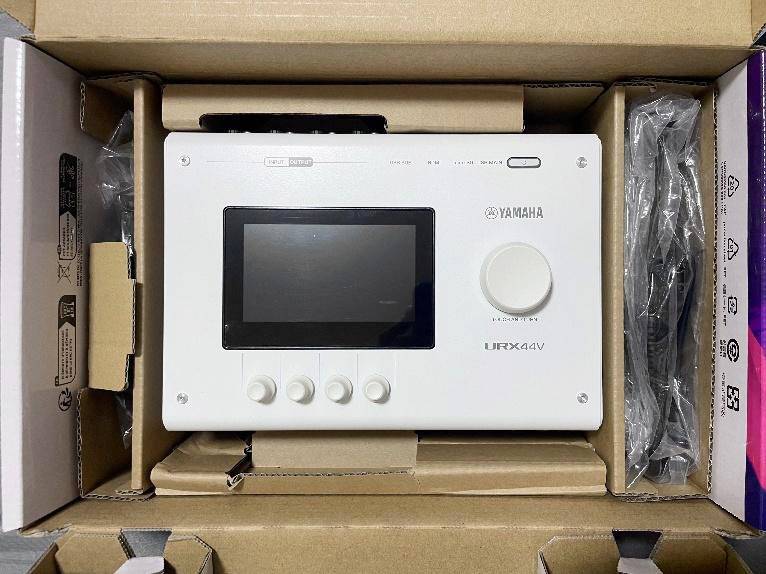
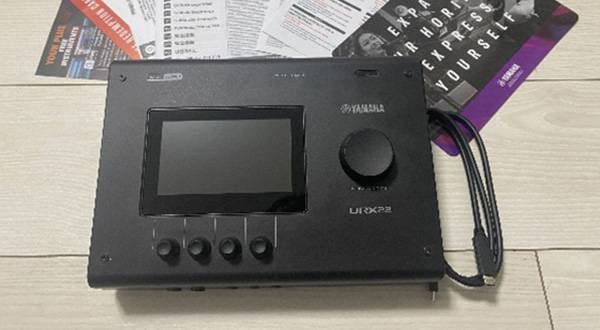
Here’s what you get when you first unbox the URX44V. I had a feeling from the size of the packaging, but seeing it in person, it’s surprisingly substantial for an audio interface. It has a reassuring weight and a real sense of presence.
The reason becomes immediately clear once you take a look at the rear panel.
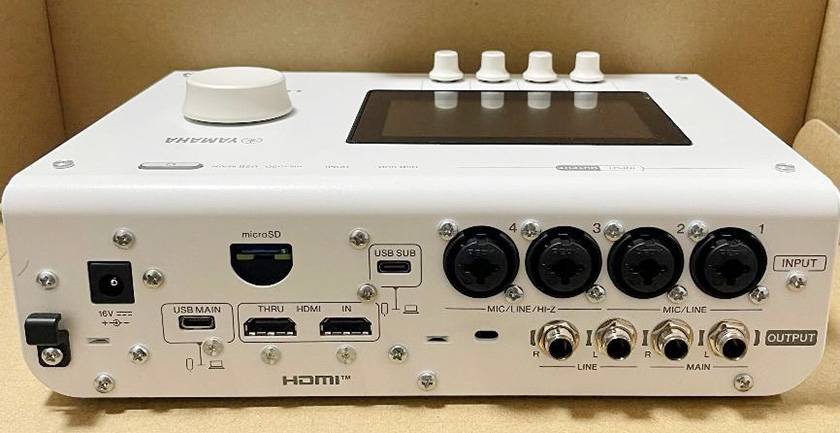
The amount of connectivity is impressive—the rear panel is packed with I/O ports.
One of the first things that caught my attention was the inclusion of both HDMI IN and HDMI THRU ports. That’s a highly unusual feature for an audio interface, and we’ll take a closer look at what it can do later in this review.
For audio inputs, INPUTS 3 and 4 support Hi-Z (high-impedance) connections, allowing you to plug a guitar or bass directly into the interface without the need for a DI box. The URX44V also features two USB Type-C ports—USB MAIN and USB SUB. This dual-USB design lets you connect the interface to your primary computer while simultaneously connecting a smartphone or tablet for live streaming, Discord calls, or other secondary applications.
Another feature that really stood out to me is its ability to record directly to a microSD card without requiring a computer. The URX44V supports up to 16-track multitrack recording, making it easy to capture complete recording sessions even if you're not comfortable working with a DAW.
The unit requires external AC power (an adapter is included), but that’s a reasonable trade-off considering its extensive feature set. The URX44V feels purpose-built for gamers, streamers, video creators, and anyone looking for a single device that can handle both high-quality audio and video production.
Sound Check
Some people may wonder, “With so many features packed in, how good is the sound quality?” After listening to the URX44V in action, however, those concerns quickly disappeared. As an audio interface, it delivers the level of sound quality you’d expect from professional music production equipment.
The first thing that impressed me was how incredibly clear it sounded and how remarkably low the noise floor was. I connected a condenser microphone and recorded my voice, and even subtle details—such as the lingering sound of my breath and quiet whispers—were captured with stunning clarity, almost as if I were speaking right in front of the listener. Curious about what made this possible, I looked into the specifications. I believe one of the main reasons is that the URX Series offers up to 78 dB of microphone preamp gain. This provides plenty of clean gain for low-output microphones, such as dynamic microphones that are known for their excellent sound quality but often require significant amplification. As a result, they can be driven powerfully without introducing noticeable noise. Even after heavily processing the recorded audio later in video editing software (boosting the volume, applying effects...) the sound did not become harsh or degraded. I found this to be a significant advantage for applications such as vocal mixing, including cover song productions, as well as cinematic-style video audio production.
3 Key Highlights of the URX44V
1. Built-in HDMI Capture Functionality
The standout feature of the URX44V is its built-in HDMI capture functionality. Traditionally, when live streaming gameplay or using a camera for streaming, you would need two separate devices: an audio interface for sound and a capture device for video.
With the URX44V, however, all you have to do is connect an HDMI device—such as a Nintendo Switch, PlayStation 5, or DSLR camera—directly to the rear panel. Both the video and audio are then captured by your computer in perfect sync.
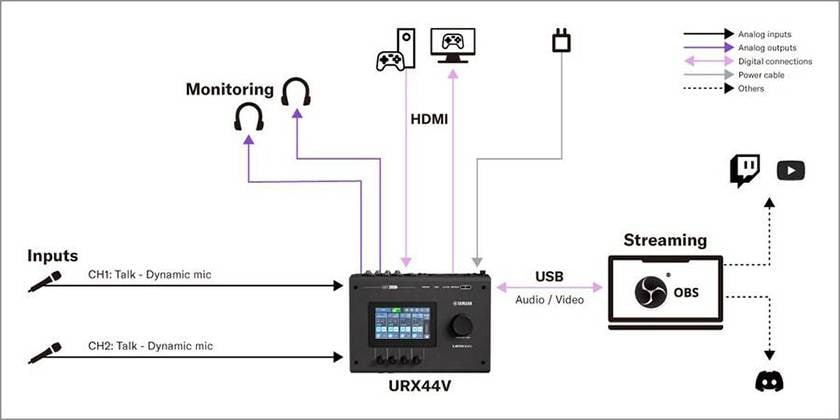
(Image courtesy of Yamaha’s official website)
For this review, I used the setup shown above as a reference and tested streaming to Twitch using OBS.
I chose to use Simple Mode, and the HDMI input setup screen is shown in the photo below. Simply selecting the appropriate source—HDMI, DVD, Game, or Camera—made it easy to capture both video and audio. The setup process simply guides you through each step based on your intended use, making it incredibly easy to configure. I was genuinely impressed by how user-friendly it is, allowing even those without technical knowledge to get everything up and running in no time.
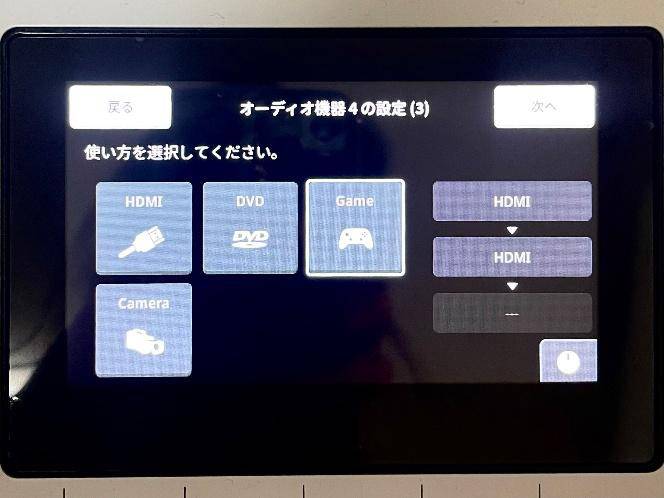
Because the URX44V supports real-time HDMI pass-through, I was able to connect a Nintendo Switch to the HDMI IN port and simply connect the URX44V to my computer via USB, allowing me to stream without worrying about gameplay latency. Another major advantage is the HDMI THRU port, which outputs the video directly to an external monitor. Instead of playing while looking at the OBS preview window—which is often cluttered with overlays such as face cams—I could enjoy the game on a large, unobstructed display without any distractions. For anyone who has struggled with complicated cable setups or audio/video synchronization issues, the URX44V offers an exceptionally elegant solution.
2. 4.3-Inch Touchscreen GUI with Physical Control Knobs
Each channel comes equipped with a comprehensive suite of built-in DSP effects, including a gate, compressor, 4-band EQ, reverb, delay, amplifier simulator, and pitch correction. All of these can be adjusted directly from the built-in touchscreen.
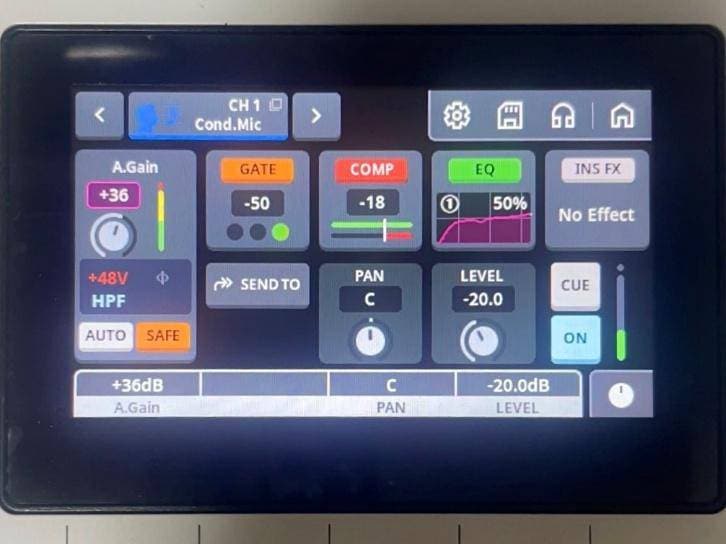
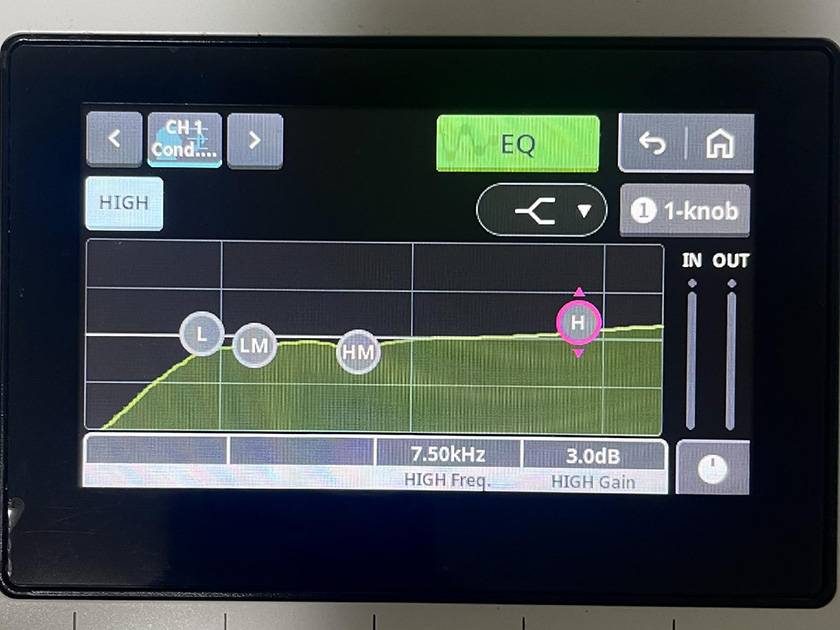
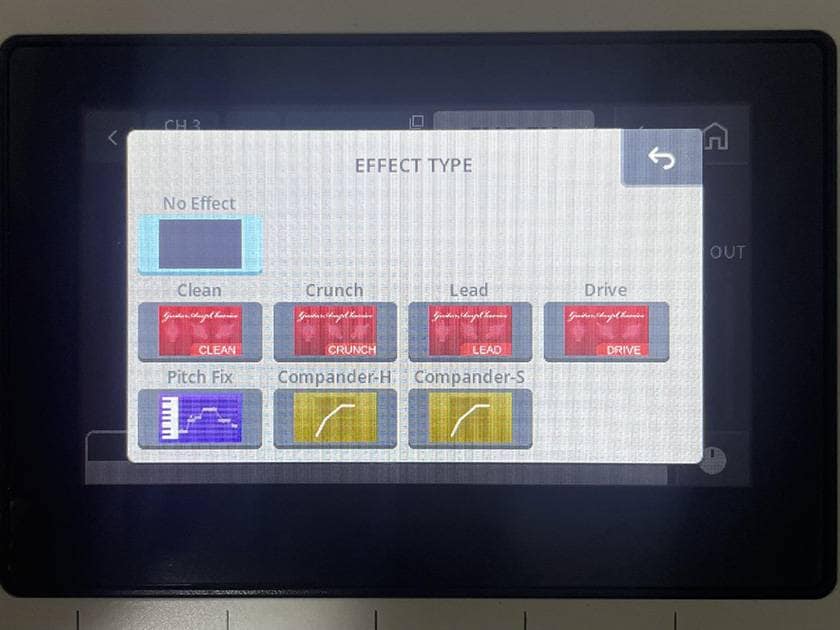
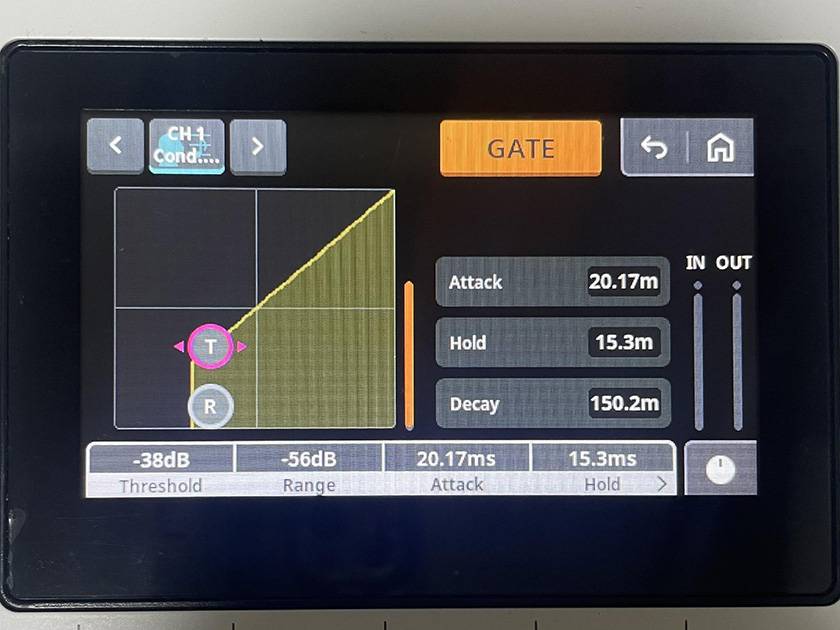
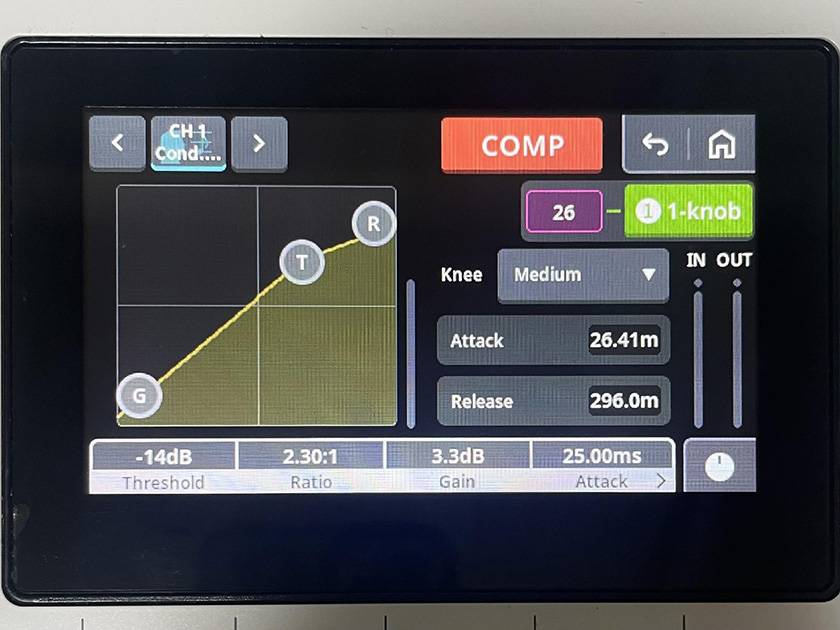
(Built-in DSP effects. The EQ features separate Low Mid and High Mid bands, and the interface also includes an amplifier simulator and Pitch Fix.)
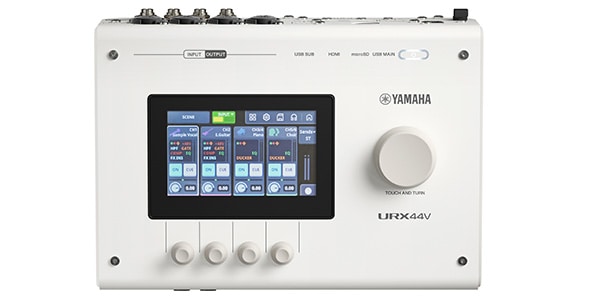
Since everything can be controlled directly from the URX44V itself, there’s no need to launch dedicated control software on your computer. Even while you’re live streaming, you can make quick, intuitive adjustments to your sound without minimizing your game or switching windows. All functions are also available when the unit is used in standalone mode, without a computer. One thing to note is that there is currently no PC-based remote control software that lets you adjust settings from a larger monitor using a mouse. As a result, navigating the 4.3-inch touchscreen with your fingertips may take a little time to get used to. However, the interface also features five physical control knobs for precise adjustments. Once you get used to the workflow, operating the URX44V actually feels more intuitive and allows you to make changes more quickly than using a traditional PC-based interface.
3. Professional Features for Reliable Streaming and Recording
The URX44V includes a wide range of intelligent digital assistant features designed to help prevent mistakes during live streaming and recording, where there's often no second chance.
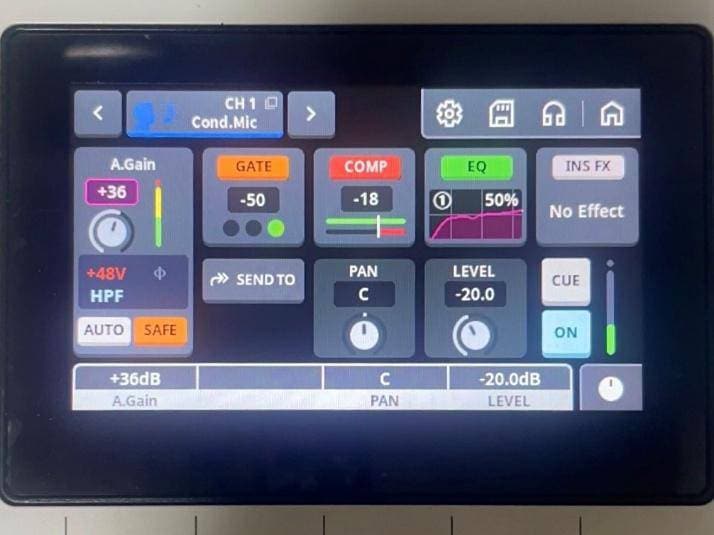
Auto Gain & Clip Safe
Auto Gain automatically sets the optimal microphone input level. Simply tap the AUTO button (shown in the center-left of the image below), and the interface adjusts the microphone gain for you. Next to it is Clip Safe. When I intentionally raised my voice, the SAFE indicator changed from light blue to orange, and the system instantly prevented audio clipping automatically. This is an incredibly useful feature for both recording and live streaming, as it virtually eliminates mistakes caused by improper input gain settings.
Ducker
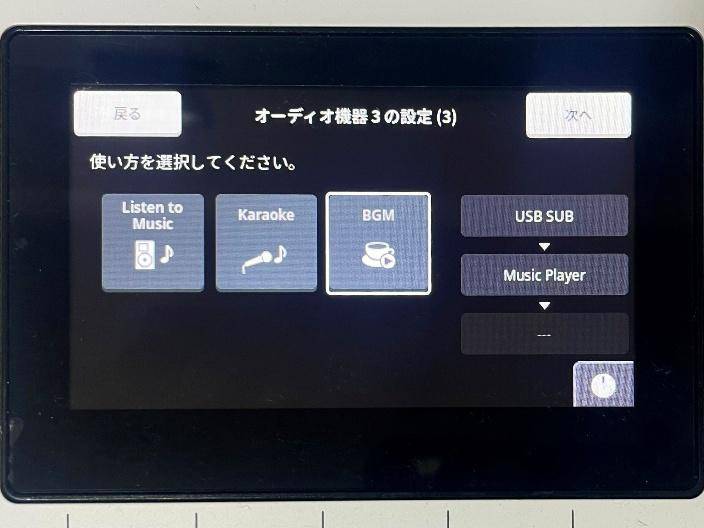
The Ducker automatically lowers the volume of your background music the moment you start speaking, then smoothly restores it once you stop. In Simple Mode, simply play your music and select BGM, as shown in the image below. The URX44V will automatically adjust the background music level to match your voice. This is a particularly useful feature for talk shows, podcasts, and casual live streams.
Multiband Compressor
The built-in Multiband Compressor processes the low, mid, and high frequency ranges independently, producing a more balanced and professional-sounding voice that’s easier for listeners to understand.
Up to 16-Track Recording to a microSD Card
Even if your computer freezes or crashes during a live stream, the URX44V can safely record each audio source directly to a microSD card as up to 16 independent tracks. This feature is incredibly valuable for creating highlight clips after a stream and for maintaining reliable backups. The same advantage applies to video and music production. If your DAW crashes unexpectedly during a recording session, your audio remains safely stored on the microSD card, helping to prevent the loss of an important take. Because the recording workload is handled by the URX44V rather than your computer, it can also reduce the risk of audio dropouts caused by heavy CPU usage. Whether you’re a streamer, videographer, or music producer, this provides valuable peace of mind when working on important projects.
Final Verdict
As you’ve seen throughout this review, the URX44V combines four devices into a single unit: an audio interface, a 4K video capture device, a DSP mixer, and a multitrack recorder. Considering the cost and complexity of purchasing and setting up these components separately, its price of around ¥120,000 is easy to justify.
By reducing the processing load on your computer, minimizing latency, and eliminating common hardware issues, the URX44V removes the need for a separate capture device while also protecting you from the kinds of worst-case scenarios that can ruin a live production—such as audio clipping, computer freezes, or lost recordings. At the same time, its Simple Mode, intelligent assist features, and intuitive 4.3-inch touchscreen make music production feel far more approachable and enjoyable, allowing you to focus on creating rather than configuring.
These features aren’t just beginner-friendly—they also free experienced creators from the frustration of dealing with complicated routing and I/O configuration. Being able to jump into a creative session the moment inspiration strikes, with just a few taps of your finger, is a tremendous advantage.
Instead of worrying about troublesome hardware issues or complicated settings, you can devote your full attention to your performance and enjoy the creative process in real time. More than anything, the URX44V feels like a next-generation audio interface designed with creators in mind—one that allows you to focus entirely on creating. If you’re looking for a single device that delivers uncompromising audio and video quality while handling live streaming, music production, and video production, the URX44V is an excellent choice. It’s especially well suited for multi-disciplinary creators who do everything themselves, as well as anyone looking to build a more professional streaming or production setup.
If you’re ready to take your music production, video creation, and live streaming to the next level, the URX44V deserves a place on your desk.





![[2026 Edition] Comparing Every Stream Deck Model: A Guide to Choosing the Right One for Streaming and Content Creation](/contents/uploads/thumbs/2/2026/6/20260622_2_35441_1.jpg)
![[Hands-On Review] Antelope Audio Zenith 2 Review Could This Be the Ultimate 2-In/2-Out Audio Interface?](/contents/uploads/thumbs/2/2026/6/20260616_2_35427_1.jpg)
![[Guitarist’s Perspective] Equipment that is Thought to Improve Sound Just by Passing it Through Part 1 - Direct Boxes](/contents/uploads/thumbs/2/2023/2/20230202_2_21077_1.jpg)

![[For beginners!] Choose an audio interface one rank higher](/contents/uploads/thumbs/2/2020/7/20200702_2_10515_1.jpg)
 厳選!人気のおすすめオーディオインターフェイス特集
 DTMセール情報まとめ
 USB接続MIDIインターフェイス
 機能で選ぶ オーディオインターフェイス
 DTMに必要な機材
 人気スタジオモニター徹底比較
 Discount Sale
 Outlet
 New Arrivals
 Podcast (streaming)
 Headphones / Earphones
 Microphones
 Wireless Equipment
 Speakers
 Power Amps
 Mixers
 Processors
 Portable PA Systems
 Recorders
 Karaoke
 Guitars
 Basses
 Ukuleles
 Drums & Percussion
 Pianos / Synthesizers
 Wind Instruments
 Stringed Instruments
 Japanese Instruments
 Harmonicas, Other
 Software
 DJ & VJ
 Stands
 Cables & Connectors
 Racks & Cases
 Lighting
 Stage & Truss
 Video Equipment
 PC PERIPHERALS
 Power Supplies
 Studio Furniture
 Household Items, Other
 Alcoholic Beverages