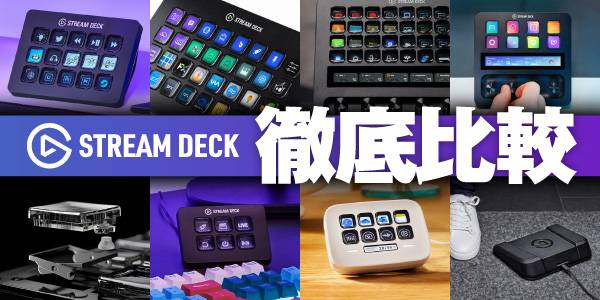
Elgato’s Stream Deck has become a staple among streamers, content creators, and professionals alike. With the ability to launch applications, switch scenes, execute macros, and perform countless other actions at the press of a button, it’s an incredibly powerful productivity tool. However, with so many models available, choosing the right one can be confusing.
In this guide, I’m going to compare the specifications of all current Stream Deck models including the classic Stream Deck MK.2 and the dial-equipped Stream Deck +, and highlight their key features to help you choose the right one without making a costly mistake. Use this guide to help you choose the right one before you buy!
Contents
1. What Is a Stream Deck and What Can It Do?
A Stream Deck is an incredibly useful device that allows you to perform a wide variety of actions on your computer with the press of a single button.
For example, imagine you’re live streaming and want to switch from your camera feed to a gameplay screen. Normally, you’d have to open OBS, locate the correct scene, and switch manually. Not only does this interrupt your workflow, but it can also leave your viewers waiting. Many users simply find moving the mouse and clicking through menus cumbersome.
With a Stream Deck, however, you can switch scenes instantly with a single button press.
■ Common Use Cases by Application
Streaming & Gaming
- Switch OBS Studio scenes (Gameplay ↔ Chatting screen)
- Mute your microphone to prevent coughs or sneezes from being broadcast
- Trigger sound effects and background music to enhance your stream
- Automatically post recurring announcements in chat (such as social media links)
Creative Work
- Execute complex shortcuts such as ‘Ctrl + Alt + S’ with one tap
- Instantly switch between Cut (Razor Tool) ↔ Selection Tool
- Trigger macros that automatically apply frequently used effects and transitions
- Adjust brush size and opacity while creating illustrations
Business & Everyday Productivity
- Launch frequently used websites and business tools simultaneously when starting work
- Control remote meeting software (Zoom, Microsoft Teams, etc.) with actions such as Raise Hand, Mute, and Screen Share
- Instantly enter commonly used phrases such as “Thank you for your continued support”
- Adjust system volume or physically mute your microphone
It becomes even more powerful when paired with other Elgato products.
Microphones (Wave Series)
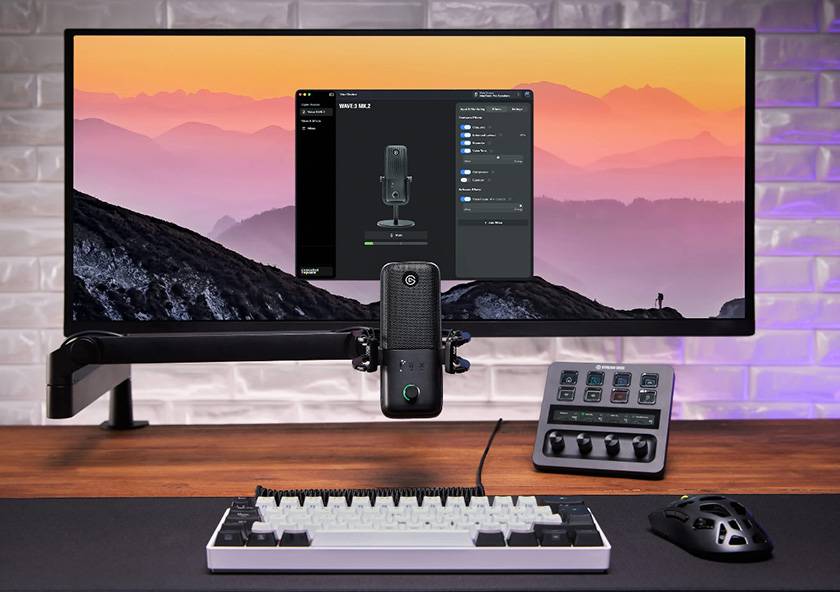
Stream Deck integrates seamlessly with Elgato’s dedicated Wave Link mixer software. In particular, the control dials on the Stream Deck + allow you to intuitively mix game audio, background music, Discord chat, and more right at your fingertips.
Lighting (Key Light Series)
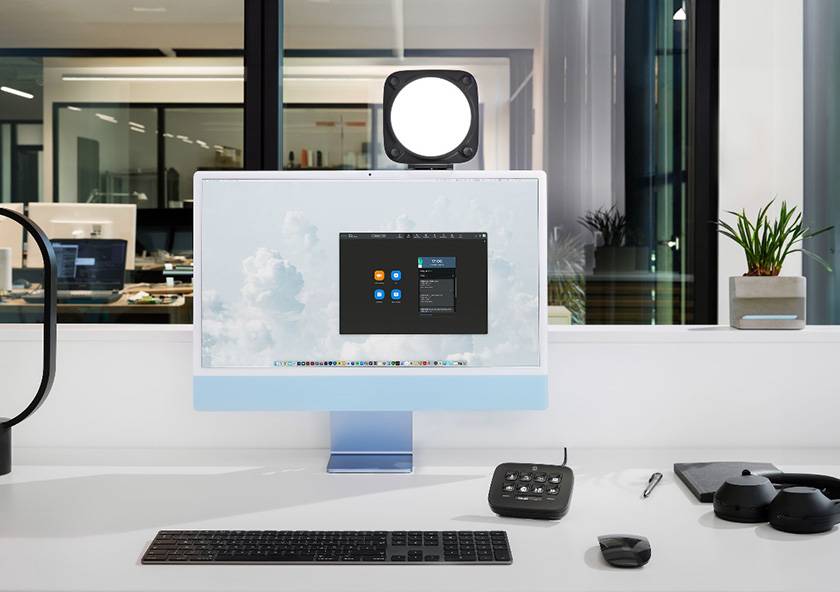
Control the power, brightness, and color temperature of Wi-Fi-enabled Key Light fixtures directly from Stream Deck. You can maintain the perfect on-camera appearance during streams without opening additional software windows.
USB Cameras (Facecam Series)
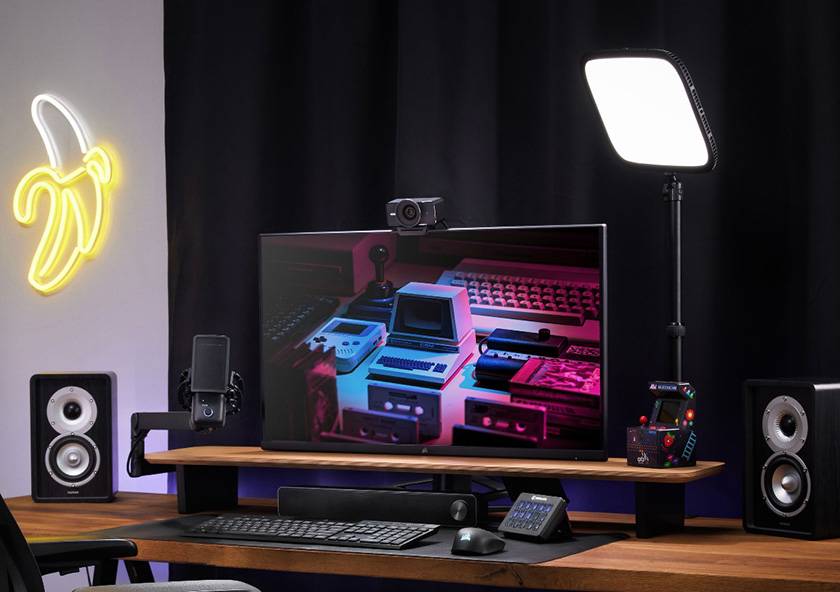
Stream Deck can control Elgato’s Camera Hub software, allowing you to zoom in and out, fine-tune contrast and exposure settings, and instantly recall your favorite camera angles with a single button press.
2. Comprehensive Comparison of All 8 Current Stream Deck Models
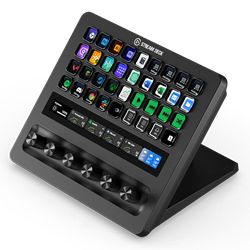
[Comparison Table]
 |
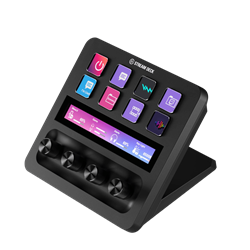 |
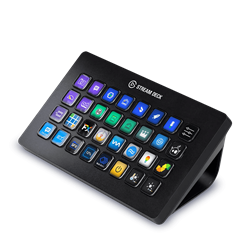 |
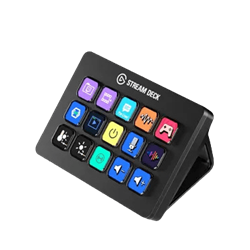 |
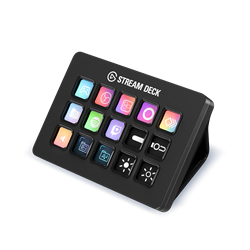 |
 |
 |
 |
|
|---|---|---|---|---|---|---|---|---|
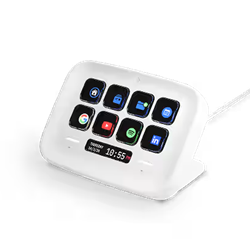
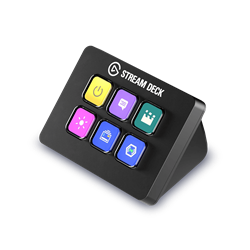
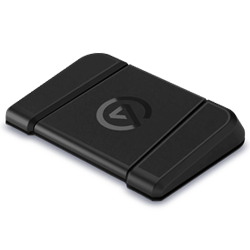
| Model | Stream Deck + XL | Stream Deck + | Stream Deck XL | Stream Deck Scissor Keys | Stream Deck | Stream Deck Neo | Stream Deck Mini | Stream Deck Pedal |
| Color | - | ブラック / ホワイト | - | - | ブラック / ホワイト | ブラック / ホワイト | - | - |
| Control Keys | 36 | 8 | 32 | 15 | 15 | 8 | 6 | 3 (Pedals) |
| Key Type | Classic | Classic | Classic | Scissor Keys | Classic | Classic | Classic | - |
| Control Knobs | 6 | 4 | - | - | - | - | - | - |
| LCD Touch Panel | 〇 | 〇 | - | - | - | 〇 | - | - |
| Stand | Integrated | Integrated | Detachable | Detachable | Detachable | Integrated | Integrated | - |
| Weight | 1,085 g | 465 g | 690 g | 270 g | 270 g | 210 g | 160 g | 960 g |
| Dimensions | 205 × 147 × 175 mm | 140 × 138 × 110 mm | 34 × 182 × 112 mm | 118 × 84 × 25 mm | 118 × 84 × 25 mm | 107 × 78 × 26 mm | 84 × 60 × 58 mm | 244 × 175 × 49 mm |
| Included Cable | 1.5 m | 1.5 m | 1.5 m | 1.5 m | 1.5 m | 0.9 m | 1.5 m | 2.5 m |
| Connection | USB 3.0 Type-C | USB 3.0 Type-C | USB 3.0 Type-C | USB 2.0 Type-C | USB 2.0 Type-C | USB 2.0 Type-C | USB 2.0 Type-C | USB 2.0 Type-C |
| Supported OS | Windows, macOS | Windows, macOS | Windows, macOS | Windows, macOS | Windows, macOS | Windows, macOS | Windows, macOS | Windows, macOS |
| Accessories | ・ Network Dock | ・ Network Dock ・ USB HUB ・ XLR Dock |
・ Network Dock | ・ Network Dock | ・ Network Dock | ・ Network Dock | ・ Network Dock | ・ Network Dock (DHCP only) |
*Please refer to Elgato’s product pages for the latest system requirements and compatibility information.
3. Key Features and Recommended Users for Each Model
Stream Deck MK.2
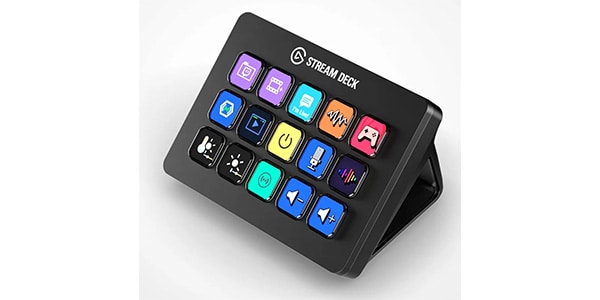
[The Classic Choice] If you’re not sure which one to get, start here! The standard model for streamlining all kinds of PC workflows
The standard Stream Deck model, featuring 15 customizable LCD keys, is often considered the face of the Elgato Stream Deck lineup. Whether you’re streaming, gaming, editing videos, or mixing in a DAW, it helps optimize virtually any PC-based workflow. Thanks to the folder feature, you can create additional pages and effectively assign an unlimited number of actions. Despite its compact footprint, it delivers exceptional versatility and remains one of the most popular models in the series.
Recommended for
First-time users of productivity controllers, game streamers and content creators, anyone looking to improve everyday PC productivity (Excel, web browsing, and more)
Stream Deck XL
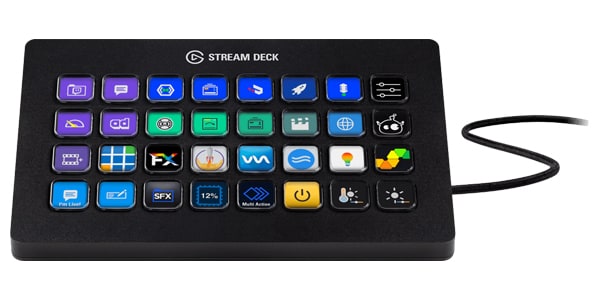
[Best Seller at Sound House] A Professional-Grade Model for Managing Massive Numbers of Shortcuts
Designed for users who find the 15 keys of the MK.2 nowhere near enough, the Stream Deck XL is a premium model built for demanding workflows. It is also the best-selling Stream Deck model at Sound House. With an impressive 32 customizable keys, you can place a huge number of shortcuts, macros, and virtual instrument switching commands (key switches) on a single screen without constantly changing pages.
Recommended for
Music producers working with numerous plugins and virtual instruments, video editors using applications such as Premiere Pro or DaVinci Resolve, streamers who need to switch between multiple scenes instantly
Stream Deck +
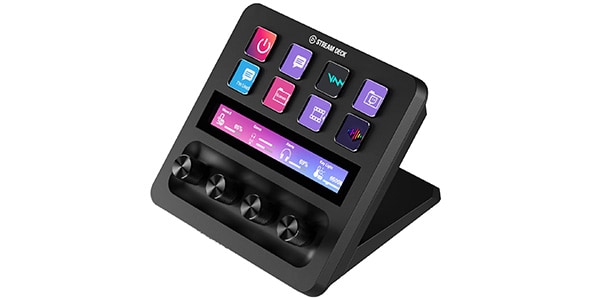
[Intuitive Audio Control] A Next-Generation Model with Dials and a Touch Panel
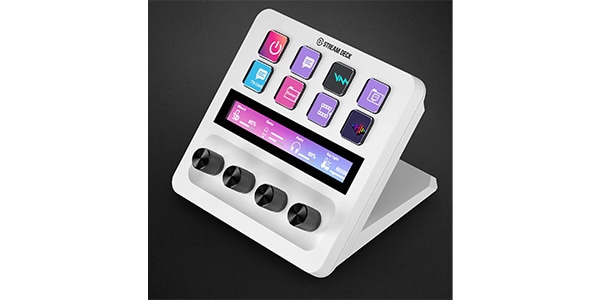
This innovative model features four control dials and a slim touch panel in place of the larger number of control keys, offering 8 customizable keys in total. Its standout feature is the set of dials available exclusively on the Stream Deck + Series. With a simple twist of a knob, you can intuitively adjust game audio, Discord voice chat levels, and BGM volume. The touch panel also allows you to switch between actions and pages with a simple swipe, just like turning the pages of a book.
Recommended for
Streamers who want precise, hands-on control over audio mixing during broadcasts, creators who want intuitive control of overall PC volume, video timelines, and other frequently used functions
Stream Deck + XL

[The Latest Flagship Model] The Ultimate Combination of Customizable Keys and Physical Dials
The current flagship model, combining the extensive number of keys found on the XL Series with the convenience of the dials and touch panel from the Stream Deck +. One-touch shortcut activation and seamless control of volume, effects, and other parameters can all be handled from a single control surface. By consolidating multiple functions into one device, it helps create a cleaner, more efficient workspace without the need for additional desktop hardware.
Recommended for
Professionals who refuse to compromise on their setup, streamers and creators who need to manage a large number of plugins, shortcuts, and audio mixing controls simultaneously
Stream Deck Scissor Keys
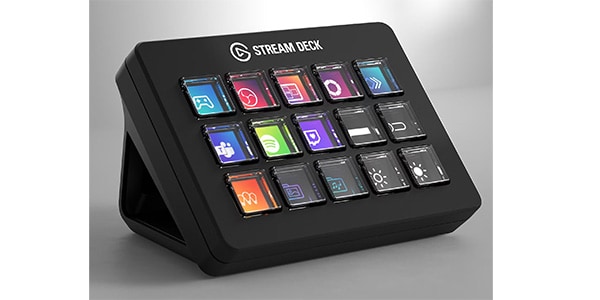
[Refined Typing Feel] A Pantograph-Style Model Designed for Comfortable Keystrokes
Unlike traditional Stream Deck control keys, this model features scissor-switch (pantograph-style) keys, providing the shallow, comfortable typing feel familiar to laptop keyboards. It’s ideal for users who prefer a firm, tactile keypress or want to operate the device by touch without disrupting their normal typing workflow. While retaining the excellent visibility of Stream Deck’s customizable display keys, it focuses on delivering a more practical and satisfying typing experience.
Recommended for
Users who prefer the typing feel of laptop keyboards, those who do not need dials or touch panels
Stream Deck Mini
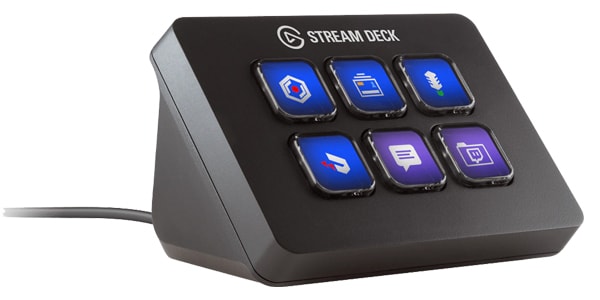
[Minimal & Compact] A Space-Saving Model That Won’t Crowd Your Desk
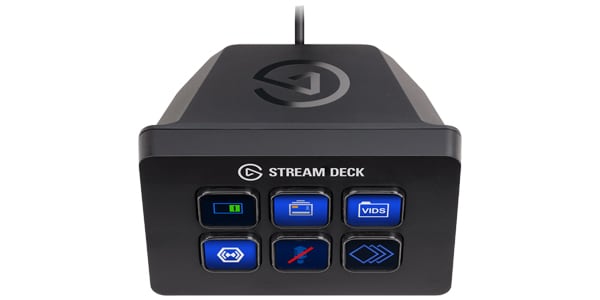
The most compact model in the Stream Deck lineup, featuring six customizable keys. Despite its smaller size, it offers the same core functionality as the higher-end models. By using the folder feature, you can nest additional actions within buttons, allowing you to access far more than six commands when needed. Its compact footprint makes it an excellent choice for limited desk spaces or as a portable secondary controller for use on the go.
Recommended for
Users who want to try Stream Deck while keeping costs to a minimum, those who prefer a clean, clutter-free desk setup, users who only need a few specific actions, such as microphone mute or scene switching
Stream Deck Neo
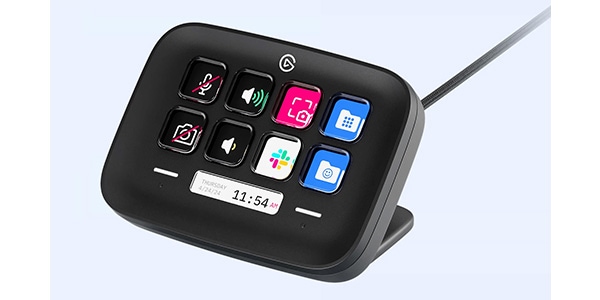
[Modern Design] A Stylish Model That Blends Seamlessly into Offices and White Desk Setups
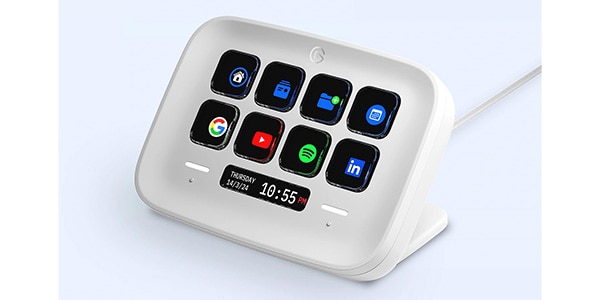
The latest entry-level model in the Stream Deck lineup, featuring a refined and modern design. In addition to eight customizable LCD keys, it includes an InfoBar that displays information such as the date and current mode, along with touch-sensitive navigation areas on both sides for switching between pages. With its clean, elegant appearance, it stands apart from the typical gadget aesthetic and fits naturally into office environments and modern desk setups.
Recommended for
Users who value design and aesthetics, those who want to streamline everyday PC tasks, such as web browsing and business applications, in a smart and efficient way
Stream Deck Pedal
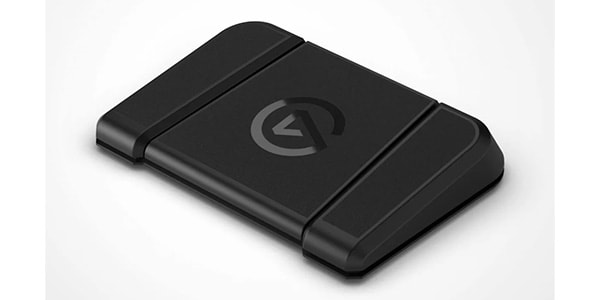
[Hands-Free Control] Three Foot Pedals for Triggering Tasks Without Taking Your Hands Off Your Work
A unique Stream Deck model equipped with three durable foot pedals, allowing you to control your PC hands-free. Whether you’re gaming, performing on an instrument, or otherwise have both hands occupied with a keyboard, mouse, or instrument, you can trigger assigned actions simply by pressing a pedal. It enables you to perform additional tasks without interrupting what you're doing.
Recommended for
Gamers who want to mute and unmute voice chat applications such as Discord using their feet, musicians who want to start and stop recording while playing guitar, keyboard, or other instruments
Additional Accessories
・ XLR Dock MK.2 for Stream Deck +
→ An audio interface module that attaches directly to the back of the Stream Deck +. It allows you to connect an XLR microphone without taking up additional desk space, and when paired with Wave Link software, it creates a compact and streamlined audio setup.
・ Network Dock for Stream Deck
→ An expansion dock that enables Stream Deck to connect to a PC over a wired network (LAN). Whether you're in another room, a studio control room, or an operating position at a live event venue, you can remotely control a PC as long as the Stream Deck and computer are connected through the same network infrastructure.
・ USB HUB
→ An official powered USB hub designed to connect multiple Elgato devices—such as microphones, lights, and cameras—through a single hub. It helps prevent device recognition issues and unexpected disconnections caused by insufficient USB power.
・ USB 3.2 C to C cable
→ A high-quality USB Type-C to Type-C cable designed to maximize the performance of your Stream Deck, offering high-speed data transfer and stable power delivery for reliable operation.
4. How to Choose the Right Stream Deck Without Regret
Now that I’ve covered the features of every model, if you’re still wondering which Stream Deck is right for you, try choosing based on the following three criteria.
① Choose by Number of Buttons (Based on Your Workflow Volume)
The best model for you often depends on how many shortcuts and actions you want to assign.
- “I want to start with the standard model” / “I mainly want to improve everyday PC productivity”
- The Stream Deck MK.2 is an excellent choice. Its 15-key layout offers a great balance between functionality and size, and the folder feature allows virtually unlimited expansion.
- “I use DTM or video editing and need a large number of shortcuts available at once”
- The Stream Deck XL is the ideal option. With 32 keys, you can keep a huge number of shortcuts, macros, and virtual instrument key switches on a single screen without constantly switching pages. It’s also one of the most popular Stream Deck models at Sound House.
- “I only need a few specific functions, such as microphone mute or scene switching”
- Consider the space-saving Stream Deck Mini with six keys, or the sleek Stream Deck Neo with eight keys. Both provide an efficient and budget-friendly way to access essential actions.
② Choose by Ease of Control (Physical Controls)
Beyond simple button presses, consider whether you want intuitive, hands-on control over things like volume levels or timeline navigation.
- “I want to adjust game audio, BGM, and Discord volume with physical controls at my fingertips”
- The Stream Deck + is the perfect choice. Equipped with four physical dials and a touch panel, it provides an intuitive, mixer-like experience for controlling audio and other parameters.
- “I want both rotary controls and a large number of shortcut buttons”
- The Stream Deck + XL, the current flagship model, combines the best of both worlds. It offers extensive shortcut access alongside tactile dial control, creating a no-compromise workflow solution.
- “I prefer the typing feel of a laptop keyboard and want a precise, clicky key response”
- The Stream Deck Scissor Keys is an excellent option. Its scissor-switch key mechanism combines the familiarity of laptop-style typing with the visual flexibility of customizable display keys.
③ Recommended Bundles
Stream Deck + / XLR Dock MK.2
A space-saving combination that allows the XLR Dock MK.2 audio interface to snap directly onto the back of the Stream Deck +. This setup lets you connect popular streaming microphones such as the Shure SM7dB and Audio-Technica AT2020 without adding extra clutter to your desk. The result is a compact and efficient audio workstation with seamless integration through Elgato’s Wave Link software.
Stream Deck Neo / Key Light Neo
A stylish setup built around the clean, modern aesthetics of the Neo Series. With a single press on the Stream Deck Neo, you can turn the connected Key Light Neo on or off, while brightness and color temperature can be adjusted intuitively using the light’s built-in dial. This combination is ideal for anyone looking to enhance their appearance in video meetings or livestreams with minimal effort.
The Stream Deck is an innovative device that not only improves the quality of livestreams but also dramatically reduces the time spent on video editing, music production, and everyday computer tasks.
At first glance, it may seem complicated to set up, but the free companion software makes customization surprisingly easy. Simply drag and drop icons to assign actions, and you’ll be up and running in no time—even if you’ve never used a Stream Deck before. Free yourself from endless clicking and menu navigation, and experience a smoother, more efficient workflow right at your fingertips.
At Sound House, we carry a wide selection of genuine Elgato products with benefits including: same-day shipping, reliable 3-year warranty, free shipping on orders over ¥3,000, and bonus S-Points on eligible purchases.
Be sure to check each product page for current stock availability and detailed specifications.
Also, don’t miss the limited-time bundle sale running from June 1 through June 30.
⇒ Check out the latest special offers here









![[Hands-On Review] Antelope Audio Zenith 2 Review Could This Be the Ultimate 2-In/2-Out Audio Interface?](/contents/uploads/thumbs/2/2026/6/20260616_2_35427_1.jpg)
![[Limited-Time Offer] Special Bundle Sale on Elgato Products!](/contents/uploads/thumbs/2/2026/6/20260601_2_35286_1.jpg)
![[Real Hands-On Review] The New Stream Deck + XL Is Just Sooo Cool!](/contents/uploads/thumbs/2/2026/3/20260313_2_34691_1.jpg)
![[2026 Latest Edition] 10 Recommended Plugins for Voice Covers!](/contents/uploads/thumbs/2/2025/9/20250930_2_33029_1.jpg)
 厳選!人気のおすすめオーディオインターフェイス特集
 スマホ用マイク特集
 スマホ用ワイヤレスマイク特集
 初心者向けUSBマイクの選び方
 配信・ポッドキャスト特集!(ライブ/動画/ゲーム実況)
 機能で選ぶ オーディオインターフェイス
 Discount Sale
 Outlet
 New Arrivals
 Podcast (streaming)
 Headphones / Earphones
 Microphones
 Wireless Equipment
 Speakers
 Power Amps
 Mixers
 Processors
 Portable PA Systems
 Recorders
 Karaoke
 Guitars
 Basses
 Ukuleles
 Drums & Percussion
 Pianos / Synthesizers
 Wind Instruments
 Stringed Instruments
 Japanese Instruments
 Harmonicas, Other
 Software
 DJ & VJ
 Stands
 Cables & Connectors
 Racks & Cases
 Lighting
 Stage & Truss
 Video Equipment
 PC PERIPHERALS
 Power Supplies
 Studio Furniture
 Household Items, Other
 Alcoholic Beverages