Zenith 2
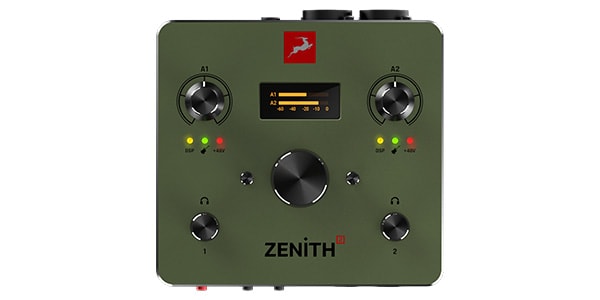
2 x 2 USB-C Bus-powered Audio Interface with onboard DSP
When searching for an audio interface to improve your sound quality, it’s easy to focus on the number of inputs and outputs or the abundance of features.
However, I believe what truly matters is the fundamental audio performance—how clearly it can capture recorded sound and how accurately it can reproduce playback audio. *My personal opinion
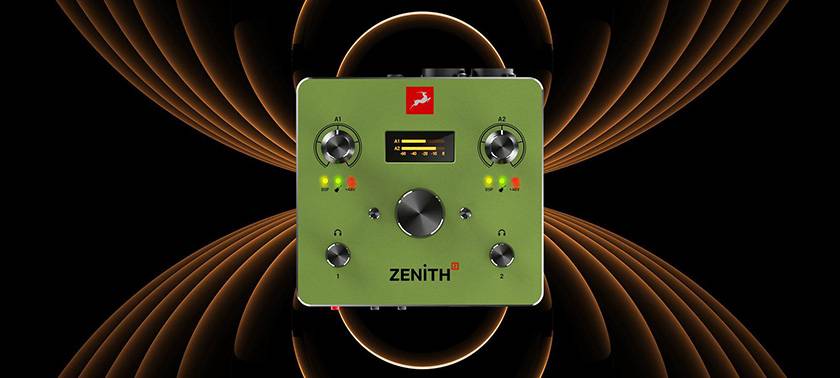
The product I’m going to review this time, the Antelope Audio Zenith 2, is an audio interface that is simple to use while delivering high-quality sound. How much performance has been packed into this minimal 2-in/2-out configuration? Based on hands-on experience with an actual unit, let’s take a closer look.
Contents
1. Introduction | What Kind of Product Is the Zenith 2?
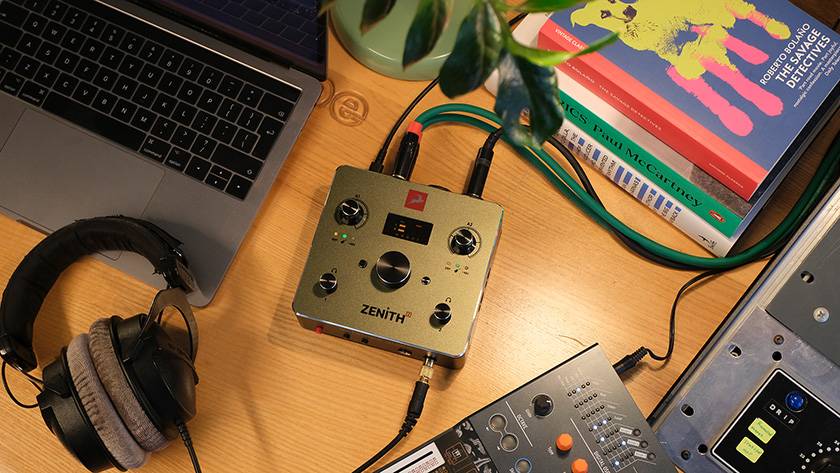
The Zenith 2 is a 2-in/2-out audio interface that combines high-quality AD/DA conversion, microphone preamps, and real-time DSP effects in a compact chassis.
While its I/O configuration is simple, it is clearly designed with a strong focus on ‘sound quality’. It is easy to use not only for home recording but also for streaming and mobile setups, making it a model that can appeal to everyone from beginners to professionals.
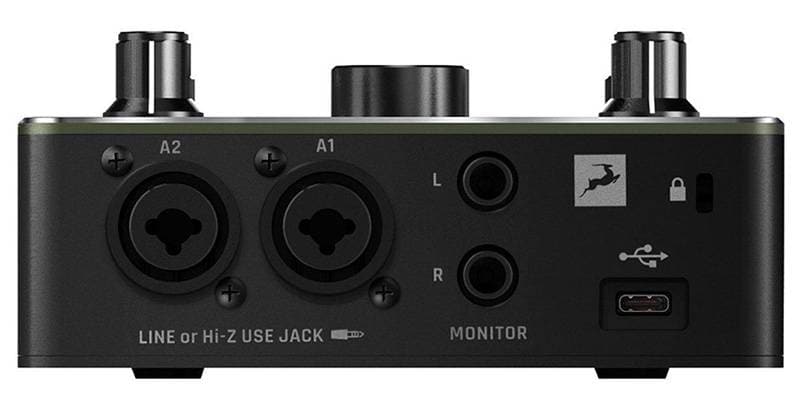
2. Basic Specifications and Key Features
● Basic Specifications
| Item | Specification |
|---|---|
| I/O | 2In / 2Out |
| Connection | USB-C (USB 2.0) *Bus Powered |
| Dynamic Range | 123 dB |
| Microphone Preamps | 2 Fully Discrete Preamps |
| Built-in DSP | Tube-Opto Compressor / Sky EQ / De-Esser |
| Effect Control | OFF / 1 / 2 / 3 (4 levels) |
| Supported OS | macOS / Windows / iOS / Android |
| Operation | Class-Compliant (No Driver Required) |
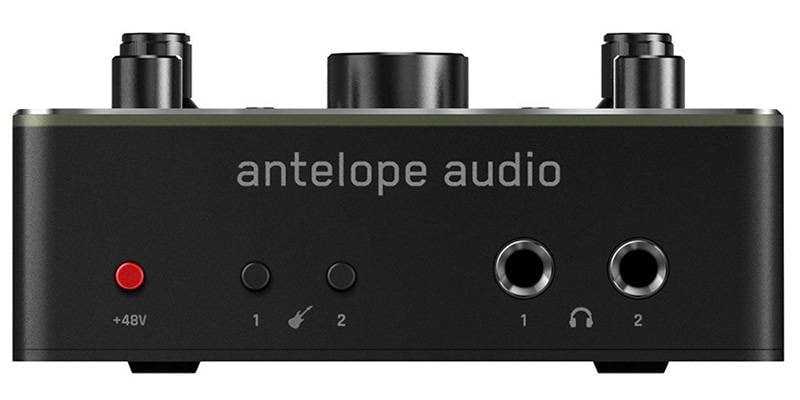
| Headphone Outputs | Two Independent Outputs / 1/4" TRS |
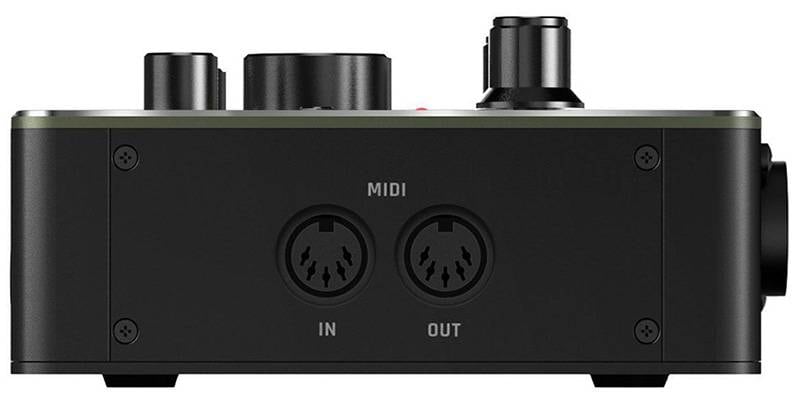
| MIDI | MIDI In / Out |
| Display | Included |
| Loopback Function | Included |
| Weight (Approx.) | Approx. 0.6 kg |
| Dimensions (Approx.) | 135 mm (W) × 60 mm (H) × 130 mm (D) |
| Operating Temperature | 0-50°C / 32-122°F |
| Included Accessories | Unit, USB-C Cable, USB-C to USB-A Adapter, Quick Start Guide |
● Key Features
- The AD/DA conversion section delivers a wide 123 dB dynamic range, allowing both subtle and loud sounds to be reproduced clearly.
- It is designed to make it easier to hear fine recording nuances as well as subtle changes during mixing.
- The unit also includes built-in DSP effects, allowing real-time use of a compressor, EQ, and de-esser.
- Rather than requiring detailed parameter adjustments, sound shaping can be performed intuitively by simply selecting effect intensity levels.
- Because it is class-compliant, it can connect to various operating systems without requiring dedicated drivers.
- Practical features such as loopback functionality for streaming and dual independent headphone outputs are also included.
It’s exciting to see this much capability packed into such a small chassis.
● Extensive MIDI I/O
In addition to audio I/O, the Zenith 2 also includes dedicated MIDI IN and OUT ports. While USB MIDI keyboards are common today, the presence of traditional DIN MIDI ports remains surprisingly important for users with hardware synthesizers and drum machines.
With the Zenith 2, these external devices can be connected directly for synchronization with a DAW or MIDI data transmission.
- MIDI IN: Connect MIDI devices via a standard 5-pin MIDI cable to control MIDI-compatible software instruments and effects.
- MIDI OUT: Send MIDI data from your computer to control MIDI-compatible hardware devices.
Many compact 2-in/2-out interfaces omit MIDI ports entirely, but the Zenith 2 covers this area well. Despite being a compact and simple audio interface, it still allows users to build a proper production environment that includes external synthesizers, which is quite impressive.
3. Unboxing
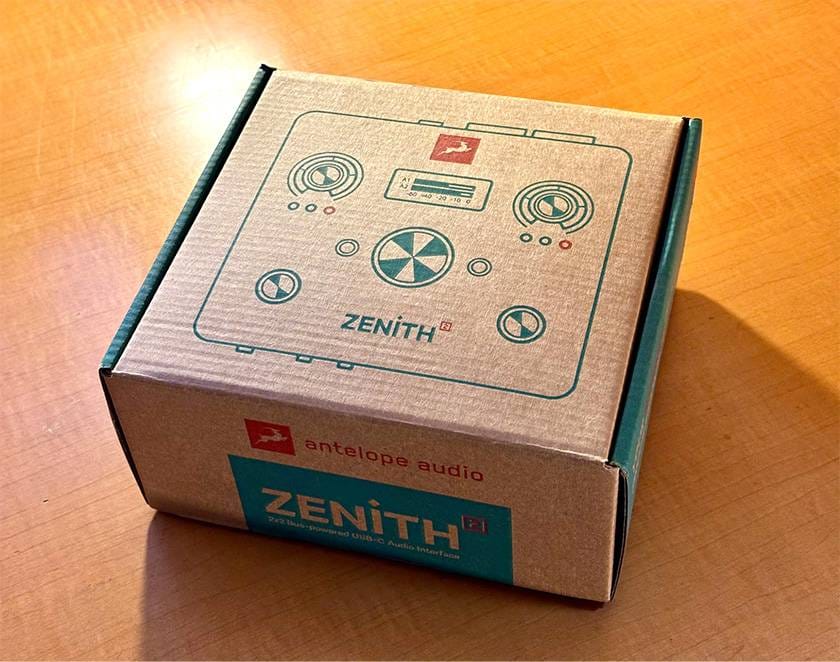
The packaging has a cute and stylish design that somehow feels a bit like outdoor gear. The box opens upward from the side. Although it is made from a cardboard-like material, it feels sturdy enough that it should not easily tear or become deformed.
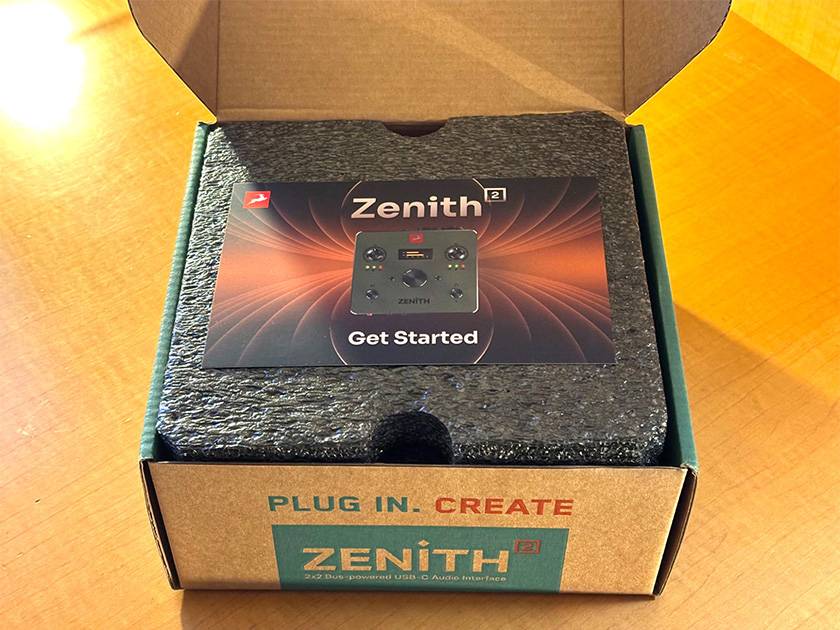
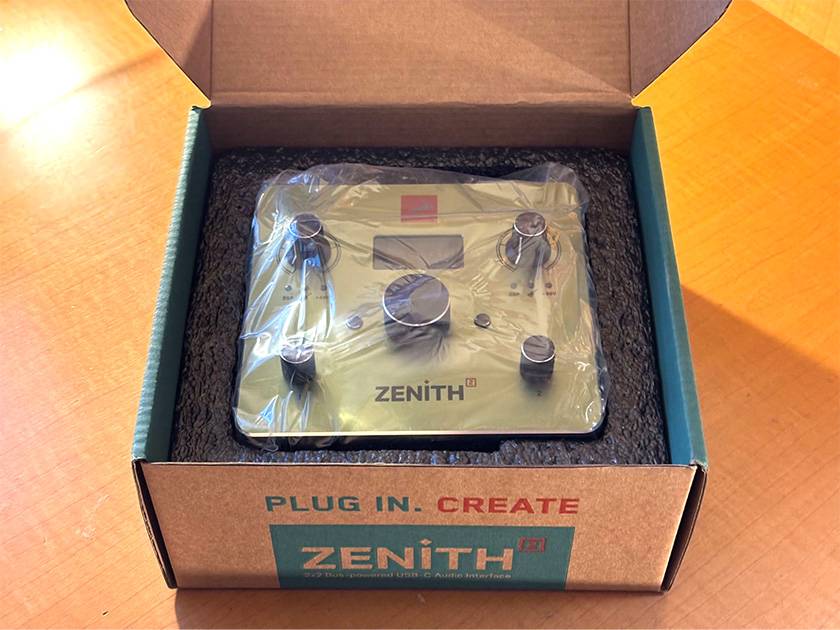
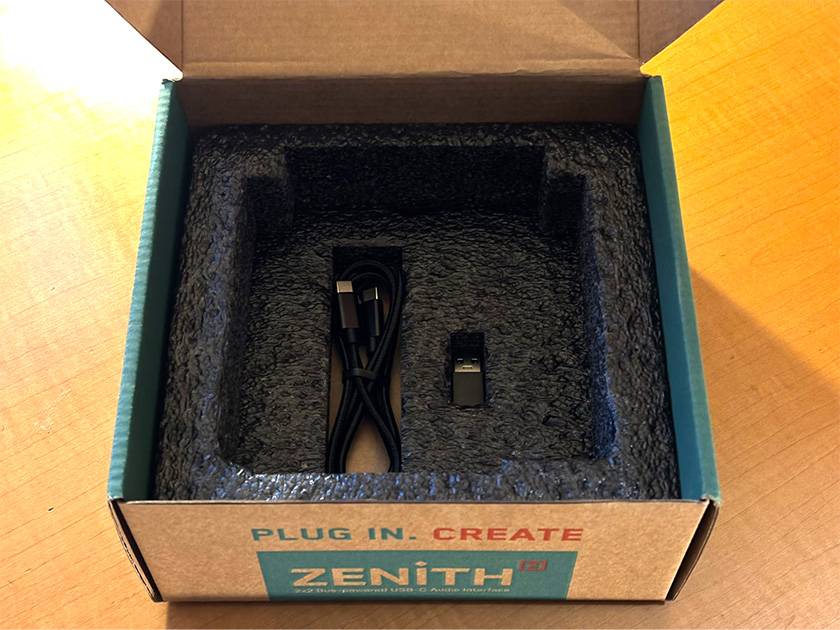
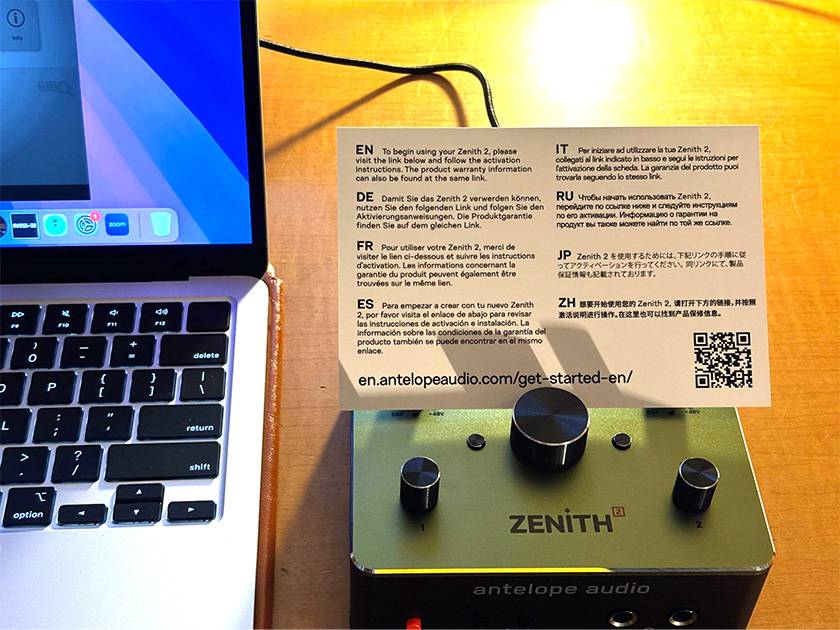
The included accessories are quite minimal, consisting of only: Zenith 2, setup guide, USB cable, and adapter. The setup guide includes activation instructions in multiple languages.
4. Exterior Design and Hardware Build Quality
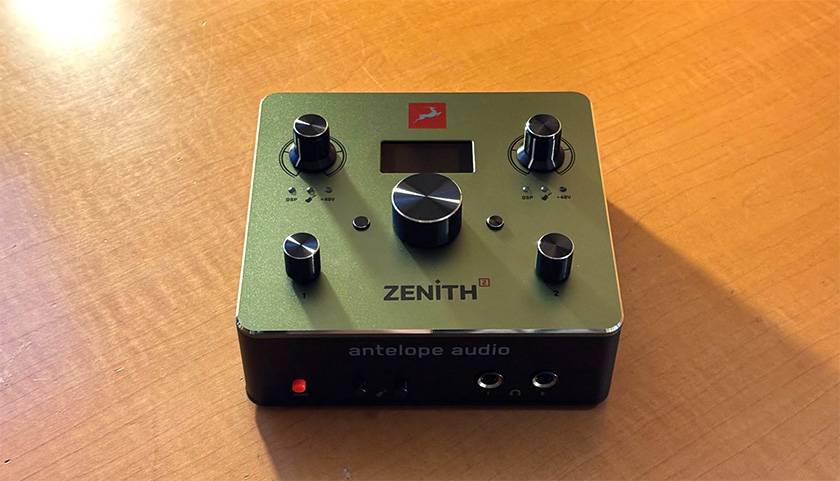
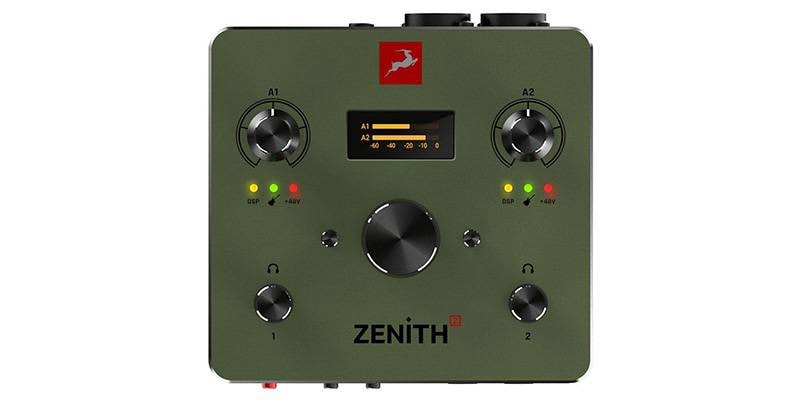
The moment you touch the unit, you immediately notice the cool metallic feel and premium appearance. The quality of the knobs, the texture of the chassis, and even the insertion and removal feel of the connectors are all exceptionally well executed. It’s genuinely impressive (It may remind me somewhat of the feeling I had when I first used the company’s Zen Quadro).
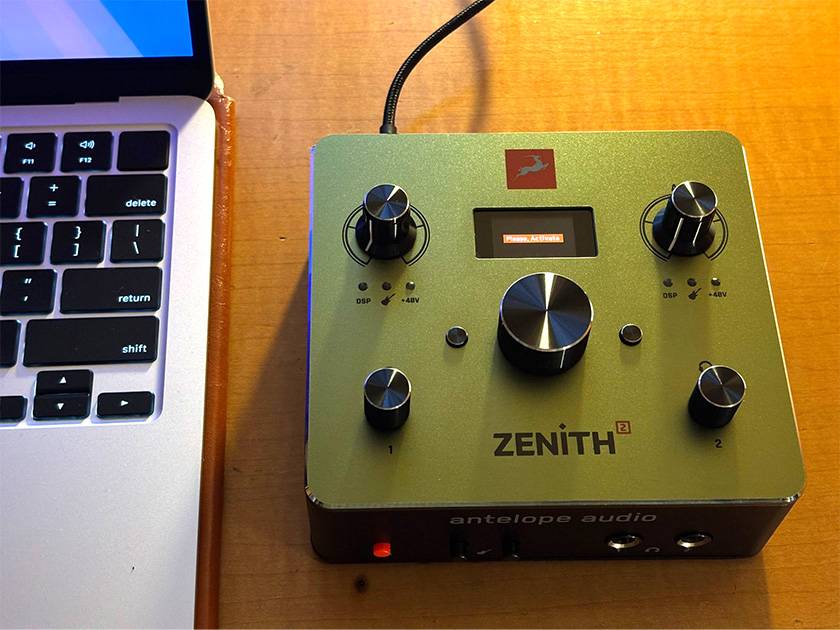
Connect the unit to your computer and proceed with activation using the URL or QR code provided in the included startup guide.
For more detailed activation instructions, the Antelope Audio’s official user manual provides clear and thorough guidance.
Activation Page (Manufacturer Website)
Zenith 2 User Manual (See Page 6 and onward)
● About the Driver
Since the Zenith 2 is class-compliant (*1), it can be used without installing a driver. However, Antelope recommends installing the Antelope Unified Driver to ensure optimal performance and stability.
Simply open the SYSTEM tab in Antelope Launcher and click Install next to the latest version of the Antelope Unified Driver.

Enable Unified Driver on macOS 10.15 Catalina, 11 Big Sur, and 12 Monterey
Enable Unified Driver on macOS Ventura and later
Enable Unified Driver on Apple Silicon-based computers
*1: Class-Compliant
A standard that allows devices to operate simply by connecting via USB, without requiring separate driver installation.
5. Setup and Test Environment
Testing was performed using the following setup:
- Computer: MacBook Air 2025 M4 (Sequoia)
- DAW: Logic Pro 12
- Memory: 16 GB
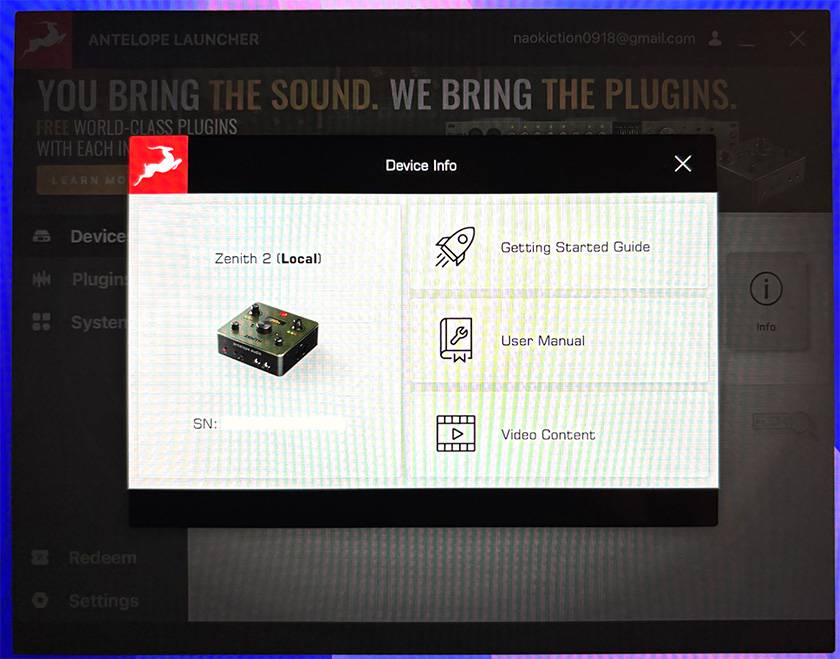
After activation, opening the Launcher application presents clear information about connected devices. It feels like troubleshooting and support information can be accessed quickly if issues arise.
● Internal Settings and DSP Effects
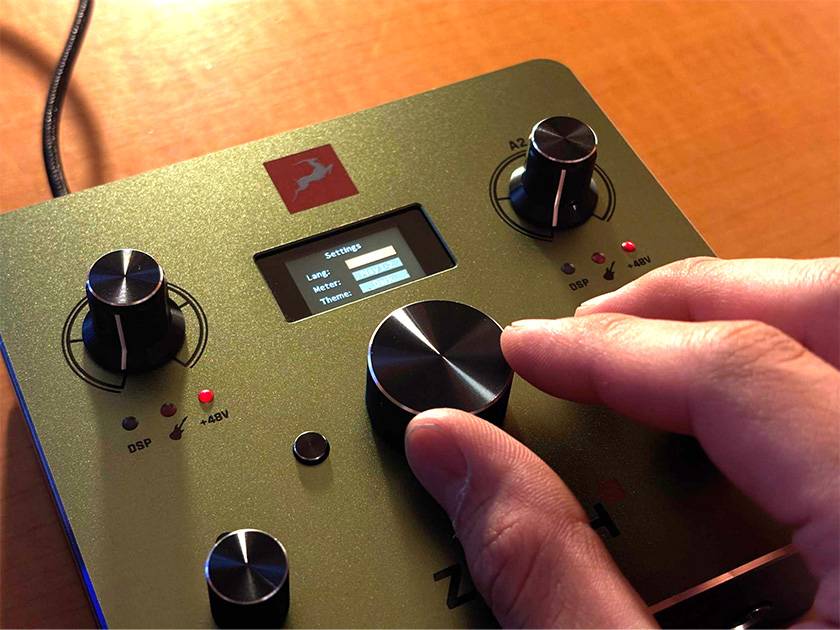
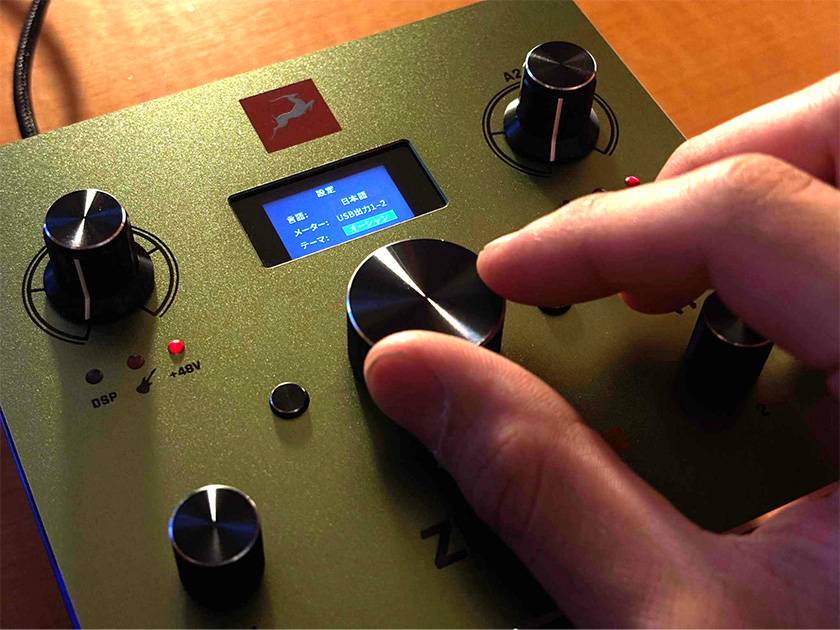
The DSP section consists of four modes: Studio, Guitar, Voice, and Presets.
Among them, Guitar mode is especially feature-rich, offering: Noise Gate, Amp & Cabinet, Simulator (10 types), Drive Pedals, and Compressor.
This allows a considerable amount of guitar sound shaping to be completed within a single device, making it highly practical for home recording and demo production. The overall sound character is relatively flat. The low end remains tight without excessive bloom, and the low-mid range is not overly emphasized. It also retains the articulate, open character expected from guitar recordings, making frequency balancing and mixing decisions easier during recording.
Overall, it feels like a highly practical model capable of covering everything from recording to streaming.
6. Impressions
After spending time with Zenith 2, here are the aspects I liked and the points worth noting. Although it uses a simple 2-in/2-out design, it clearly communicates a strong focus on sound quality.
● The Sound Is Extremely Clear and Revealing:
Both recorded material and everyday playback sounded noticeably more detailed. The contours and depth of the audio are easier to perceive, making mixing decisions more straightforward.
● DSP Effects Are Convenient and Easy to Use:
Because the compressor, EQ, and other processing run directly within the hardware, monitor mixes can be adjusted easily during recording. The stepped control system is straightforward and works well when you simply want to improve the sound quickly.
● MIDI IN/OUT Supports External Synthesizers:
Despite its compact size, dedicated MIDI ports are included. For users with external synthesizers or drum machines, being able to connect them directly provides additional peace of mind.
● Minimal I/O Count:
Due to its 2-in/2-out design, the Zenith 2 is not suited for multitrack drum recording or setups where multiple hardware synthesizers remain permanently connected. It also lacks expansion ports such as ADAT, meaning the I/O count cannot be expanded later. Users planning to build a larger studio environment in the future should keep this in mind. On the other hand, for solo creators whose workflow involves: ‘vocal and guitar performances’, ‘primarily in-the-box DAW production with occasional microphone use’ and ‘podcasting and voice streaming’, this limitation is unlikely to be a problem at all. Consider your own production style carefully when making your decision.
● Pricing:
If you look only at the number of inputs and outputs, there are certainly less expensive alternatives from other manufacturers. However, considering the high-quality Antelope AD/DA conversion along with practical built-in DSP effects that place no load on the computer's CPU—including amp simulation and compression—the value proposition is actually very strong. When factoring in the cost of purchasing additional plugins separately, the pricing becomes quite reasonable.
7. Final Thoughts
The Zenith 2 does not feel like a product designed to compete through sheer feature count. Instead, it comes across as an audio interface that honestly pursues excellent core performance and sound quality. For solo creators and streamers who feel that ‘one or two channels are enough’, it may well be the ultimate premium option.
Its stripped-down, focused design allows the quality of its sound to shine through even more clearly. It feels very much like a dependable reference interface that can remain part of a studio for years.
For anyone seeking both simplicity and uncompromising quality, the Zenith 2 is likely to be a highly satisfying piece of gear to own.




![[In-Depth Guide!] Types of Software Offered by Antelope Audio](/contents/uploads/thumbs/2/2024/8/20240819_2_28296_1.jpg)
![[In-Depth Review] Antelope Audio Zen Quadro Synergy Core!](/contents/uploads/thumbs/2/2024/5/20240520_2_26913_1.jpg)
 厳選!人気のおすすめオーディオインターフェイス特集
 ANTELOPE AUDIO 特集
 DTMセール情報まとめ
 機能で選ぶ オーディオインターフェイス
 DTMに必要な機材
 iPhone / iPad / iPod用デバイス
 Discount Sale
 Outlet
 New Arrivals
 Podcast (streaming)
 Headphones / Earphones
 Microphones
 Wireless Equipment
 Speakers
 Power Amps
 Mixers
 Processors
 Portable PA Systems
 Recorders
 Karaoke
 Guitars
 Basses
 Ukuleles
 Drums & Percussion
 Pianos / Synthesizers
 Wind Instruments
 Stringed Instruments
 Japanese Instruments
 Harmonicas, Other
 Software
 DJ & VJ
 Stands
 Cables & Connectors
 Racks & Cases
 Lighting
 Stage & Truss
 Video Equipment
 PC PERIPHERALS
 Power Supplies
 Studio Furniture
 Household Items, Other
 Alcoholic Beverages