When consulting about home recording or simple studio setups, I often hear comments like “it’s hard to control the monitor volume” or “switching between speakers is a hassle.”
For those people, I’d like to recommend the “MACKIE / Big Knob Studio+.”
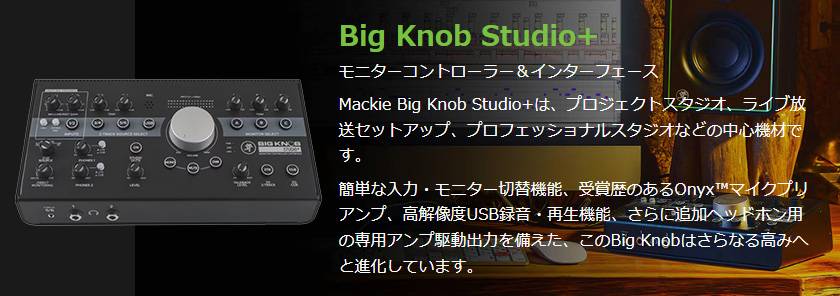
This time, I’ll write honestly about what I felt after trying out the unit, and I hope it will serve as a reference for music creators out there.
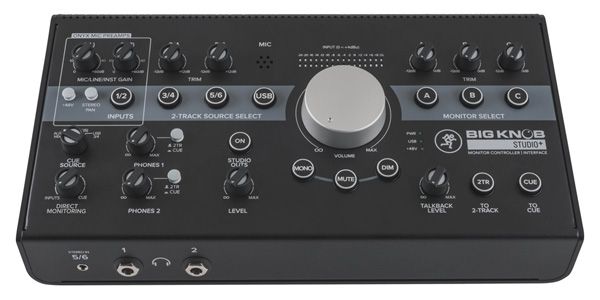
Rough Specs Overview
- Integrated monitor controller + USB audio interface
(4 inputs / 6 outputs ※ 3 stereo output paths) - Equipped with two Onyx mic preamps, allowing for vocal and instrument recording.
- Can switch between up to three sets of monitor speakers with a single button
(including configurations with a subwoofer). - Includes standard studio functions such as a talkback mic, DIM, MUTE, and MONO.
Overall, it gives the impression of packing full-fledged studio features into a surprisingly compact desktop unit.
Also, when I was trying it out, I felt it was heavier and more solid than expected, giving a premium feel.
The weight is enough that even when turning the large knobs, the unit doesn’t move, making tabletop operation very comfortable.
Actual Usage
I set up the connections as follows:
- Connected to a PC via USB and used as the main audio interface.
- Monitor A: nearfield speakers
- Monitor B: 8-inch PA speakers
- Monitor C: subwoofer
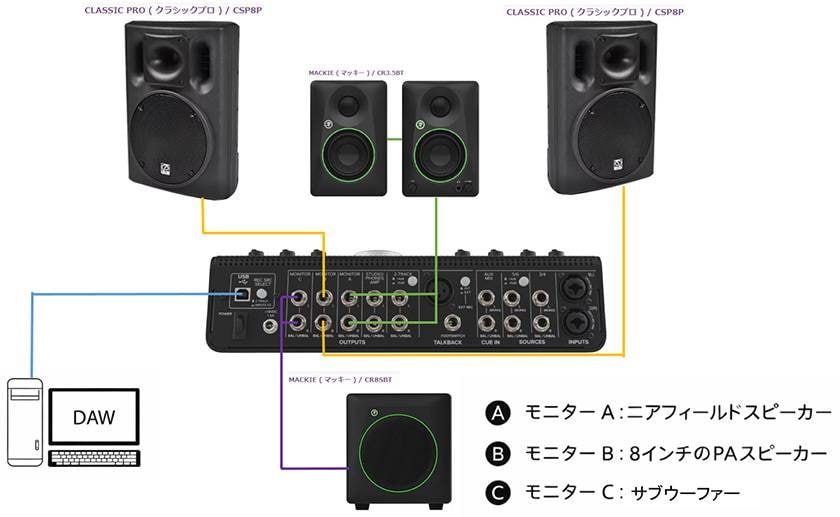
After setting it up, compared to wiring speakers directly from the audio interface before, the cable routing on the desk became much clearer, and the “place to adjust volume” was consolidated in one spot, making operation extremely comfortable.
Impressions After Use
As the name suggests, the central large volume knob on the Big Knob series is honestly pleasant to the touch.
Because you can quickly adjust the volume with a physical knob at hand rather than using a mouse or keyboard, you can make fine level adjustments without breaking your workflow rhythm.
The points I particularly liked are the following three:
Monitor Switch Buttons
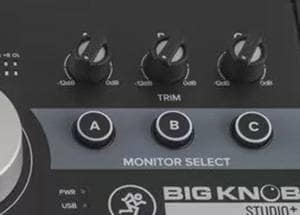
You can switch between A/B/C with a single touch, making it very easy to check mixes on different speakers.
DIM/MONO/MUTE Buttons
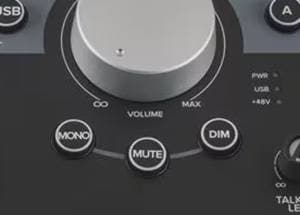
These are quietly convenient, allowing you to instantly switch volume or mode when you want to check low-end balance or have a conversation in the studio.
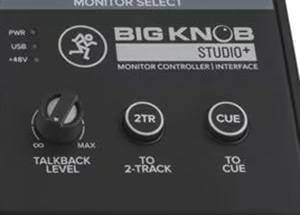
Talkback Function
The built-in microphone can send your voice to the headphones, making communication smooth even when recording in a separate room.
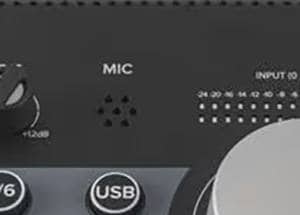
Regarding the audio interface section, the sound quality is more than adequate for its price range, giving the impression that it is perfectly sufficient for home studio use.
Behavior When Pressing Input/Output Buttons Simultaneously
○ Input Behavior
The inputs are mixed and monitored simultaneously.
For example, if you want to check both your DAW playback and an external player or smartphone input (AUX) at the same time, pressing each input button simultaneously allows you to monitor both signals in a mixed state.
This makes intuitive tasks like “checking the DAW sound while playing a reference track” very convenient.
○ Output Behavior
The outputs will play from all selected speakers simultaneously.
For example, if you have all A, B, and C speaker outputs turned on, the same audio will be output from all three systems at the same time.
This is not only convenient for the typical use of “switching between speakers,” but also very practical for scenarios such as using the main speakers with a subwoofer simultaneously or checking how audio sounds across multiple speakers. The flexibility to handle multiple outputs makes this a highly useful feature for a monitor controller.
Recommended For
- Switching between multiple monitor speakers for mix checking.
- Combining a monitor controller and audio interface into a single unit.
- Upgrading both recording and monitoring setups in a home studio or small-scale studio.
For anyone looking to improve the usability of their monitoring setup, placing the Big Knob Studio+ at the center of your workflow is a very viable option.
Of course, it’s also a great choice to integrate it alongside your current interface.
Summary
The Big Knob Studio+ isn’t a device that dramatically changes the sound itself, but rather a piece of equipment that simplifies monitor control and creates an environment where you can focus on your work.
For anyone running a home studio, small recording setup, or streaming environment, and feeling even a little stressed by volume management or speaker switching, this is one unit worth considering.




![Mackie Streaming-Focused Digital Mixer DLZ CREATOR - A Closer Look at Its Recommended Features!!: The Three Modes [Easy/Enhanced/Pro], AUTO GAIN, AUTO MIX](/contents/uploads/thumbs/2/2025/12/20251204_2_33788_1.jpg)
![[If You’re Unsure, Choose This!] Mackie ShowBox Thorough Review!](/contents/uploads/thumbs/2/2025/11/20251128_2_33696_1.jpg)

![[2023 Latest Edition] Overview of Some New Audio Interfaces!](/contents/uploads/thumbs/2/2021/1/20210108_2_12044_1.jpg)
 MACKIE GOシリーズ特集
 MACKIE ブランドページ
 自宅スタジオの作り方
 Mackie PAスピーカー比較表
 Mackie ミキサー比較
 Discount Sale
 Outlet
 New Arrivals
 Podcast (streaming)
 Headphones / Earphones
 Microphones
 Wireless Equipment
 Speakers
 Power Amps
 Mixers
 Processors
 Portable PA Systems
 Recorders
 Karaoke
 Guitars
 Basses
 Ukuleles
 Drums & Percussion
 Pianos / Synthesizers
 Wind Instruments
 Stringed Instruments
 Japanese Instruments
 Harmonicas, Other
 Software
 DJ & VJ
 Stands
 Cables & Connectors
 Racks & Cases
 Lighting
 Stage & Truss
 Video Equipment
 PC PERIPHERALS
 Power Supplies
 Studio Furniture
 Household Items, Other
 Alcoholic Beverages