The long-awaited evolution of the new-generation CDJ has arrived. From AlphaTheta, the latest model “CDJ-3000X” was released on September 26, 2025, roughly five years after the launch of the CDJ-3000. As someone who works at event venues, I will clearly explain the comparisons with the CDJ-3000 and the points where the unit has evolved in this article. After reading, you will be able to talk about the CDJ-3000X with confidence, and there is no doubt that you will be able to fully utilize its advanced features!
Contents
1. Evolution and Key Points of the Hardware Body
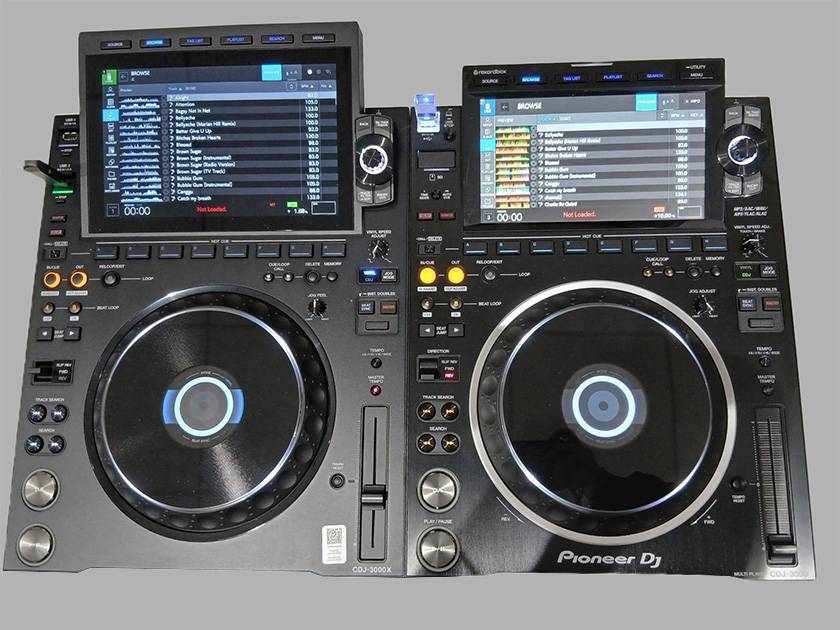
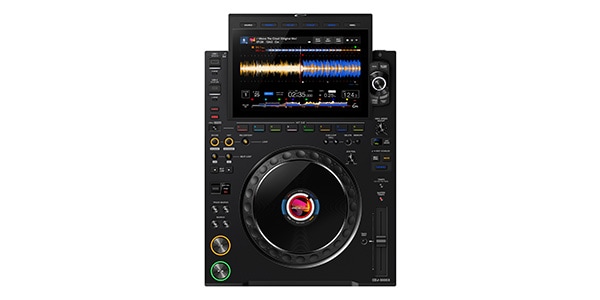
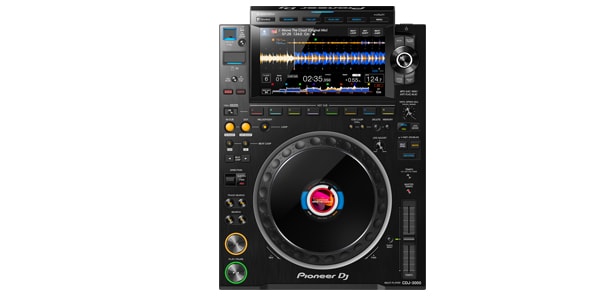
From left: the latest model “CDJ-3000X” and the previous model “CDJ-3000” placed side by side for comparison.
The first thing you notice at a glance is that the display screen has increased in size.
Specifically, the screen on the CDJ-3000 is 9 inches, while the screen on the CDJ-3000X has been enlarged to 10.1 inches.
With the larger screen, waveforms and BPM information are easier to see, and the maximum number of tracks displayed in the track list has increased from 12 to 16, making browsing smoother.
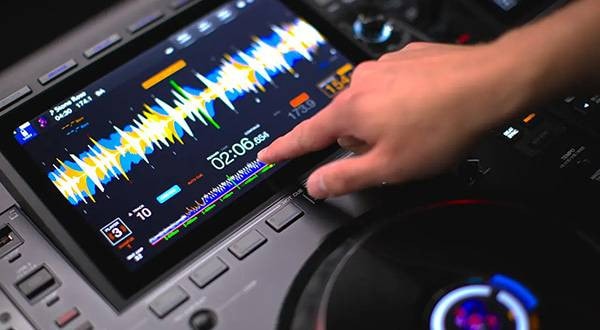
Also, operations performed directly on the screen feel easier. Specifically, (Question 3 / TOUCH CUE function recognition confirmation [update details confirmation]) you can set HOT CUEs while checking ahead in the track during playback. Features like the PREVIEW HOT CUE function, playlist editing/track rearrangement, and the handling of tracks when their BPM is loaded at double or half speed with the “Doubled / Halved” function have all improved usability, from browsing to live performance.
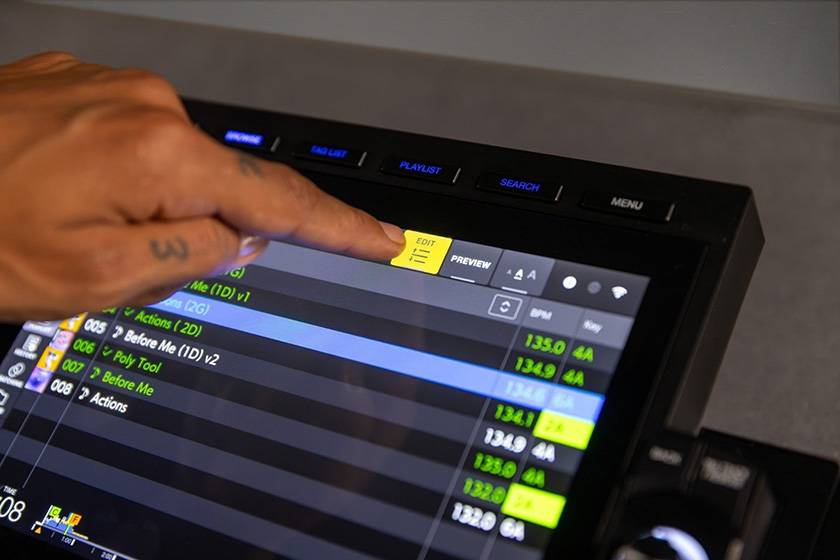
The enlarged display also enhances operability.
The body size has increased slightly in depth by about 3 cm due to the larger screen, according to specifications, but compared to the rear panel, it remains the same size. The width has increased by about 1 cm. (Question 4 / Size confirmation) Therefore, it still fits neatly alongside a DJ mixer as before.
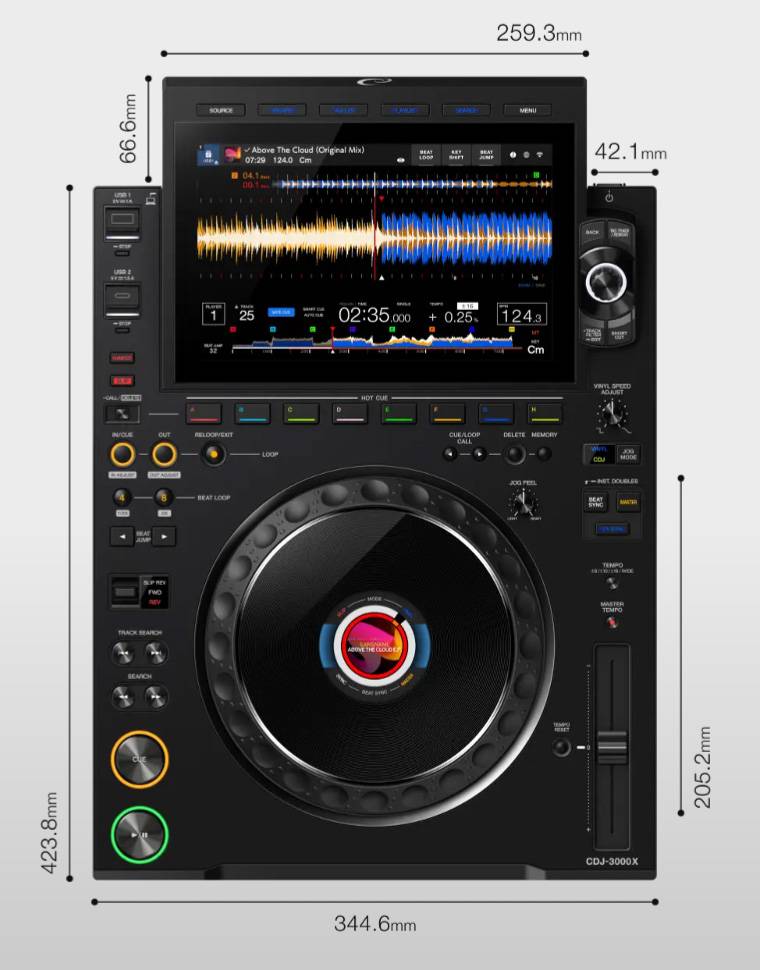
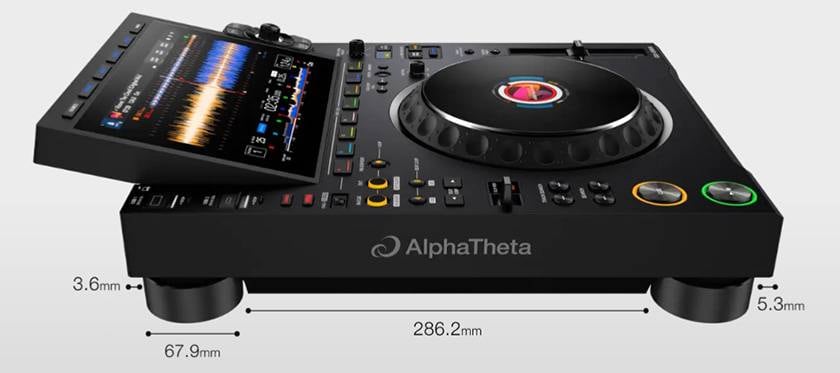
Other hardware changes include the removal of the SD card slot found on the CDJ-3000, replaced by a USB Type-C device port on the CDJ-3000X. SD card users should take note. On the other hand, the layout of buttons and knobs remains almost unchanged. DJs familiar with the CDJ-3000 should rarely have to wonder, “Where did that button go?” during a performance.
Other subtle visual changes include the top panel, which on the CDJ-3000 had fine vertical lines that look like a hairline finish, while on the CDJ-3000X it has a slightly matte texture. Additionally, the edges around the display now have the same metallic finish as the top panel, giving a more cohesive and sophisticated impression.
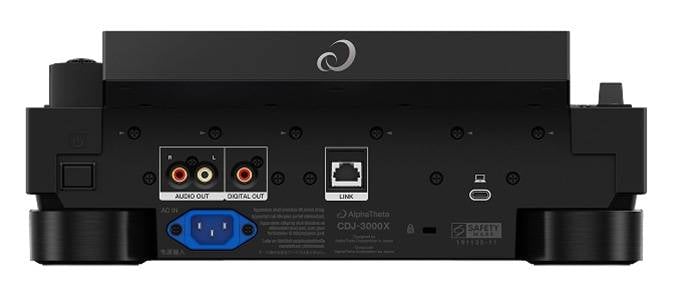
Rear view of the CDJ-3000X. PC connection port is now USB Type-C
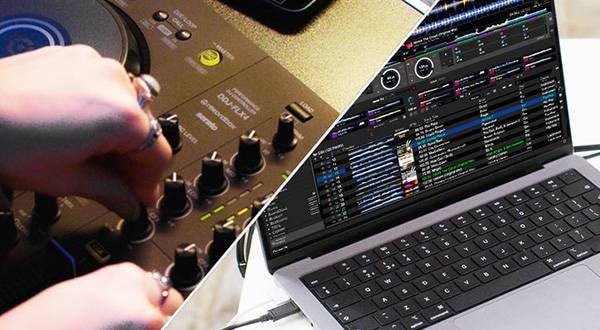
Since the PC connection port has also been changed to Type-C, when connecting a PC and CDJ/DJM via HID (Human Interface Device), be sure to prepare a USB Type-C cable.
2. Evolution of connection methods (DJ performance enabled by internet connectivity)
All connection methods available on the CDJ-3000 are supported, but especially cloud-related connection methods have been enhanced.
With Wi-Fi support and the addition of NFC connectivity, effective use allows for time-saving and trouble avoidance during DJ transitions, and connection to online media becomes smarter and faster. I highly recommend giving it a try.
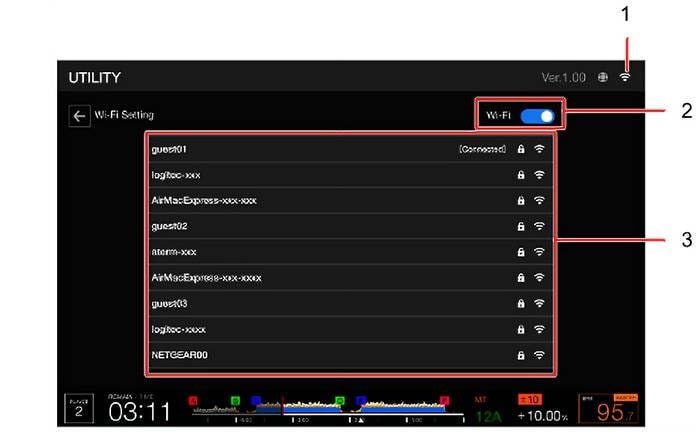
How to connect the unit to Wi-Fi (simple 4 steps)
First, connect the unit to the internet. Wired LAN connection is also possible, but here we will introduce the newly added Wi-Fi connection.
- ① Turn on the power and long-press the MENU button.
- ② Select the Network category and choose [Wi-Fi Setting].
- ③ Turn on 2, then select the SSID you want to connect from the list in 3 and enter the password.
- ④ Touch [CONNECT] to complete the connection (1 will be displayed).
Easier access to tracks with rekordbox CloudDirectPlay
As with the CDJ-3000, using rekordbox CloudDirectPlay allows you to load and play music files uploaded to cloud storage directly on the unit.
Cloud storage options include Dropbox and Google Drive, with a free usage limit of up to approximately 1,000 tracks. Even for those who usually use USB memory, it is a convenient feature for storing tracks that do not fit on the USB or as a backup in case the memory is lost. Additionally, the reason this is particularly noteworthy is that the evolution in access makes it even easier to use on site.
The necessary preparation is as follows.
< rekordbox Settings >
- ① Turn on [Sync Library with Other Devices] under [Cloud Library Sync].
※ Depending on your plan, first activate all computers/mobile devices that will use Cloud Library Sync. - ② Link the cloud storage service (Dropbox / Google Drive) where you want to sync your music files and upload the data.
You can upload data to the storage manually, or use [Auto Upload] and other options to upload automatically. - ③ Turn on [Use rekordbox CloudDirectPlay].
This can all be set up quickly using just the on-screen operations.
< CDJ-3000X Settings >
- ① Connect to the internet.
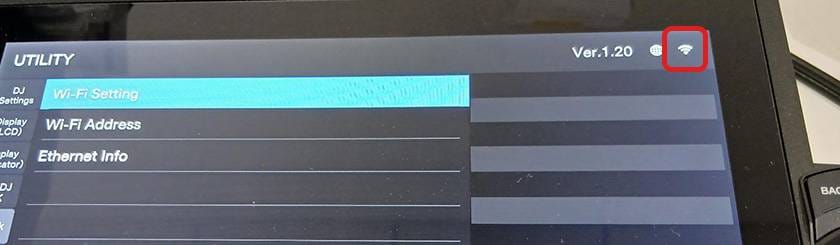
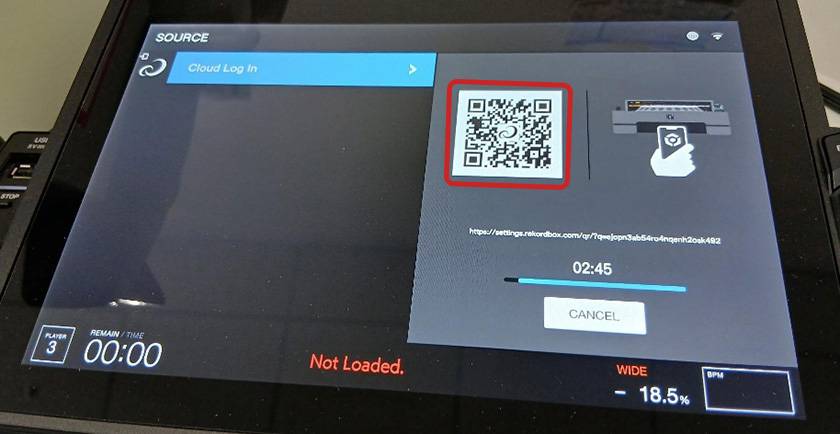
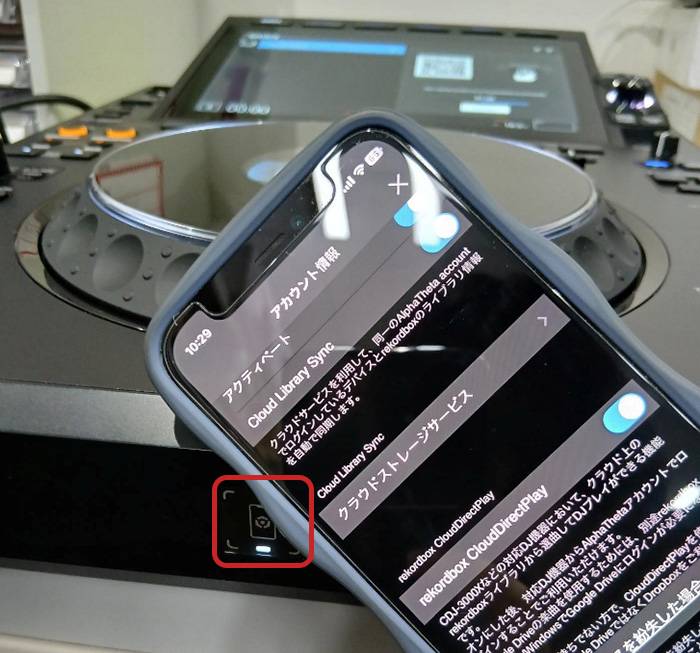
- ② Log in using an authorized device, QR code, or NFC.
※ If using QR code login or NFC login, select [Cloud Log In] and touch [LOG IN].
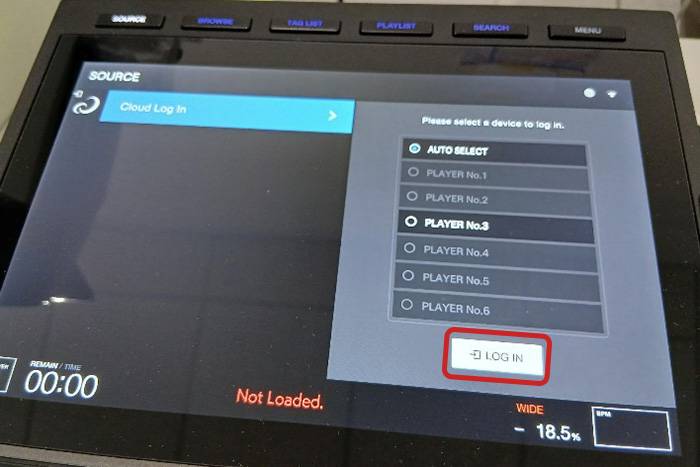
- You can scan the QR code with your smartphone camera and enter your ID and password on your phone to log in.
- The front of the unit has an NFC login touch area. Placing your smartphone over it allows for smooth login.
Points When Using PRO DJ LINK Connection
USB Device Connection
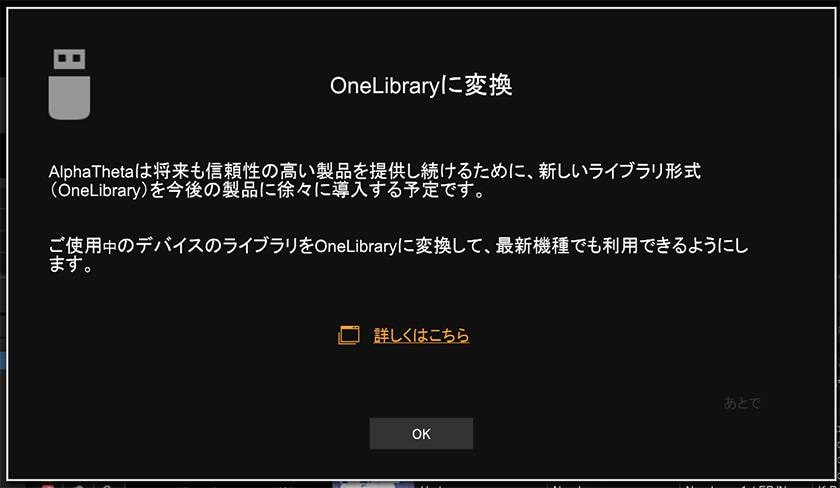
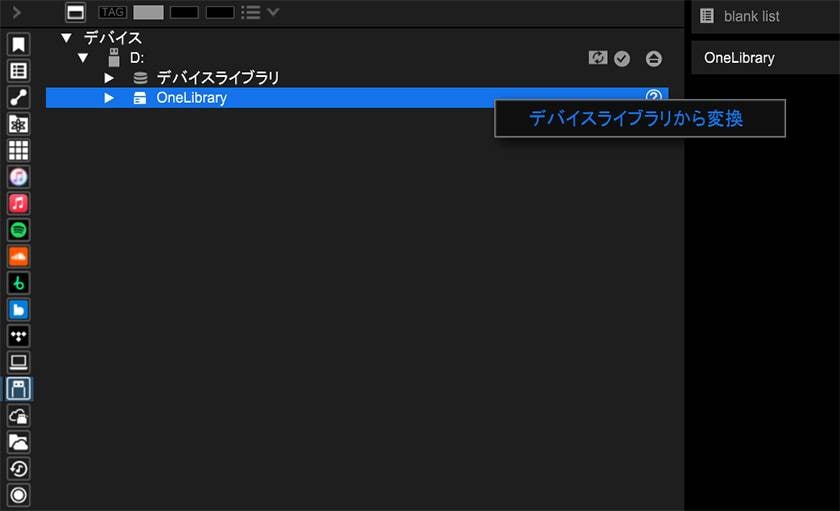
With PRO DJ LINK, you can transfer rekordbox music files and data using a USB device (flash memory, hard disk, etc.). However, to recall information such as playlists, cues, loops, and hot cues that were pre-configured in rekordbox, it is necessary to set up One Library, so be careful. Conversion from the previous Device Library format is also possible, so connect the USB device in advance and configure it in the rekordbox for Mac/Windows interface.
- ① When the following dialog appears on the screen, select “Yes”.
- ② From the media browser, select the target device and click [Convert from Device Library].
3. Evolution of Track Selection
Convenient Feature 1 When Selecting Tracks [Search Using Copy & Paste Function]
Previously, it was necessary to enter keywords directly on the screen, but with the CDJ-3000X, you can now long-press a track name to copy it and then tap [paste] on the keyboard to paste it into the text input field for searching.
This makes it more efficient to search for the same track within your library or to find a remix version of the same song.
Convenient Feature 2 When Selecting Tracks (TAG LIST That Can Preload Streaming Tracks)
It was also available on the CDJ-3000, but this feature becomes especially useful when using Cloud Direct Play.
By adding tracks from the cloud to the TAG LIST in advance, they can be downloaded to the CDJ-3000X itself. This allows you to prepare playlists ahead of time and perform with confidence even in locations with unstable internet connections. Tracks downloaded from the cloud can be DJed just like tracks loaded from a USB device, with pitch and key adjustments, as well as CUE point settings, greatly expanding your selection options. While there is a limit to the number of tracks that can be loaded, preloading them is possible.
To load tracks into the TAG LIST, connect your PC to the CDJ-3000X, select any desired source, choose the tracks to add to the list, and press the [TAG TRACK/REMOVE] button. The operation is simple.
Additionally, for those who use multiple sources during their set, turning on [GLOBAL] allows for quicker switching between sources.
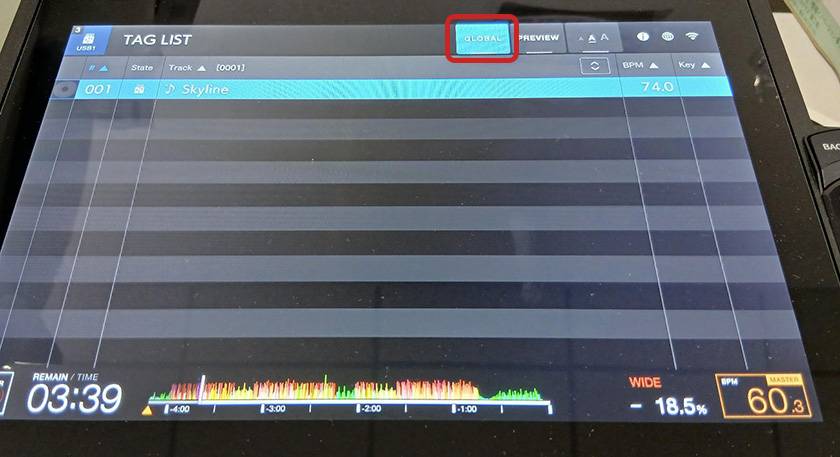
The created TAG LIST can be rearranged directly on the device’s touch screen. Furthermore, the TAG LIST you create can also be converted into a playlist.
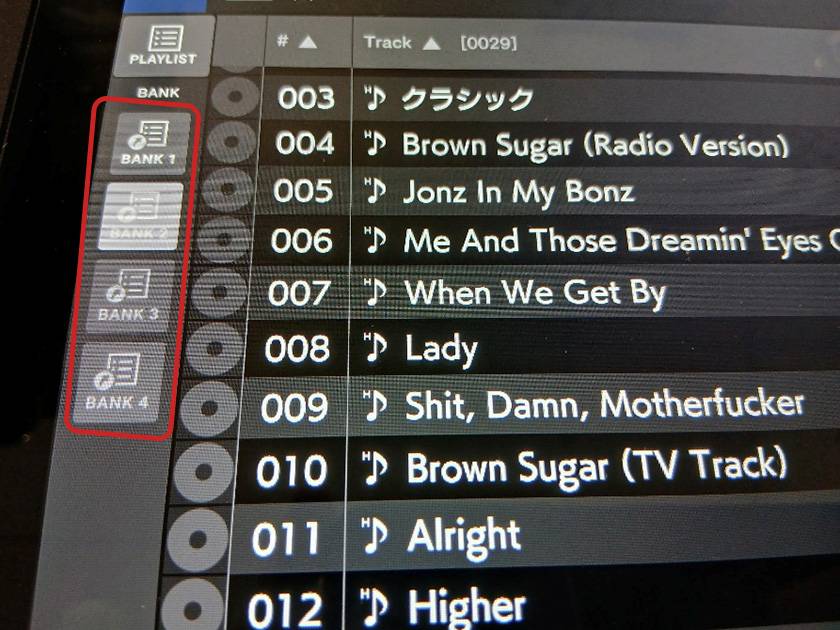
Convenient feature for track selection #3 (PLAY LIST BANK)
In simple terms, this feature allows you to register multiple playlists so you can instantly display and select them.
This also helps save time when finding the next track to play.
4. Evolution in Performance
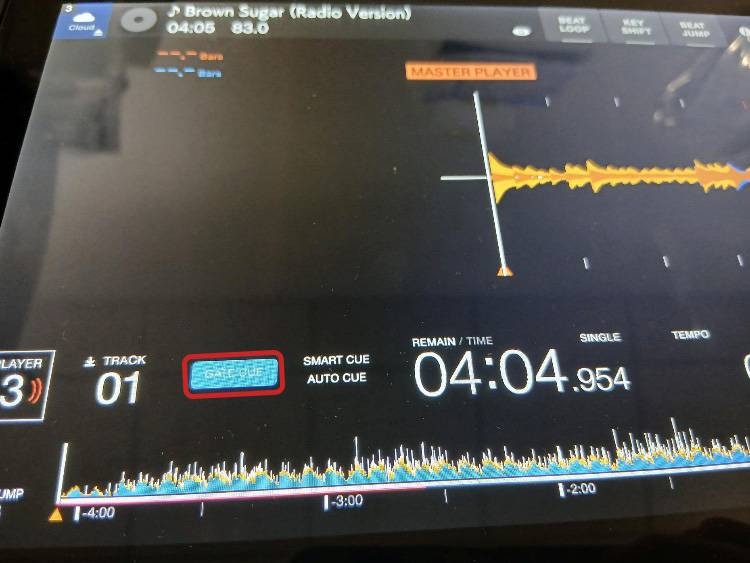
Convenient feature during performance #1 (GATE CUE, usable like a sampler)
By setting any HOT CUE button with a cue to GATE CUE, the track will only play while the button is pressed.
This allows you to manually trigger drum hits, voice samples, or other sounds in rhythm, enabling a sampler-like use for a live performance feel.
It can also be turned on directly from the playback screen under [GATE CUE], making setup quick and easy.
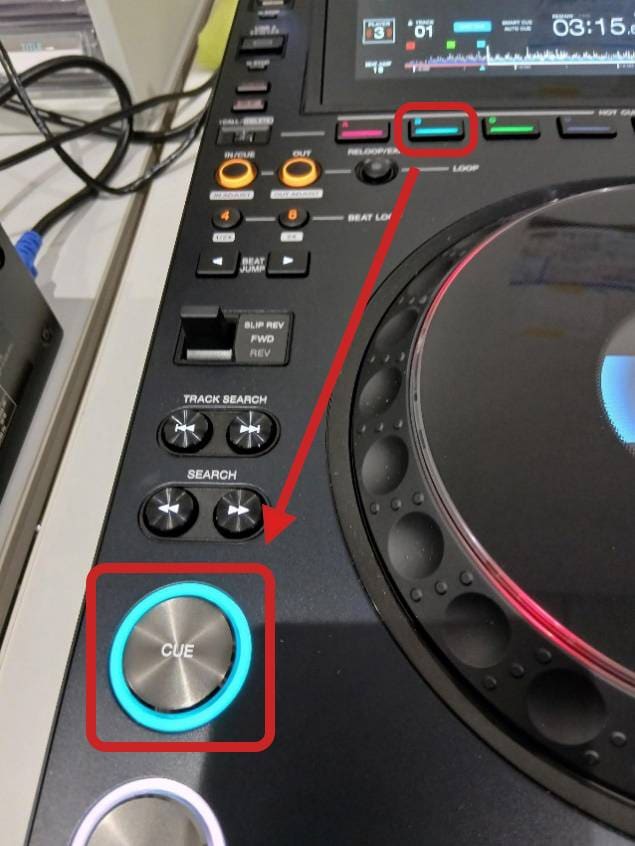
Convenient feature during performance #2 (SMART CUE for more direct CUE setting)
SMART CUE is a feature that instantly assigns points set in HOT CUE to the CUE button. Additionally, the button changes color according to the HOT CUE, making it highly visible. It is useful when you want to quickly switch CUE points during a mix or enhance improvisation. You can see which HOT CUE is set where by checking both the waveform display and the color of the CUE buttons at the bottom of the display, allowing confident performance even during bold mixes.
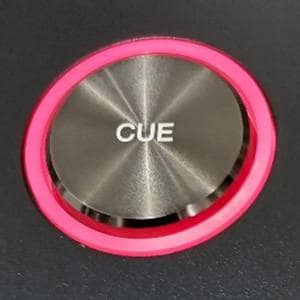
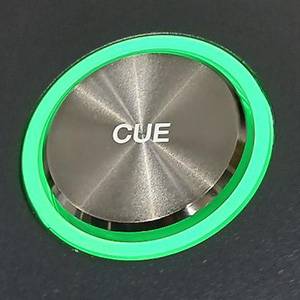
Convenient feature during performance #3 (PREVIEW HOT CUE allows preparation right before playback)
The traditional PREVIEW function has been further enhanced. Using PRO DJ LINK, you can now preview a track on the CUE side and set HOT CUE to any desired point in advance.
With tracks you are not very familiar with, preparation can sometimes be insufficient, but this feature allows you to set HOT CUE while listening to the track just before playing. This makes it possible to flexibly select and play tracks on the spot, including tracks you haven’t thoroughly listened to or streaming tracks, providing greater freedom in performance.
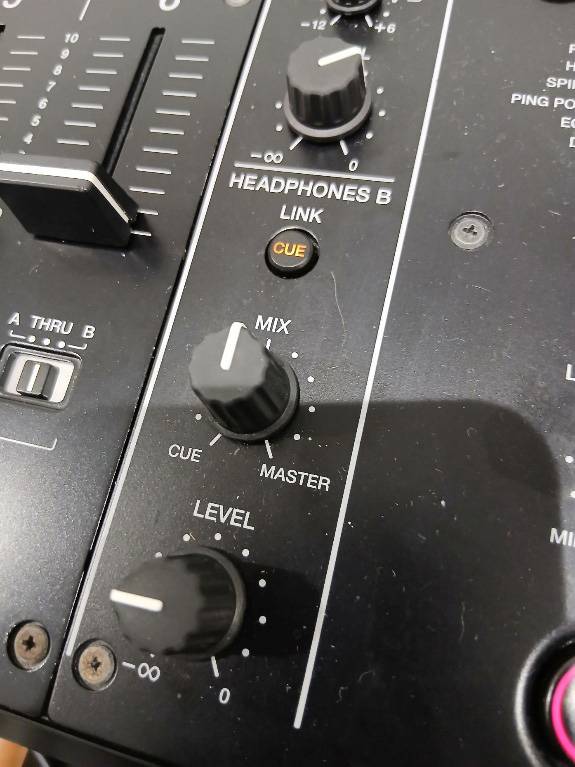
Plug your headphones into the mixer and turn on LINK CUE.
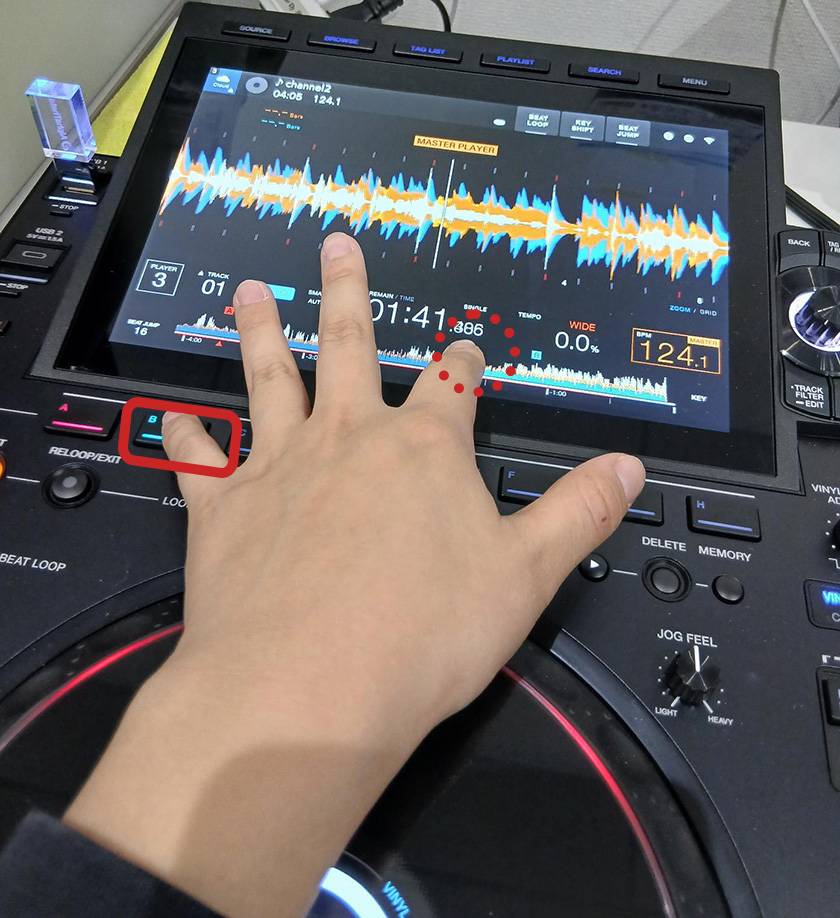
Touch the waveform of the track you want to check to listen. While holding the touch, press the HOT CUE button.
5. Summary
How was it?
This article explained the key functions to focus on when playing with the CDJ-3000X.
In addition, the model inherits the excellent features of the previous flagship CDJ-3000, such as improved sound quality and adjustable JOG tension, while adding the latest functions suited for modern DJing, resulting in even more powerful performance. Even those who were concerned about the operation or functions can use this player with confidence. Although purchasing two units at once is certainly not inexpensive, I highly recommend considering the CDJ-3000X as a long-term investment that can be used for many years.
AlphaTheta / CDJ-3000X DJ Multi Player





![[A Must-See for Beginner DJs] Tried Mixing Tracks with the DDJ-FLX-2 and DJAY!](/contents/uploads/thumbs/2/2025/7/20250702_2_31895_1.jpg)
![[Check This Out Before You Go!] Official Stores in Harajuku and Omotesando! Pioneer of the DJ Gear - AlphaTheta Lab](/contents/uploads/thumbs/2/2024/3/20240328_2_26365_1.jpg)
![[2026 Edition] Hot Selling DJ Equipment & Popularity Ranking [PCDJ Controller Edition]](/contents/uploads/thumbs/2/2023/10/20231026_2_24347_1.jpg)
![[New Product from Pioneer DJ] CDJ-3000 Review & Thorough Comparison](/contents/uploads/thumbs/2/2020/12/20201203_2_11696_1.jpg)
 Pioneer DJ DJM-A9 開発者インタビュー
 Pioneer DJ VMシリーズ 開発者インタビュー
 【徹底解説】Pioneer DJ「XDJ-RX3」
 Pioneer DJ DDJシリーズコントローラー比較表
 Pioneer DJ/AlphaTheta比較表
 DJ YUTARO特別インタビュー
 Discount Sale
 Outlet
 New Arrivals
 Podcast (streaming)
 Headphones / Earphones
 Microphones
 Wireless Equipment
 Speakers
 Power Amps
 Mixers
 Processors
 Portable PA Systems
 Recorders
 Karaoke
 Guitars
 Basses
 Ukuleles
 Drums & Percussion
 Pianos / Synthesizers
 Wind Instruments
 Stringed Instruments
 Japanese Instruments
 Harmonicas, Other
 Software
 DJ & VJ
 Stands
 Cables & Connectors
 Racks & Cases
 Lighting
 Stage & Truss
 Video Equipment
 PC PERIPHERALS
 Power Supplies
 Studio Furniture
 Household Items, Other
 Alcoholic Beverages