Billy Sheehan is the bass hero known from MR.BIG and The Winery Dogs.
When you hear his name, the first thing that probably comes to mind is that deep, overdriven tone and the jaw-dropping technical prowess he wields with it. His playing style, which is fast picking, tapping, and other advanced techniques, is truly unique and has captivated countless bassists.
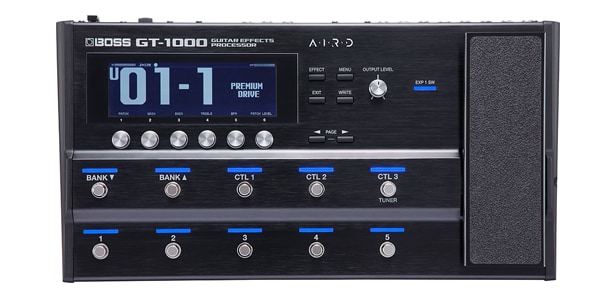
Of course, fully replicating his extraordinary playing is no easy feat. But many of us have probably thought, “I at least want to get as close as possible to that tone.” In this article, I’ll show you how to craft a Billy Sheehan-style solo bass sound using my go-to gear, the BOSS flagship multi-effects unit GT-1000.
BOSS / GT-1000 Multi-Effects Processor
Gear Used This Time
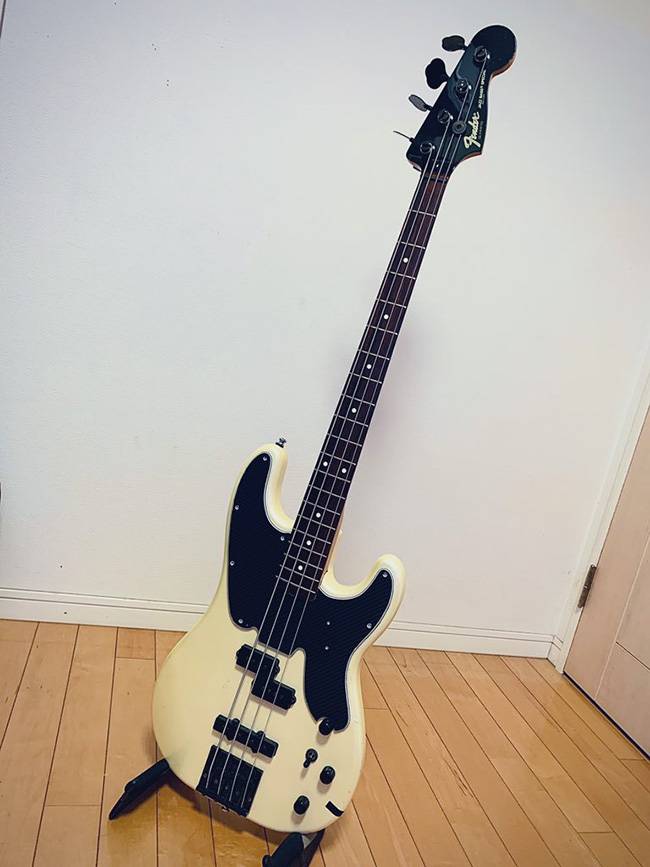
For the bass, I used a Fender Japan Jazz Bass Special, equipped with Dimarzio Model P and Model J pickups. To approximate Billy Sheehan’s signature tone, I’ll only use the P-bass (neck) pickup for this setup.
Billy Sheehan’s Basic Tone Approach
Let’s start by understanding his sound.
At first listen, Billy’s tone may seem like an intensely overdriven bass sound, but it is actually meticulously crafted. Key points include:
- Keep the low end clean
- The low frequencies, which support the bass’s presence, are kept clean and uncompressed.
- Distort only the highs
- High frequencies are driven to create attack and presence, making solos and riffs stand out.
- Two-signal output design
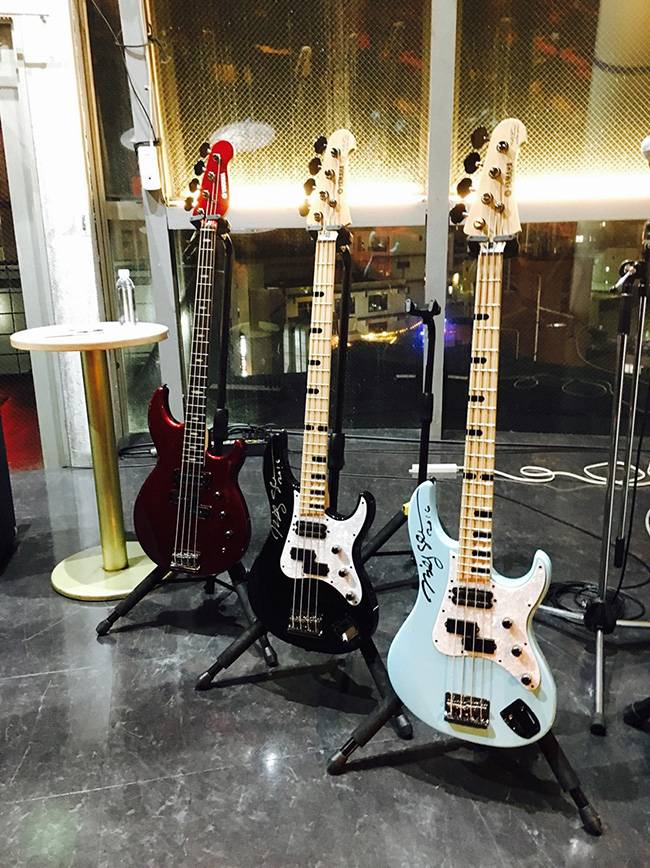
- Billy’s signature models (such as the Yamaha Attitude) feature independent outputs for each pickup, allowing separate tone shaping for lows and highs.
In other words, he blends clean lows with overdriven highs, creating that signature controlled yet aggressive sound.
For this tutorial, I’ll simulate this configuration using the GT-1000, assuming a standard bass with a single output.
Step 1: Split the Signal into Two Paths
The GT-1000 features a DIVIDER function, which allows you to split the incoming bass signal into two separate routes:
- Route A: For low frequencies (clean)
- Route B: For high frequencies (drive)
At this stage, you’re already getting quite close to Billy Sheehan’s system. Tasks that are difficult to achieve with a standard pedalboard can be flexibly handled with a multi-effects unit like the GT-1000.
Step 2: Split the Frequency Bands with Filters
Process each split signal according to its role. The key point here is where to set the crossover frequency.
Billy Sheehan himself uses a crossover around 250 Hz. On the GT-1000, you can achieve this using the DIVIDER’s filter function:
- Clean path (low frequencies): → Set a Low-Pass Filter (LPF) at 250 Hz
- Drive path (high frequencies): → Set a High-Pass Filter (HPF) at 250 Hz
The 250 Hz value is a guideline. You can fine-tune it depending on your bass, amp, or speaker to better suit your taste:
- Lowering it slightly (around 200 Hz) will make the highs stand out more.
- Raising it (around 300 Hz) will emphasize the low-end presence.
Step 3: Shaping the Low-End (Clean) Sound
The clean path forms the foundation of the bass. For the amp simulator, I used NATURAL BASS, which has a neutral, uncolored tone that preserves the character of the bass.
Compressor Settings
Additionally, a compressor is added to the clean path. Analyzing Billy’s sound, it appears he uses a high ratio (7:1–10:1) with fast attack and release. This keeps the lows tight and controlled.
For this setup, I used X-BASS COMP with the following settings:
- THRESHOLD…70
- ATTACK…0
- LEVEL…50
- TONE…0
- RATIO…8:1
- DIRECT MIX…0
With these settings, the low end becomes solid, providing stability when blended with the overdriven high path.
Octaver Application
During his The Winery Dogs era, Billy sometimes added an octaver to the clean path. On the GT-1000, placing the octaver before the compressor allows it to blend naturally. Since this is applied to the low frequencies, using a guitar octaver tends to produce a cleaner sound with less distortion.
Step 4: Shaping the High-End (Drive) Sound
Next is the high-frequency path, which creates Billy’s signature overdriven tone. For the amp simulator, I used X-MODDED, which maintains clarity even with heavy distortion and handles aggressive solos effectively.
EQ and Gain Settings
Set the gain relatively high and shape the EQ in a “scooped” curve, emphasizing the mids while cutting lows and highs.
Example settings are as follows:
- GAIN…75
- SAG…+7
- RESONANCE…0
- LEVEL…50
- BASS…20
- MIDDLE…100
- TREBLE…10
- PRESENCE…0
- GAIN SW…MIDDLE
These settings make the pick attack and tapping articulation stand out, giving the bass solo presence that can compete with a guitar.
Note: Billy blends a bit of clean signal into the drive path, but fully replicating this in the GT-1000 would complicate the setup, so I omitted it here.
Step 5: Blend the Low and High Paths
Finally, blend the two signal paths. The DIVIDER on the GT-1000 allows you to adjust the blend ratio freely.
For this setup, I set it to 100:100, meaning both paths are fully mixed. In live or band settings, you can adjust according to the environment:
- If the low end feels buried, increase the clean path.
- If the highs are too harsh, reduce the drive path.
Practical Impressions
Playing with this setup, the lows remain solid and supportive while the highs bite aggressively, achieving that signature Billy Sheehan presence. This configuration shines particularly during solos and unison phrases.
In addition, the GT-1000 offers a high degree of flexibility in its effect chain, allowing for creative applications. For example, adding delay to the drive path to create a lead-bass style tone, or applying a light chorus to the low path will add a sense of width and depth.
To Summarize
With the GT-1000, you can get very close to Billy Sheehan’s powerful sound even without a signature bass or dedicated crossover equipment. While perfectly replicating his fast-fingered runs and tapping techniques is challenging, matching the tone first allows you to capture the feel of his playing.
Try experimenting with your own bass and the GT-1000 to see how close you can get!
The “sound & person” column is made up of contributions from you.
For details about contributing, click here.




![[Latest for 2026] Recommended for Beginners! Bass Effects Pedals](/contents/uploads/thumbs/2/2023/6/20230606_2_22909_1.jpg)

 BOSSの最新ベース機材特集
 【初心者向け】エフェクター講座
 エフェクター編
 ベース用エフェクターの種類
 エフェクターの種類
 Discount Sale
 Outlet
 New Arrivals
 Podcast (streaming)
 Headphones / Earphones
 Microphones
 Wireless Equipment
 Speakers
 Power Amps
 Mixers
 Processors
 Portable PA Systems
 Recorders
 Karaoke
 Guitars
 Basses
 Ukuleles
 Drums & Percussion
 Pianos / Synthesizers
 Wind Instruments
 Stringed Instruments
 Japanese Instruments
 Harmonicas, Other
 Software
 DJ & VJ
 Stands
 Cables & Connectors
 Racks & Cases
 Lighting
 Stage & Truss
 Video Equipment
 PC PERIPHERALS
 Power Supplies
 Studio Furniture
 Household Items, Other
 Alcoholic Beverages