This time, we’ll be taking a look at a topic that I receive inquiries about from time to time.
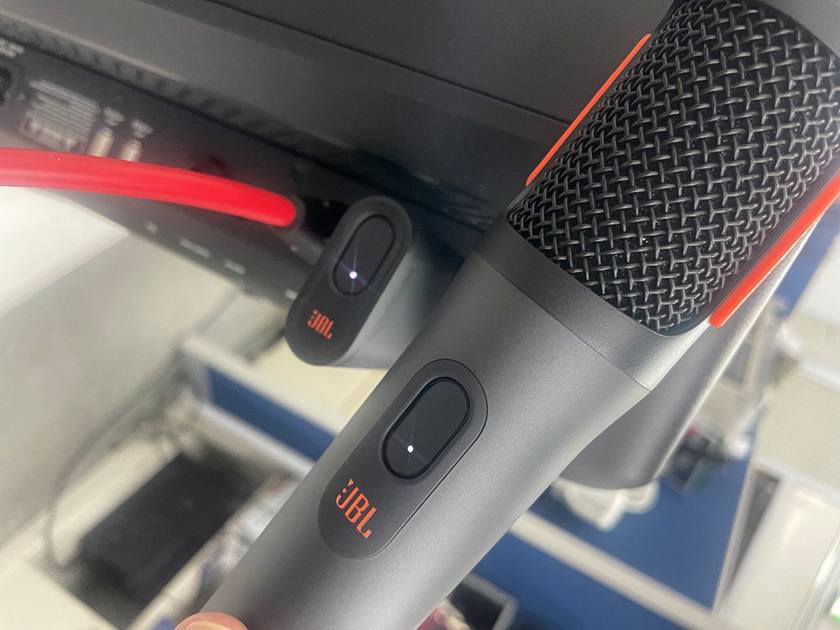
And the product I’ll be testing is this one.
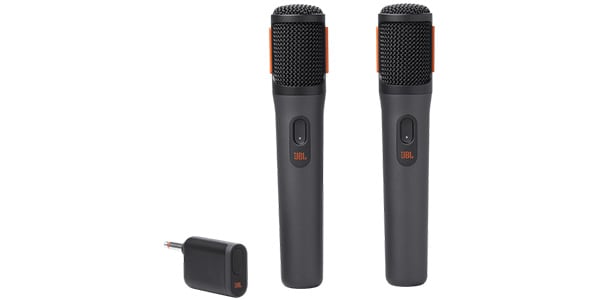
“Can this be used with something other than a PartyBox?”
It’s a question I receive so much it’s almost like a template, but the truth is that it isn’t clearly explained anywhere.
From the name alone, this wireless mic strongly feels like it’s exclusively for PartyBox, but is it really not usable for anything else?
It’s definitely something that piqued my curiosity so I decided to actually test it out.
As a method of verification, I’ll try connecting it to a mixer to see whether it outputs line level or mic level.
Many wireless receivers clearly state whether they can switch between line level and mic level, or if they are fixed to one or the other. However, the JBL PartyBox Wireless Mic does not specify this even in the manufacturer’s manual, and it is basically presented as a PartyBox-exclusive product.
In other words, if you use it in a way not intended by the manufacturer, it will be entirely at the user’s own risk, so please keep that in mind in advance.
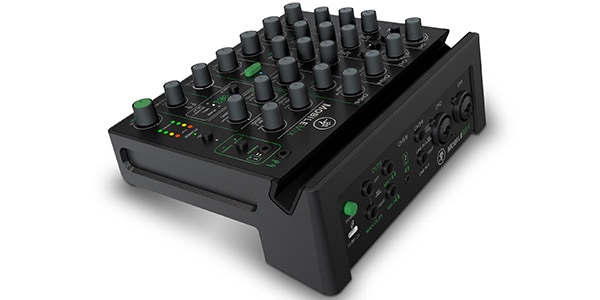
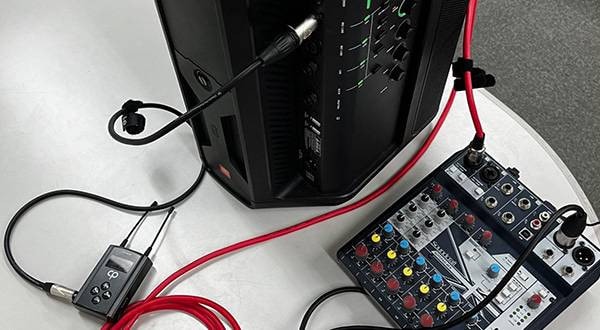
The mixer used this time is the MACKIE / MobileMix.
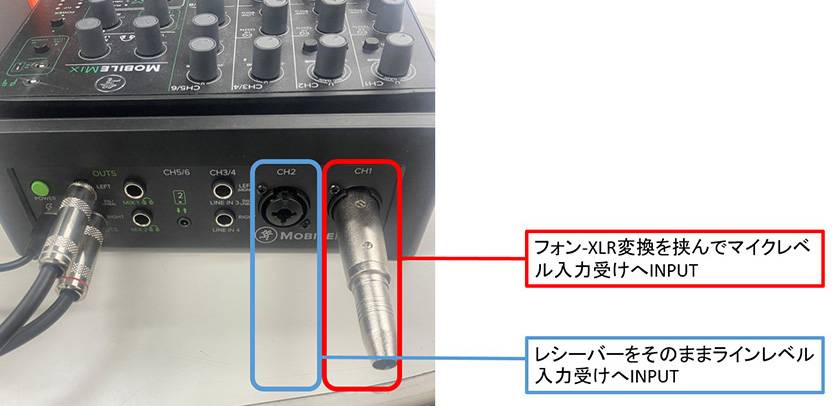
This mixer uses combo input jacks, where line-level signals are connected via 1/4" phone plugs, and mic-level signals are connected via XLR connectors.
Pairing the wireless mic is extremely simple—just press the buttons on the mic and the receiver, and once the indicator lights up, you’re good to go!
Now, first, let’s connect it to a line-level input.
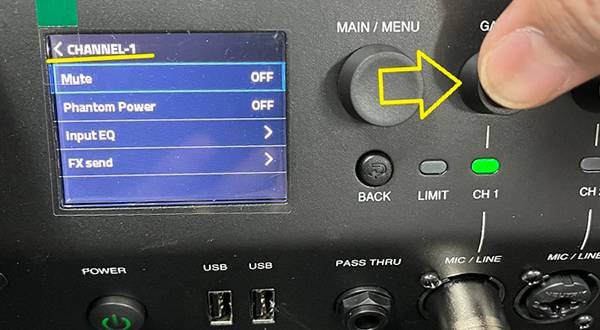
The signal is extremely weak. You have to turn both the channel volume and the master gain all the way up just to barely hear the sound, so this is clearly not an appropriate match.
Next, let’s connect it to a mic-level input.
The microphone sound comes through clearly!
Even when inputting a typical wired dynamic microphone into the adjacent channel and using the same volume settings, the perceived loudness is almost the same, and it feels like it can be used without any particular discomfort.
Test Results
It can be used if connected to a mic-level input!
The output from the JBL PartyBox Wireless Mic receiver is mic-level, not line-level.
In other words:
- Connecting directly to a line input (LINE IN) →
The sound is extremely quiet or there isn’t enough gain. - Connecting to a mic input (MIC IN) →
The level matches properly with no issues.
Summary
Based on the actual testing, as long as the equipment can properly receive mic-level signals, the JBL PartyBox Wireless Mic can be used with devices other than the PartyBox without any issues. For small events, emceeing, or as a supplementary microphone alongside a main mic, it is a fully practical wireless microphone.
Note that this test focused primarily on signal level verification, so aspects like sound quality, latency, or stability during long-term use were not examined. However, considering the ease of pairing and simple setup, it is a very convenient option for situations where you need to quickly add a microphone or go wireless.
Although it’s labeled as “PartyBox only,” the microphone’s use can actually be quite versatile when paired with a mixer or PA system that has mic-level inputs.
If you own a JBL PartyBox Wireless Mic and have been wondering, “Can I use this with other equipment…?” This little article should serve as a helpful reference!





![[Here I am!] Convenient Accessories for Use with a Simple PA!](/contents/uploads/thumbs/2/2024/12/20241218_2_29812_1.jpg)


 JBL スピーカー特集
 神社でお祭りバンド
 MACKIE ブランドページ
 ミキサーケース セレクター
 Mackie ミキサー比較
 ワイヤレスマイクロホン
 Discount Sale
 Outlet
 New Arrivals
 Podcast (streaming)
 Headphones / Earphones
 Microphones
 Wireless Equipment
 Speakers
 Power Amps
 Mixers
 Processors
 Portable PA Systems
 Recorders
 Karaoke
 Guitars
 Basses
 Ukuleles
 Drums & Percussion
 Pianos / Synthesizers
 Wind Instruments
 Stringed Instruments
 Japanese Instruments
 Harmonicas, Other
 Software
 DJ & VJ
 Stands
 Cables & Connectors
 Racks & Cases
 Lighting
 Stage & Truss
 Video Equipment
 PC PERIPHERALS
 Power Supplies
 Studio Furniture
 Household Items, Other
 Alcoholic Beverages