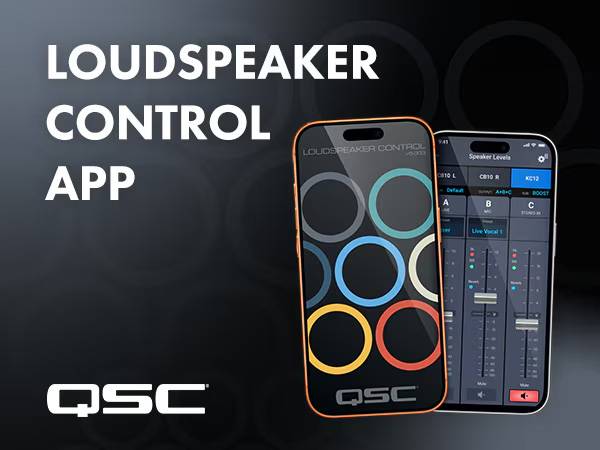
A wireless control app has finally been released from QSC, the speaker brand highly recommended by Sound House’s speaker specialist. This time, I immediately tried it out using the new battery-powered PA speaker “CB10.”
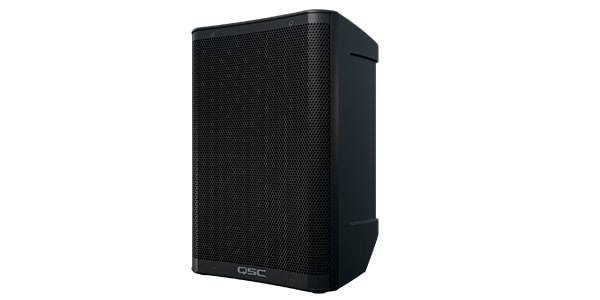
QSC / CB10 Battery-Powered PA Speaker
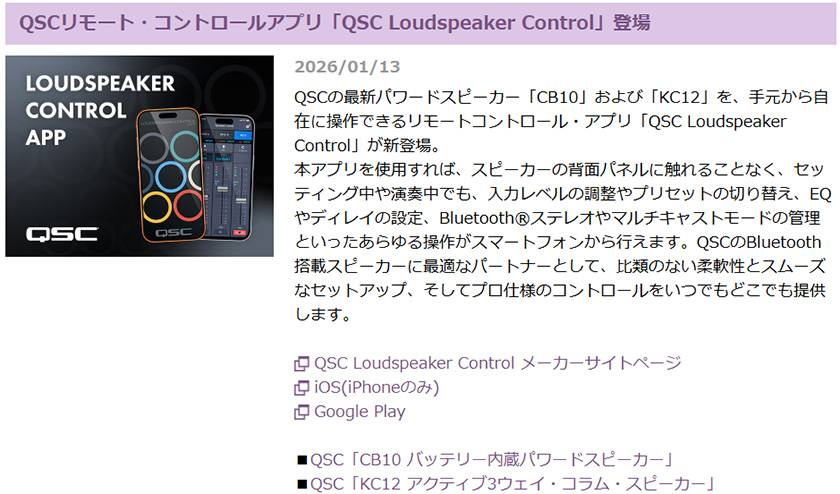
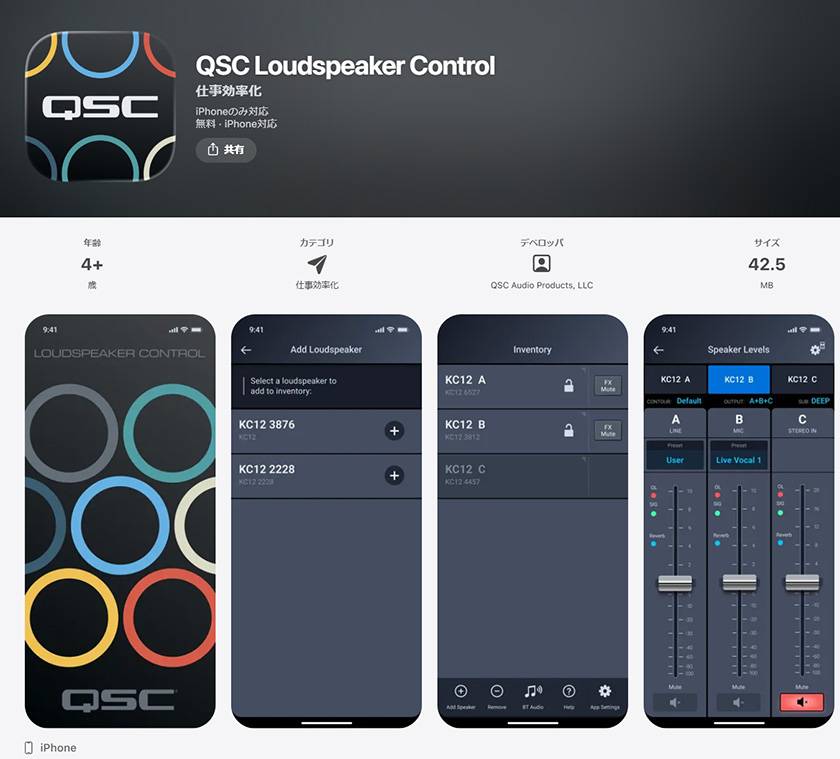
1. Install the app on your iPhone.
2. Turn on the CB10 and open the app.
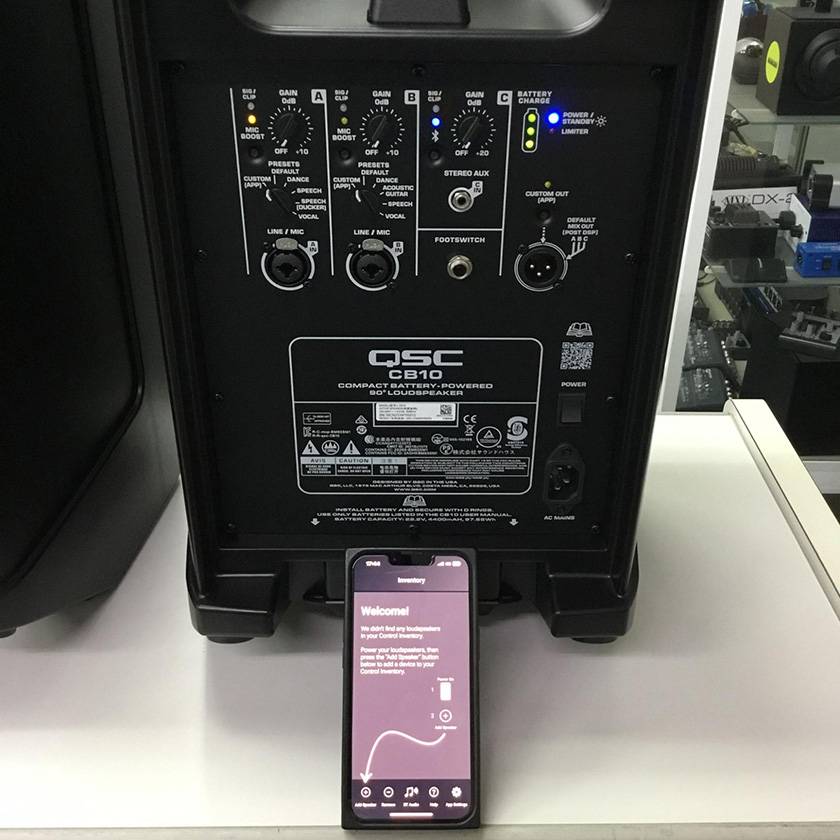
3. Tap “Add Speaker” at the bottom left of the screen, and “CB10” will appear on the iPhone screen.
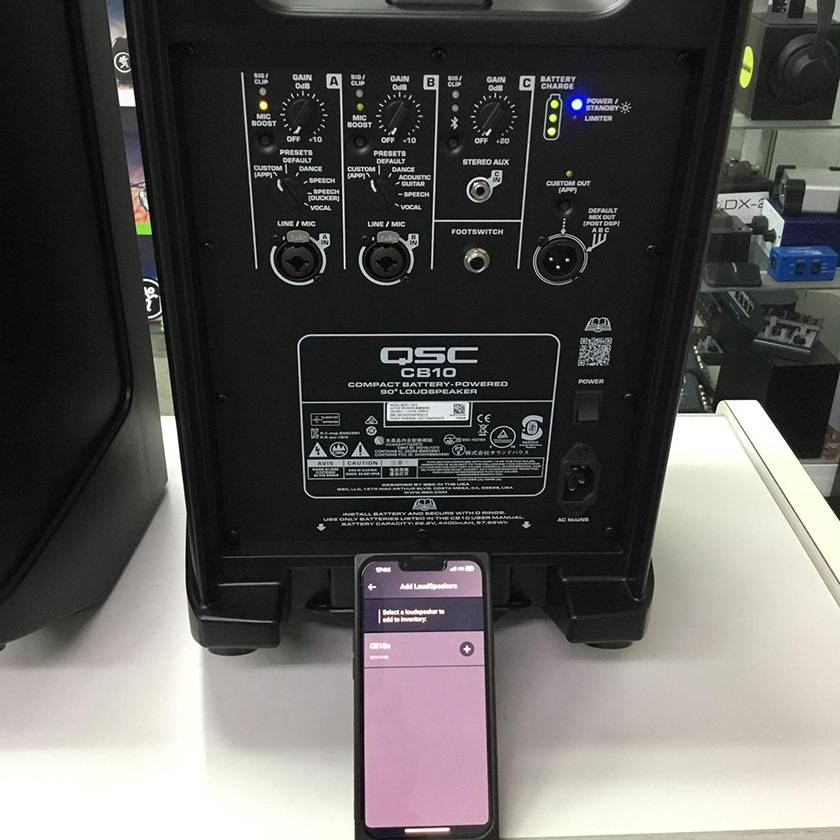
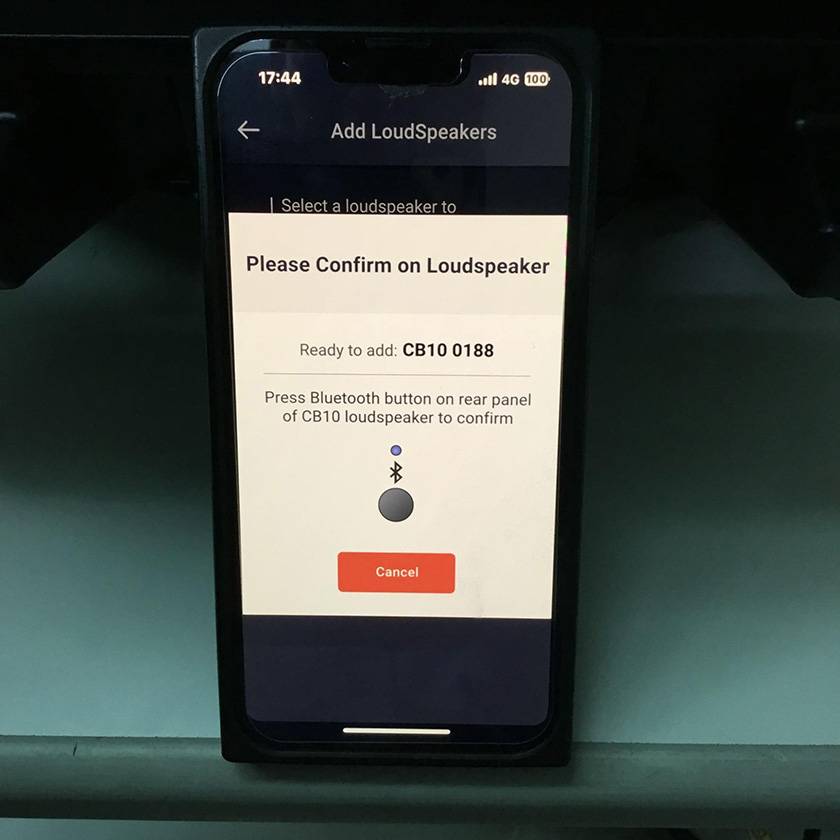
4. Tap the “+” to the right of CB10, and after a short while, a message saying “Press the Bluetooth button on the CB10” will appear, so follow the instructions.
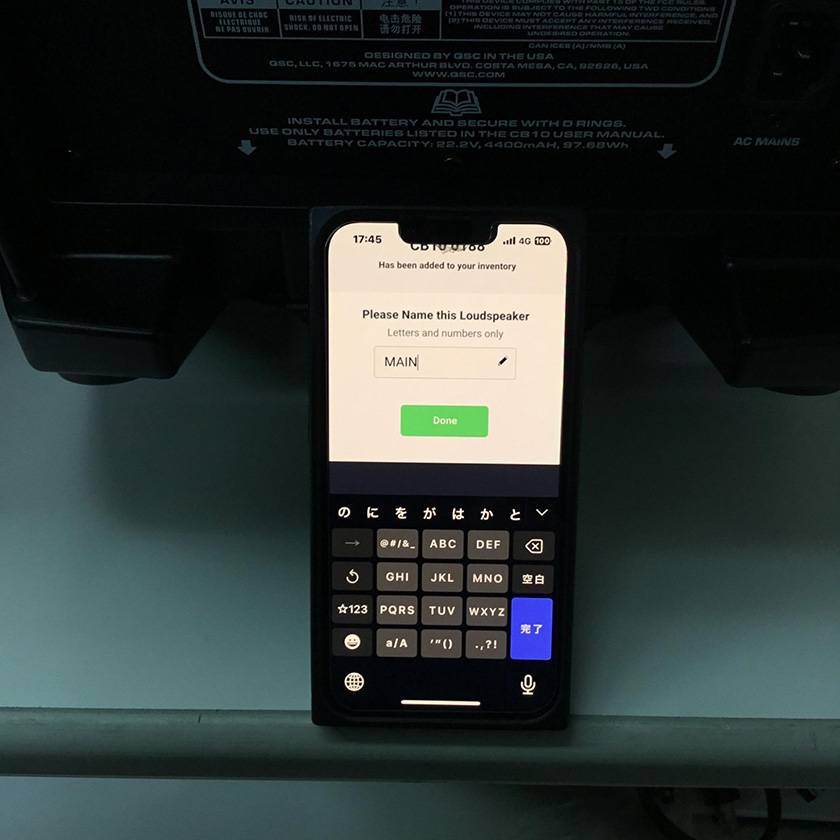
5. Then you will be prompted to “Name the speaker,” so enter “MAIN” and tap “DONE.”
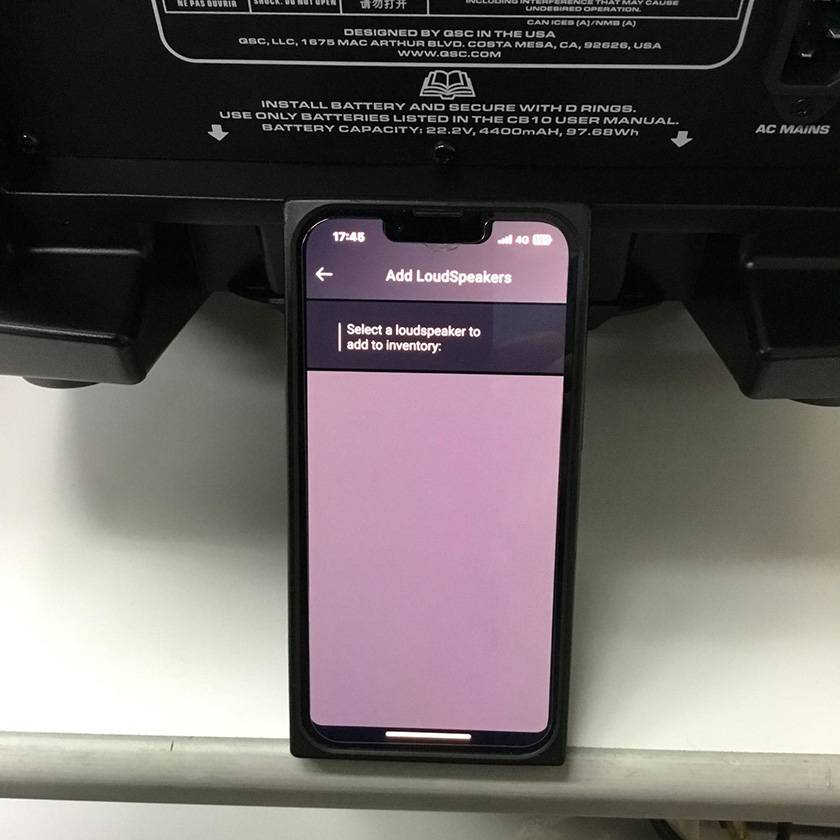
6. Tap the “←” at the top left to return to the HOME screen, where CB10 “MAIN” is displayed. This completes the pairing process.
There was no confusion at all, and it was easy to complete even on the first try.
With this, even beginners can feel at ease.
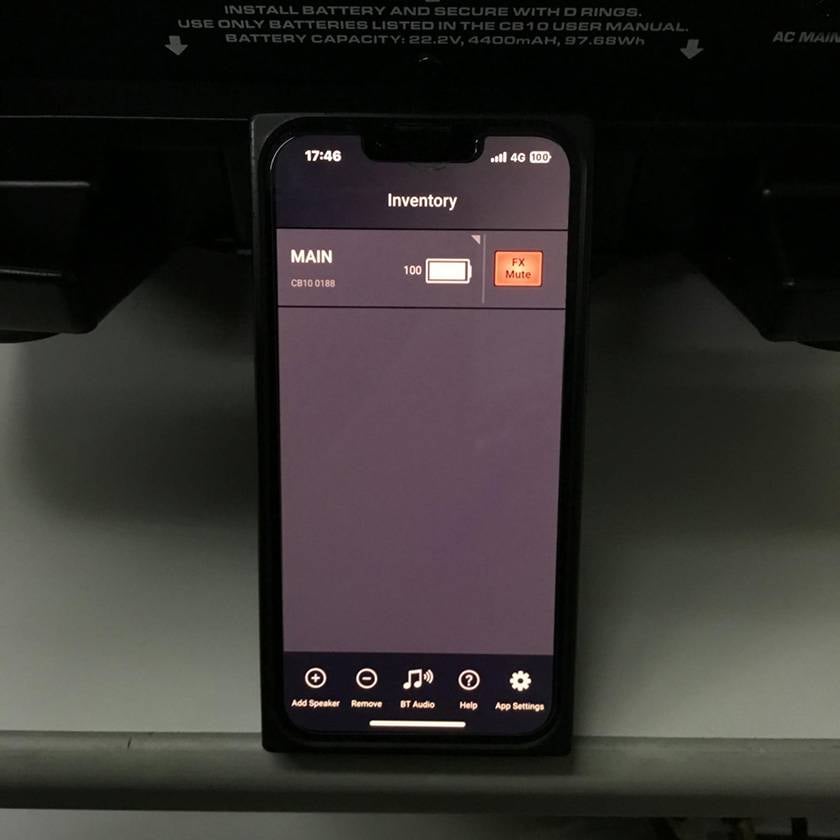
Now, let’s take a closer look at what kind of controls are available, one by one.
When you tap “MAIN,” the screen shown below appears.
Here, you can adjust “the presets and volume of each channel.”
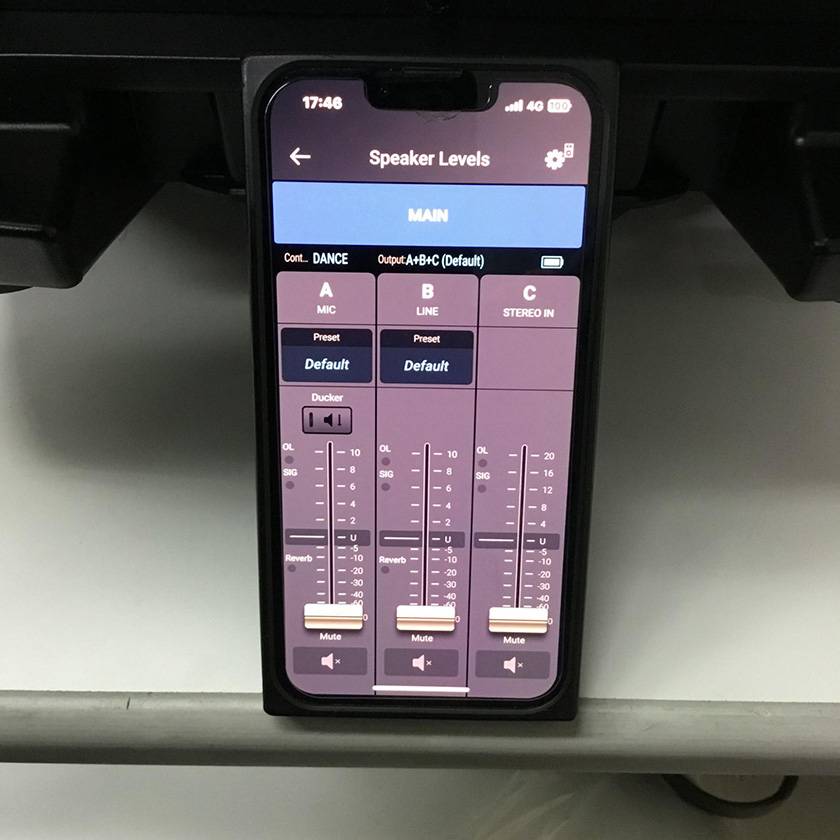
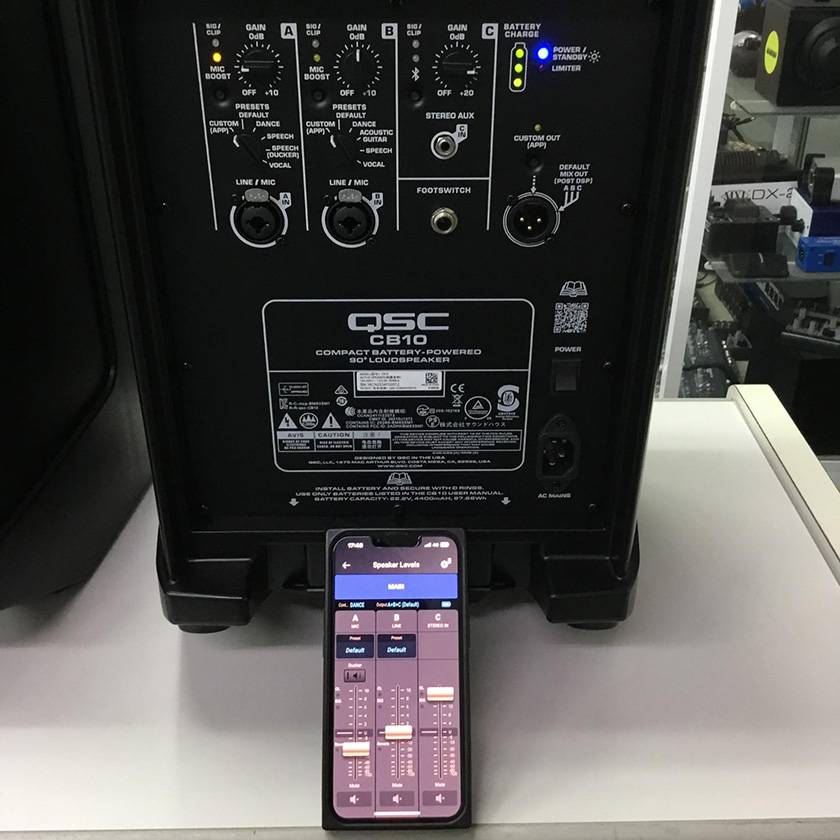
You can adjust the volume by touching and sliding the fader, and “When you turn the knob on the CB10 itself, the fader in the app moves in sync.”
However, one important point to note is that “Moving the fader in the app does not cause the knob on the CB10 itself to move.”
So, what happens if you turn the knob on the CB10 after moving the fader in the app? I tried this out.
“When you turn the CB10’s knob all the way down, or rotate the knob until it passes the fader position shown in the app, the knob and the fader will synchronize.”
In other words,
“When adjusting via the app, do not touch the knob on the unit itself.”
Next, let’s look at the settings for each channel.
When you tap “A” (or “B” or “C”) in the app, the screen switches to the one shown below.
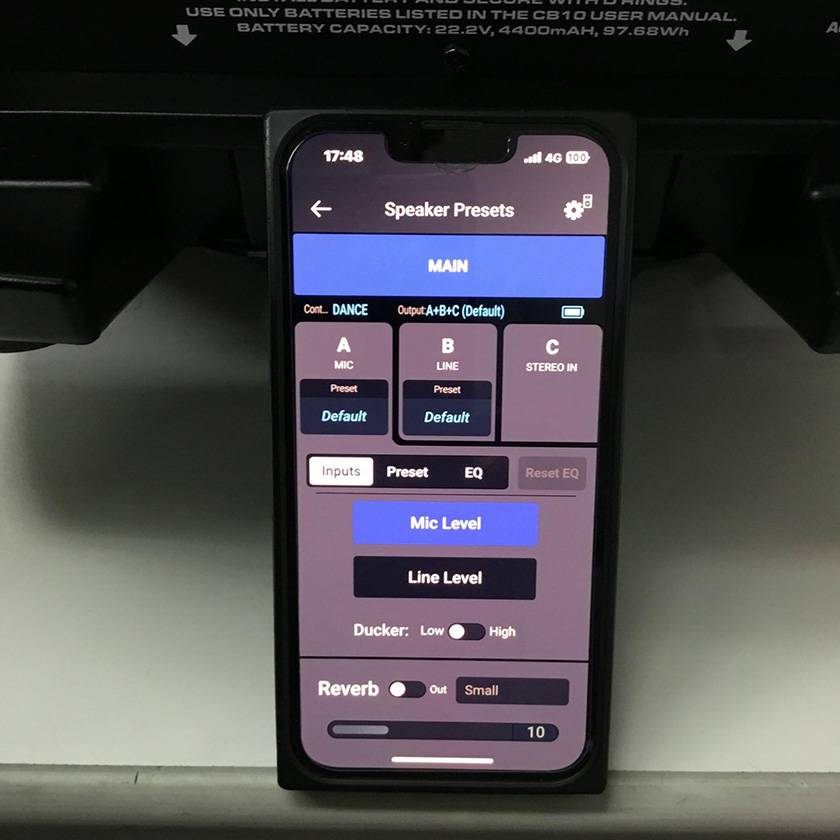
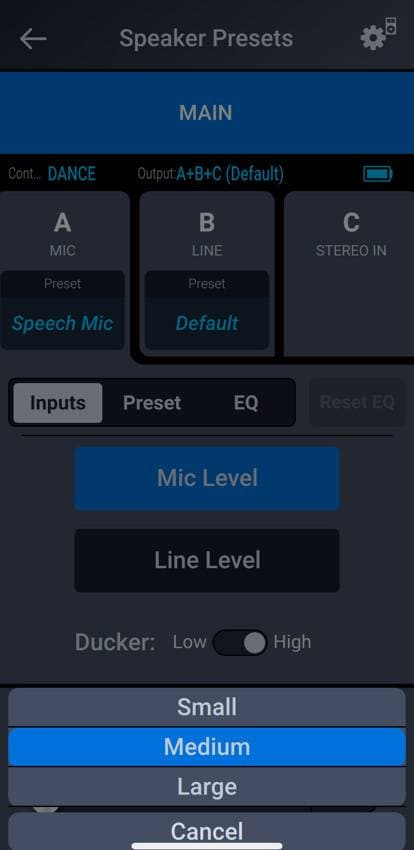
Inputs: Switch between mic level and line level (no Hi-Z).
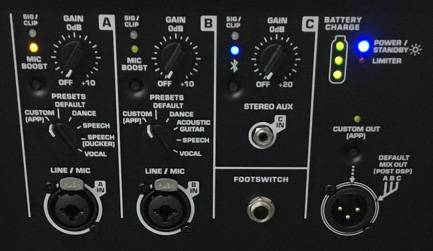
Ducker: When using “SPEECH (DUCKING)” with the PRESETS knob on channel 1 of the CB10 itself, you can switch the ducking between Low and High.
Points to note:
“The app preset ‘Speech Mic’ does not activate ducking.”
“‘SPEECH (DUCKING)’ is not available on channel 2.”
REVERB:Adds reverb (ambience).
You can adjust the type (Small, Medium, Large) and the effect amount (0–30).
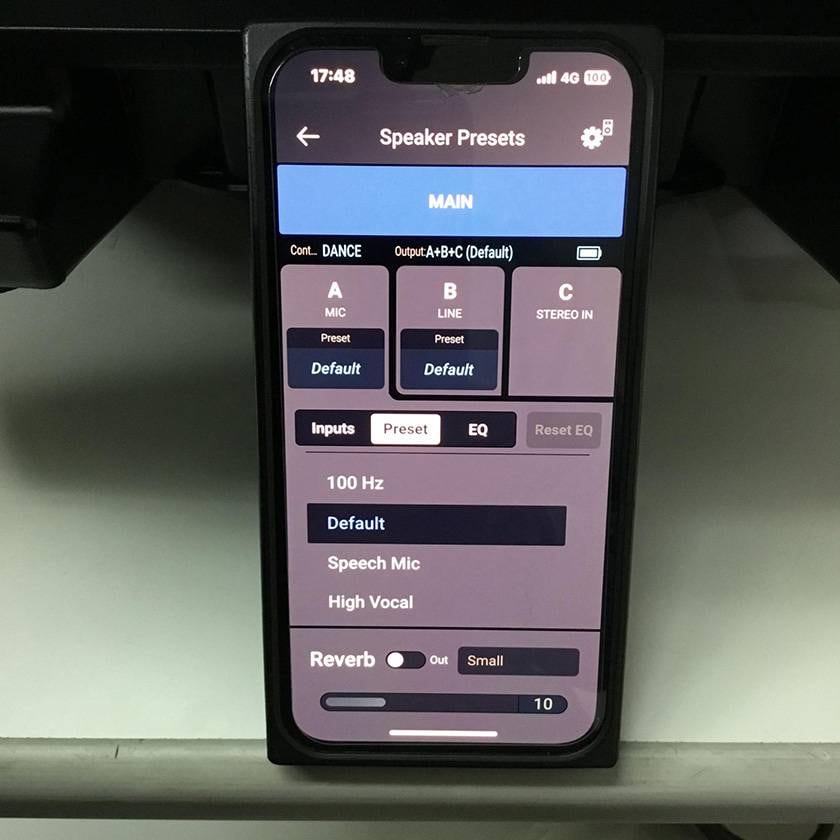
Preset: You can select from 16 sound characters to match the connected device.
100Hz, Default, Speech Mic, High Vocal, Low Vocal, Headset Mic, Lavalier Mic, Acoustic Guitar, Electric Guitar, Electric Bass, Keyboard, Drum, Saxophone, Cello, Violin, Dance
I was surprised that there are this many presets that cannot be selected on the CB10 itself!
Since I’m a bass player, I connected through a DI and selected Electric Bass, which made the low end thicker and more pronounced, giving the feel of playing through a bass amp.
Points to note:
“When connecting a passive guitar or bass, use a DI (there is no Hi-Z).”
“You need to set the PRESETS knob on the CB10 itself to ‘CUSTOM (APP).’”
“Even if you select a preset, the EQ settings (explained next) do not change.”
Finally, let’s look at the EQ.
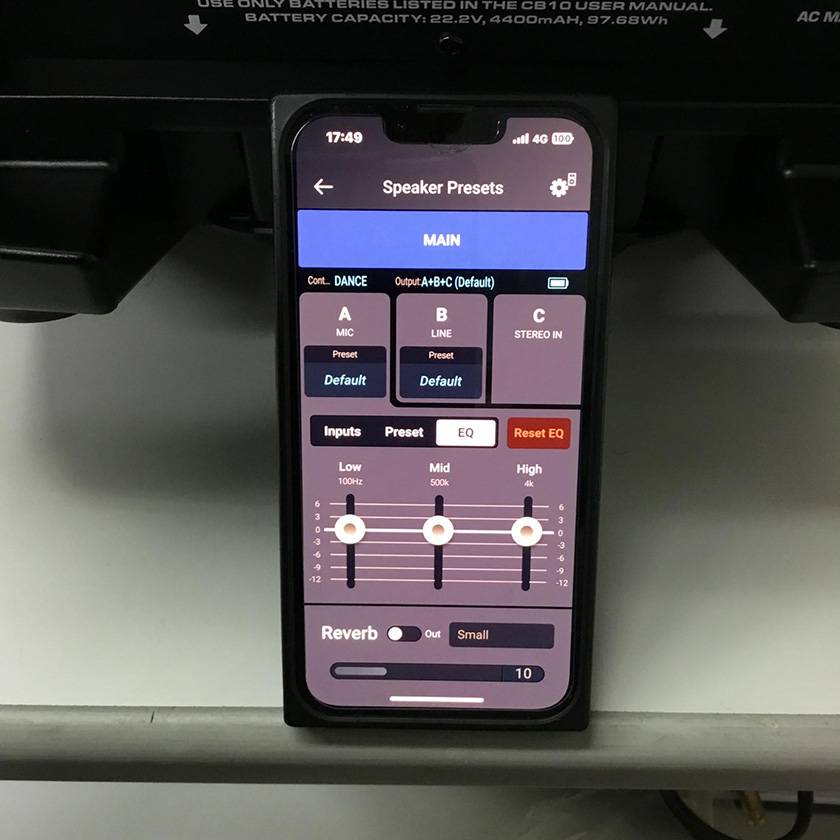
The 3-band EQ can be adjusted within a range of −12 dB to +6 dB, allowing for control similar to that of a small analog mixer. Incidentally, this is also a parameter that cannot be set on the CB10 unit itself.
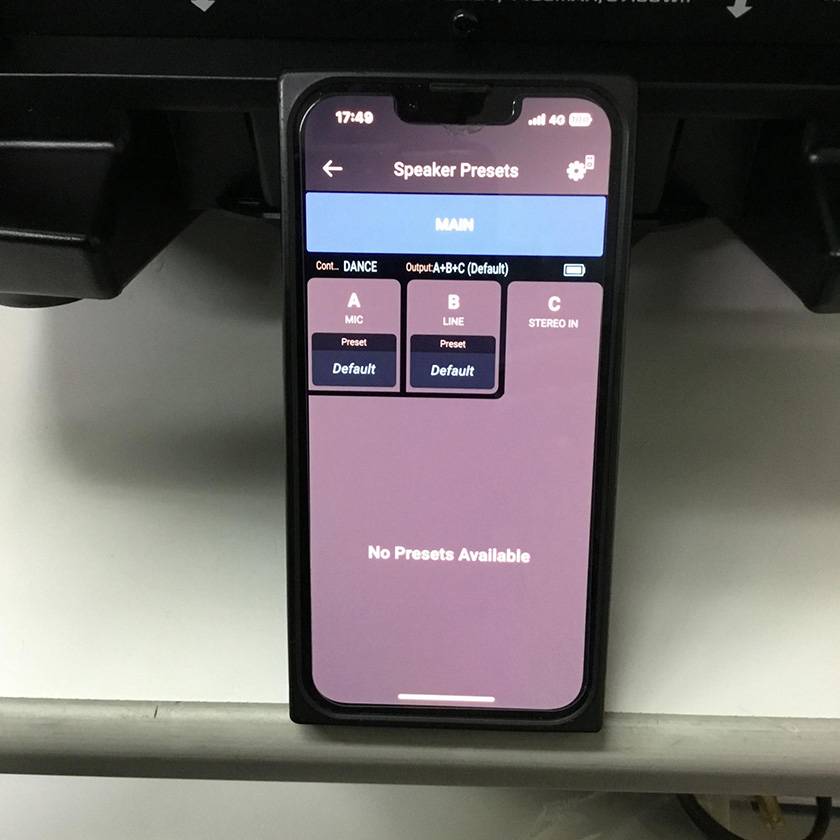
Since CB10 channel C is intended for stereo mini or Bluetooth sources, there are no adjustable settings for it.
Next, let’s look at the overall CB10 settings screen rather than per-channel settings.
Tapping the “gear icon” in the upper right brings up the screen shown below.
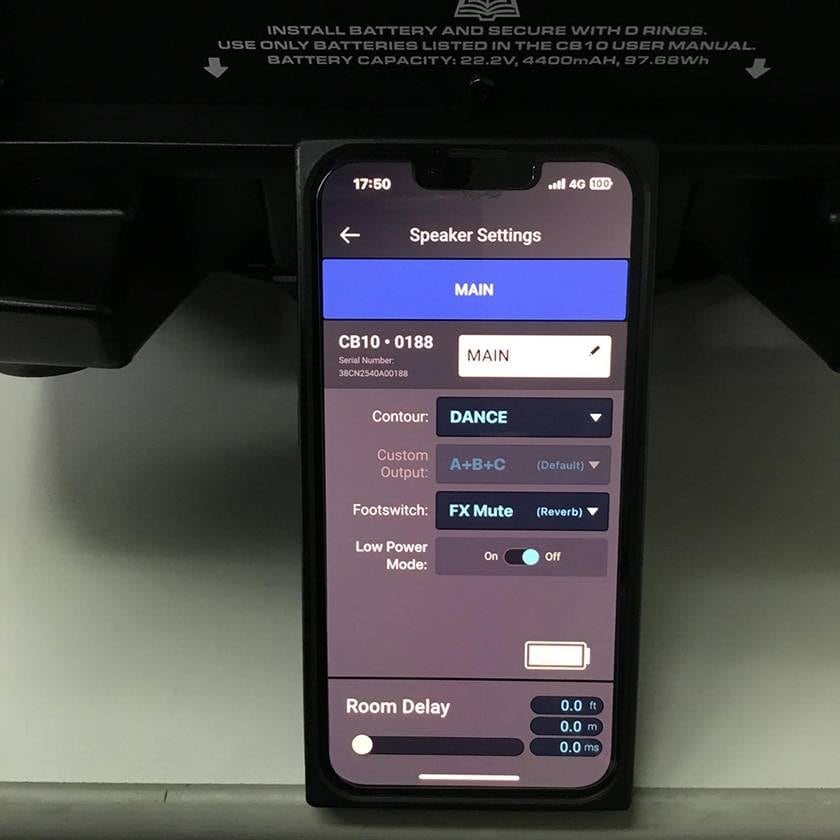
You can also change the name here.
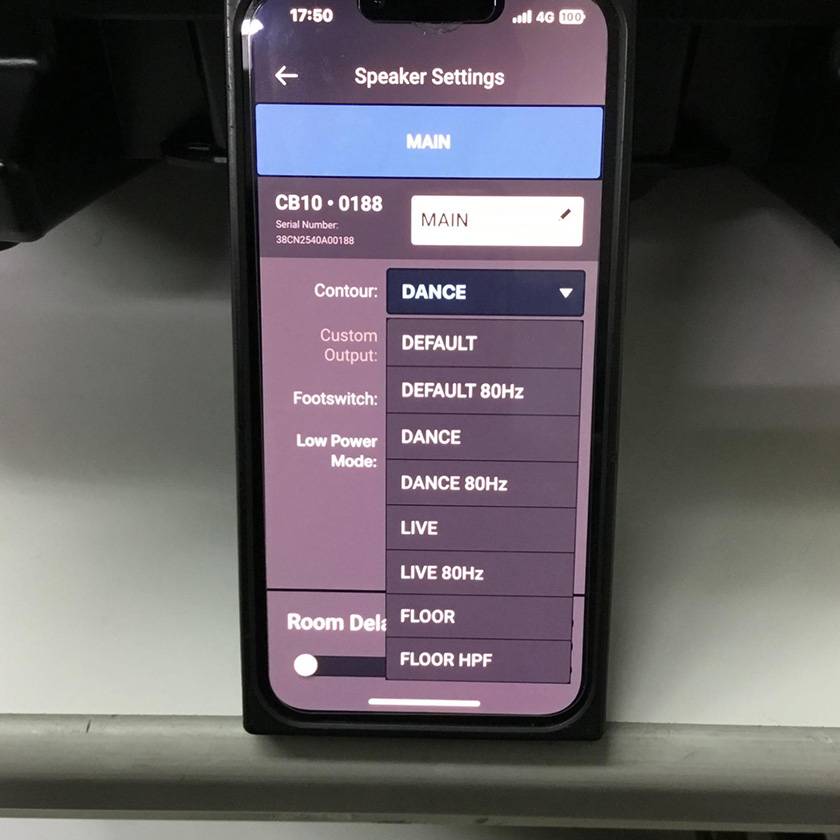
Contour: You can select the sound character, including an 80 Hz version intended for use with a subwoofer.
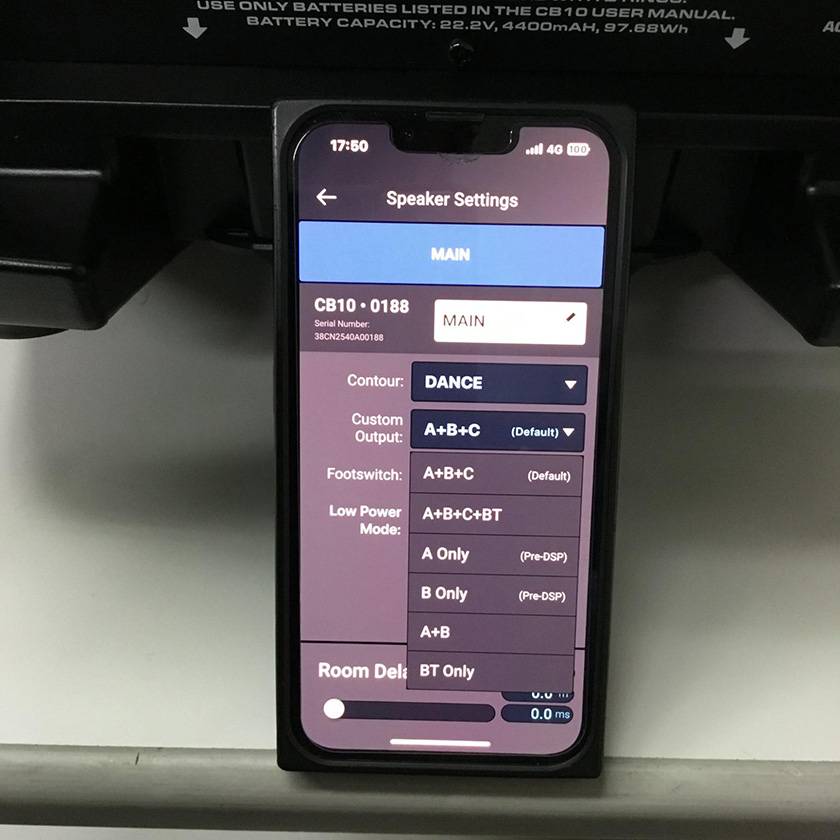
Custom Output: You can select the source to be output from the MIX OUT terminal.
This is also a setting that cannot be selected on the CB10 unit itself.
Points to note:
“You need to enable it by pressing the CUSTOM OUT (APP) button on the CB10 itself.”
“If you disable it with the CUSTOM OUT (APP) button, the settings made in the app will become inactive.”
“When you turn the CB10 power off and then on again, it returns to the Default (A+B+C).”
Footswitch: You can choose the operation that occurs when a latching-type footswitch is pressed.
FX Mute is convenient when switching between live performance (with effects) and MC (without effects).
What I found particularly interesting here is Solo Boost. It’s something I haven’t seen from other manufacturers, but there are plenty of situations—like guitar solos or key moments—where you want to apply a boost, so I thought this was a thoughtful and well-designed feature.
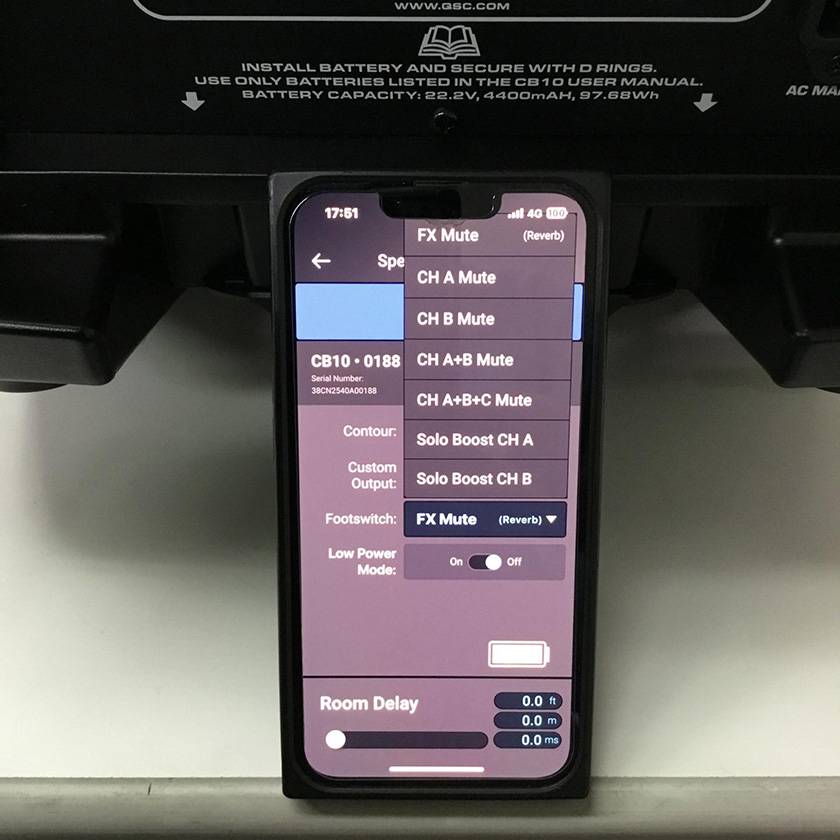
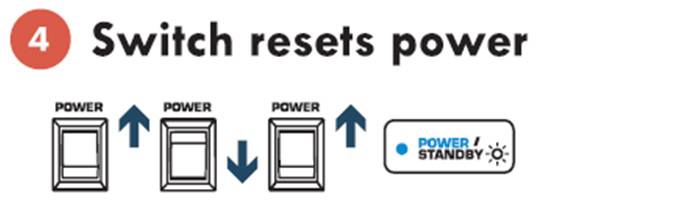
Low Power Mode: You can turn the power-saving mode ON/OFF. When ON, the unit enters into standby after 3 minutes with no input signal, and powers off after 30 minutes.
1. No input signal: LED lit
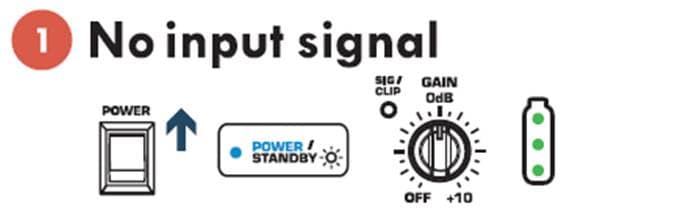
2. No input signal — Standby (3 minutes): LED blinking
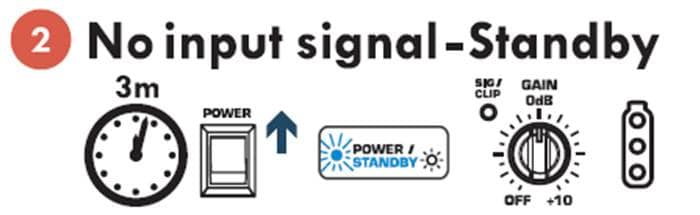
3. No input signal — Power off (30 minutes): LED off
4. Reset the power using the switch.
Room Delay: You can adjust the delay for time alignment when placing speakers at a distance. (0–68.6 m)
How was it?
QSC LoudSpeaker Control is an excellent wireless control app that allows you to operate functions not available from the speaker unit itself, fully bringing out the performance of the speaker. I will be very likely to post future updates reflecting on user feedback, so I’m very much looking forward to what’s next.。



![[Product Review] QSCs New KC12 3-way Column Speaker](/contents/uploads/thumbs/2/2025/5/20250513_2_31426_1.jpg)
![[2024 Edition] Highly Recommended by PA Experts! QSC Powered PA Speakers!!](/contents/uploads/thumbs/2/2024/9/20240926_2_28731_1.jpg)
![[Latest for 2026] Easy for Beginners! Recommended Portable PA Systems](/contents/uploads/thumbs/2/2024/8/20240831_2_28455_1.jpg)


 QSC パワードスピーカー CPシリーズ
 QSC パワードスピーカー Kファミリー
 QSC パッシブスピーカー Eシリーズ
 QSC デジタルミキサー TouchMixシリーズ
 QSC L-CLASSシリーズ
 QSC
QSC
 Discount Sale
 Outlet
 New Arrivals
 Podcast (streaming)
 Headphones / Earphones
 Microphones
 Wireless Equipment
 Speakers
 Power Amps
 Mixers
 Processors
 Portable PA Systems
 Recorders
 Karaoke
 Guitars
 Basses
 Ukuleles
 Drums & Percussion
 Pianos / Synthesizers
 Wind Instruments
 Stringed Instruments
 Japanese Instruments
 Harmonicas, Other
 Software
 DJ & VJ
 Stands
 Cables & Connectors
 Racks & Cases
 Lighting
 Stage & Truss
 Video Equipment
 PC PERIPHERALS
 Power Supplies
 Studio Furniture
 Household Items, Other
 Alcoholic Beverages