■ Introduction
In this edition, I’m going to show you how to create scenes in DASLIGHT 5.
In the previous articles, I covered the basic setup required to control lighting fixtures with DASLIGHT 5. Starting with this tutorial, I’m going to dive into practical lighting programming techniques and introduce a variety of lighting effects.
First, let’s learn the basics of scene creation using the STEP function.
1. Create a New Scene
Open the CONTROL window. This is the main workspace you’ll use for both creating scenes and operating your lighting during a show.
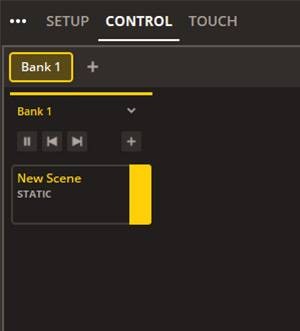
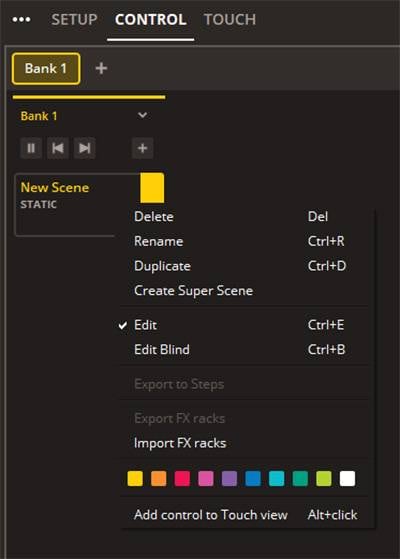
Right-click a scene to rename it or change its color.
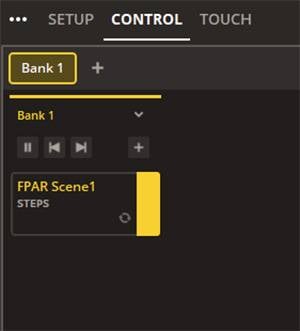
2. Add STEPs
From the menu on the right side of the screen, select STEP.
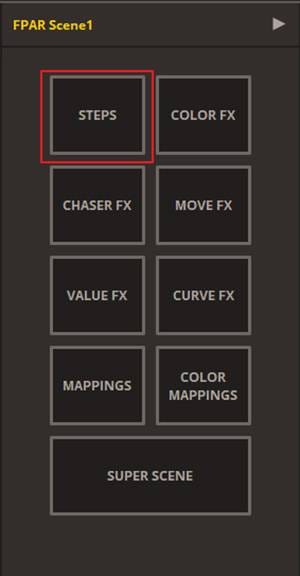
By default, only one STEP is available. Click the ‘+’ button at the bottom to add additional STEPs.
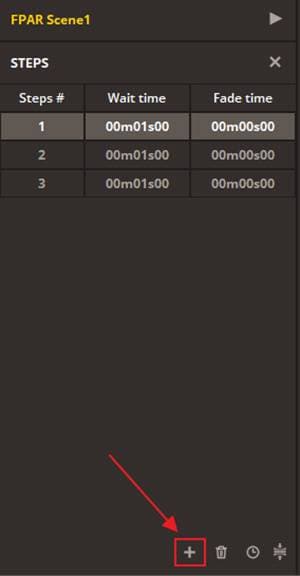
For this example, we’re creating a scene that changes the light color from red → green → blue, so we’ll add a total of three STEPs.
3. Configure Each STEP
Next, assign lighting settings to each STEP.
For STEP 1, set the light to red. First, raise the Dimmer...
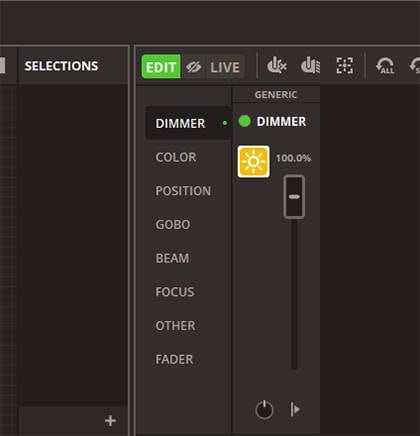
Then select red from the COLOR section.
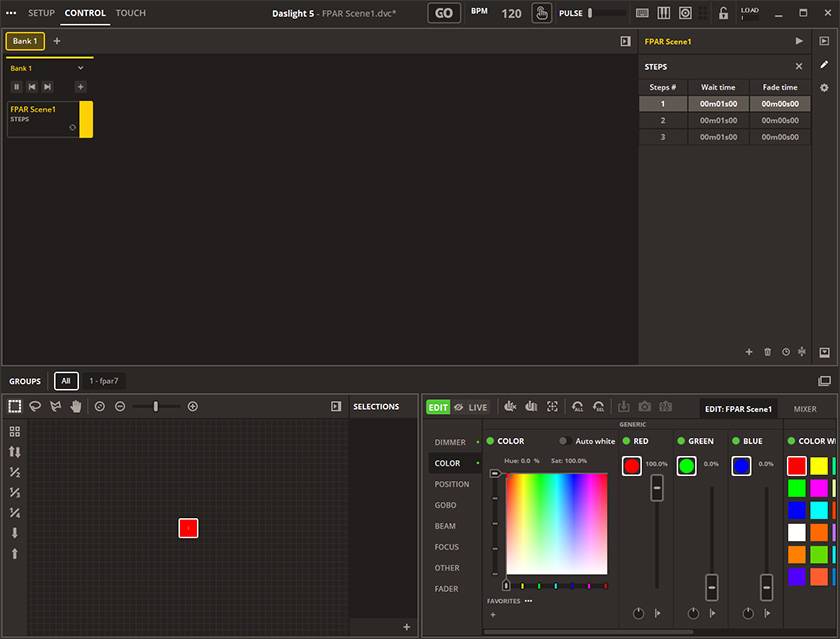
Next, move to STEP 2 and set the color to green.
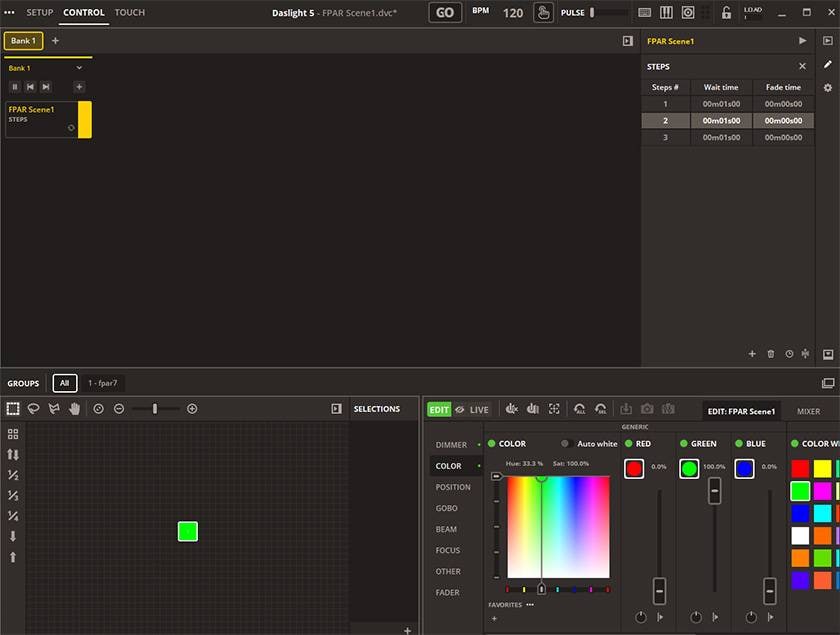
Finally, configure STEP 3 and set the color to blue.
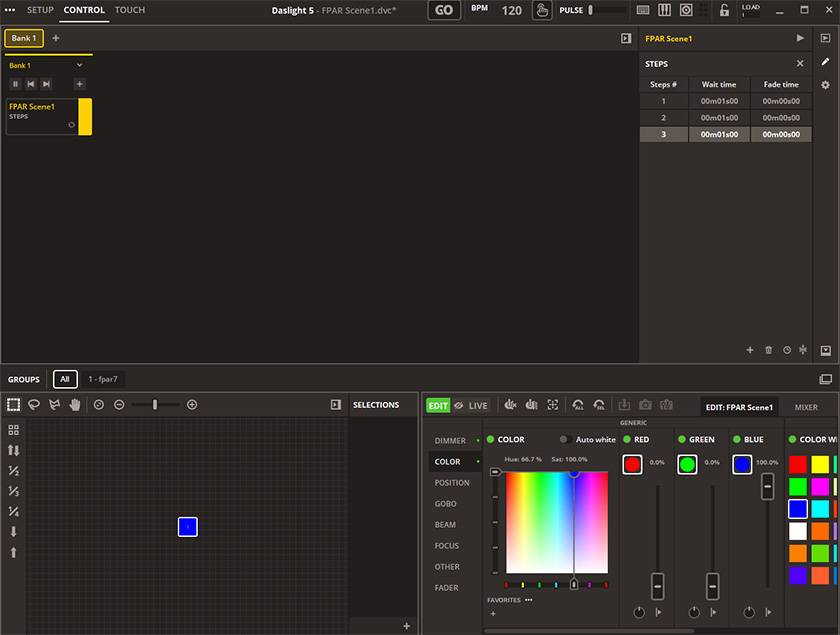
4. Set the STEP Timing
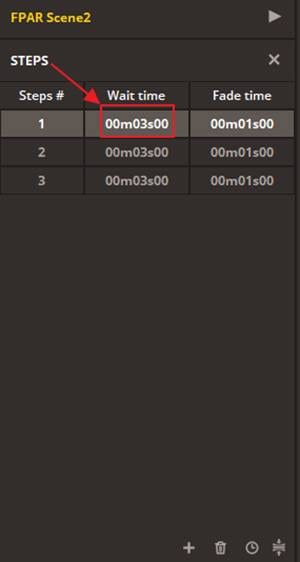
Now set the playback time for each STEP. You can adjust both Wait Time and Fade Time. Simply double-click the value and drag to increase or decrease it.
Once you’ve finished configuring the settings, your scene is complete.
Click the ▶ Play button in the upper-right corner to play the scene.
DASLIGHT5でシーンの再生! pic.twitter.com/nxeQNvBdqD
— Sugi@音家 (@TKT_SoundHouse) June 23, 2026
The scene is now playing!
■ Summary
In this tutorial, I covered the basic process of creating scenes in DASLIGHT 5. The same workflow can also be used to create scenes for SCENESETTER Series controllers. Compared with hardware controllers, DASLIGHT 5 offers a more intuitive experience by visually displaying Wait Time and Fade Time, while grouping faders by function, such as Dimmer and Color. This makes scene creation faster and easier. Try creating a variety of scenes and explore the creative lighting possibilities that DASLIGHT 5 has to offer.
 STAGE EVOLUTION ステージ照明
 ステージ照明の調光器
 ELIMINATOR ステージ照明
 プロ仕様 ステージ照明 ELATION
 小さなパーティでも役立つカッコイイ照明機材
 照明入門講座
 Discount Sale
 Outlet
 New Arrivals
 Podcast (streaming)
 Headphones / Earphones
 Microphones
 Wireless Equipment
 Speakers
 Power Amps
 Mixers
 Processors
 Portable PA Systems
 Recorders
 Karaoke
 Guitars
 Basses
 Ukuleles
 Drums & Percussion
 Pianos / Synthesizers
 Wind Instruments
 Stringed Instruments
 Japanese Instruments
 Harmonicas, Other
 Software
 DJ & VJ
 Stands
 Cables & Connectors
 Racks & Cases
 Lighting
 Stage & Truss
 Video Equipment
 PC PERIPHERALS
 Power Supplies
 Studio Furniture
 Household Items, Other
 Alcoholic Beverages