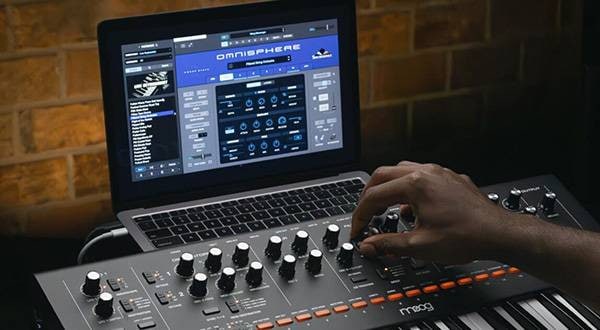
In October of last year, Spectrasonics, a company well-known in the DTM community, released a major update to their 10-year-old software instrument "Omnisphere 2," upgrading it to "Omnisphere 3."
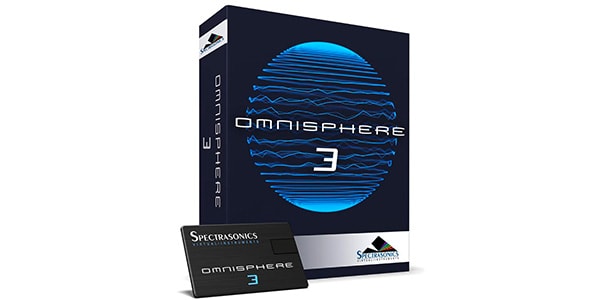
By the way, I had just reviewed the previous version last year. If you haven’t seen it yet, please check it out first here↓
⇒ Omnisphere 2: The All-Time Classic Synth Plugin
Now, without further ado, in this blog, I want to dive into what’s attractive about Omnisphere 3. However, there’s so much I want to talk about that I honestly struggled to organize this article. The thing is, Omnisphere is just too good. It’s amazing. And because of that, if I were to write everything about it, it would turn into a massive post. So, I’ve decided to simplify things and focus on just three key points that stood out to me while using Omnisphere 3. These are the features that made me go “Wow, this is incredible!” Let’s start with the first one.
01. A Massive Expansion of the Sound Library. It’s Now Essentially Infinite.
I have to mention this. First of all, let me just say it—this is incredible in the best possible way. When you think of Omnisphere, you wonder: is it even possible to use all of its sound libraries in a lifetime? Its vastness and variety of sounds were some of its biggest selling points. But this time, they’ve taken it a step further. More patches have been added, and the total number is just mind-boggling...
26,421 Patch
What is even happening here? I was excited about the major update, but this number far exceeded my expectations. I’m honestly at a loss for words. But, you might be wondering: If there are so many new sounds, how on earth will I find what I need? Well, that’s where Omnisphere 3 really shines. They’ve divided all 26,421 sound patches into 18 categories, so you can easily find which sounds will match your vibe.
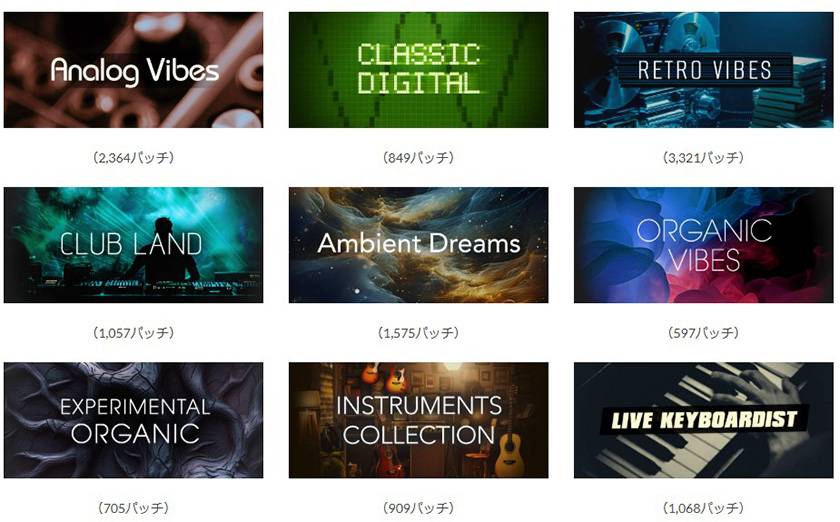
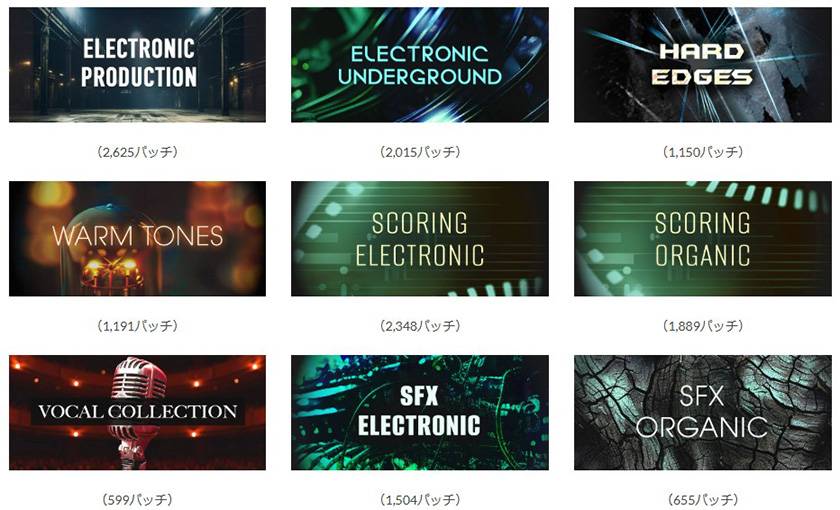
And when you select one of these categories and dive deeper, you’ll find that they’re further divided into more specific subcategories like this:
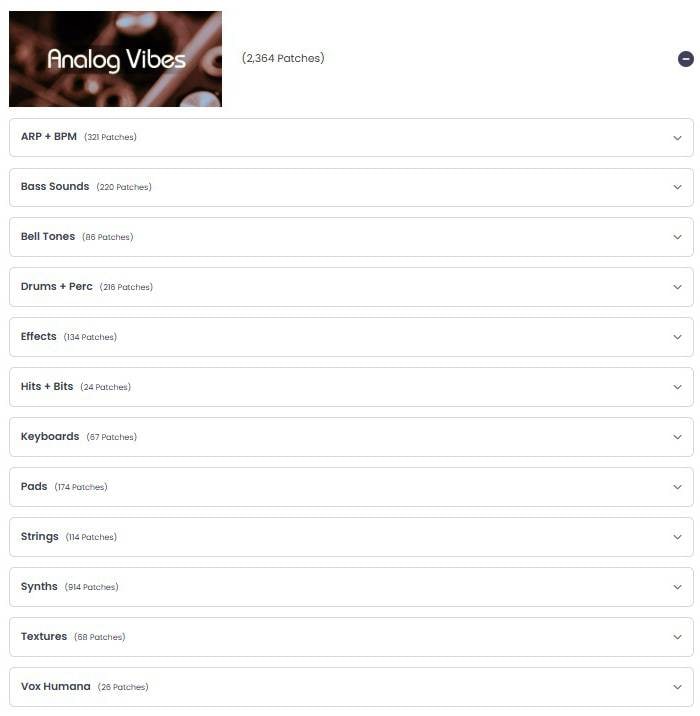
In the previous version, there wasn’t such a user interface (UI) or categorization. But in this new version, finding the exact sound patches you want is a breeze. Personally, I think this alone makes upgrading to Omnisphere 3 absolutely worth it. Of course, it goes without saying, the quality of each sound is insanely good. I honestly feel like I need to thank everyone at Spectrasonics individually with a full bow of gratitude. From the bottom of my heart.
What’s even more surprising is that despite this massive expansion of the sound library, thanks to the new lossless optimization technology, you can install it using the same hard disk space as the previous version. I mean, I honestly don’t even know how they pulled that off. The advancement in technology is just that amazing.
02. Your Sound, Your Way: New Feature "Patch Mutations"
The feature that probably has elevated Omnisphere 3’s sound creation possibilities the most is this "Patch Mutations." To put it simply, what it allows you to do is select a sound from the library, then press the "Mutate" button in the lower-left corner of the UI. This will automatically mutate the patch and randomly generate a new sound. If you don’t like it, you can just press it again, and another unique sound will be created instantly. Yes, endlessly. Until you find the sound you’re satisfied with.
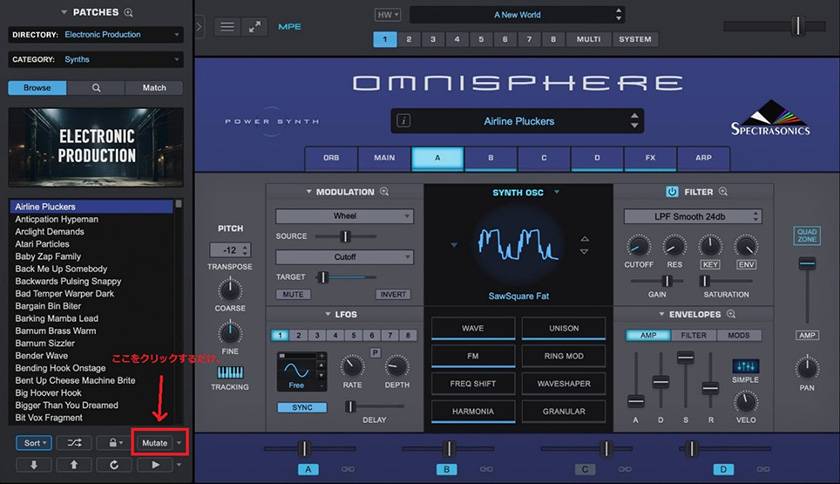
Moreover, once you’ve created a patch, it’s saved in your history, and you can restore or recall it at any time. I tried mutating several times with sounds I liked, and every new sound created was so good that I couldn’t stop smiling the whole time. If someone had been watching me objectively, I think they might have thought I was a bit crazy. But I couldn’t help it. It’s just so much fun. For anyone who’s gotten Omnisphere 3, I’d say this is the first feature you should try out. By the way, the official video below shows a demonstration of the "Mutate" feature in action, so if you're curious, definitely check it out!
03. Not Just a Sound Library. Omnisphere FX Rack for Effects
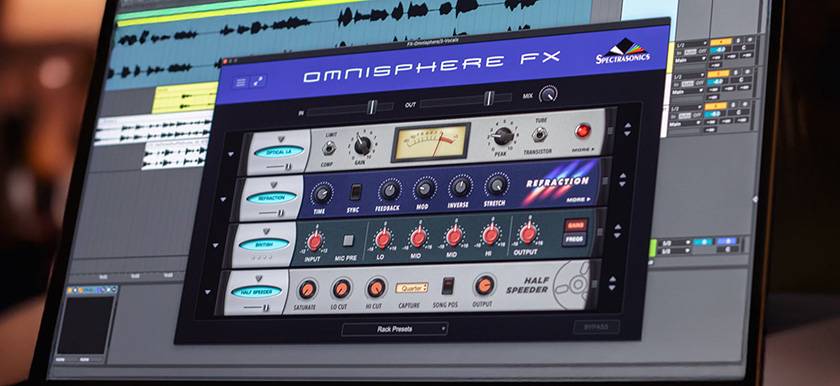
In an incredible move, Omnisphere now allows you to independently use its high-quality effects, enabling you to insert them into your DAW as standalone effects. Personally, this is a feature I’ve been waiting for so long, and I literally shouted, "Finally!!" when I found out about it. I’ve always loved the effects included in Omnisphere, and I’d often thought how great it would be if I could launch and use them as standalone plugins… and now that dream has come true. I’m beyond excited. And that’s not all! There are now 35 new effects added, bringing the total to nearly 100 different FX. Thank you. Thank you so much, Omnisphere 3.
So, what do you think? There are so many more features I’d love to share, but for now, I’ve only highlighted the main three that I found most impressive. With this version, Omnisphere 3 has taken its place as an even more perfect "lifetime synthesizer." I highly encourage you to try it out. As for me, I’ve already decided that I’ll keep using it for the rest of my life. It might be impossible to use everything in my lifetime, but that’s part of the charm of Omnisphere — it’s a one-of-a-kind synthesizer. Until next time!




![[A Synthesizer That Will Last A Lifetime] Exploring the Appeal of Omnisphere 2](/contents/uploads/thumbs/2/2025/7/20250710_2_31966_1.jpg)




 厳選!人気のおすすめオーディオインターフェイス特集
 TOONTRACK 特集
 DTMセール情報まとめ
 DTMに必要な機材
 XLN AUDIO 特集
 UR-RT4 ソフト音源やループ素材をリアンプ
 Discount Sale
 Outlet
 New Arrivals
 Podcast (streaming)
 Headphones / Earphones
 Microphones
 Wireless Equipment
 Speakers
 Power Amps
 Mixers
 Processors
 Portable PA Systems
 Recorders
 Karaoke
 Guitars
 Basses
 Ukuleles
 Drums & Percussion
 Pianos / Synthesizers
 Wind Instruments
 Stringed Instruments
 Japanese Instruments
 Harmonicas, Other
 Software
 DJ & VJ
 Stands
 Cables & Connectors
 Racks & Cases
 Lighting
 Stage & Truss
 Video Equipment
 PC PERIPHERALS
 Power Supplies
 Studio Furniture
 Household Items, Other
 Alcoholic Beverages