Summer has arrived!! It’s blazing hot! Seriously, it’s so hot, so hot.
I want to get away somewhere a little cooler... I want to get in touch with nature... In other words, camping.
Music is also a must... I want to play some songs... I want to have fun... In other words, DJing.
Wouldn’t it be an amazing experience to get everyone together, play your favorite songs while watching the campfire, grill some meat, roast marshmallows, and just enjoy yourselves?
That said, when it comes to combining camping + DJing, how should you prepare...?
What gear do you need? What about the venue? What camping gear do you need?
In this blog, I’ll answer all of those questions. I’ve been involved in everything from planning and preparation to actually holding a camping & DJ event, so I can answer your questions from various perspectives, including gear and the venue!
I hope everyone who reads this blog can experience the same kind of fun!!
Contents
- Planning & Choosing a Location!
- Choosing Your Gear!
- Preparing the DJ Gear and Checking the Settings
- Creating a Playlist
- Final Check of the Camping Gear and the Event-Day Flow
- On to the Event-Day Edition!
1. Planning & Choosing a Location!
The reason I came up with the idea of a DJ + camping event in the first place was because I wanted to enjoy my favorite music surrounded by nature!
You might think, “Why not just go to an outdoor festival or a camping festival?” But at festivals, not every song is necessarily something I like. I wanted to play my favorite songs! I wanted to share them! At the same time, I also wanted to listen to other people’s favorite songs. Maybe you could describe it as talking about your ‘fave’.
Simply playing music through a speaker would be fine, but I also wanted to add a little more fun to it, which is how it became a DJ event.
Even though DJ apps have been released, DJing is a genre that can be difficult to truly experience unless you actually get to handle the gear yourself. I also wanted to take this opportunity to let various people experience it!
Now, there are several important points when it comes to camping + DJing, but the location is the most important of all. There were many camping beginners, myself included, so I thought that something too serious right from the start might be a high hurdle. Also, since the DJ gear would make for quite a lot of luggage, I wanted somewhere that was within an easy-to-reach distance. Just then...
An employee who loves the outdoors gave me some valuable information that there was apparently a great venue in Chiba Prefecture!
So this time, we rented out Wakamatsu Preserve in Wakaba Ward, Chiba City, and held our event there! (Thank you very much for allowing us to play music and take photos!)
(I’ll talk more about the appeal of Wakamatsu Preserve in the Event-Day Edition!)
The venue was perfect because it was nearby and we were given permission to play music.
Next up was the gear.
2. Choosing Your Gear!
If you’re going to DJ outdoors, should you use gear that needs to be connected to a power source, or should you go with battery-powered DJ gear? This was the first thing I had to think about. I considered several candidates.
Option 1: AlphaTheta / OMNIS-DUO
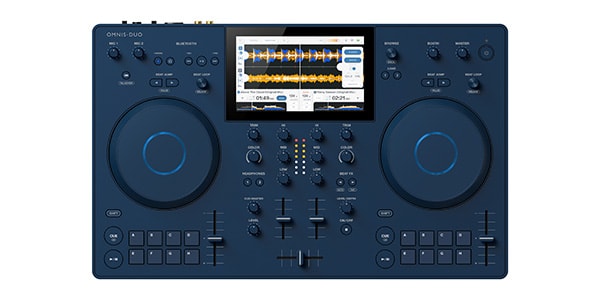
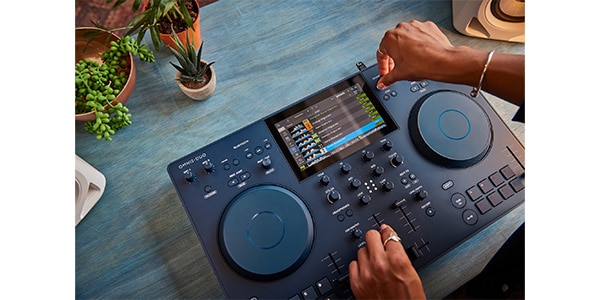
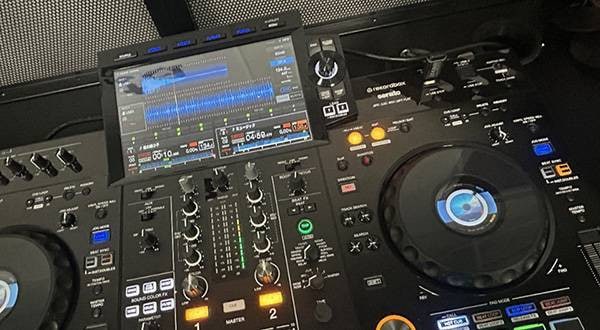
This is a battery-powered DJ controller that makes it easy to access music through CloudDirectPlay, StreamingDirectPlay, and Bluetooth connectivity. The fact that it can run on battery power makes it perfect for outdoor use. One difference from a typical DJ controller is probably the fact that it has a built-in screen. Everything can be completed with this one unit, and as long as you prepare in advance, you can do some serious DJing on the day without a PC.
Also, the blue-based color scheme is really nice. It wouldn’t look out of place at a certain Scandinavian furniture store.
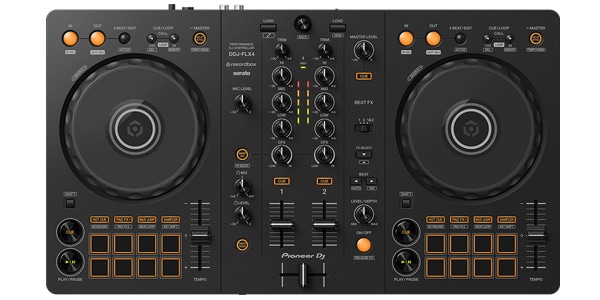
Option 2: Pioneer DJ / DDJ-FLX4 + Portable Battery
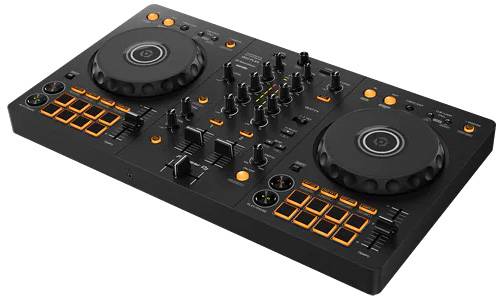
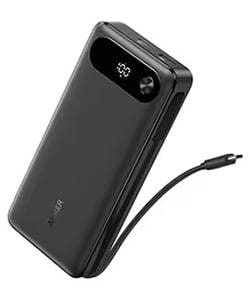
This is gear that I’m already familiar with, and it’s also reasonably affordable, so I thought it would be quite easy to use from a DJing perspective. Preparation is simple if you use a portable battery or a large-capacity battery. Another advantage is that you can do pretty much everything you want with just a smartphone + DDJ-FLX4. If you use an iPad, you don’t even have to worry about the screen size...!
The AlphaTheta XDJ-AN, which is scheduled for release on July 24, might also be an option.
AlphaTheta / XDJ-AN 2-Channel All-in-One DJ System
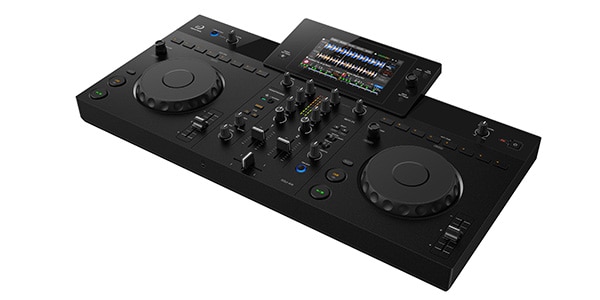
Since it also uses the same CloudDirectPlay and StreamingDirectPlay as the OMNIS-DUO, the possibilities for music selection are virtually endless. It isn’t battery-powered, so you’ll need a separate power source, but because its layout is closer to the CDJ + DJM series, I get the impression that it could be the ideal solution for people who are already familiar with DJ gear and DJ events.
Well, now that we got all our options lined up...
We decided to go with the OMNIS-DUO this time!
There were three reasons:
- ① Easy access to music!
- ② The built-in battery means we don’t have to worry about power, so we can carry less gear!
- ③ All the information we need is packed into the screen in the center of the unit, making it reassuring even for beginners!
There were eight of us in total, including both experienced and inexperienced DJs. Since the venue allowed us to play at a reasonably high volume, we also considered the speaker setup and adjusted our gear selection to keep the amount of gear to a minimum while still making it easy to achieve high-quality sound and, most importantly, have plenty of fun.
If there are fewer people or it’s easy to secure a power source, I think the DDJ-FLX4 would also be a suitable choice.
Above all, the biggest advantage was that everything could be handled with a single unit. Since this was a DJ event, we had everyone prepare a playlist of their favorite tracks in advance, but the OMNIS-DUO was especially convenient when someone suddenly wanted to play a particular song on the day.
Thanks to the StreamingDirectPlay system, you can access subscription services directly from the unit and pull up your favorite songs from Apple Music. Of course, you can do the same thing with a PC or smartphone, but for someone doing this for the first time, having to look at a smartphone or PC while also thinking about how to operate DJ gear might be difficult. That’s why this setup worked so well.
As for the speakers, we decided to look for battery-powered models to go along with our choice of the OMNIS-DUO.
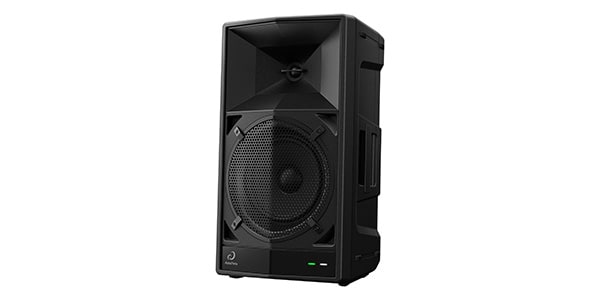
Option 1: AlphaTheta / Wave-Eight
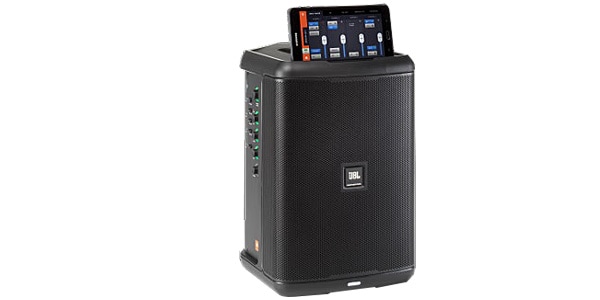
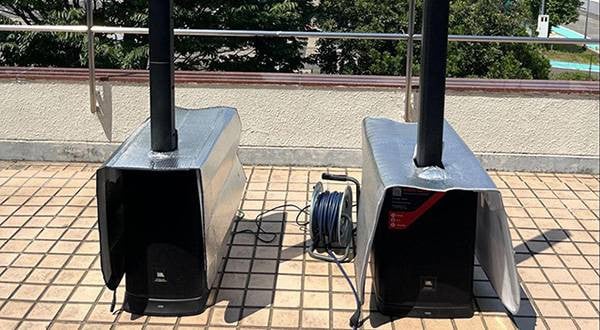
Option 2: JBL / EON ONE Compact
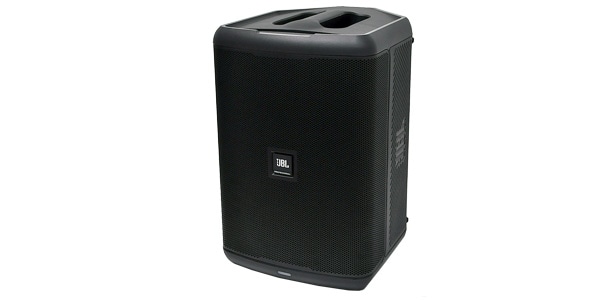
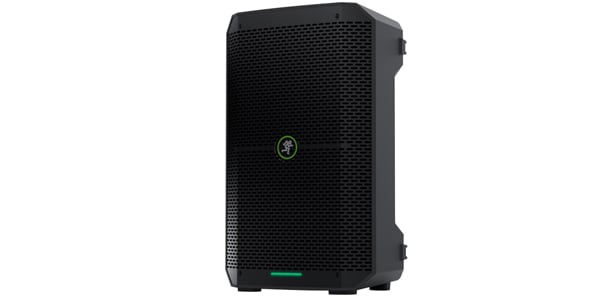
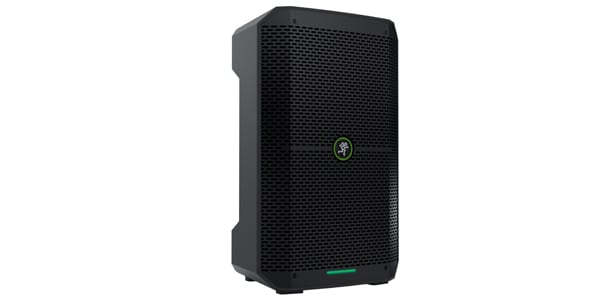
Of these three products, we chose the Wave-Eight this time. There were several reasons, but one was its proprietary ultra-low-latency wireless feature called SonicLink. When DJing, latency is something we want to avoid. Of course, we could have used another speaker with a wired connection, but Bluetooth has the advantage of allowing you to set things up without being tied to a particular location to some extent. Once you get used to the setup, you can get everything ready with a reasonable amount of speed.
What about the camping setup?
So far, we’ve been preparing our gear from a DJ’s perspective, but from here, let’s think about setting up the DJ booth based on the camping venue.
This time, we were able to DJ at a spacious venue, so we wanted to take advantage of that and create an environment where we could move around easily while DJing.
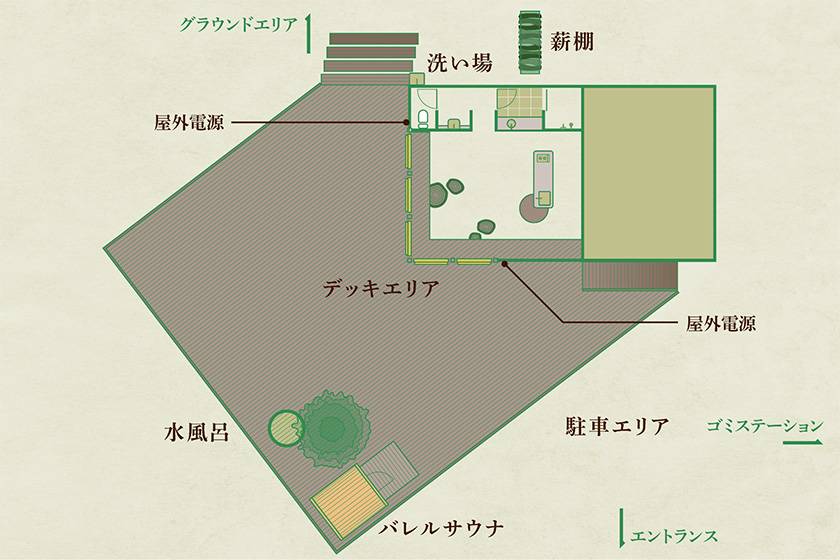
Photo courtesy of Wakamatsu Preserve
This is what the venue looks like! It’s pretty huge.
There’s a large open space at the left end of the deck area, so we’ll set up the DJ booth there.
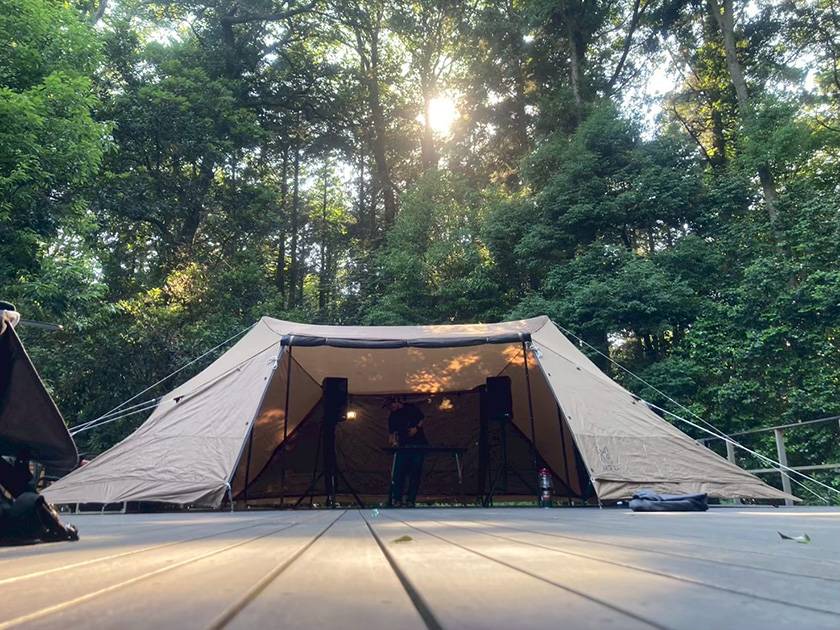
We’ll use a tarp tent for the setup. You know, the kind you often see at outdoor events, not just camping. On top of that, we’ll place a folding table in the center and put speakers on both sides, and that’s it!
Preparing the DJ Gear and Checking the Settings
It’s important to familiarize yourself with your gear in advance so you can get through the day without any trouble!
Here, I’ll explain the OMNIS-DUO and Wave-Eight that we’ll be using, as well as some key points for DJing on the day.
OMNIS-DUO Feature #1 — Easy Playback via Bluetooth
I’m sure many people think, “DJ gear seems like it takes a lot of preparation before you can even play a song...”
With the OMNIS-DUO, all you have to do is connect your smartphone or tablet via Bluetooth, and you can immediately play the music you normally listen to through the speakers.
It’s extremely useful when you simply want to play some music. Since you don’t need to prepare DJ software or a computer, even people who are touching DJ gear for the first time can easily enjoy it.
The Bluetooth connection is really easy!
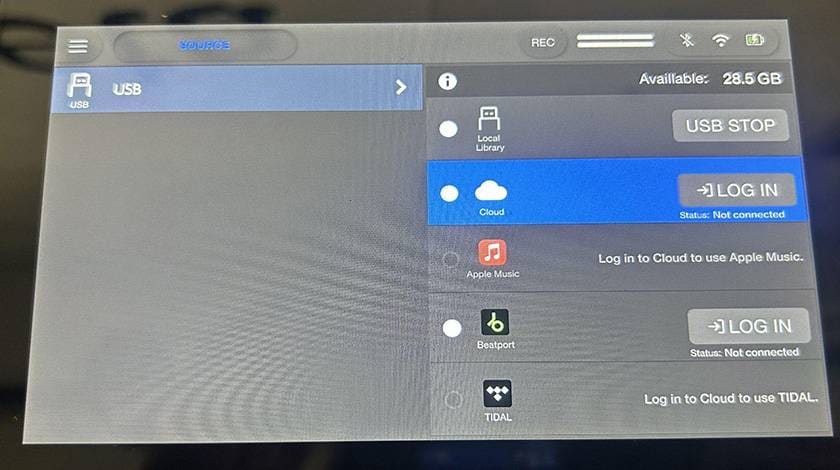
Just press the Bluetooth icon in the upper-right corner and pair the device! Since everything can be done on the screen, there’s not much difficulty in operating it.
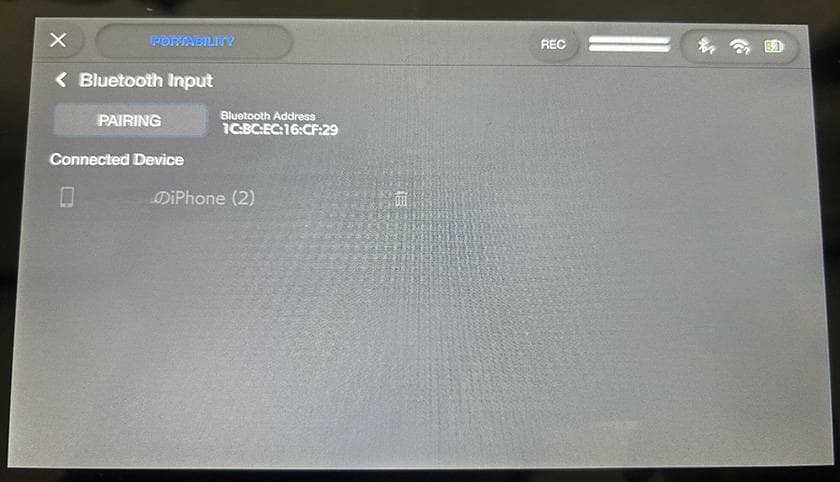
When you play a song from your smartphone, it automatically loads it. It’s convenient when you just want to casually play some music!!
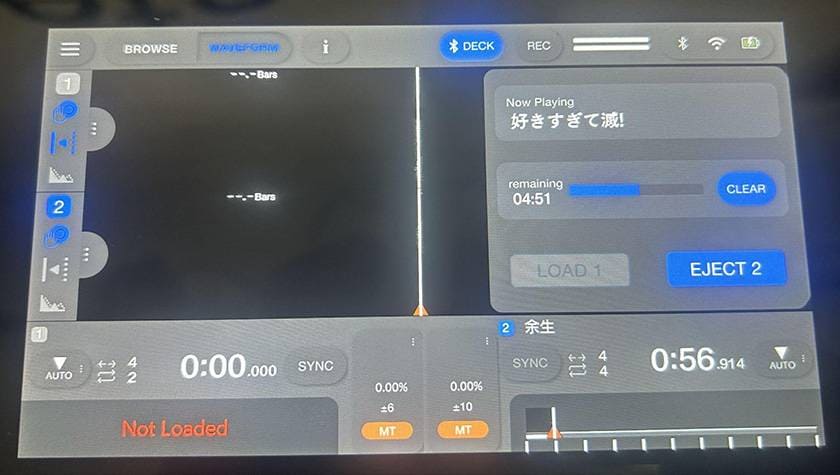
OMNIS-DUO Feature #2 — Easy DJing with Subscription Services!?
The OMNIS-DUO supports Wi-Fi connections, and by using CloudDirectPlay with a USB flash drive, you can DJ using songs from subscription services.
■ What is CloudDirectPlay?
It is a function that allows you to directly access and play, from the OMNIS-DUO, a library linked to cloud storage such as Dropbox in rekordbox on a PC/Mac.
There are two important things to keep in mind when preparing!
- ① You must create an AlphaTheta account!
- ② You need a USB drive that has been authenticated in the PC version of rekordbox on Windows/Mac in advance!
Once the above is complete, insert the authenticated USB drive into the OMNIS-DUO and you’re ready to go!
This time, we played songs from Apple Music, so I’ll show you the steps!
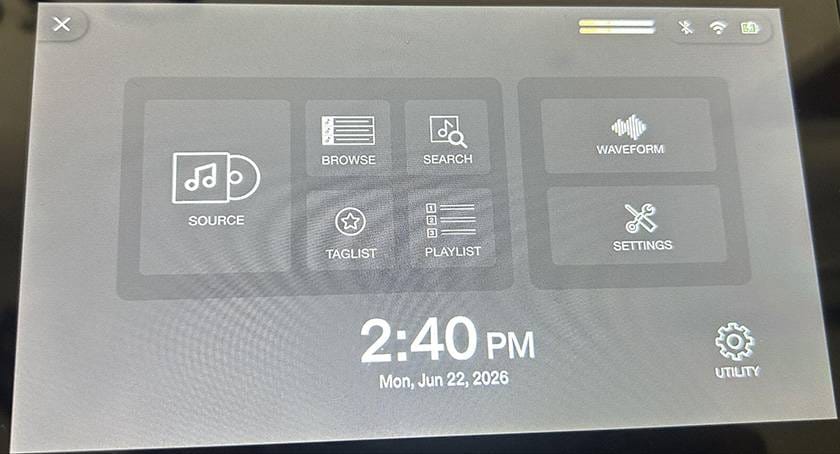
From this menu screen, select Wi-Fi and connect to Wi-Fi. Tethering works, too, of course!
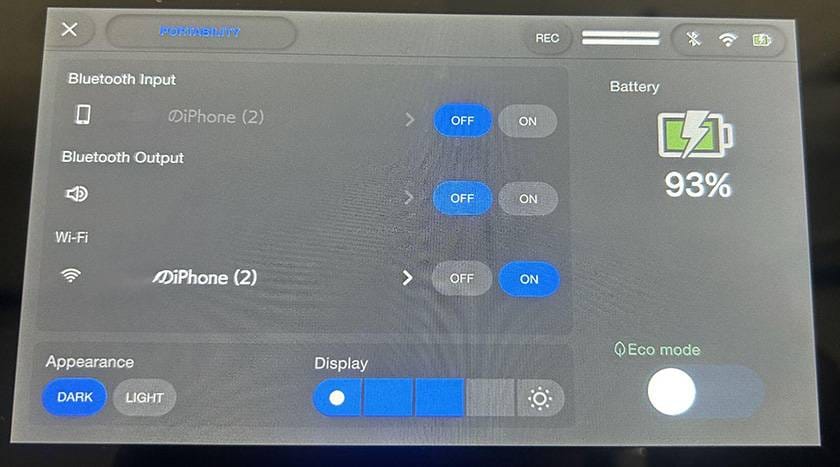
Next, select ‘Source’ from the menu screen we saw earlier.
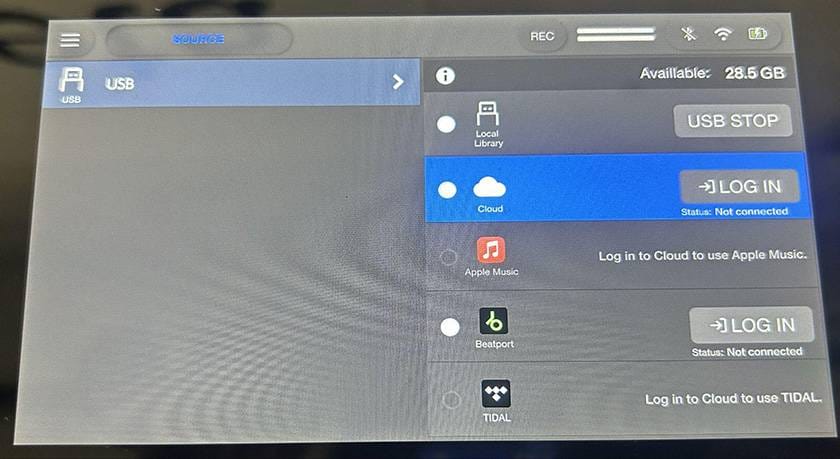
There is a ‘Cloud’ option under USB, so select it. From here, log in to your AlphaTheta account!
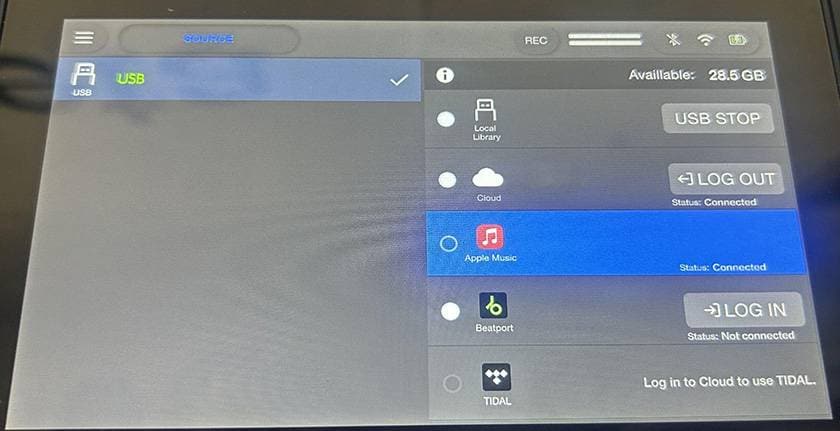
Once you log in, you’ll be able to log in to Apple Music.
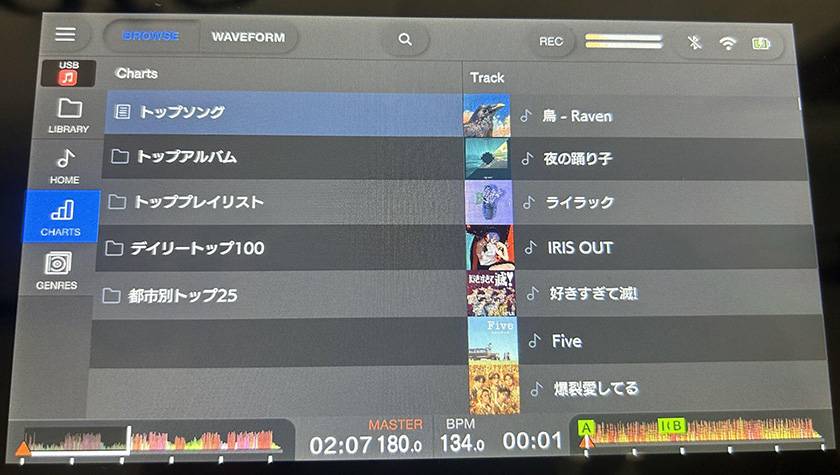
After logging in to Apple Music, you can not only access your own playlists within Apple Music, but also Top Songs, Top Albums, and more.
OMNIS-DUO Feature #3 — Make DJing More Fun with a Variety of Effects
The OMNIS-DUO comes equipped with a variety of effects for making your tracks more exciting.
You can add reverb or echo with Beat FX, smoothly transition between songs with Filter, repeat your favorite sections with the Loop function, instantly start playback from your favorite point with Hot Cue, and so on...
Adding effects sounds kind of difficult, doesn’t it? But even this is easy to enjoy with just a few adjustments on the screen and the knobs on the unit!
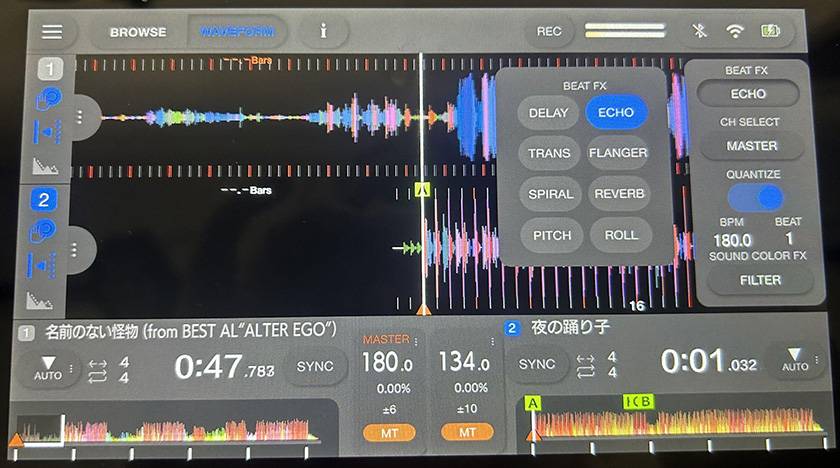
When you load a song, Beat FX and Sound Color FX will appear on the right side. FX stands for effects.
The selected effects can be controlled from the mixer section of the OMNIS-DUO itself!
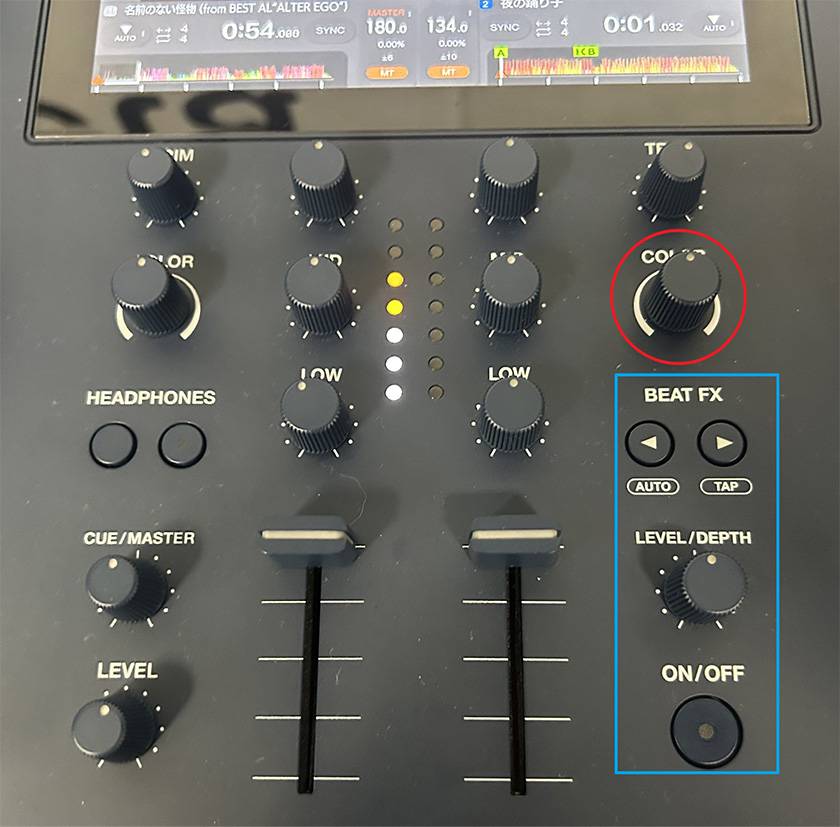
The area circled in red is Sound Color FX, while the area outlined in blue is Beat FX. With Sound Color FX, you can apply effects simply by turning the knobs. It’s easy to use! With Beat FX, you select the effect you want to use on the display and then activate it with ON/OFF.
Even functions that look difficult are intuitive once you actually try them, so even beginners can enjoy playing like a real DJ!
OMNIS-DUO Feature #4 — A Simple Design You Can Use Without Getting Lost
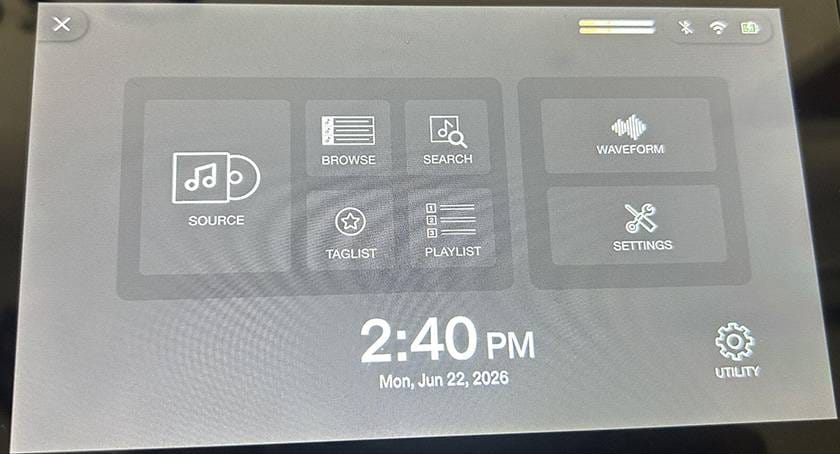
The OMNIS-DUO makes the information you need easy to see on the display!
From the home screen, things like music browsing, Wi-Fi/Bluetooth settings, track waveforms, and various settings are clearly laid out, making it difficult even for beginners to get lost. It’s designed to reduce the stress of thinking, “I don’t know what I’m supposed to press.” Very convenient!
The Wave-Eight speaker we’re using this time also has quite a few distinctive features, so I’d like to introduce them.
Wave-Eight Feature #1 — SonicLink
SonicLink is a system that enables an ultra-low-latency wireless connection simply by connecting the included transmitter to your DJ gear. Unlike Bluetooth, you’ll barely notice any latency even while DJing.
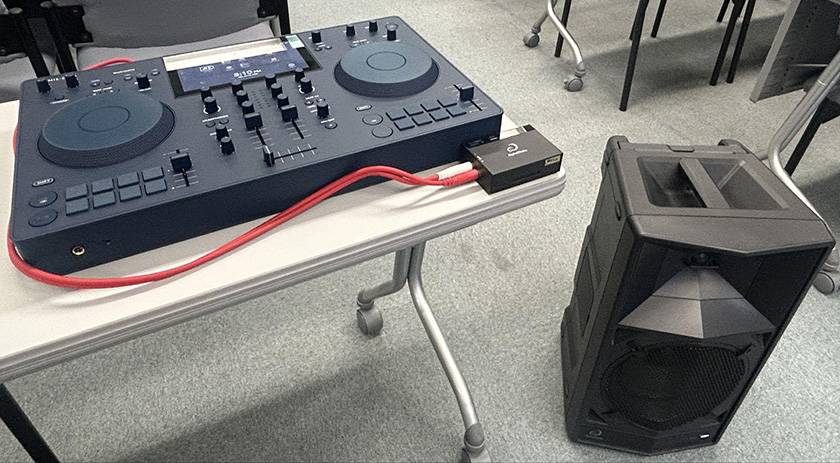
Wave-Eight Feature #2 — Powerful Output and Extensive EQ
It features an 8-inch woofer, delivering powerful bass that really comes through even outdoors.
It also features multiple EQ modes, allowing you to switch the sound quality according to the situation.
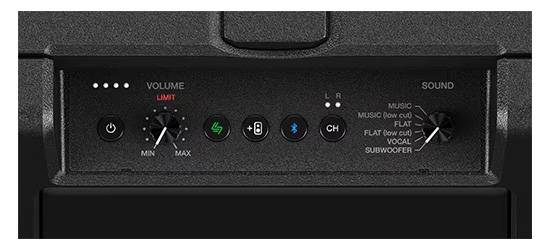
Wave-Eight Feature #3 — Portable Enough for Outdoor Use
At approximately 12.7 kg, it comes with casters and a telescoping handle. It’s easy to carry and quite easy to set up! In addition, the battery provides approximately 8 hours of operation, making it perfect for long performances.
It also offers splash resistance equivalent to IPX4. With IPX4, it can withstand a certain amount of water splashing. Amazing!
4. Creating a Playlist
The most important thing for this project was creating an environment where both DJ beginners and experienced DJs could enjoy themselves.
We asked everyone taking part to decide in advance which songs they wanted to play and create their own playlists. Since it can be difficult to choose songs completely at random, we asked them to search by categories such as “Songs I want to play while camping” and “My favorite songs.”
Everyone shared links to their playlists created on Apple Music in advance, and we would play them on the day.
When you think of DJing, mixing tracks by matching their BPMs can sometimes feel intimidating, but it’s also fun just to select and play songs like a selector!
5. Final Check of the Camping Gear and the Event-Day Flow
About the Camping Gear for the Day
Believe it or not, you can even pitch tents outside at this venue. Since I’m a beginner myself, I decided to use a one-pole tent that we were able to borrow. I’m pretty excited about it. It had been about 10 years since I last pitched a tent, so I’ll also write about that experience in the event-day edition.
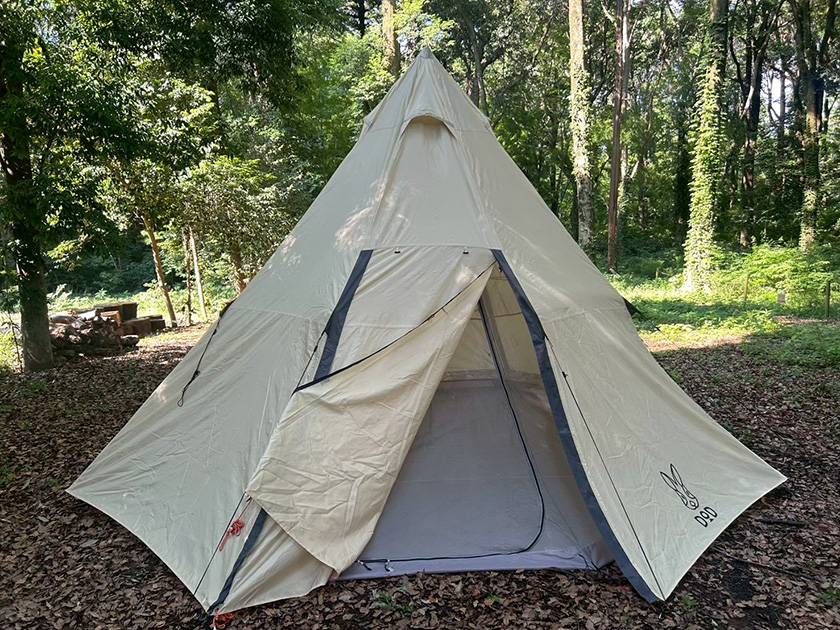
Sneak peek at the tent
Checking the Event-Day Flow
Even though this was a casually planned event, we still wanted to decide on the flow for the day. In particular, we couldn’t be careless about setup and teardown.
So, we created a schedule for the day. We’ll share it via LINE and have everyone check it in advance.
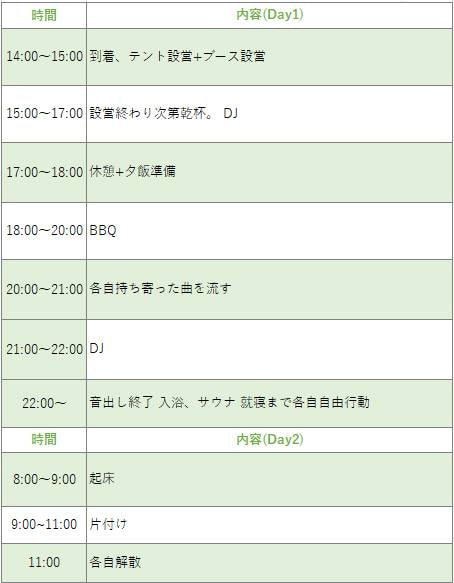
6. On to the Event-Day Edition!
With all the preparations complete, it’s finally time to head out! It’s a DJ + camping event full of beginners, but we have our favorite gear, playlists, and an amazing location all ready to go.
In the event-day edition, we’ll bring you these three highlights:
- OMNIS-DUO & Wave-Eight in full swing in the great outdoors!
- First-time DJing by DJ beginners!
- The incredible appeal of the great outdoors + sauna + drinks...!
We’ll be bringing you all three, so be sure to read the event-day edition, too! And now, rock-paper-scissors!
✊








![[Narita City Music Event Report] Going to Narita Hub Groovin Vol. 3!](/contents/uploads/thumbs/2/2026/5/20260528_2_35236_1.jpg)
![[Latest for 2025!] Useful Items to Take With You to Festivals - Fuji Rock Edition](/contents/uploads/thumbs/2/2025/7/20250715_2_31980_1.jpg)
 DJアプリの選び方
 夏フェスを盛り上げる良音ヘッドホン・イヤホン!大特集
 DJ YUTARO特別インタビュー
 音楽フェスをご紹介
 キャンプしよう!キャンプinフェスでも活躍!アウトドア特集
 DJを始めるのに必要なもの?
 Discount Sale
 Outlet
 New Arrivals
 Podcast (streaming)
 Headphones / Earphones
 Microphones
 Wireless Equipment
 Speakers
 Power Amps
 Mixers
 Processors
 Portable PA Systems
 Recorders
 Karaoke
 Guitars
 Basses
 Ukuleles
 Drums & Percussion
 Pianos / Synthesizers
 Wind Instruments
 Stringed Instruments
 Japanese Instruments
 Harmonicas, Other
 Software
 DJ & VJ
 Stands
 Cables & Connectors
 Racks & Cases
 Lighting
 Stage & Truss
 Video Equipment
 PC PERIPHERALS
 Power Supplies
 Studio Furniture
 Household Items, Other
 Alcoholic Beverages