In today’s world, we’re surrounded by countless live music performances and streaming content. In production and rehearsal settings, how we set up the monitoring environment has become a crucial factor that directly affects quality.
One surprisingly common issue on site is the “not enough headphone outputs” problem. In situations like that, this is the product I’d like you to consider taking a look at.
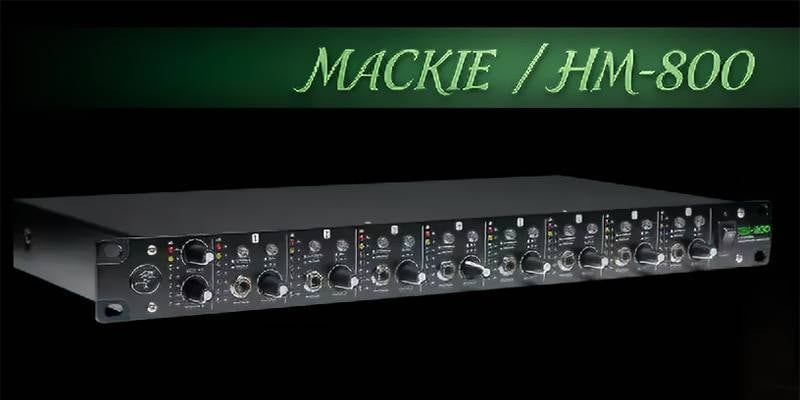
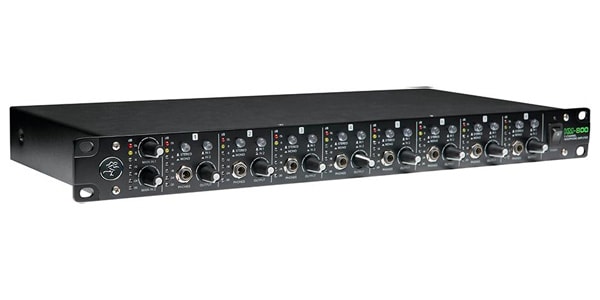
It’s the MACKIE HM-800 headphone amplifier.
Overview
The HM-800 is equipped with two main stereo inputs (each with independent level control). In addition, each channel features an AUX input (8 in total), allowing for a flexible configuration that supports up to 10 mixes. It provides a total of 16 headphone outputs.
It seems perfectly suited not only for studios and rehearsals, but also for stages where volume must be kept low or in situations with many performers, offering a high level of versatility and performance.
Checking the Connection Terminals
Front Panel
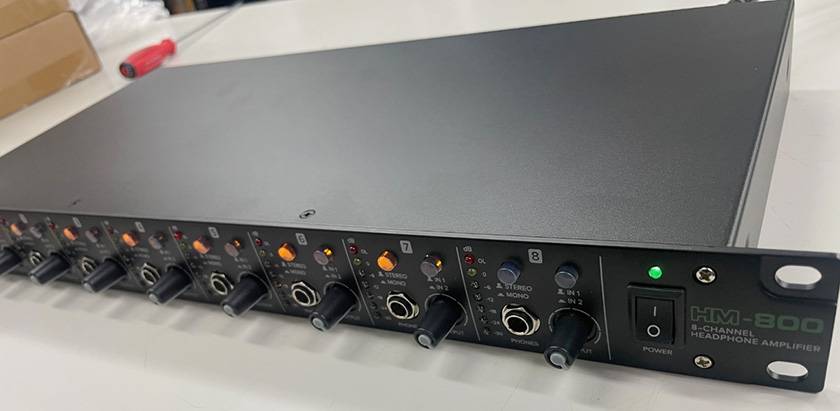
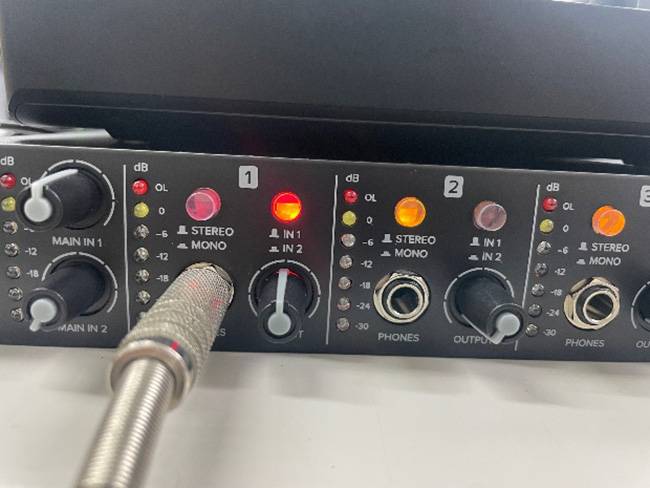
Each channel is equipped with an input selection switch (IN1 / IN2), allowing the user to easily switch between the signals input from MAIN1 and MAIN2 on the rear panel. It also supports stereo/mono switching, which is a great feature that lets me tailor the monitor output to suit different applications.
In addition, the 7-segment LED meter allows me to visually check the levels, and the individual volume knobs make it easy to intuitively adjust the volume for each channel. I found it to be very user-friendly.
Rear Panel
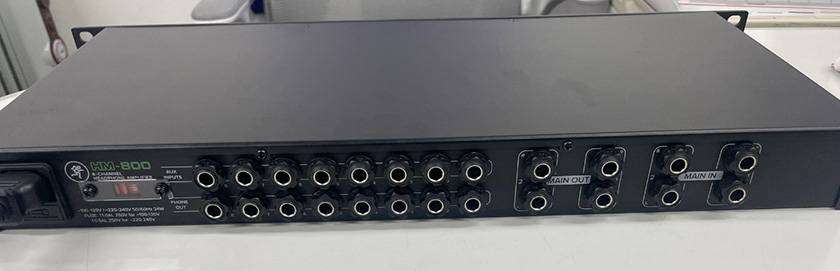
It features two main stereo inputs. Since each can be adjusted independently, I found it easy to manage mixes depending on the situation.
Furthermore, there are eight dedicated AUX inputs—one for each channel—making it possible to send individual mixes as needed. I think this flexibility makes it especially convenient to set up according to the scale on site.
How I Set It Up
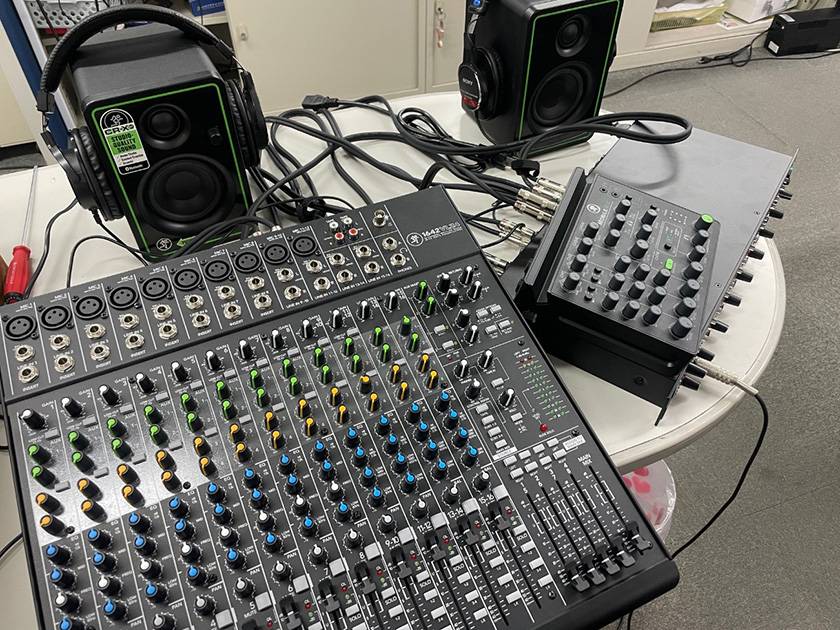
This time, I connected two mixers to the HM-800 and set it up assuming a monitoring environment for multiple people.
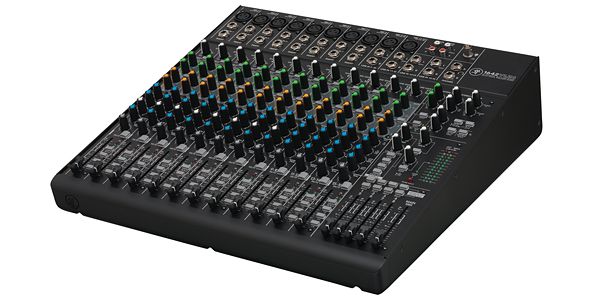
The main mixer I used was the MACKIE 1642VLZ4 analog mixer by Mackie.
The connection diagram looks like this:
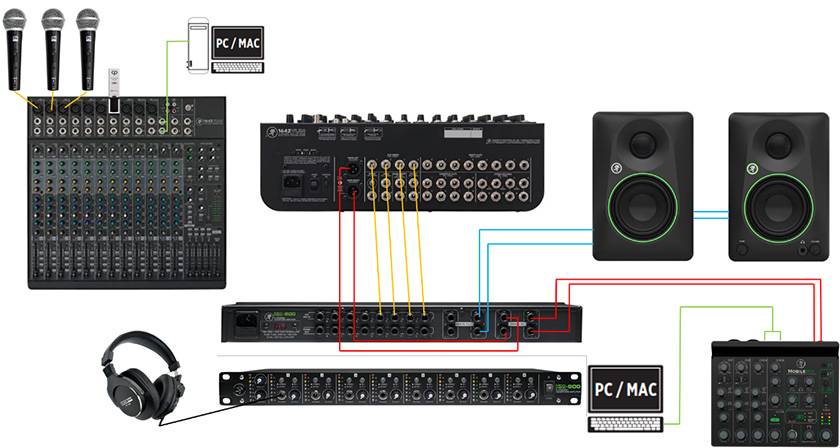
I connected the main mixes of the two mixers to the MAIN inputs on the rear panel.
In addition, I routed the AUX OUT of the MACKIE 1642VLZ4 to the AUX IN of the MACKIE HM-800, allowing any desired signal input into the main mixer to be sent as an individual mix to the HM-800. This way, I can create different monitor balances for each player.
Although it’s not shown in the connection diagram, for example:
- I can raise the vocalist’s own voice slightly in their mix,
- boost the click for the drummer,
- or emphasize the bass for the guitarist.
It makes it possible for me to accommodate these detailed requests with ease.
Summary
Monitoring environments tend to be overlooked, but in reality, they directly impact the quality of performance and streaming.
“The lack of headphone outputs”
“Everyone can only listen with the same balance.”
I felt that the MACKIE HM-800 headphone amplifier helps to eliminate that kind of small but frustrating issue.
It offers plenty of output channels and the flexibility to handle individual mixes. The controls are intuitive, and the design makes it easy to operate even in live settings.
It’s a unit that can perform well not only as a permanent studio installation, but also at band rehearsals and streaming setups in various environments.
If you’re looking to properly upgrade my monitoring environment, this is definitely a piece of gear worth checking out.



![[Can Be Used Outdoors!] A Thorough Review of Mackie’s Portable PA Products](/contents/uploads/thumbs/2/2025/9/20250919_2_32914_1.jpg)
 MACKIE GOシリーズ特集
 MACKIE ブランドページ
 厳選!人気のおすすめモニターヘッドホン特集
 Mackie ミキサー比較
 ヘッドホン初心者講座
 Discount Sale
 Outlet
 New Arrivals
 Podcast (streaming)
 Headphones / Earphones
 Microphones
 Wireless Equipment
 Speakers
 Power Amps
 Mixers
 Processors
 Portable PA Systems
 Recorders
 Karaoke
 Guitars
 Basses
 Ukuleles
 Drums & Percussion
 Pianos / Synthesizers
 Wind Instruments
 Stringed Instruments
 Japanese Instruments
 Harmonicas, Other
 Software
 DJ & VJ
 Stands
 Cables & Connectors
 Racks & Cases
 Lighting
 Stage & Truss
 Video Equipment
 PC PERIPHERALS
 Power Supplies
 Studio Furniture
 Household Items, Other
 Alcoholic Beverages