Introduction
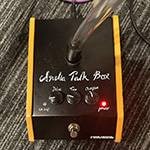
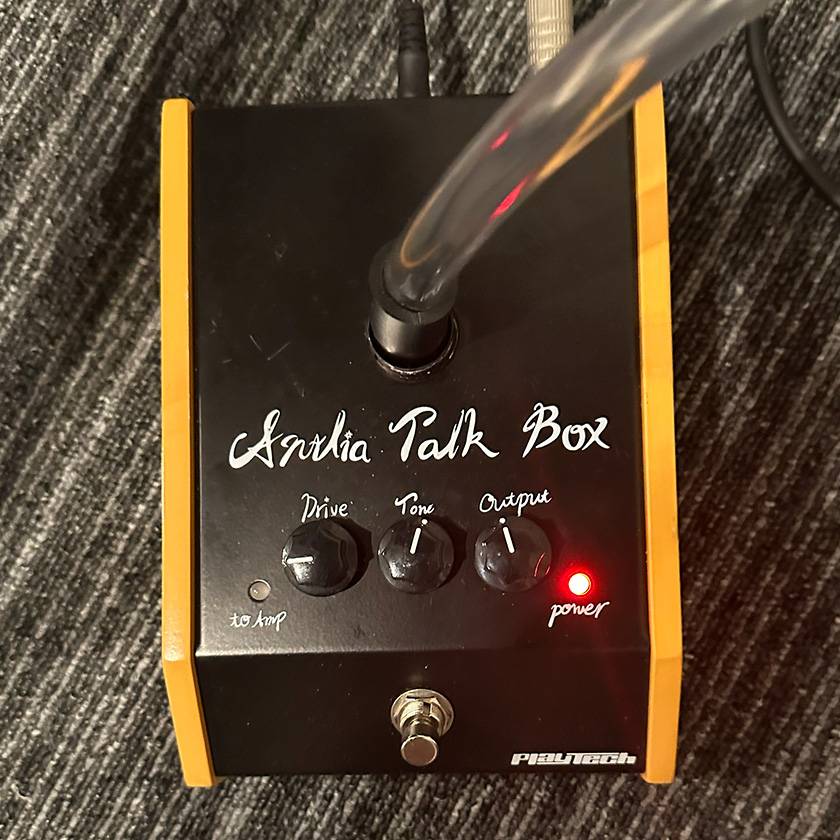
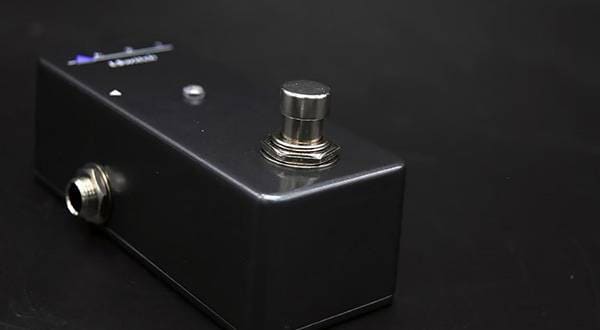
In this review, I’m going to take a closer look at PLAYTECH’s new Antlia Talkbox.
The talkbox is a legendary effect made famous by artists such as Roger Troutman, Stevie Wonder, and Bon Jovi. As someone who regularly uses a talkbox for both live performances and recording sessions, I’m particularly selective when it comes to choosing one.
That’s why the PLAYTECH Antlia Talkbox immediately caught my attention.
Despite its surprisingly affordable price, it features a built-in amplifier, making it a fully self-contained, professional-style talkbox.
In this review, I’m going to share my impressions from both a keyboard player's perspective and as an experienced talkbox user.
Specifications
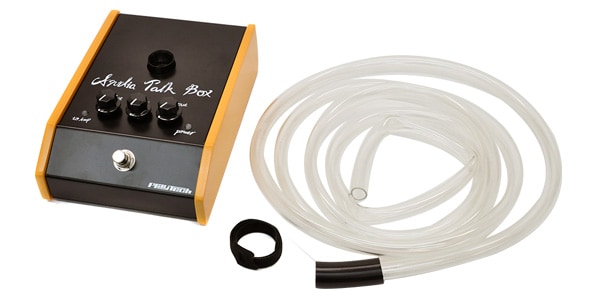
- Product: Antlia Talkbox
- Manufacturer: PLAYTECH
- Effect Type: Talkbox
- Price: ¥16,800 (tax included)
- Built-in Amplifier: 15W
- Controls
- Drive
- Tone
- Volume
- Connections
- Input
- Output
- Tube Output
- Power: AC Adapter
Features
- Built-in amplifier
- No external guitar amp required
- Easy way to achieve authentic talkbox sounds
- Professional construction at an affordable price
Sound Review
Drive
Increasing the Drive control produces a more powerful, more present talkbox sound.
It can deliver everything from clean, articulate talkbox tones to the thick, vocal-like character reminiscent of Roger Troutman.
When using it with a keyboard, I found that setting the Drive around the 9 o’clock position provided the best note definition.
Tone
Tone control is one of the most important parameters.
Lower settings produce a warm, full-bodied sound, while higher settings improve clarity, making spoken phrases easier to understand in a live mix.
For synth leads and saw-wave sounds, I found the sweet spot to be around 12 o’clock.
Output Level & Response
The output level is surprisingly strong.
While premium talkboxes still offer slightly more headroom, the Antlia delivers more than enough volume for recording and small-to-medium-sized live performances.
The sound coming through the tube feels natural, making it approachable even for first-time talkbox users.
Compatibility with Keyboards
This was the aspect I was most curious about.
The verdict?
It pairs exceptionally well with synth lead sounds.
In particular, it works beautifully with:
- Yamaha DX100
- Minimoog-style synths
- Prophet-style synths
- Yamaha Montage M Series
- Analog synth lead patches
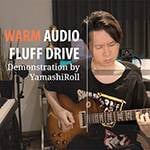
For the demo video, I used a Yamaha DX100.
The DX100’s midrange-focused harmonic structure complements the talkbox extremely well, producing a tone that’s very close to the classic Roger Troutman sound.
On the other hand, it isn’t particularly well suited for:
- Electric piano sounds
- Pads
- Complex chord playing
Single-note lead playing is definitely where this unit shines.
That said, it offers everything needed to learn proper talkbox technique.
Ease of Use
- Built-in amplifier makes setup simple
- Minimal setup time
- Easy-to-understand control layout
- Beginner-friendly operation
Since the Antlia features a built-in amplifier, there’s no need to bring along a separate external amp like you would with a traditional talkbox. That makes it much easier to get started and significantly lowers the barrier to entry.
Setup is also quick and straightforward, making it an excellent choice for live performance.
Gakushi’s Recommended Settings
These are the settings used in the demo video.
Mellow Tone
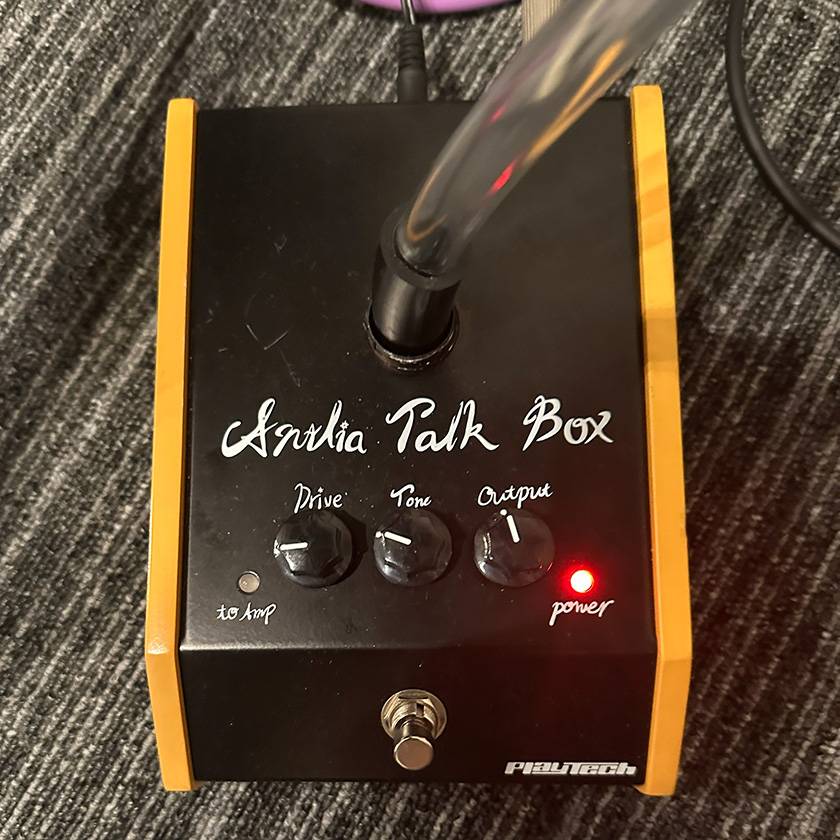
■ Keyboard: Yamaha DX100
- Drive: 9 o’clock
- Tone: 10 o’clock
- Volume: 11 o’clock
■ Characteristics
- Smooth Roger Troutman-inspired tone
- Ideal for ballads and mid-tempo songs
- Natural vocal articulation
- Great for beginners
Funky Tone
■ Keyboard: Yamaha DX100
- Drive: 9 o’clock
- Tone: 12-1 o’clock
- Volume: 11 o’clock
■ Characteristics
- Classic Zapp-inspired funk sound
- Strong attack
- Cuts through well in live performances
- Excellent for solo playing
Who Is It For?
- Anyone buying their first talkbox
- Fans of Roger Troutman’s signature sound
- Keyboardists and synthesizer players looking to use a talkbox
- Musicians who want an easy-to-use talkbox for live performance
- Anyone wanting authentic talkbox sounds without spending a fortune
Final Verdict
The PLAYTECH Antlia Talkbox is an excellent option not only for beginners, but also for keyboardists looking for a practical talkbox they can easily bring to gigs.
Its combination of solid output, convincing sound quality, and built-in amplifier makes it especially attractive at this price point.
Paired with lead sounds from instruments like the DX100, Montage, or Minimoog, it offers more than enough performance for real stage use.
While premium models still have advantages in terms of refinement, it’s remarkable how usable the Antlia is considering its price.
Whether you’re buying your very first talkbox or looking for a dependable backup unit, this is an easy recommendation.
★★★★☆ (4.0 / 5.0)
- Value for Money: ★★★★★
- Sound Quality: ★★★★☆
- Ease of Use: ★★★★★
- Durability: ★★★☆☆
- Keyboard Compatibility: ★★★★☆



![[Rowin Travelogue] PW-2 PEDAL POWER Edition](/contents/uploads/thumbs/2/2026/1/20260115_2_34150_1.jpg)

 MIDIキーボード 入門ガイド
 PLAYTECH キーボードセレクター
 USB接続対応のMIDIキーボード
 BOSS ボーカル・エフェクターのススメ
 【初心者向け】エフェクター講座
 キーボードスタートガイド
 Discount Sale
 Outlet
 New Arrivals
 Podcast (streaming)
 Headphones / Earphones
 Microphones
 Wireless Equipment
 Speakers
 Power Amps
 Mixers
 Processors
 Portable PA Systems
 Recorders
 Karaoke
 Guitars
 Basses
 Ukuleles
 Drums & Percussion
 Pianos / Synthesizers
 Wind Instruments
 Stringed Instruments
 Japanese Instruments
 Harmonicas, Other
 Software
 DJ & VJ
 Stands
 Cables & Connectors
 Racks & Cases
 Lighting
 Stage & Truss
 Video Equipment
 PC PERIPHERALS
 Power Supplies
 Studio Furniture
 Household Items, Other
 Alcoholic Beverages