


audio technica / AT-UMX3






Variations


Supervised by engineers and designers with many years of experience in microphone development.
Design and sound quality evaluation were conducted using microphones such as Audio-Technica's AT2020 as reference.
? Enhanced Noise Immunity through Dedicated Design
Noise generated from peripheral electronic devices such as smartphones and Wi-Fi routers, as well as external connections, can have an impact on the audio. A special filter circuit and mechanical shielding design using metal plates are employed to achieve noise-resistant, clean transmission.
* Features a Neutrik XLR/φ6.3mm combo jack for the microphone input.
* Provides a stable 48V phantom power supply.
* Hi-Z input terminal for direct connection of electric guitars, etc.
* Uses a high-performance A/D converter with a maximum resolution of 192kHz/24bit.
With a high-performance A/D converter offering a maximum sampling frequency of 192kHz and a maximum bitrate of 24bit, it enables high-resolution streaming comparable to a dedicated audio interface. It outputs microphone and instrument sounds from the mixer input with clear, high-quality sound.
* Plug and play for immediate use with PCs, smartphones, and tablets*.
USB class-compliant; no dedicated driver installation is required.
Simply connect to a device with a USB Type-C? terminal for immediate use. A USB cable and USB adapter are included, allowing connection to devices with USB Type-A terminals as well.
*When connecting to a smartphone/tablet, connect the smartphone/tablet to the USB port, then connect a commercially available USB power adapter to the USB power port to supply power.
* Compatible with major streaming platforms
Supports Windows and macOS, as well as iOS, iPadOS, and Android OS.
*Operation has been confirmed with major live streaming apps and online chat apps.
*Operation with apps is not guaranteed.
* Direct monitoring for monitoring your voice and performance without delay
By monitoring on the analog circuit, you can monitor your voice and instrument sound without delay during streaming or recording.
* LOOPBACK function convenient for mixing during live streaming
Convenient for playing background music or streaming game sound from your PC during a live stream. Audio sources from a digitally connected device (USB IN) can be mixed with the sound of microphones and instruments connected to the mixer's analog MIC input or LINE input, and output from the USB OUT.
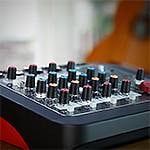
* **Easy-to-use control panel**
Individual volume adjustments are possible for microphone input, line input, and USB input. You can adjust the optimal audio balance before streaming, and even during live streaming.
* **Microphone mute function to focus only on desired sounds**
While playing background music during live streaming, you can instantly mute unwanted sounds such as coughs or doorbells with a single button.
* **Microphone monitor mute function to adjust the monitored sound**
The microphone input sound heard through headphones connected to the unit. During live streaming, you can mute only this input sound from the headphones. For example, if your own voice is distracting or you don't want to hear it during a gaming stream, you can mute your own voice so it's not audible through the headphones.
* **Microphone monitor mute function**
Input Terminals
MIC: XLR/TRS Combo Jack
LINE (GUITAR): φ6.3mm Standard Jack (Hi-Z)
LINE (KEYBOARD): φ6.3mm Standard Jack L/MONO/R
USB STEREO INPUT
Output Terminals
HEADPHONE OUT: φ3.5mm Stereo Mini Jack
USB STEREO OUTPUT
USB: USB 2.0, High Speed
Sampling Frequency: Maximum 192kHz
Bitrate: 16bit/24bit
Phantom Power: +48V
Power Supply
USB-C Bus Power: 5V, 500mA
USB-C (Power Supply Only): 5V, 500mA
Power Consumption: Maximum 2.5W
Frequency Response
USB Input → Monitor Output: ±1.5dB (20Hz~20kHz)
(Loopback ON, USB) Input level maximum, monitor volume medium (@1kHz)
Supported OS
Windows 10, 11
macOS: macOS Catalina, macOS Big Sur, macOS Monterey, macOS Ventura
iOS: 16.4.1
iPad OS: 16.4.1
Android OS: 10, 11, 12, 13
(Please check the product website for the latest information.)
Weight: 334g
Dimensions (including protrusions): 127mm x 44mm x 131mm (W x H x D)
Accessories: USB cable (1.5m, USB Type-C - USB Type-A)
USB adapter (USB Type-A - USB Type-C)
関連記事



関連商品
-
¥5,980(incl. tax)
 Back Order
-
¥5,480(incl. tax)
 In Stock
-
 CLASSIC PRO / CBR2 Bluetooth receiver
¥4,980(incl. tax)
In Stock -
 PLAYTECH / Position Seal Red/White
¥250(incl. tax)
In Stock -
 Anker / Anker Solix C1000 Gen 2 Portable Power Station
¥129,900(incl. tax)
In Stock -
 Anker / Anker Solix C2000 Gen 2 Portable Power Station
¥229,900(incl. tax)
In Stock
 CLASSIC PRO / CMA1
 CLASSIC PRO / CBR1
商品レビューProduct Review
2026/08/10
 シンプルで使いやすいです。個人的には大満足!
投稿者名Reviewed by:P 【大阪府】
Strymon Iridiumで作った音にZOOM MS-70CDR+で空間系エフェクトをかけた音をヘッドホンで聴くために購入しました。
デザインやレイアウトがシンプルでとても使いやすいです。音も気になる点は特にありません。Gainを適切に調整すれば変なノイズ等もありません。
USBケーブルでiPhoneと接続すれば、iPhoneの音をAT-UMX3に接続したヘッドホンから聴いたり、ギターの音をiPhoneのボイスメモで録音したりできます。PCを起動するのが面倒なので自分にとっては助かります。
気になる点としては、まず1つ目が3.5mmジャックが硬い!結構勇気を出さないとしっかり挿さりません。3.5mmジャックしかないのも人によっては気になる点かもしれません。
2つ目ですが、こちらの商品には電源供給用とPC/スマホ接続用の2つのUSB端子があるのですが、iPhoneを接続する際は電源供給用のUSBを挿し直さないといけません。普段は電源供給用の方にUSBを挿しておいて、たまにスマホを繋ぐ使い方だとちょっと面倒です。PC/スマホを接続すればそちらから電源が供給されるので、常にPC/スマホに繋ぐとかだったら気にならないと思います。
総評的にはとても良い製品です。こういう製品は上を見たらキリが無いので、これぐらいで十分じゃないかなぁと思います。
レビューIDReview ID:6a78ea15bc0aa50061000001

2026/01/27
価格帯に見合った性能。それ以上でもそれ以下でもない
投稿者名Reviewed by:うろん 【埼玉県】
オーディオインターフェースはSSL2やAG03など複数台所有していましたが見た目の好みだけで購入してみました。
マイクはAKG C214やAT2020など複数繋いでみましたが、INPUTに関しては可もなく不可もない印象でした。オーディオテクニカらしい飾り気も特にないストレートな音でした。
マイク然りオーディオテクニカはナチュラルさが良さだと思っているのでそれに関してはとても満足しています。
問題は出音です。ヘッドホンポートがミニポートである時点で少し不安はありましたが、出音はかなり悪いなと感じました。
具体的には音の輪郭がぼやける、定位感が大きく損なわれているといった点が非常に気になりました。
特に定位感に関してはモノラルで再生しているのかと思い、ドライバなどで設定変更などがあるのかと調べましたがそういった類のものはありませんでした。
ヘッドホンやイヤホンを変えて聞き直しなど行いましたが、改善されずとても残念でした。
良い点はこの手のIFには珍しくGAIN(HA)とフェーダーが独立して存在するところ、LOOPBACK機能があるところでしょうか。
シンプルな設計なので初心者でも直感的に触りやすいかと思います。
ドライバが存在しないことも、裏を返すとDTM初心者や配信初心者の方が扱いやすいということにも繋がるかなと感じました。
この価格帯で多くを望むことは求めすぎなのかもしれませんが、付いている機能の多彩さを考えると相応なのかなと思いました。
レビューIDReview ID:6978765ede6bbf0063000002
2025/11/23
ポコチャの配信には使えません。
投稿者名Reviewed by:のび 【神奈川県】
製造元のWebでもよく調べると動作確認リストがあるのですが、そこにポコチャはありません。
製造元の対応も突然最初の担当の上司が出てきて打ち切られました。不具合は認識しているとの事。
リストに記載のある配信は可能だったので不良品ではなく、ポコチャは使用不可と思われます。
問題確認し5ヶ月経ちますがWebに使用不可の記載はありません。
レビューIDReview ID:6922b9b2bd07270063000068
2025/12/09
メーカーに確認したところ、配信アプリ「ポコチャ」で本製品 AT-UMX3 を使用できることを、メーカー側の検証にて確認しているとの回答を得ております。今一度、ご使用環境をご確認くださいますようお願いいたします。




不適切な投稿として報告しますか?
理由
ご協力ありがとうございました
投稿を削除しますか?
投稿されたレビューを削除しました。
audio technica
AT-UMX3
Item ID:344690
19,800 yen(incl. tax)

198Pt(1%)Detail
- 198Pts
通常ポイント
- 198Pts
Total
- In Stock
- In Stock, can be shipped when order is confirmed.
- Low Stock
- Low Stock, may be sold out soon.
- Scheduled date
- Expected to arrive at Sound House on this date.
- TBA
- Expected date of arrival at Sound House to be determined.
- Back Order
- It needs to be orderd from the manufacturer. Please inquire about the estimated date of arrival.
- Mfr. Delivery
- Must be ordered from manufacturer. Please inquire about the estimated date of arrival.
- Download
- Only the serial number will be sent to your registered email address.
- Special Order
- Made to order item or must be ordered from manufacturer. May take several weeks or months.
- No Longer Available
- Product is no longer available due to having been discoutined or other reasons.
Rating



-
 Discount Sale
-
 Outlet
-
 New Arrivals
-
 Podcast (streaming)
-
 Headphones / Earphones
-
 Microphones
-
 Wireless Equipment
-
 Speakers
-
 Power Amps
-
 Mixers
-
 Processors
-
 Portable PA Systems
-
 Recorders
-
 Karaoke
-
 Guitars
-
 Basses
-
 Ukuleles
-
 Drums & Percussion
-
 Pianos / Synthesizers
-
 Wind Instruments
-
 Stringed Instruments
-
 Japanese Instruments
-
 Harmonicas, Other
-
 Software
-
 DJ & VJ
-
 Stands
-
 Cables & Connectors
-
 Racks & Cases
-
 Lighting
-
 Stage & Truss
-
 Video Equipment
-
 PC PERIPHERALS
-
 Power Supplies
-
 Studio Furniture
-
 Household Items, Other
-
 Alcoholic Beverages
Search by Brand
Brand List






- Sound House
- 〒286-0825 14-3 Shinizumi , Narita City, Chiba
- Monday-Friday 10:00-17:00
- Narita Call Center
- TEL. 0476-89-1111
- FAX. 0476-89-2222
- Tokushima Call Center
- TEL. 0885-38-1111
- FAX. 0885-38-1100
- Showroom Hours
- Monday-Friday 10:00-17:00
closed on Saturdays, Sundays and Holidays


© Sound House

すべてのレビューを見る