


- Mixers
- Digital Mixers
- Digital mixers
- PRESONUS/StudioLive 16.0.2 USB Digital Mixer
PRESONUS / StudioLive 16.0.2 USB Digital Mixer








こちらの
商品も
オススメ!
-

CLASSIC PRO デジタルミキサー モーターフェーダー DM20
大型タッチパネル、モーターフェーダー等、最新の機能を凝縮した軽量コンパクトなデジタルミキサーです。
こちらの
商品も
オススメ!
-

ラップトップPC程の大きさにラージ・コンソール級の機能を凝縮。
Quick mixing is crucial during live events and production.
StudioLive 16.0.2 USB's intuitive interface makes all important controls easily accessible, without being buried in menus or layers.
Each channel has one fader, each bus has one output, and it features function buttons, rotary trim controls, and knobs for EQ and dynamics processing. Aux sends also have their own physical controls. Each channel has a large, bright meter display.
■ Big Features in a Small Enclosure
A compact body measuring 400mm square houses 8 mono input channels, 4 stereo channels, and 4 Aux buses. Each features a high-quality 60mm fader. It offers abundant analog I/O, 12 XMAX Class A microphone preamps, a talkback input, extensive signal processing with accurate metering, and a USB multi-channel recording interface. It also includes a software suite that enables recording and remote control.
■ Unlimited Signal Processing
With ample DSP power, you never have to worry about which processing is available where. The Fat Channel provides a compressor, limiter, expander, and 3-band semi-parametric EQ on each channel and bus, phase inversion for each channel's microphone preamp, a professionally created preset library, and the ability to save and recall processor settings. The main bus features a stereo 31-band graphic EQ. Furthermore, it is equipped with two 32-bit delay/reverb effect processors.
■ Superb Sound
It delivers excellent detail and clarity, just like a studio console. High-quality Burr-Brown converters are used for A/D/A conversion, providing a best-in-class dynamic range of 118 dB. Both high and low frequencies are captured with excellent precision without distortion. Furthermore, the XMAX microphone preamps, crucial for recording, capture rich sound from deep lows to smooth highs with astonishingly high headroom.
■ Recording Features
An integrated 18-input, 16-output USB audio interface enables multi-track recording on a PC. All 16 channels and the main mix are streamed via USB to a connected Mac or Windows PC, with each channel accessing individual computer inputs or dedicated digital returns. The included Capture software allows one-click recording of all channel inputs and the main mix. Recording is also possible with the included Studio One Artist or ASIO or Core Audio compatible DAW recording software. Recording is equally easy in the studio or live.
■ Integrated Software for Flexible Control
StudioLive 16.0.2 USB is tightly integrated with a state-of-the-art software suite. Connect to your computer via USB and mix anytime, anywhere using UC Surface touch control software (Mac/Windows/Android?/iPad?). With QMix?-UC for iPhone?/iPod? touch and Android?, musicians can control each monitor mix via UC Surface. Automate virtual sound checks with Capture? for Mac/Windows, record live performances directly, and edit in Studio One Artist for digital release. StudioLive 16.0.2 USB and its software suite are an ecosystem that supports the realization of your creative vision.
■ Dedicated analog connectors providing a signal flow that looks the part
The rear panel of StudioLive 16.0.2 USB features robust connections found on analog mixers. It features balanced microphone inputs for 8 mono channels, 8 line inputs, 4 balanced RCA line inputs, and dedicated balanced outputs for 4 Aux buses and the main stereo bus. Each input channel and bus send has its own dedicated connector, eliminating the need for sharing or compromise, and ensuring you always have a clear understanding of the flow from each output.
■Add excitement to your performance with MIDI control
While StudioLive 16.0.2 USB can be controlled from mobile devices such as iPad?, iPhone?, iPod touch?, and Android devices, it's difficult for musicians to operate them while performing. Therefore, StudioLive 16.0.2 USB supports MIDI. Using a MIDI foot pedal or DAW, you can achieve a wide range of controls even during performance, such as recalling scenes with MIDI program changes, controlling main output volume and effect levels, muting effects between songs, switching from reverb to delay, and changing mixes for solos. With a DAW, you can even automate these processes. It's an excellent way to make your performance more exciting and varied, even without a PA engineer.
*Please be sure to check the information on the distributor's website for details on the operating environment of the interface.
関連記事
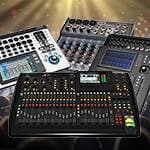


関連商品
-
¥13,956(incl. tax)
 TBA
-
¥5,980(incl. tax)
 Back Order
-
¥5,480(incl. tax)
 In Stock
-
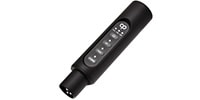 CLASSIC PRO / CBR2 Bluetooth receiver
¥4,980(incl. tax)
In Stock -
¥51,000(incl. tax)
Back Order -
¥9,000(incl. tax)
In Stock -
 PLAYTECH / Position Seal Red/White
¥250(incl. tax)
In Stock -
 Anker / Anker Solix C1000 Gen 2 Portable Power Station
¥129,900(incl. tax)
In Stock -
 Anker / Anker Solix C2000 Gen 2 Portable Power Station
¥229,900(incl. tax)
In Stock
 PRESONUS / PRM1
 CLASSIC PRO / CMA1
 CLASSIC PRO / CBR1
 SKB / 3I2217-8-1602
 SKB / 1SKB-UB1818
商品レビューProduct Review
2025/08/12
 唯一無二
投稿者名Reviewed by:ねこだーる 【東京都】
マイクをつなぐだけで音に厚みがでる。
操作感はアナログミキサーに近く、直感的に使える。
そしてFXが素晴らしい。使える。例えばこのFX部分だけを製品化しても通用するレベル。
残念なのは、円安のために13万円だったのが、今はこの価格。
それを考えると国内メーカーがいいのだけど、このデジミキに匹敵するものがない。
レビューID:6800f4c9ab23970038000026
レビューIDReview ID:689adfaef195900078000029

2019/03/31
快適です
投稿者名Reviewed by:kmy 【京都府】
素人音響屋の私がデジタルミキサー3台目にしてたどり着いた機種です。これまで、ProDX8、DL1608と渡り歩き、QU-16Cとも比較して悩んだあげく、当機種StudioLive1602USBにしました。何よりもマニュアルがわかりやすく、アナログミキサーからの移行も簡単でした。またアナログ機としても単独で使用できます。MGP16Xも素晴らしい機種でしたが、それ以上に軽く、デジタルということです。Win8、iPadとの相性もバッチリで、付属ソフトも充実しています。最新のMacのOSとは繋がりにくかったです。これから改善されると思います。以上、素人目ですが大変快適で、ライブの現場に持って行くのが楽しみです。
レビューIDReview ID:91015
2022/06/24
クロストークが発生します
投稿者名Reviewed by:配信屋さん 【東京都】
AUX3の音声がAUX4に漏れます。
(AUX3に送った音声が、AUX4からもわずかに聞こえる)
メーカーに問い合わせた所、このクロストークは「仕様」の範囲内・・・とのことです。
と言っても、素人にも聞こえてしまう音量であるので、
同時使用には要注意です。
ですので、私の場合は漏れてもいいような感じでシステムを組んでいます。
なぜなら・・・・このミキサー、使い勝手良く、コスパが良すぎるからです。
同製品を10年以上使用しています。
レビューIDReview ID:130888




不適切な投稿として報告しますか?
理由
ご協力ありがとうございました
投稿を削除しますか?
投稿されたレビューを削除しました。
PRESONUS
StudioLive 16.0.2 USB Digital Mixer
Item ID:246797
166,760 yen(incl. tax)

8,337Pt(5%)Detail
- 1,667Pts
通常ポイント
- 6,670Pts
ポイント5倍キャンペーン
- 8,337Pts
Total
 Special Order
- In Stock
- In Stock, can be shipped when order is confirmed.
- Low Stock
- Low Stock, may be sold out soon.
- Scheduled date
- Expected to arrive at Sound House on this date.
- TBA
- Expected date of arrival at Sound House to be determined.
- Back Order
- It needs to be orderd from the manufacturer. Please inquire about the estimated date of arrival.
- Mfr. Delivery
- Must be ordered from manufacturer. Please inquire about the estimated date of arrival.
- Download
- Only the serial number will be sent to your registered email address.
- Special Order
- Made to order item or must be ordered from manufacturer. May take several weeks or months.
- No Longer Available
- Product is no longer available due to having been discoutined or other reasons.
Rating


同等品のオススメはこちら!
-
 CLASSIC PRO / DM20 デジタルミキサー モーターフェーダー
¥99,800(incl. tax)
この商品に関連するセレクションRelated Articles
-
 Discount Sale
-
 Outlet
-
 New Arrivals
-
 Podcast (streaming)
-
 Headphones / Earphones
-
 Microphones
-
 Wireless Equipment
-
 Speakers
-
 Power Amps
-
 Mixers
-
 Processors
-
 Portable PA Systems
-
 Recorders
-
 Karaoke
-
 Guitars
-
 Basses
-
 Ukuleles
-
 Drums & Percussion
-
 Pianos / Synthesizers
-
 Wind Instruments
-
 Stringed Instruments
-
 Japanese Instruments
-
 Harmonicas, Other
-
 Software
-
 DJ & VJ
-
 Stands
-
 Cables & Connectors
-
 Racks & Cases
-
 Lighting
-
 Stage & Truss
-
 Video Equipment
-
 PC PERIPHERALS
-
 Power Supplies
-
 Studio Furniture
-
 Household Items, Other
-
 Alcoholic Beverages
Search by Brand
Brand List






- Sound House
- 〒286-0825 14-3 Shinizumi , Narita City, Chiba
- Monday-Friday 10:00-17:00
- Narita Call Center
- TEL. 0476-89-1111
- FAX. 0476-89-2222
- Tokushima Call Center
- TEL. 0885-38-1111
- FAX. 0885-38-1100
- Showroom Hours
- Monday-Friday 10:00-17:00
closed on Saturdays, Sundays and Holidays


© Sound House

すべてのレビューを見る