




- Basses
- BASS EFFECTOR
- Bass DIs / preamps
- ORIGIN EFFECTS/BassRIG’64 Black Panel
ORIGIN EFFECTS / BassRIG’64 Black Panel
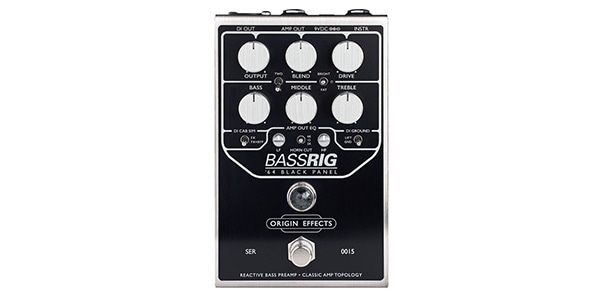
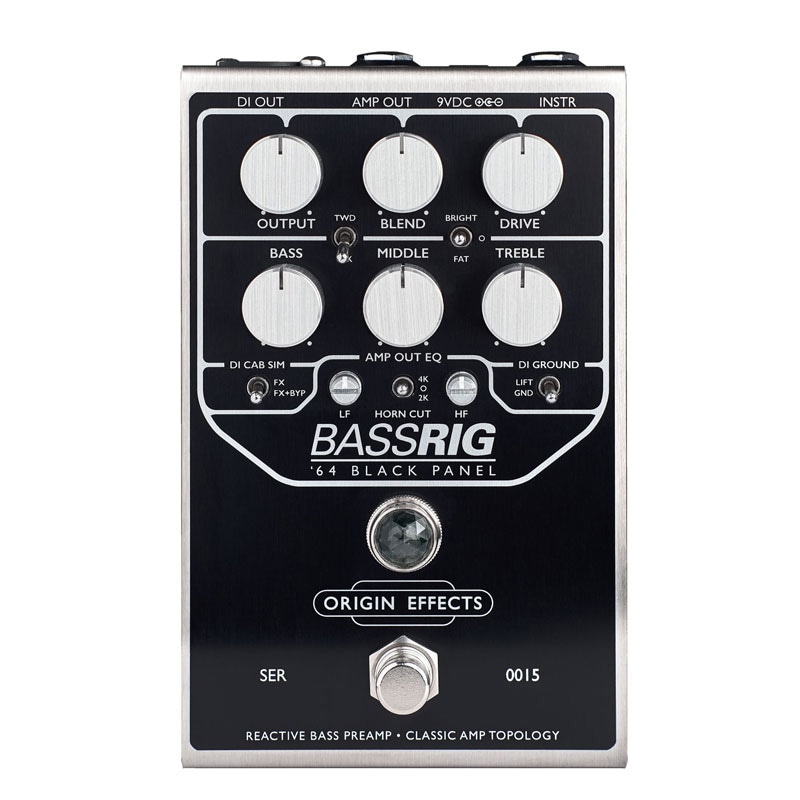
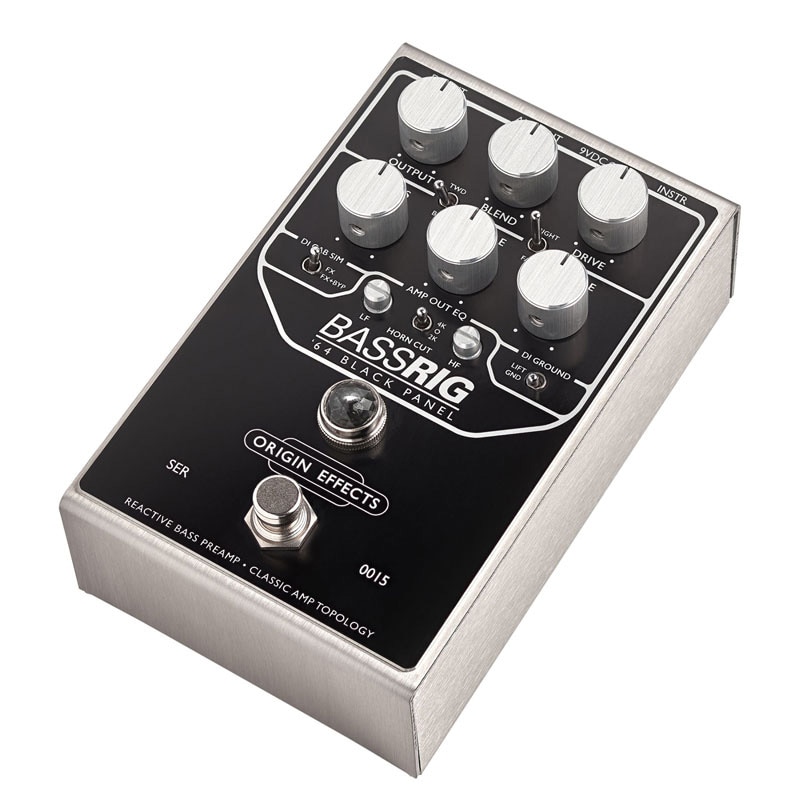
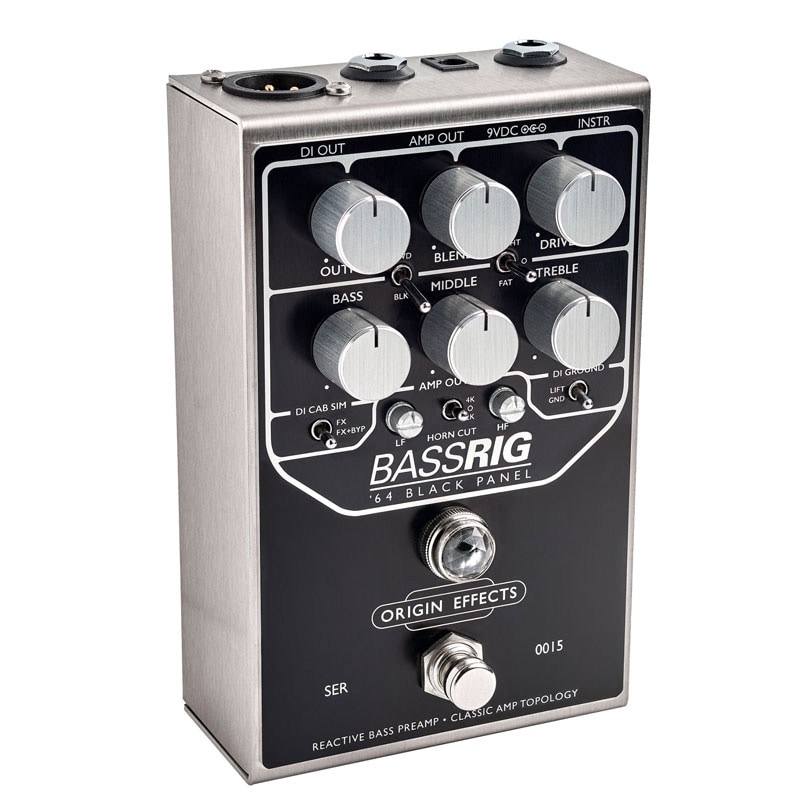
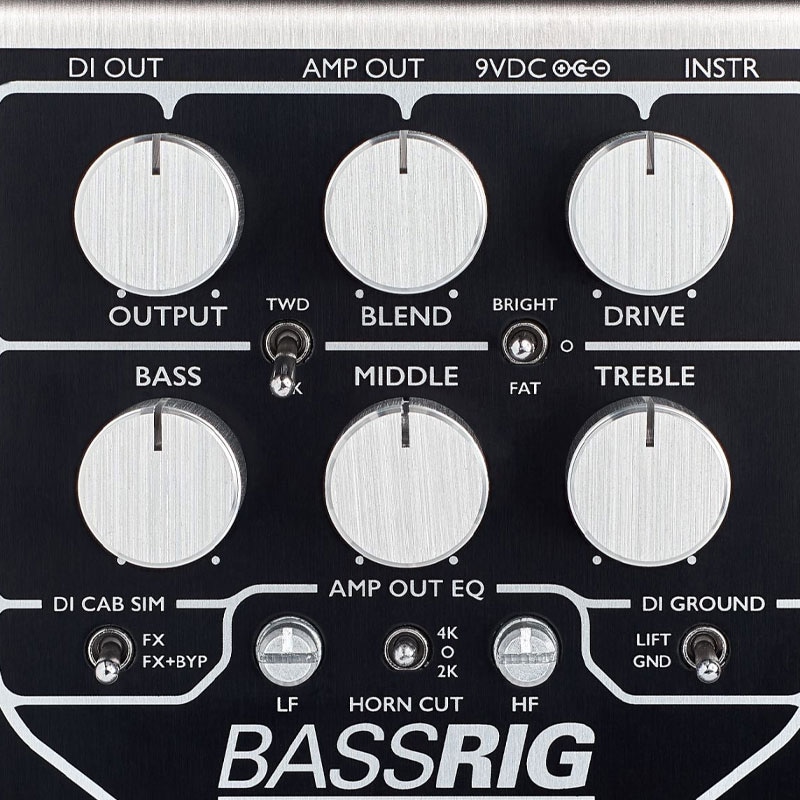


This compact amp pays utmost homage to the mid-'60s Showman® and Bassman® amps and 2x15 cabinet sounds, and includes a D.I. output.
The BassRIG '64 Black Panel is an analog recreation that pays utmost homage to the sound of mid-'60s Showman® and Bassman® amplifiers and 2x15 cabinets.
Throughout the history of bass amplification, these powerful amp heads were trusted by everyone from soul session players to rock 'n' roll stars. ORIGIN EFFECTS believes the bass tones of these early sounds are the best, and the BassRIG '64 Black Panel delivers the warmth and grit of era-defining bass tones.
Features an entire valve amp circuit in a pedal-sized package, providing all the controls you need to create the perfect bass amp tone.
The BLEND knob adds and mixes the dry signal (clean signal) to maintain clarity and low-end integrity.
An XLR DI output provides a line-level output from the analog cabinet simulator, allowing you to connect directly to a mixing console or other device for powerful, authentic tone.
The output stage also features ORIGIN EFFECTS' proprietary Amp Out EQ, a post-drive filter that can be adjusted to suit your amp. This filter ensures compatibility with any amplifier or cabinet, meaning you won't have to struggle to tailor your sound or compromise your clean tone.
1. GET CONNECTED
INSTR - Input for bass or other instruments.
AMP - Connect to an amplifier or power amp.
DI OUT - Connect to a mixer or interface.
9VDC - Connect a 9VDC 2.1mm (minimum 150mA) center-negative power supply.
2. MATCH THE CONTROLS
We've provided two sample settings below to help you create the sound you're imagining.
You can easily adjust these settings using these as a starting point.
3. SET THE AMP OUT EQ
HORN CUT - When using a cabinet with a tweeter, set the HORN CUT switch to 2K or 4K for a smooth overdrive tone while protecting the tweeter.
LF - Controls booming with larger cabinets or thickens the sound with smaller cabinets.
HF - Adds upper-mid presence or controls top end when used with modern hi-fi amplifiers.
4. SHAPE YOUR VOICE
The tone control affects not only the frequency response but also the overdrive characteristics.
TREBLE - Turn clockwise for a brighter tone and more aggressive overdrive. Turn counterclockwise for a smoother sound.
MIDDLE - Turn clockwise for a warmer tone and richer overdrive. Turn counterclockwise for more tone and clarity.
BASS - Turn clockwise for a deeper low end. Turn counterclockwise for a thinner, more percussive sound.
Tip: For overdriven sounds, lower BASS settings improve tightness and definition.
BRIGHT/FAT - BRIGHT adds more high frequencies to the preamp at lower DRIVE settings. FAT switches the circuit from Showman® to Bassman®, adding warmth and depth to your sound. As DRIVE is increased, FAT mode starts to sound uncontrollable (in a good way!).
BLK/TWD - The BLK setting is the so-called ""black panel"" circuit. TWD is the ""tweed"" circuit for even more gain and mids.
5. DIAL IN YOUR OVERDRIVE GAIN
Transition from clean to drive tone, similar to turning up the knob on a classic amp without a master volume.
6. BLEND IN YOUR DRIVE BLEND
Turn clockwise to add more dry bass guitar signal. This helps maintain clarity when using overdriven sounds.
DI OUT - A balanced XLR output provides an analog-simulated line-level output of an 8x10 bass cabinet to a PA or recording interface.
DI CAB SIM switch - When this switch is set to the FX position, the cabinet simulator is active only when the BassRIG Super Vintage is on. In the FX + BYP position, the cabinet simulator is always active.
DI GROUND switch - Select GND if you are using only the DI output. Select LIFT to eliminate ground loop hum when using both outputs.
Throughout the history of bass amplification, these powerful amp heads were trusted by everyone from soul session players to rock 'n' roll stars. ORIGIN EFFECTS believes the bass tones of these early sounds are the best, and the BassRIG '64 Black Panel delivers the warmth and grit of era-defining bass tones.
Features an entire valve amp circuit in a pedal-sized package, providing all the controls you need to create the perfect bass amp tone.
The BLEND knob adds and mixes the dry signal (clean signal) to maintain clarity and low-end integrity.
An XLR DI output provides a line-level output from the analog cabinet simulator, allowing you to connect directly to a mixing console or other device for powerful, authentic tone.
The output stage also features ORIGIN EFFECTS' proprietary Amp Out EQ, a post-drive filter that can be adjusted to suit your amp. This filter ensures compatibility with any amplifier or cabinet, meaning you won't have to struggle to tailor your sound or compromise your clean tone.
1. GET CONNECTED
INSTR - Input for bass or other instruments.
AMP - Connect to an amplifier or power amp.
DI OUT - Connect to a mixer or interface.
9VDC - Connect a 9VDC 2.1mm (minimum 150mA) center-negative power supply.
2. MATCH THE CONTROLS
We've provided two sample settings below to help you create the sound you're imagining.
You can easily adjust these settings using these as a starting point.
3. SET THE AMP OUT EQ
HORN CUT - When using a cabinet with a tweeter, set the HORN CUT switch to 2K or 4K for a smooth overdrive tone while protecting the tweeter.
LF - Controls booming with larger cabinets or thickens the sound with smaller cabinets.
HF - Adds upper-mid presence or controls top end when used with modern hi-fi amplifiers.
4. SHAPE YOUR VOICE
The tone control affects not only the frequency response but also the overdrive characteristics.
TREBLE - Turn clockwise for a brighter tone and more aggressive overdrive. Turn counterclockwise for a smoother sound.
MIDDLE - Turn clockwise for a warmer tone and richer overdrive. Turn counterclockwise for more tone and clarity.
BASS - Turn clockwise for a deeper low end. Turn counterclockwise for a thinner, more percussive sound.
Tip: For overdriven sounds, lower BASS settings improve tightness and definition.
BRIGHT/FAT - BRIGHT adds more high frequencies to the preamp at lower DRIVE settings. FAT switches the circuit from Showman® to Bassman®, adding warmth and depth to your sound. As DRIVE is increased, FAT mode starts to sound uncontrollable (in a good way!).
BLK/TWD - The BLK setting is the so-called ""black panel"" circuit. TWD is the ""tweed"" circuit for even more gain and mids.
5. DIAL IN YOUR OVERDRIVE GAIN
Transition from clean to drive tone, similar to turning up the knob on a classic amp without a master volume.
6. BLEND IN YOUR DRIVE BLEND
Turn clockwise to add more dry bass guitar signal. This helps maintain clarity when using overdriven sounds.
DI OUT - A balanced XLR output provides an analog-simulated line-level output of an 8x10 bass cabinet to a PA or recording interface.
DI CAB SIM switch - When this switch is set to the FX position, the cabinet simulator is active only when the BassRIG Super Vintage is on. In the FX + BYP position, the cabinet simulator is always active.
DI GROUND switch - Select GND if you are using only the DI output. Select LIFT to eliminate ground loop hum when using both outputs.
関連商品
-
¥110(incl. tax)
 In Stock
 -
¥80(incl. tax)
In Stock -
 PLAYTECH / Position Seal Red/White
¥380(incl. tax)
In Stock -
 One Control / HOOK & LOOP - HOOK 1m
¥416(incl. tax)
In Stock -
 One Control / HOOK & LOOP - LOOP 1m
¥416(incl. tax)
In Stock -
¥2,860(incl. tax)
In Stock
 CLASSIC PRO / CP9VX ALK
 CLASSIC PRO / CP9VXMN
 BOSS / PSA-100S2
商品レビューProduct Review




不適切な投稿として報告しますか?
理由
ご協力ありがとうございました
投稿を削除しますか?
投稿されたレビューを削除しました。
ORIGIN EFFECTS
BassRIG’64 Black Panel
Item ID:381064
97,900 yen(incl. tax)

979Pt(1%)Detail
- 979Pts
通常ポイント
- 979Pts
Total
 Back Order
 - In Stock
- In Stock, can be shipped when order is confirmed.
- Low Stock
- Low Stock, may be sold out soon.
- Scheduled date
- Expected to arrive at Sound House on this date.
- TBA
- Expected date of arrival at Sound House to be determined.
- Back Order
- It needs to be orderd from the manufacturer. Please inquire about the estimated date of arrival.
- Mfr. Delivery
- Must be ordered from manufacturer. Please inquire about the estimated date of arrival.
- Download
- Only the serial number will be sent to your registered email address.
- Special Order
- Made to order item or must be ordered from manufacturer. May take several weeks or months.
- No Longer Available
- Product is no longer available due to having been discoutined or other reasons.
Rating


この商品に関連するセレクションRelated Articles



-
 Discount Sale
-
 Outlet
-
 New Arrivals
-
 Podcast (streaming)
-
 Headphones / Earphones
-
 Microphones
-
 Wireless Equipment
-
 Speakers
-
 Power Amps
-
 Mixers
-
 Processors
-
 Portable PA Systems
-
 Recorders
-
 Karaoke
-
 Guitars
-
 Basses
-
 Ukuleles
-
 Drums & Percussion
-
 Pianos / Synthesizers
-
 Wind Instruments
-
 Stringed Instruments
-
 Japanese Instruments
-
 Harmonicas, Other
-
 Software
-
 DJ & VJ
-
 Stands
-
 Cables & Connectors
-
 Racks & Cases
-
 Lighting
-
 Stage & Truss
-
 Video Equipment
-
 PC PERIPHERALS
-
 Power Supplies
-
 Studio Furniture
-
 Household Items, Other
-
 Alcoholic Beverages
Search by Brand
Brand List








- Sound House
- 〒286-0825 14-3 Shinizumi , Narita City, Chiba
- Monday-Friday 10:00-17:00
- Narita Call Center
- TEL. 0476-89-1111
- FAX. 0476-89-2222
- Tokushima Call Center
- TEL. 0885-38-1111
- FAX. 0885-38-1100
- Showroom Hours
- Monday-Friday 10:00-17:00
closed on Saturdays, Sundays and Holidays


© Sound House

すべてのレビューを見る