




- Guitars
- GUITAR EFFECTOR
- Loop switchers
- One Control/Crocodile Specimen Kit
One Control / Crocodile Specimen Kit
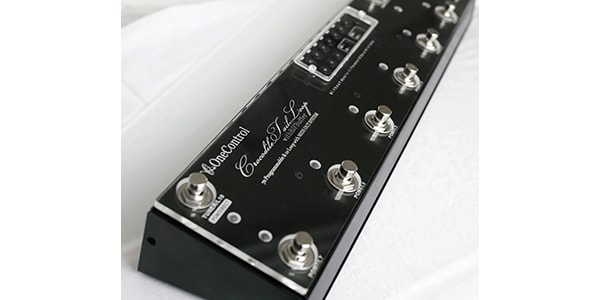
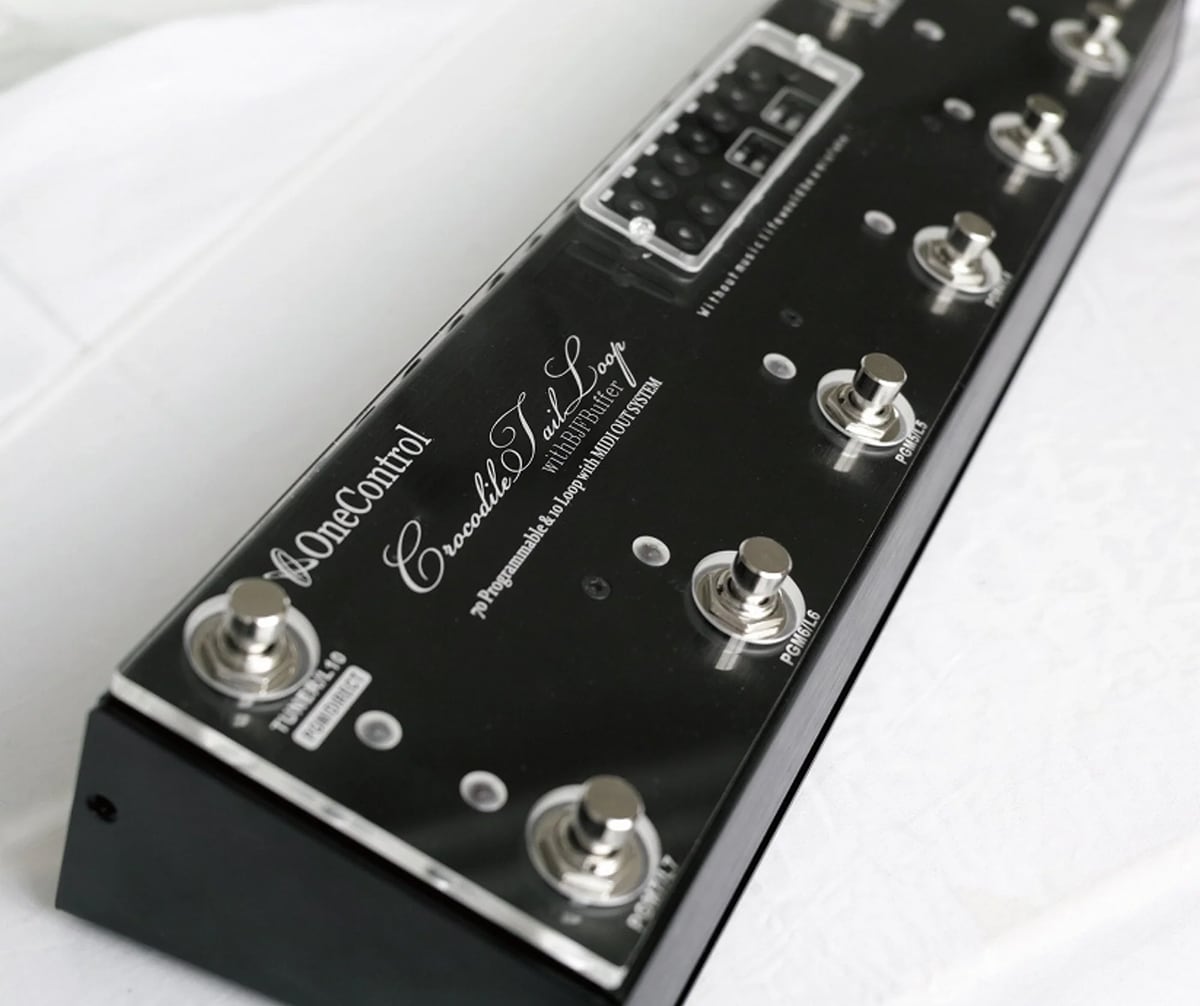


""Keep your OC-10 beautiful forever, like a specimen!"" The One Control Crocodile Tail Loop OC10 is a switching system developed to serve as the center of your pedalboard. It's actually installed in the front center of your pedalboard, acting as a control tower for the various pedals on the board, and is used in many venues.
For players who tour extensively, the on-stage environment is not always gracious.
They may be moving around frantically in a confined space with hot lights, little oxygen, and high humidity, or performing on the street on asphalt heated by the scorching sun, or even on an outdoor stage where rain or snow blows in. These conditions can be harsh not only for the player but also for their equipment.
The possibility of equipment malfunction lurks everywhere, and no matter how well-designed your equipment is, it's impossible to completely eliminate potential sources of trouble.
The One Control Crocodile Tail Loop OC10 is a favorite among many players, and its durability is evident in many pedalboards.
However, even the highly durable OC10 can suffer wear and tear if exposed to harsh conditions for a long time.
The One Control Crocodile Specimen Kit is a reinforced protector for the OC10, developed for heavy live performers who repeatedly perform and tour in such harsh environments.
There are always small gaps around moving parts such as foot switches, LEDs, and operation buttons. This kit seals these gaps from above, providing increased protection for the internal components and preventing accidental operation of the program buttons.
Its high transparency ensures clear visibility.
The program button section is a screw-mounted plate, allowing you to change programs while the Specimen Kit is installed.
●How to Install the Specimen Kit
1: First, use the included hex wrench to remove the screws on the side and bottom of the unit and remove the back cover.
2: Remove the plastic screws from the guard bar mounting area on the top panel of the OC10.
3: Use the included tool to remove the nuts and washers securing the foot switch from the outside.
4: Place the Specimen Kit over the foot switch hole on the OC10.
5: Insert the foot switch through the foot switch hole.
6: Attach the washer and nut to secure the foot switch, and then fully secure the Specimen Kit.
7: Attach the back cover and use the included hex wrench to tighten the screws on the side and bottom of the unit.
*When removing/attaching the back cover, loosen/tighten all screws as evenly and symmetrically as possible.
*When attaching the foot switch, hold the foot switch from the back while tightening the nuts. Tightening the nuts without holding the foot switch may cause the foot switch to rotate, which may lead to a broken wire.
*Do not touch any parts inside the OC10 other than the foot switch.
*This product is only the One Control Crocodile Specimen Kit. The OC10 unit is not included.
They may be moving around frantically in a confined space with hot lights, little oxygen, and high humidity, or performing on the street on asphalt heated by the scorching sun, or even on an outdoor stage where rain or snow blows in. These conditions can be harsh not only for the player but also for their equipment.
The possibility of equipment malfunction lurks everywhere, and no matter how well-designed your equipment is, it's impossible to completely eliminate potential sources of trouble.
The One Control Crocodile Tail Loop OC10 is a favorite among many players, and its durability is evident in many pedalboards.
However, even the highly durable OC10 can suffer wear and tear if exposed to harsh conditions for a long time.
The One Control Crocodile Specimen Kit is a reinforced protector for the OC10, developed for heavy live performers who repeatedly perform and tour in such harsh environments.
There are always small gaps around moving parts such as foot switches, LEDs, and operation buttons. This kit seals these gaps from above, providing increased protection for the internal components and preventing accidental operation of the program buttons.
Its high transparency ensures clear visibility.
The program button section is a screw-mounted plate, allowing you to change programs while the Specimen Kit is installed.
●How to Install the Specimen Kit
1: First, use the included hex wrench to remove the screws on the side and bottom of the unit and remove the back cover.
2: Remove the plastic screws from the guard bar mounting area on the top panel of the OC10.
3: Use the included tool to remove the nuts and washers securing the foot switch from the outside.
4: Place the Specimen Kit over the foot switch hole on the OC10.
5: Insert the foot switch through the foot switch hole.
6: Attach the washer and nut to secure the foot switch, and then fully secure the Specimen Kit.
7: Attach the back cover and use the included hex wrench to tighten the screws on the side and bottom of the unit.
*When removing/attaching the back cover, loosen/tighten all screws as evenly and symmetrically as possible.
*When attaching the foot switch, hold the foot switch from the back while tightening the nuts. Tightening the nuts without holding the foot switch may cause the foot switch to rotate, which may lead to a broken wire.
*Do not touch any parts inside the OC10 other than the foot switch.
*This product is only the One Control Crocodile Specimen Kit. The OC10 unit is not included.
関連商品
-
¥10,700(incl. tax)
 In Stock
 -
 CLASSIC PRO / Power adapter DC9V 0.5A 2.1mm center negative
¥680(incl. tax)
 Low Stock
 -
¥24,800(incl. tax)
In Stock -
 One Control / HOOK & LOOP - HOOK 1m
¥416(incl. tax)
In Stock -
¥580(incl. tax)
 Back Order
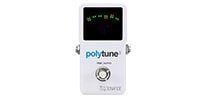 TC ELECTRONIC / Polytune 3
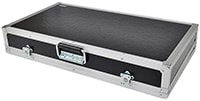 ARMOR / PS-1C
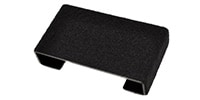 PLAYTECH / Pedal Riser 10
商品レビューProduct Review




不適切な投稿として報告しますか?
理由
ご協力ありがとうございました
投稿を削除しますか?
投稿されたレビューを削除しました。
One Control
Crocodile Specimen Kit
Item ID:382268
8,360 yen(incl. tax)

753Pt(9%)Detail
- 83Pts
通常ポイント
- 670Pts
ボーナスポイント
- 753Pts
Total
- In Stock
- In Stock, can be shipped when order is confirmed.
- Low Stock
- Low Stock, may be sold out soon.
- Scheduled date
- Expected to arrive at Sound House on this date.
- TBA
- Expected date of arrival at Sound House to be determined.
- Back Order
- It needs to be orderd from the manufacturer. Please inquire about the estimated date of arrival.
- Mfr. Delivery
- Must be ordered from manufacturer. Please inquire about the estimated date of arrival.
- Download
- Only the serial number will be sent to your registered email address.
- Special Order
- Made to order item or must be ordered from manufacturer. May take several weeks or months.
- No Longer Available
- Product is no longer available due to having been discoutined or other reasons.
Rating


この商品に関連するセレクションRelated Articles



-
 Discount Sale
-
 Outlet
-
 New Arrivals
-
 Podcast (streaming)
-
 Headphones / Earphones
-
 Microphones
-
 Wireless Equipment
-
 Speakers
-
 Power Amps
-
 Mixers
-
 Processors
-
 Portable PA Systems
-
 Recorders
-
 Karaoke
-
 Guitars
-
 Basses
-
 Ukuleles
-
 Drums & Percussion
-
 Pianos / Synthesizers
-
 Wind Instruments
-
 Stringed Instruments
-
 Japanese Instruments
-
 Harmonicas, Other
-
 Software
-
 DJ & VJ
-
 Stands
-
 Cables & Connectors
-
 Racks & Cases
-
 Lighting
-
 Stage & Truss
-
 Video Equipment
-
 PC PERIPHERALS
-
 Power Supplies
-
 Studio Furniture
-
 Household Items, Other
-
 Alcoholic Beverages
Search by Brand
Brand List








- Sound House
- 〒286-0825 14-3 Shinizumi , Narita City, Chiba
- Monday-Friday 10:00-17:00
- Narita Call Center
- TEL. 0476-89-1111
- FAX. 0476-89-2222
- Tokushima Call Center
- TEL. 0885-38-1111
- FAX. 0885-38-1100
- Showroom Hours
- Monday-Friday 10:00-17:00
closed on Saturdays, Sundays and Holidays


© Sound House

すべてのレビューを見る