


- Software
- Plug-in/Software
- iZotope Plug-ins
- iZotope/RX 12 Advanced Download Version
iZotope / RX 12 Advanced Download Version
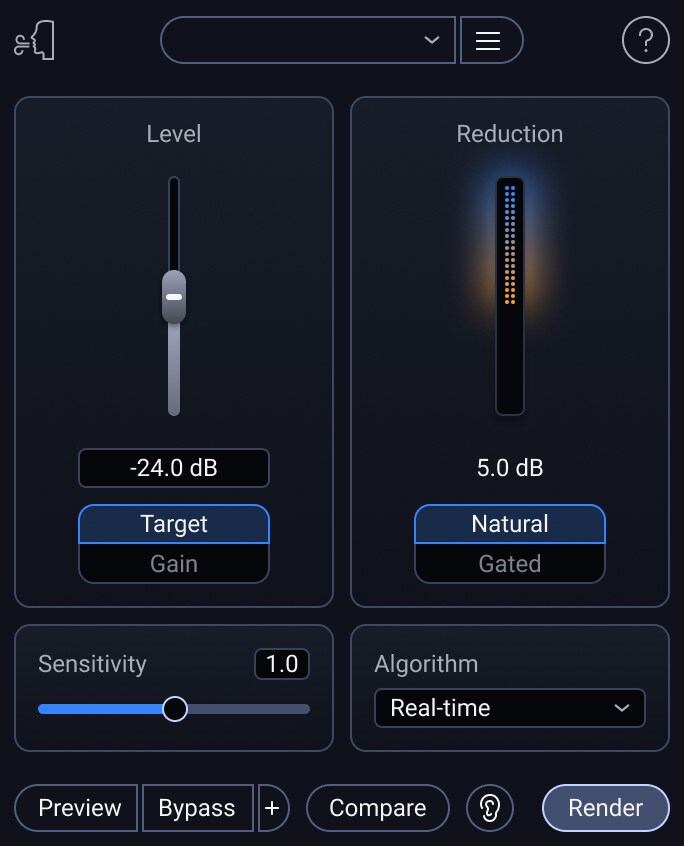
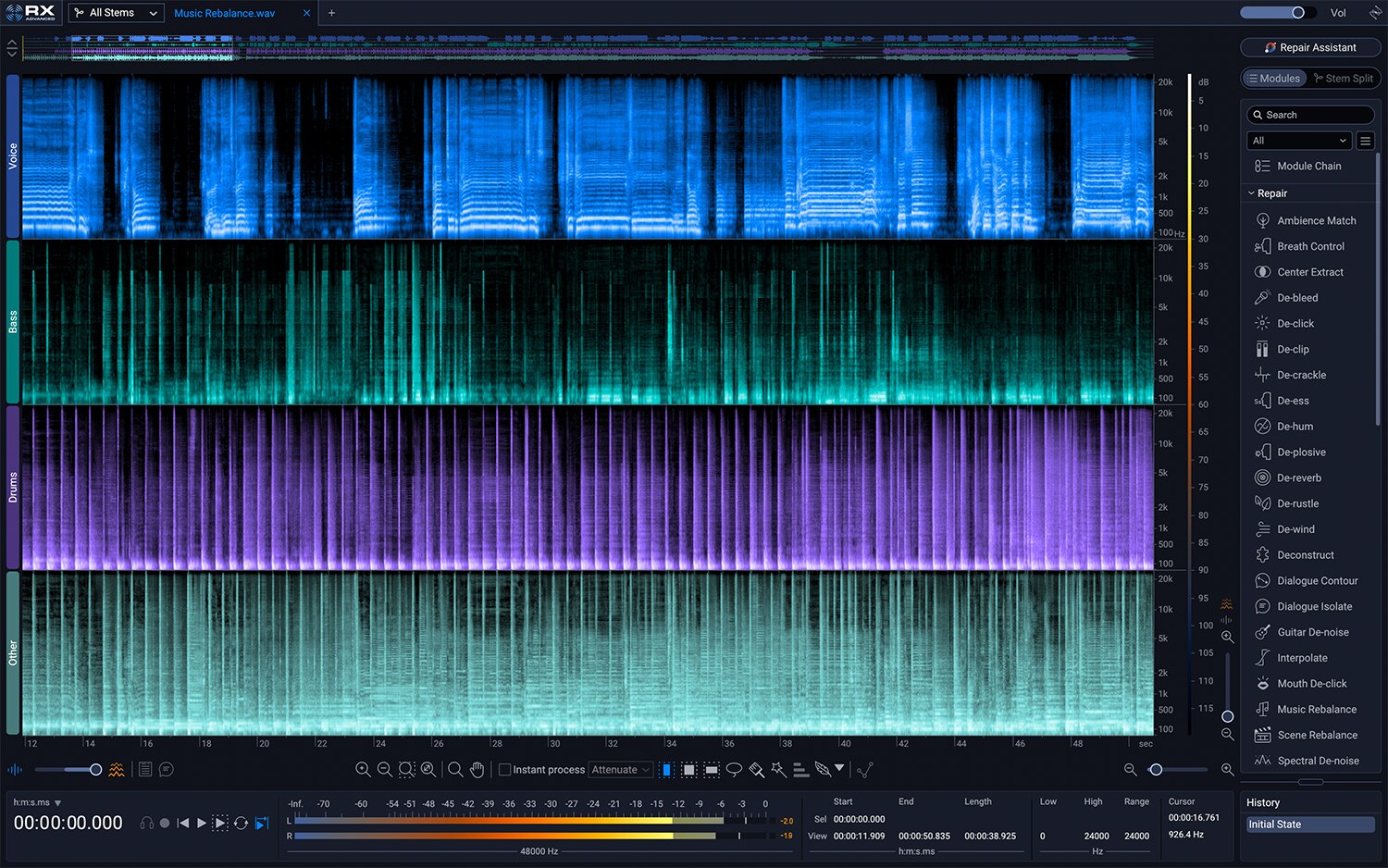
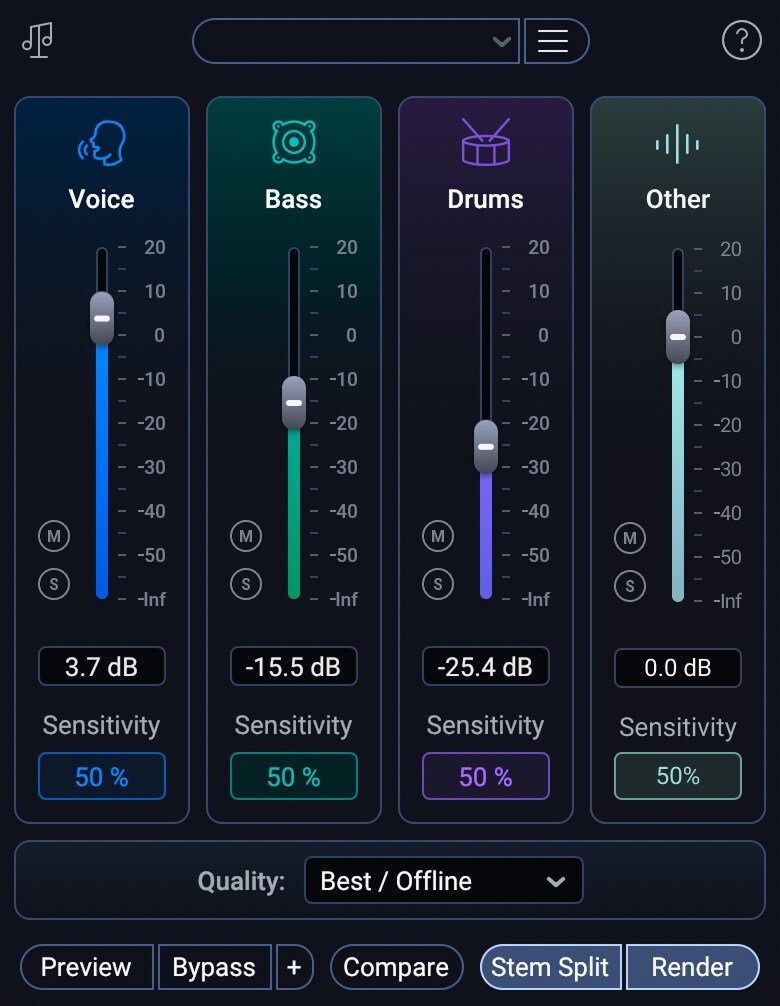
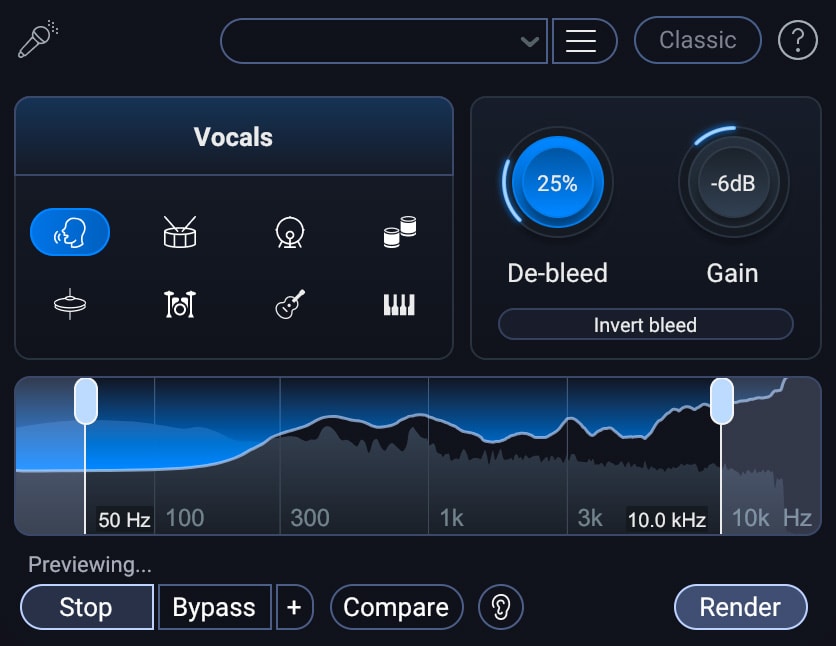



オーディオリペアの新基準
初めてのホーム・プロジェクトからオスカー受賞級のサウンド編集まで、RXはあらゆるシナリオに対応する必須ツールを満載した50種類以上のツールから構成されるエコシステムにより、あなたのミックスを救出します。
最新のRX 12ではオーディオリペアの新たな領域へと踏み出す新機能を提供し、その基準を塗り替えます。
RX12の5つの新機能
-
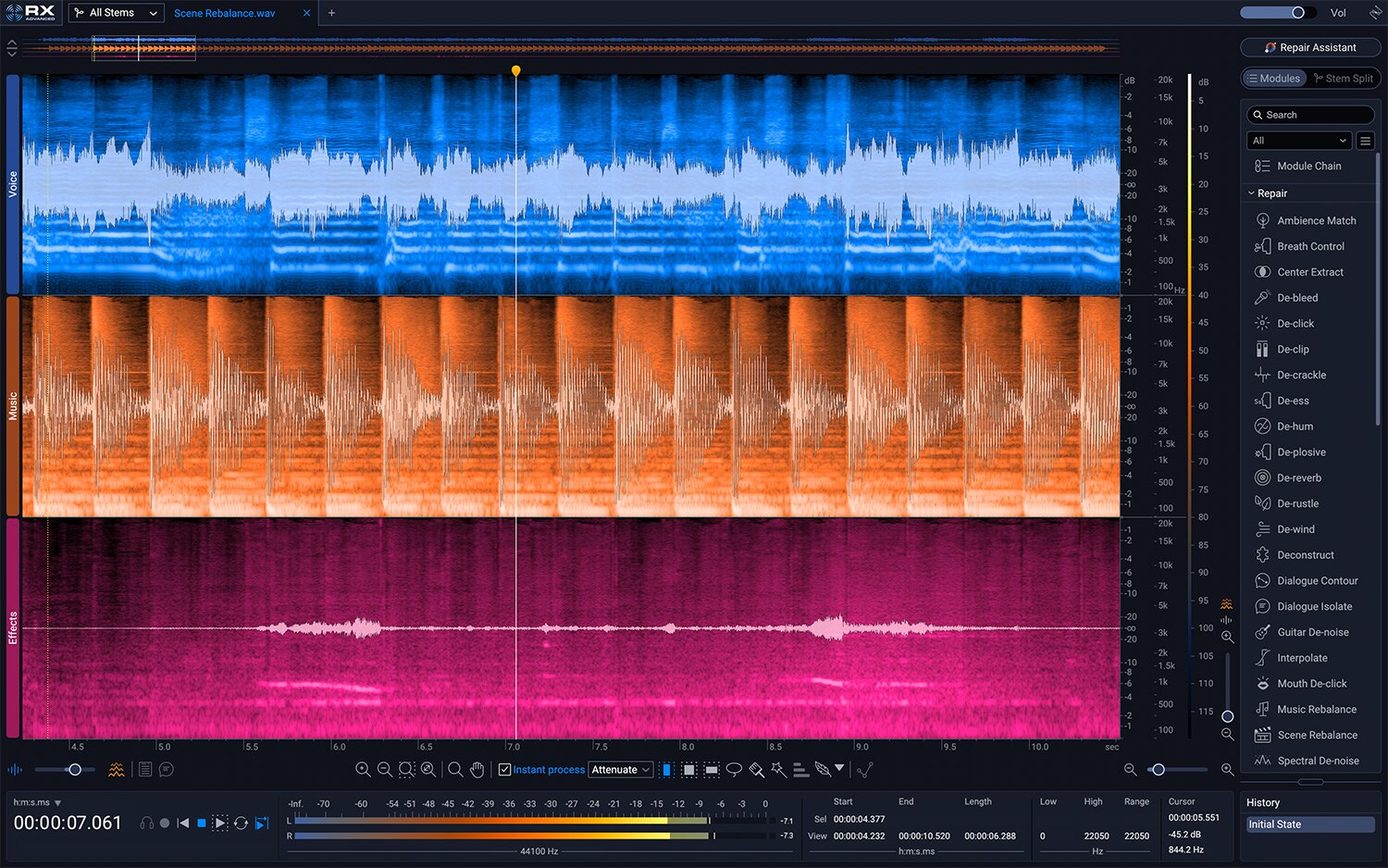
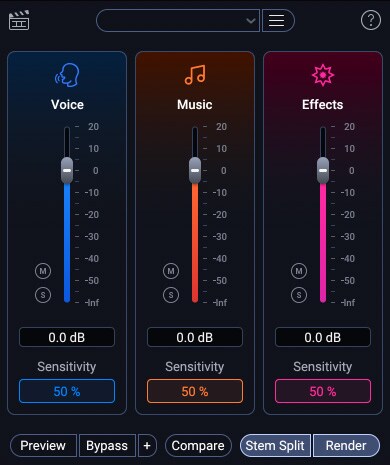
NEWScene Rebalance
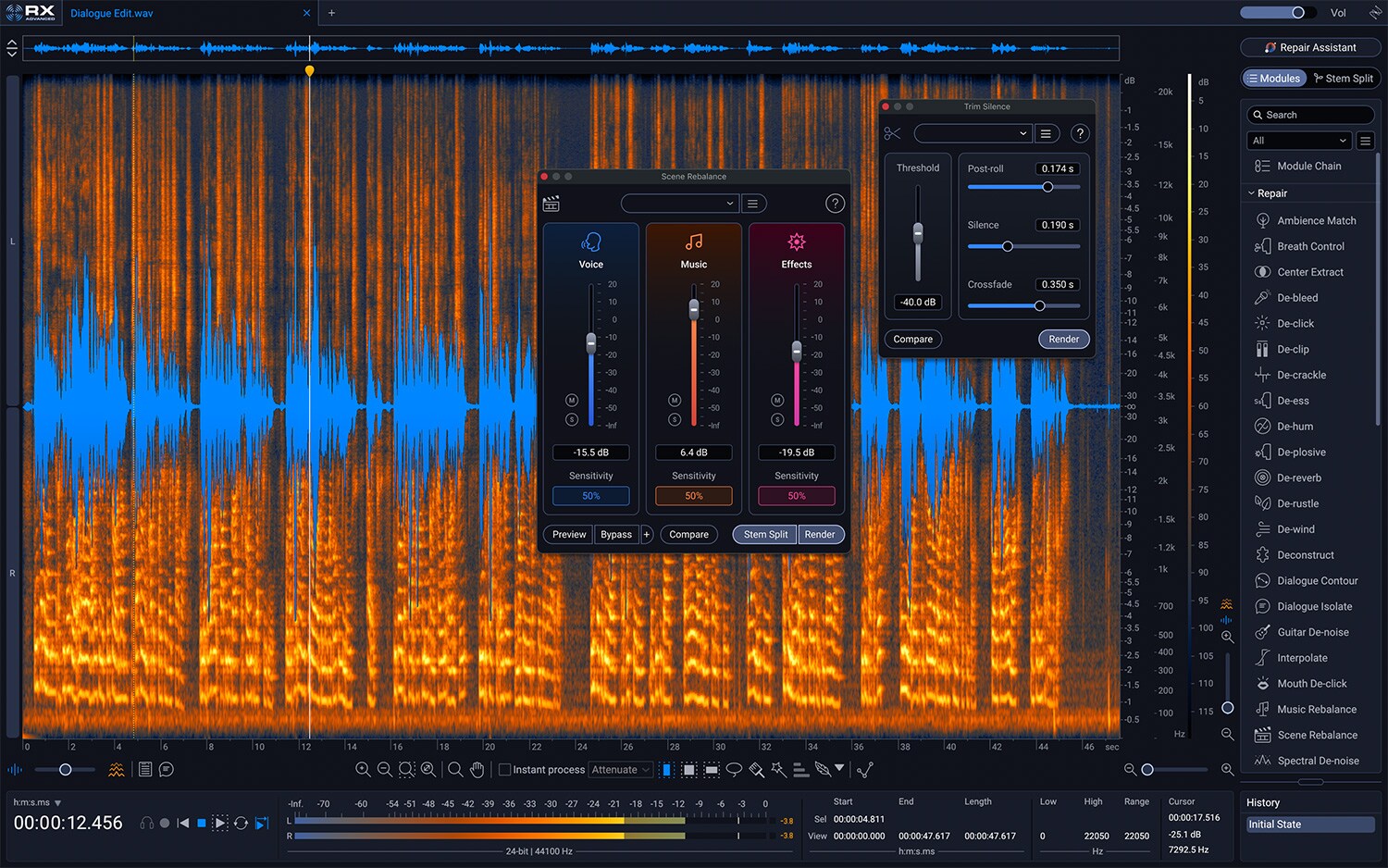
複雑な映画やテレビの最終ミックスを、詳細な編集やレベル調整のために、『セリフ、BGM、エフェクト(その他)』にインテリジェントに分離します。ポストプロダクション専用に開発されたこの新機能により、バランスを微調整する時間を節約でき、ステムなしで編集している時には”命の恩人”となることでしょう。
【ADV】

-
NEWStems View
Scene Rebalance、Music Rebalance、またはDialogue Isolateを使用して、ミックスされたオーディオをトラックベースのステムワークフローに分割し、各ステムに対してRXの全ツールキットを使用することで、より正確に適応できます。作業が完了したら、「Stems View」がすべてのトラックをシームレスに統合し、簡単にエクスポートできます。
【STD / ADV】

-
NEWDe-bleed リアルタイムプラグイン
独立したプラグインとしてドラムやボーカルなどのトラックにインサートが可能となりました。
【STD / ADV】

-
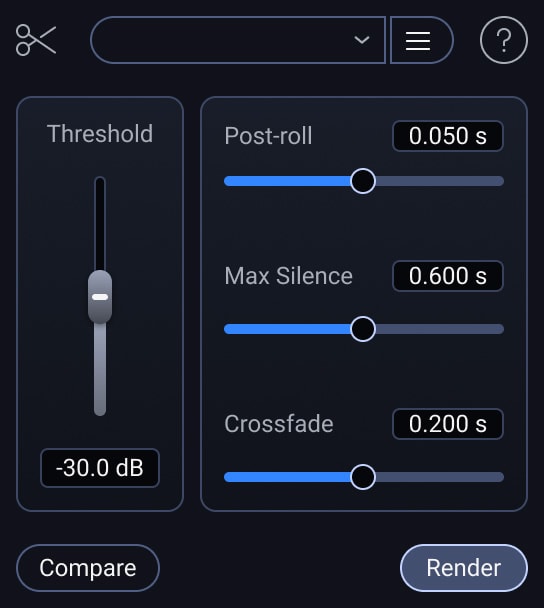
NEWTrim Silence
沈黙の時間が多いファイルに対し、スレッショルド設定のみで長いオーディオファイル内の無音部分を検出して削除し、時間のかかる面倒な編集作業を排除します。ポッドキャストやフィールドレコーディング、長時間インタビューなどの音声編集に効果を発揮します。
【ADV】

-
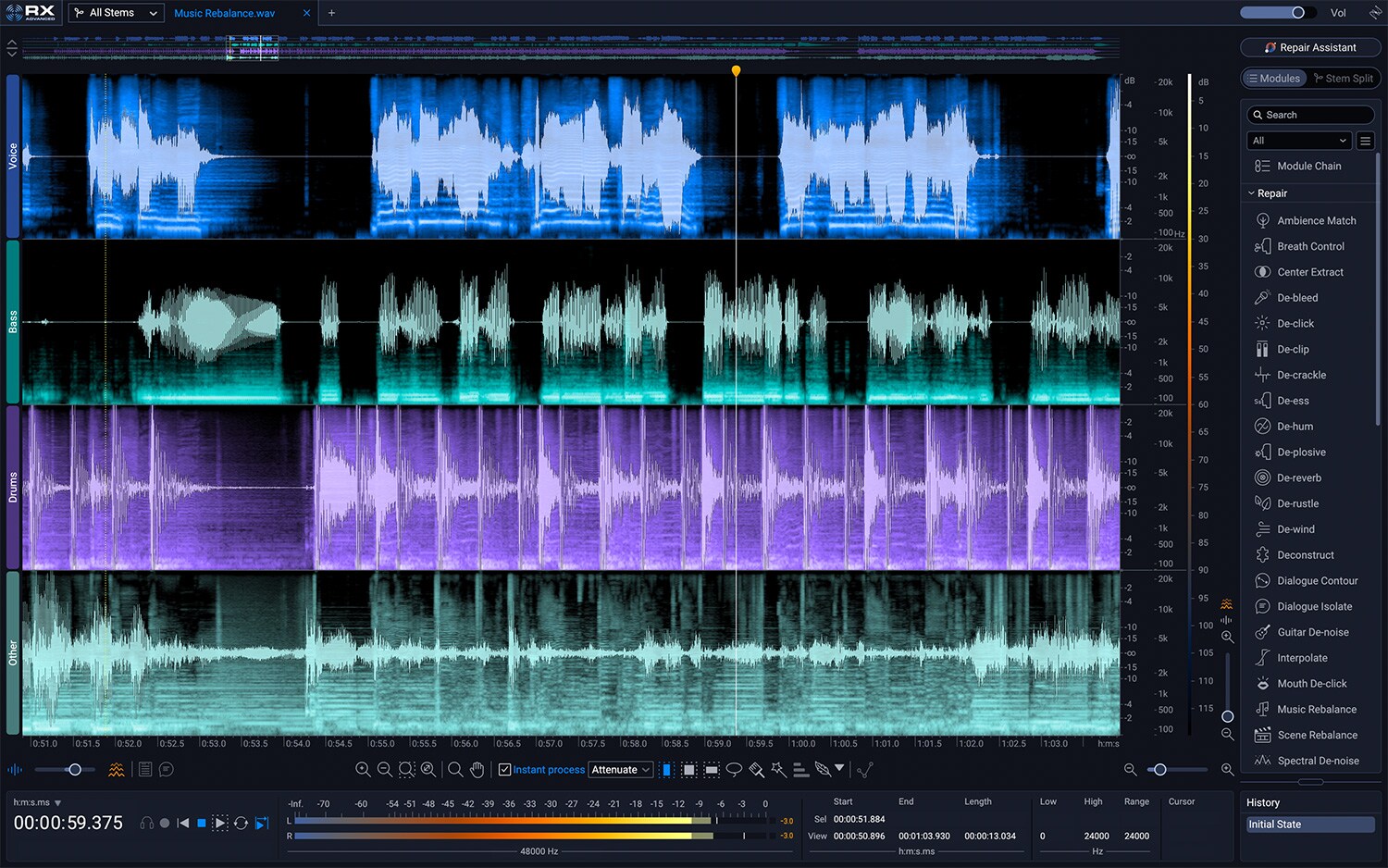
NEWMusic Rebalance リアルタイムプラグイン
ボーカル、ベース、パーカッションなどのソース分離機能を、『独立したリアルタイムプラグイン』として利用可能になりました。ボーカルトラックのみのオートメーションなど場面に合わせたコントロールが可能となります。
【STD / ADV】

機能の再構成・改善
-
RebuiltDe-bleed
信号間の干渉を低減します。最先端の機械学習を用いて再構築され、ドラム全体からスネア、タム、シンバルなどパート単位の分離、さらにボーカル、ギターやピアノにもアクセス、より高い精度と優れた結果を実現します。参照用に「bleed(混入元の信号)」トラックをアップロードする必要もなくなりました。
【STD / ADV】

-
RebuiltBreath Control
セリフやボーカル録音に含まれる息音を低減・除去します。最先端の機械学習を用いて再構築、精度が向上しました。ボーカルや台詞のゲイン調整に費やす時間を削減し、パフォーマンスを守る時間を増やしましょう。
【STD / ADV】

-
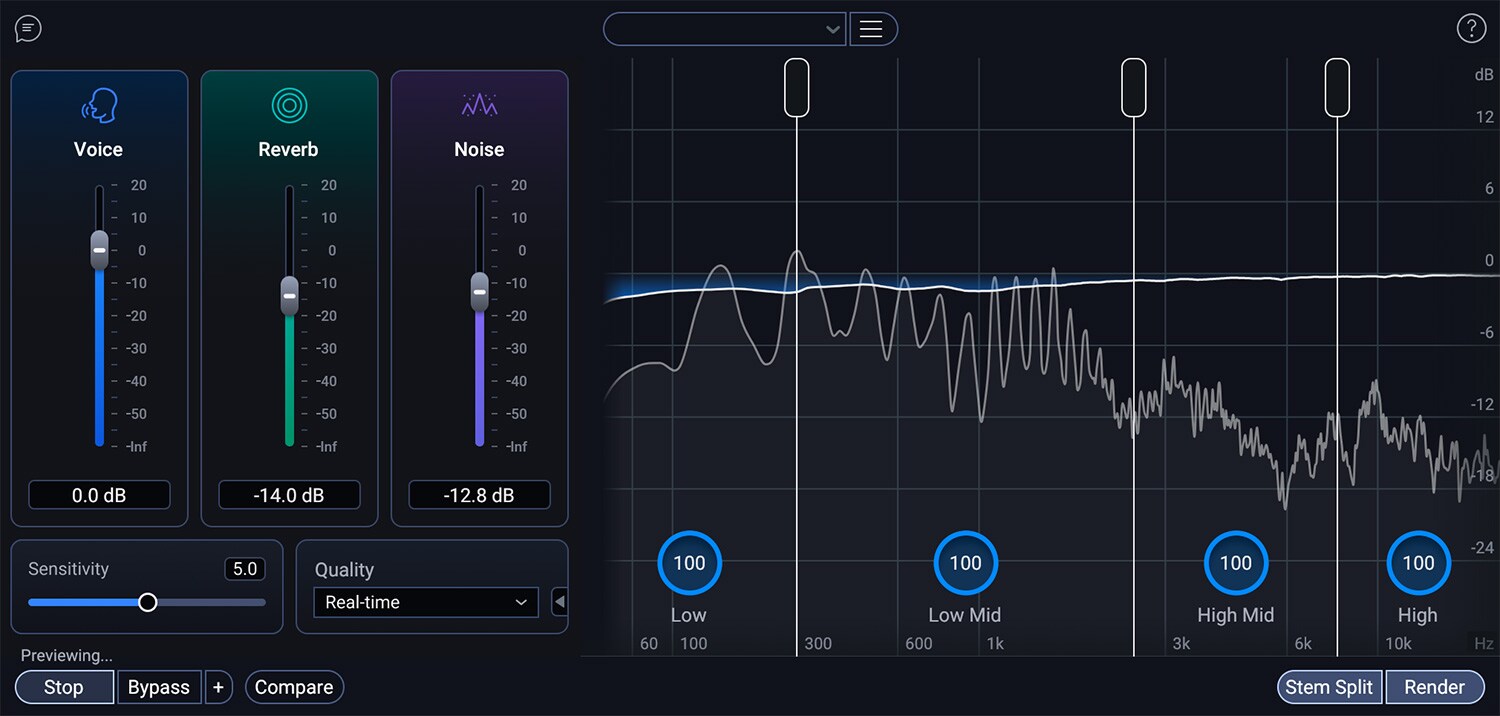
ImprovedDialogue Isolate
セリフやボーカルのノイズ除去およびリバーブ除去を行います。最先端のニューラルネットワークを搭載し、リアルタイムモードとオフラインモードの両方で精度が向上しました。
【STD / ADV】

-
ImprovedRepair Assistant
Repair AssistantにおけるCLEAN UP / De-noise機能の分離精度が最先端のニューラルネットワークにより向上しました。
【ELE / STD / ADV】

-
Improved作業効率の向上
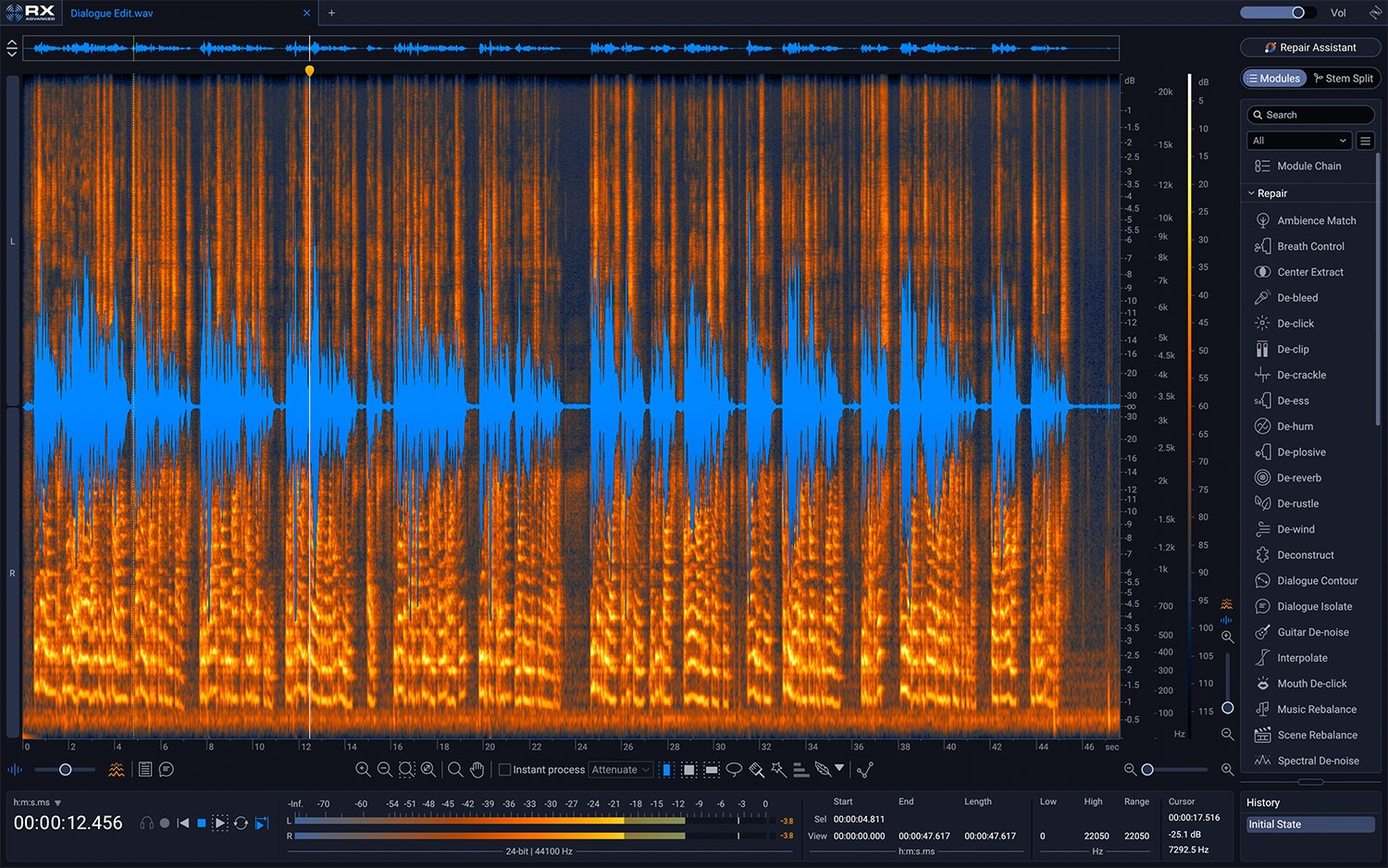
ノートパソコンでも精密な編集が可能なスペクトログラムの拡大、スクロールを減らすモジュール検索、サイズ変更可能な履歴パネルにより作業の軌跡を簡単に追跡できます。デザインを一新し、RXの使いやすさがさらに向上しました。

製品バリエーション
-

RX 12 AdvancedRX12の最上位グレード
5つの新機能
- Scene Rebalance
- Stems View
- Trim Silence
- Music Rebalance Realtime plugin
- ML De-bleed Realtime plugin
機能の再構築・改善
- ML De-bleed
- ML Breath Control
- Music Rebalance nets
- Dialogue Isolate nets
- Repair Assistant (De-noise)
-

RX 12 StandardRX12のミドルグレード
3つの新機能
- Stems View
- Music Rebalance Realtime plugin
- ML De-bleed Realtime plugin
機能の再構築・改善
- ML De-bleed
- ML Breath Control
- Music Rebalance nets
- Dialogue Isolate nets
- Repair Assistant (De-noise)
-

RX 12 ElementsRX12のエントリークラス
主な機能
- De-click
- De-clip
- Voice De-noise
- De-reverb
- De-hum
機能の改善
- Repair Assistant Plug-in
----------------
■ Download Delivery
・Approximately 10 minutes after completing your purchase, only the activation code will be delivered to your registered email address.
・By activating the received code on the D2R page below, you will receive product installation information via email. (Information can also be displayed by clicking the email icon on the D2R page.)
D2R Page
*If you do not have a D2R page account, please register as a user from ""Register Here"" on the D2R page.
・You can also check the D2R registration activation code by clicking ""Order Details"" in your purchase history on your Sound House My Page.
*It may take a few minutes for the information to be reflected in your purchase history.
・Clicking ""Support Information"" in ""Order Details"" will display the activation information.
・For details on installation/usage, please contact the manufacturer.
----------------
A New Standard in Audio Repair
From your first home project to Oscar-winning sound editing, RX rescues your mix with an ecosystem of over 50 essential tools for every scenario.
The latest RX 12 redefines audio repair with new features that push it into new territory.
Developed specifically for post-production, Scene Rebalance intelligently separates complex film and television final mixes into 'dialogue, background music, effects (and more)'.
Furthermore, Stems View breaks down mixed audio into a track-based stem workflow, allowing for more precise application using the entire RX toolkit on each stem.
With five new features, two redesigns, and three improvements including increased accuracy, RX 12 sets a new standard in audio repair.
New Features in RX 12
* Scene Rebalance – Intelligently separates complex film and television final mixes into 'Dialogue, BGM, Effects (and Others)' for detailed editing and level adjustments. Developed specifically for post-production, this new feature saves time fine-tuning and will be a lifesaver when editing without stems.
* Stems View – Use Scene Rebalance, Music Rebalance, or Dialogue Isolate to split mixed audio into a track-based stem workflow, and adapt each stem more precisely using the full RX toolkit. Once you're done, Stems View seamlessly integrates all tracks for easy export.
* De-bleed Real-Time Plugin – Now available as a standalone plugin to insert into tracks such as drums and vocals.
* Trim Silence: For files with long periods of silence, this feature detects and removes silent sections within long audio files using only a threshold setting, eliminating time-consuming and tedious editing. It's particularly effective for audio editing of podcasts, field recordings, and long interviews.
* Music Rebalance Real-Time Plugin: Source separation functionality for vocals, bass, percussion, etc., is now available as a separate real-time plugin. This allows for situation-specific control, such as automation of vocal tracks only.
Improvements and Reconstruction Features from the Previous Version
[Improvements]
* Music Rebalance: The offline neural network has been upgraded for improved accuracy. More precise stem separation is now possible.
* Dialogue Isolate: Removes noise and reverb from dialogue and vocals. Equipped with a state-of-the-art neural network, accuracy has been improved in both real-time and offline modes.
* Improved Work Efficiency: Spectrogram zoom for precise editing even on laptops, module search with reduced scrolling, and a resizable history panel make it easy to track your workflow. The redesigned interface further enhances RX's usability.
* Improved separation accuracy in the Repair Assistant's CLEAN UP/De-noise function thanks to a state-of-the-art neural network.
* Function Reorganization:
* De-bleed: Reduces interference between signals. Reconstructed using cutting-edge machine learning, it allows for separation of individual parts such as snare, tom, and cymbals from the entire drum set, and also provides access to vocals, guitar, and piano, resulting in higher accuracy and superior results. No longer needs to upload a ""bleed"" track for reference.
* Breath Control: Reduces and removes breath sounds in dialogue and vocal recordings. Reconstructed using cutting-edge machine learning for improved accuracy. Reduce the time spent adjusting vocal and dialogue gain, and increase the time spent protecting performance.
■System Requirements
For the latest operating environment, please refer to the manufacturer's website product page:
![[2026 Latest Edition] 10 Recommended Plugins for Voice Covers!](/contents/uploads/thumbs/2/2025/9/20250930_2_33030_2.jpg)
商品レビューProduct Review




不適切な投稿として報告しますか?
理由
ご協力ありがとうございました
投稿を削除しますか?
投稿されたレビューを削除しました。
iZotope
RX 12 Advanced Download Version
Item ID:390128
231,500 yen(incl. tax)

4,630Pt(2%)Detail
- 2,315Pts
通常ポイント
- 2,315Pts
ポイント2倍キャンペーン
- 4,630Pts
Total
 Download
 - In Stock
- In Stock, can be shipped when order is confirmed.
- Low Stock
- Low Stock, may be sold out soon.
- Scheduled date
- Expected to arrive at Sound House on this date.
- TBA
- Expected date of arrival at Sound House to be determined.
- Back Order
- It needs to be orderd from the manufacturer. Please inquire about the estimated date of arrival.
- Mfr. Delivery
- Must be ordered from manufacturer. Please inquire about the estimated date of arrival.
- Download
- Only the serial number will be sent to your registered email address.
- Special Order
- Made to order item or must be ordered from manufacturer. May take several weeks or months.
- No Longer Available
- Product is no longer available due to having been discoutined or other reasons.
Rating


この商品に関連するセレクションRelated Articles



-
 Discount Sale
-
 Outlet
-
 New Arrivals
-
 Podcast (streaming)
-
 Headphones / Earphones
-
 Microphones
-
 Wireless Equipment
-
 Speakers
-
 Power Amps
-
 Mixers
-
 Processors
-
 Portable PA Systems
-
 Recorders
-
 Karaoke
-
 Guitars
-
 Basses
-
 Ukuleles
-
 Drums & Percussion
-
 Pianos / Synthesizers
-
 Wind Instruments
-
 Stringed Instruments
-
 Japanese Instruments
-
 Harmonicas, Other
-
 Software
-
 DJ & VJ
-
 Stands
-
 Cables & Connectors
-
 Racks & Cases
-
 Lighting
-
 Stage & Truss
-
 Video Equipment
-
 PC PERIPHERALS
-
 Power Supplies
-
 Studio Furniture
-
 Household Items, Other
-
 Alcoholic Beverages
Search by Brand
Brand List








- Sound House
- 〒286-0825 14-3 Shinizumi , Narita City, Chiba
- Monday-Friday 10:00-17:00
- Narita Call Center
- TEL. 0476-89-1111
- FAX. 0476-89-2222
- Tokushima Call Center
- TEL. 0885-38-1111
- FAX. 0885-38-1100
- Showroom Hours
- Monday-Friday 10:00-17:00
closed on Saturdays, Sundays and Holidays


© Sound House

すべてのレビューを見る