




- Software
- PLUG IN / SOFTWARE
- Compressors / limiters / EQs
- EVENTIDE/EQuivocate Download Delivery
EVENTIDE / EQuivocate Download Delivery
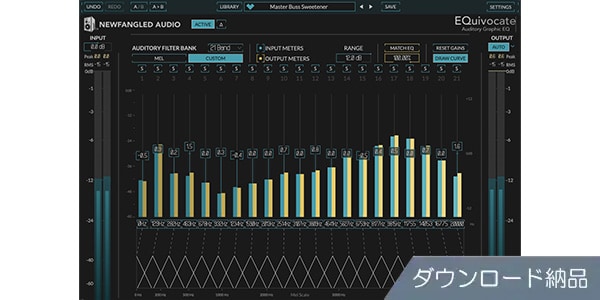
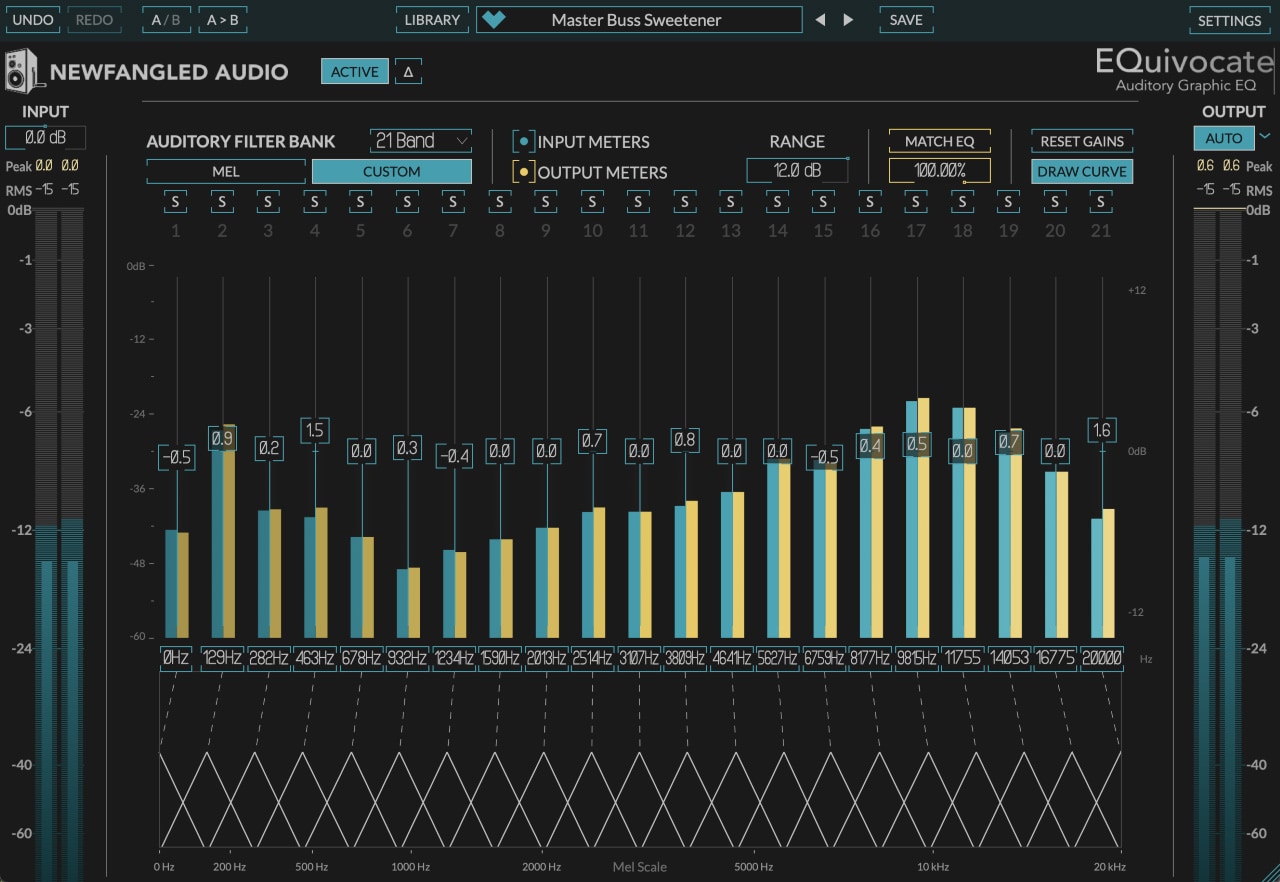


Multiband graphic EQ based on a human auditory model. Natural-looking filters based on an auditory model. Delivered as a download.
■ Plugin Software
■ Multiband Graphic EQ
==================================
■ Download Delivery
・After purchase, only the serial number will be delivered to your registered email address.
If the stock status is ""DL Immediate Delivery,"" the serial number will be sent immediately after your order.
If the stock status is ""Backordered,"" it will take several days after your order for the serial number to be sent after we receive it from the manufacturer.
・You can also check the serial number by clicking ""Order Details"" in your purchase history on your Sound House My Page.
*Even if it's ""DL Immediate Delivery,"" it may take several minutes for the information to be reflected in your purchase history.
・Clicking ""Download"" in ""Order Details"" will take you to the manufacturer's page for serial registration.
・Clicking ""Support Information"" in ""Order Details"" will display manufacturer and installation information.
・For detailed installation/usage instructions, please contact the manufacturer.
FAQ page: What is download delivery?
==================================
EQuivocate is a multiband graphic EQ ideal for mixing and mastering. It employs 26 linear-phase auditory filters modeled after the critical frequency range of the human ear, providing a more natural sound than any other EQ on the market.
Its powerful match EQ function allows you to match the timbre of a track to the sidechain signal or bring the final master closer to the reference. Because it uses linear-phase FIR filters that eliminate the problems of IIR filters, you can hear exactly what is displayed on the screen. It also features user-friendly functions such as intuitive EQ curve drawing, automatic level correction, and individual band soloing.
■Main Features
• 26 simple yet musical linear-phase auditory filters with shapes similar to the critical frequency filter of the human ear
• Match EQ function to match the timbre of one track to another (suitable for blending two tracks to sound like the same source, complementing each other for better separation, or making the final master sound similar to a reference track)
• Drawing EQ curves by clicking and swiping on the gain slider field, and fine-tuning with Draw Curve turned off
• Auto button for output level that automatically corrects level changes caused by the EQ
• Output solo function for one or more bands to easily find problematic frequencies
• Add or remove filters to customize the sound
• Includes artist presets by Richard Devine, Jeremy Lubsey, Alex Saltz, Sebastian Arocha Morton, Richard X, and John McCaig
• Compare button for starting from a preset, creating your own preset, and switching between two unique settings
* New Preset Librarian adds categories, tags, descriptions, artist links, favorites, and search functionality to presets.
* Multi-level Undo/Redo functionality to simplify workflow.
* True A/B comparison functionality for better mix decisions.
* New Delta Listen mode allows you to hear the changes being applied to the input.
* ""SET AS DEFAULT"" button to save any setting as the default.
■ About Newfangled Audio
Newfangled Audio was founded by former Eventide engineer Dan Gillespie with the aim of researching and developing new signal processing technologies in the professional audio field.
Articulate is developed by Newfangled Audio and sold by Eventide.
■ System Requirements
Please refer to the manufacturer's website product page for the latest operating environment.
■ Multiband Graphic EQ
==================================
■ Download Delivery
・After purchase, only the serial number will be delivered to your registered email address.
If the stock status is ""DL Immediate Delivery,"" the serial number will be sent immediately after your order.
If the stock status is ""Backordered,"" it will take several days after your order for the serial number to be sent after we receive it from the manufacturer.
・You can also check the serial number by clicking ""Order Details"" in your purchase history on your Sound House My Page.
*Even if it's ""DL Immediate Delivery,"" it may take several minutes for the information to be reflected in your purchase history.
・Clicking ""Download"" in ""Order Details"" will take you to the manufacturer's page for serial registration.
・Clicking ""Support Information"" in ""Order Details"" will display manufacturer and installation information.
・For detailed installation/usage instructions, please contact the manufacturer.
FAQ page: What is download delivery?
==================================
EQuivocate is a multiband graphic EQ ideal for mixing and mastering. It employs 26 linear-phase auditory filters modeled after the critical frequency range of the human ear, providing a more natural sound than any other EQ on the market.
Its powerful match EQ function allows you to match the timbre of a track to the sidechain signal or bring the final master closer to the reference. Because it uses linear-phase FIR filters that eliminate the problems of IIR filters, you can hear exactly what is displayed on the screen. It also features user-friendly functions such as intuitive EQ curve drawing, automatic level correction, and individual band soloing.
■Main Features
• 26 simple yet musical linear-phase auditory filters with shapes similar to the critical frequency filter of the human ear
• Match EQ function to match the timbre of one track to another (suitable for blending two tracks to sound like the same source, complementing each other for better separation, or making the final master sound similar to a reference track)
• Drawing EQ curves by clicking and swiping on the gain slider field, and fine-tuning with Draw Curve turned off
• Auto button for output level that automatically corrects level changes caused by the EQ
• Output solo function for one or more bands to easily find problematic frequencies
• Add or remove filters to customize the sound
• Includes artist presets by Richard Devine, Jeremy Lubsey, Alex Saltz, Sebastian Arocha Morton, Richard X, and John McCaig
• Compare button for starting from a preset, creating your own preset, and switching between two unique settings
* New Preset Librarian adds categories, tags, descriptions, artist links, favorites, and search functionality to presets.
* Multi-level Undo/Redo functionality to simplify workflow.
* True A/B comparison functionality for better mix decisions.
* New Delta Listen mode allows you to hear the changes being applied to the input.
* ""SET AS DEFAULT"" button to save any setting as the default.
■ About Newfangled Audio
Newfangled Audio was founded by former Eventide engineer Dan Gillespie with the aim of researching and developing new signal processing technologies in the professional audio field.
Articulate is developed by Newfangled Audio and sold by Eventide.
■ System Requirements
Please refer to the manufacturer's website product page for the latest operating environment.
商品レビューProduct Review




不適切な投稿として報告しますか?
理由
ご協力ありがとうございました
投稿を削除しますか?
投稿されたレビューを削除しました。
EVENTIDE
EQuivocate Download Delivery
Item ID:389690
15,400 yen(incl. tax)

154Pt(1%)Detail
- 154Pts
通常ポイント
- 154Pts
Total
 Back Order
 - In Stock
- In Stock, can be shipped when order is confirmed.
- Low Stock
- Low Stock, may be sold out soon.
- Scheduled date
- Expected to arrive at Sound House on this date.
- TBA
- Expected date of arrival at Sound House to be determined.
- Back Order
- It needs to be orderd from the manufacturer. Please inquire about the estimated date of arrival.
- Mfr. Delivery
- Must be ordered from manufacturer. Please inquire about the estimated date of arrival.
- Download
- Only the serial number will be sent to your registered email address.
- Special Order
- Made to order item or must be ordered from manufacturer. May take several weeks or months.
- No Longer Available
- Product is no longer available due to having been discoutined or other reasons.
Rating


この商品に関連するセレクションRelated Articles



-
 Discount Sale
-
 Outlet
-
 New Arrivals
-
 Podcast (streaming)
-
 Headphones / Earphones
-
 Microphones
-
 Wireless Equipment
-
 Speakers
-
 Power Amps
-
 Mixers
-
 Processors
-
 Portable PA Systems
-
 Recorders
-
 Karaoke
-
 Guitars
-
 Basses
-
 Ukuleles
-
 Drums & Percussion
-
 Pianos / Synthesizers
-
 Wind Instruments
-
 Stringed Instruments
-
 Japanese Instruments
-
 Harmonicas, Other
-
 Software
-
 DJ & VJ
-
 Stands
-
 Cables & Connectors
-
 Racks & Cases
-
 Lighting
-
 Stage & Truss
-
 Video Equipment
-
 PC PERIPHERALS
-
 Power Supplies
-
 Studio Furniture
-
 Household Items, Other
-
 Alcoholic Beverages
Search by Brand
Brand List








- Sound House
- 〒286-0825 14-3 Shinizumi , Narita City, Chiba
- Monday-Friday 10:00-17:00
- Narita Call Center
- TEL. 0476-89-1111
- FAX. 0476-89-2222
- Tokushima Call Center
- TEL. 0885-38-1111
- FAX. 0885-38-1100
- Showroom Hours
- Monday-Friday 10:00-17:00
closed on Saturdays, Sundays and Holidays


© Sound House

すべてのレビューを見る