




- Software
- SOFTWARE SYNTH / SAMPLER
- Piano Organ sound sources
- Engine Audio (by Best Service)/ACCORDIONS 2 - ACCORDION Download Delivery
Engine Audio (by Best Service) / ACCORDIONS 2 - ACCORDION Download Delivery
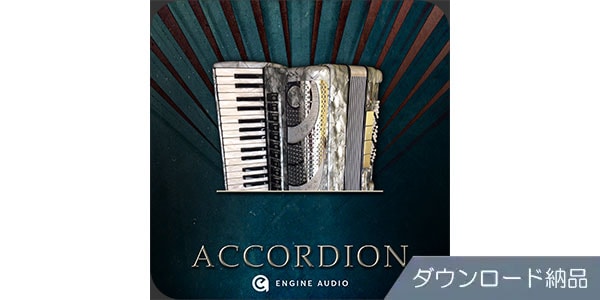


Accordion soundtracks extracted from the definitive collection of accordion soundtracks. Available for download.
■ Software Sound Sources
---------------
■ Download Delivery
- Approximately 10 minutes after completing your purchase, the activation code will be delivered to your registered email address.
- Activate the code you received on the D2R page below and you will receive product installation information via email. (You can also view the information by clicking the email icon on the D2R page.)
D2R Page
* If you do not have a D2R Page account, please register as a user by clicking ""Register here"" on the D2R page.
- You can also check your D2R registration activation code by clicking ""Order Details"" under ""My Page"" on Sound House's Purchase History.
* It may take a few minutes for the information to be reflected in your purchase history.
- Clicking ""Support Information"" under ""Order Details"" will display activation information.
For installation and usage details, please contact the manufacturer.
---------------
The ""Accordions 2"" series, produced by Eduardo Tarilonte, is the perfect choice for those looking for a realistic and, above all, easy-to-play accordion library. Many renowned composers and producers have praised this virtual instrument's authenticity and expressiveness.
""ACCORDIONS 2 - ACCORDION"" is an independent instrument version of ""Accordion"" from the KONTAKT PLAYER version of ""Accordions 2."" It is a virtual accordion with 11 registers and a left-hand bass.
It features features that allow you to play as if you were playing a real accordion, such as reed switching with a register switch, bellows opening/closing speed (volume) adjustment with a modulation wheel, bellows shake technique, bass notes and chords played with the left hand, and noise reproduction when keys are struck and bellows operation. If you're looking for a realistic, easy-to-play accordion for your current project, try ""ACCORDIONS 2 - ACCORDION.""
■Features
- Virtual accordion with 11 registers, including a left-hand bass
- Three velocity layers / three round robins
- Chromatic recording with the clear sound of a U47 microphone
■Main Functions
- Register: Turn the register switch ON/OFF to select the reed combination used for your performance. Registers can be switched with a key switch.
- Bellows Opening/Closing Speed (Volume): The opening and closing speed of the bellows affects the volume of the sound. You can choose to control the opening and closing speed using either the velocity value of the input note or modulation wheel operation.
- Noise: Independently adjust the volume of key noise and release noise.
- Reverb: ON/OFF, room type (9 types), and dry/wet can be adjusted.
Bellow Shake: Reproduces bellow shake playing with a key switch. Adjustable strength and speed.
■Software Overview
After years of licensing sample players and accumulating extensive experience with sampling instruments, BEST SERVICE has leveraged this expertise to develop Engine Player, a proprietary software environment. This innovative platform not only introduces a new sample player compatible with all major platforms, but also provides a comprehensive suite of tools for instrument creation, copy protection, and license management. Its primary focus is simplicity, affordability, and, above all, flexibility.
-Engine Player Included
- Simple interface
- Browser with two view options: Gallery and List
- Built-in performance monitor for understanding CPU and RAM usage
Note: An Engine Player tutorial video (in English) can be viewed here.
■ Operating Environment
For the latest operating environment information, including supported operating systems, please refer to the Engine Player page on the Engine Audio website.
---------------
■ Download Delivery
- Approximately 10 minutes after completing your purchase, the activation code will be delivered to your registered email address.
- Activate the code you received on the D2R page below and you will receive product installation information via email. (You can also view the information by clicking the email icon on the D2R page.)
D2R Page
* If you do not have a D2R Page account, please register as a user by clicking ""Register here"" on the D2R page.
- You can also check your D2R registration activation code by clicking ""Order Details"" under ""My Page"" on Sound House's Purchase History.
* It may take a few minutes for the information to be reflected in your purchase history.
- Clicking ""Support Information"" under ""Order Details"" will display activation information.
For installation and usage details, please contact the manufacturer.
---------------
The ""Accordions 2"" series, produced by Eduardo Tarilonte, is the perfect choice for those looking for a realistic and, above all, easy-to-play accordion library. Many renowned composers and producers have praised this virtual instrument's authenticity and expressiveness.
""ACCORDIONS 2 - ACCORDION"" is an independent instrument version of ""Accordion"" from the KONTAKT PLAYER version of ""Accordions 2."" It is a virtual accordion with 11 registers and a left-hand bass.
It features features that allow you to play as if you were playing a real accordion, such as reed switching with a register switch, bellows opening/closing speed (volume) adjustment with a modulation wheel, bellows shake technique, bass notes and chords played with the left hand, and noise reproduction when keys are struck and bellows operation. If you're looking for a realistic, easy-to-play accordion for your current project, try ""ACCORDIONS 2 - ACCORDION.""
■Features
- Virtual accordion with 11 registers, including a left-hand bass
- Three velocity layers / three round robins
- Chromatic recording with the clear sound of a U47 microphone
■Main Functions
- Register: Turn the register switch ON/OFF to select the reed combination used for your performance. Registers can be switched with a key switch.
- Bellows Opening/Closing Speed (Volume): The opening and closing speed of the bellows affects the volume of the sound. You can choose to control the opening and closing speed using either the velocity value of the input note or modulation wheel operation.
- Noise: Independently adjust the volume of key noise and release noise.
- Reverb: ON/OFF, room type (9 types), and dry/wet can be adjusted.
Bellow Shake: Reproduces bellow shake playing with a key switch. Adjustable strength and speed.
■Software Overview
After years of licensing sample players and accumulating extensive experience with sampling instruments, BEST SERVICE has leveraged this expertise to develop Engine Player, a proprietary software environment. This innovative platform not only introduces a new sample player compatible with all major platforms, but also provides a comprehensive suite of tools for instrument creation, copy protection, and license management. Its primary focus is simplicity, affordability, and, above all, flexibility.
-Engine Player Included
- Simple interface
- Browser with two view options: Gallery and List
- Built-in performance monitor for understanding CPU and RAM usage
Note: An Engine Player tutorial video (in English) can be viewed here.
■ Operating Environment
For the latest operating environment information, including supported operating systems, please refer to the Engine Player page on the Engine Audio website.
商品レビューProduct Review




不適切な投稿として報告しますか?
理由
ご協力ありがとうございました
投稿を削除しますか?
投稿されたレビューを削除しました。
Engine Audio (by Best Service)
ACCORDIONS 2 - ACCORDION Download Delivery
Item ID:381948
11,715 yen(incl. tax)

117Pt(1%)Detail
- 117Pts
通常ポイント
- 117Pts
Total
 Download
 Only the serial number will be sent to your registered email address. Orders cannot be changed or cancelled after they have been placed by the customer.
- In Stock
- In Stock, can be shipped when order is confirmed.
- Low Stock
- Low Stock, may be sold out soon.
- Scheduled date
- Expected to arrive at Sound House on this date.
- TBA
- Expected date of arrival at Sound House to be determined.
- Back Order
- It needs to be orderd from the manufacturer. Please inquire about the estimated date of arrival.
- Mfr. Delivery
- Must be ordered from manufacturer. Please inquire about the estimated date of arrival.
- Download
- Only the serial number will be sent to your registered email address.
- Special Order
- Made to order item or must be ordered from manufacturer. May take several weeks or months.
- No Longer Available
- Product is no longer available due to having been discoutined or other reasons.
Rating


この商品に関連するセレクションRelated Articles



-
 Discount Sale
-
 Outlet
-
 New Arrivals
-
 Podcast (streaming)
-
 Headphones / Earphones
-
 Microphones
-
 Wireless Equipment
-
 Speakers
-
 Power Amps
-
 Mixers
-
 Processors
-
 Portable PA Systems
-
 Recorders
-
 Karaoke
-
 Guitars
-
 Basses
-
 Ukuleles
-
 Drums & Percussion
-
 Pianos / Synthesizers
-
 Wind Instruments
-
 Stringed Instruments
-
 Japanese Instruments
-
 Harmonicas, Other
-
 Software
-
 DJ & VJ
-
 Stands
-
 Cables & Connectors
-
 Racks & Cases
-
 Lighting
-
 Stage & Truss
-
 Video Equipment
-
 PC PERIPHERALS
-
 Power Supplies
-
 Studio Furniture
-
 Household Items, Other
-
 Alcoholic Beverages
Search by Brand
Brand List








- Sound House
- 〒286-0825 14-3 Shinizumi , Narita City, Chiba
- Monday-Friday 10:00-17:00
- Narita Call Center
- TEL. 0476-89-1111
- FAX. 0476-89-2222
- Tokushima Call Center
- TEL. 0885-38-1111
- FAX. 0885-38-1100
- Showroom Hours
- Monday-Friday 10:00-17:00
closed on Saturdays, Sundays and Holidays


© Sound House

すべてのレビューを見る