




- Video Equipment
- VIDEO MIXER/SWITCHER
- Various video controllers
- AHS/Recotte Studio ダウンロード納品
AHS / Recotte Studio ダウンロード納品
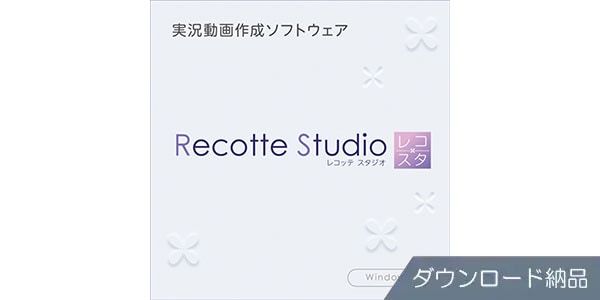


This is a simple yet professional live commentary video creation software. Available for download.
■Video Editing Software
====================================
■Download Delivery
- Approximately 10 minutes after completing your purchase, the activation code will be delivered to your registered email address.
- Activate the code you received on the D2R page below and you will receive product installation information via email. (You can also view the information by clicking the email icon on the D2R page.)
D2R Page
*If you do not have a D2R Page account, please register by clicking ""Register here"" on the D2R page.
- You can also view your D2R registration activation code by clicking ""Order Details"" in your Sound House My Page or Purchase History.
*It may take a few minutes for the information to be reflected in your purchase history.
- Click ""Support Information"" under ""Order Details"" to display activation information.
- For detailed installation/usage instructions, please contact the manufacturer.
====================================
""Recotte Studio"" is live commentary video creation software that allows you to easily create professional live commentary videos. It instantly performs time-consuming video editing tasks common to live commentary videos, such as adding subtitles and character images.
Includes convenient graphic data and 3D model (speaker) data
This software includes 391 types of graphic data, including manga symbols, symbols, onomatopoeia, and speech bubbles, that can be easily overlaid on video. It also includes 3D models in a format exclusive to ""Recotte Studio,"" as well as various motions that can be used with 3D models. It also includes a 2D character creation tool that allows you to create model data from images such as character images. (Separate download required) By using this, you can automatically blink and lip-sync to match the duration of the comment, just like with 3D models.
Use audio created with VOICEROID or CeVIO AI dedicated talk voice as is
By importing audio and text files created with VOICEROID or CeVIO AI dedicated talk voice into Recotte Studio, you can simultaneously apply the audio and text as comments for the model. Furthermore, you can quickly insert audio into video by simply dragging the imported comment and adjusting the speaking position.
VOICEROID2 and CeVIO AI dedicated talk voice have a linking function with Recotte Studio, so you can call up VOICEROID2 or CeVIO AI dedicated talk voice and enter text or insert audio.
*The VOICEROID, VOICEROID+, and VOICEROID+ EX series do not support the linking function, so you cannot call up or launch them. Please load audio files created in advance with VOICEROID.
■ Operating Environment
For the latest operating environment information, please refer to the manufacturer website product page.
====================================
■Download Delivery
- Approximately 10 minutes after completing your purchase, the activation code will be delivered to your registered email address.
- Activate the code you received on the D2R page below and you will receive product installation information via email. (You can also view the information by clicking the email icon on the D2R page.)
D2R Page
*If you do not have a D2R Page account, please register by clicking ""Register here"" on the D2R page.
- You can also view your D2R registration activation code by clicking ""Order Details"" in your Sound House My Page or Purchase History.
*It may take a few minutes for the information to be reflected in your purchase history.
- Click ""Support Information"" under ""Order Details"" to display activation information.
- For detailed installation/usage instructions, please contact the manufacturer.
====================================
""Recotte Studio"" is live commentary video creation software that allows you to easily create professional live commentary videos. It instantly performs time-consuming video editing tasks common to live commentary videos, such as adding subtitles and character images.
Includes convenient graphic data and 3D model (speaker) data
This software includes 391 types of graphic data, including manga symbols, symbols, onomatopoeia, and speech bubbles, that can be easily overlaid on video. It also includes 3D models in a format exclusive to ""Recotte Studio,"" as well as various motions that can be used with 3D models. It also includes a 2D character creation tool that allows you to create model data from images such as character images. (Separate download required) By using this, you can automatically blink and lip-sync to match the duration of the comment, just like with 3D models.
Use audio created with VOICEROID or CeVIO AI dedicated talk voice as is
By importing audio and text files created with VOICEROID or CeVIO AI dedicated talk voice into Recotte Studio, you can simultaneously apply the audio and text as comments for the model. Furthermore, you can quickly insert audio into video by simply dragging the imported comment and adjusting the speaking position.
VOICEROID2 and CeVIO AI dedicated talk voice have a linking function with Recotte Studio, so you can call up VOICEROID2 or CeVIO AI dedicated talk voice and enter text or insert audio.
*The VOICEROID, VOICEROID+, and VOICEROID+ EX series do not support the linking function, so you cannot call up or launch them. Please load audio files created in advance with VOICEROID.
■ Operating Environment
For the latest operating environment information, please refer to the manufacturer website product page.
商品レビューProduct Review




不適切な投稿として報告しますか?
理由
ご協力ありがとうございました
投稿を削除しますか?
投稿されたレビューを削除しました。
AHS
Recotte Studio ダウンロード納品
Item ID:381823
10,780 yen(incl. tax)

107Pt(1%)Detail
- 107Pts
通常ポイント
- 107Pts
Total
 Download
 Only the serial number will be sent to your registered email address. Orders cannot be changed or cancelled after they have been placed by the customer.
- In Stock
- In Stock, can be shipped when order is confirmed.
- Low Stock
- Low Stock, may be sold out soon.
- Scheduled date
- Expected to arrive at Sound House on this date.
- TBA
- Expected date of arrival at Sound House to be determined.
- Back Order
- It needs to be orderd from the manufacturer. Please inquire about the estimated date of arrival.
- Mfr. Delivery
- Must be ordered from manufacturer. Please inquire about the estimated date of arrival.
- Download
- Only the serial number will be sent to your registered email address.
- Special Order
- Made to order item or must be ordered from manufacturer. May take several weeks or months.
- No Longer Available
- Product is no longer available due to having been discoutined or other reasons.
Rating


この商品に関連するセレクションRelated Articles
-
 Discount Sale
-
 Outlet
-
 New Arrivals
-
 Podcast (streaming)
-
 Headphones / Earphones
-
 Microphones
-
 Wireless Equipment
-
 Speakers
-
 Power Amps
-
 Mixers
-
 Processors
-
 Portable PA Systems
-
 Recorders
-
 Karaoke
-
 Guitars
-
 Basses
-
 Ukuleles
-
 Drums & Percussion
-
 Pianos / Synthesizers
-
 Wind Instruments
-
 Stringed Instruments
-
 Japanese Instruments
-
 Harmonicas, Other
-
 Software
-
 DJ & VJ
-
 Stands
-
 Cables & Connectors
-
 Racks & Cases
-
 Lighting
-
 Stage & Truss
-
 Video Equipment
-
 PC PERIPHERALS
-
 Power Supplies
-
 Studio Furniture
-
 Household Items, Other
-
 Alcoholic Beverages
Search by Brand
Brand List








- Sound House
- 〒286-0825 14-3 Shinizumi , Narita City, Chiba
- Monday-Friday 10:00-17:00
- Narita Call Center
- TEL. 0476-89-1111
- FAX. 0476-89-2222
- Tokushima Call Center
- TEL. 0885-38-1111
- FAX. 0885-38-1100
- Showroom Hours
- Monday-Friday 10:00-17:00
closed on Saturdays, Sundays and Holidays


© Sound House

すべてのレビューを見る