




- Mixers
- DIGITAL MIXER
- Option cards
- WAVES/eMotion LV1 80-Channel Expansion ダウンロード納品
WAVES / eMotion LV1 80-Channel Expansion ダウンロード納品


Variations


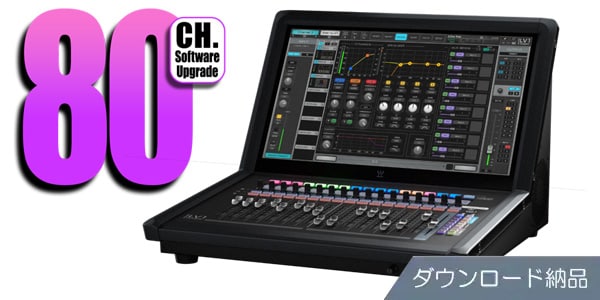
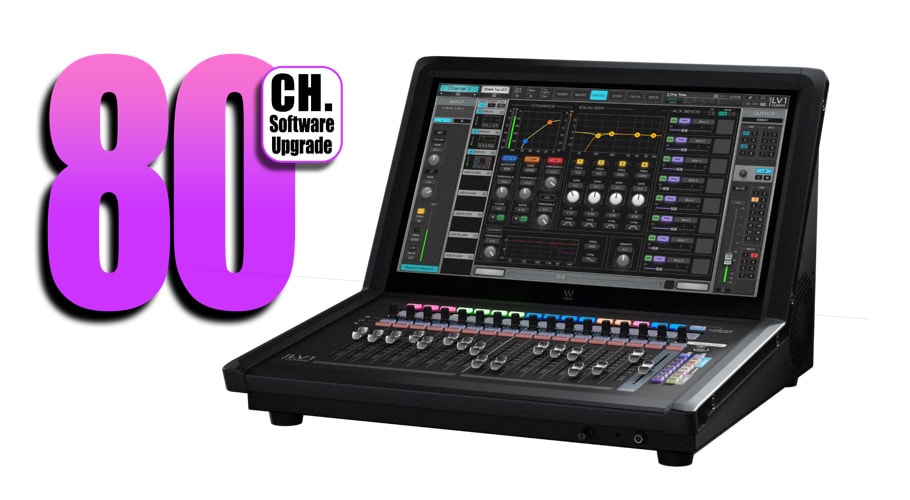
eMotion LV1 80-Channel Expansionは、LV1 Classic/LV1 64chソフトウェアの拡張オプション。ダウンロード納品。
■拡張オプション
■要LV1 Classic/LV1本体
---------------
■ダウンロード納品
・ご購入後、ご登録メールアドレスへシリアル番号のみが納品されます。
在庫状況が「DL即納」の場合、ご注文後すぐにシリアル番号が送信されます
在庫状況が「お取寄せ」の場合、ご注文後に数日いただき、メーカーからシリアル番号を取寄せ後のシリアル送信となります
・サウンドハウスのマイページ、購入履歴の「ご注文詳細」をクリックでもシリアル番号をご確認頂けます。
※「DL即納」の場合でも、購入履歴に情報が反映されるまで数分かかる事がございます。
・「ご注文詳細」内の「ダウンロード」をクリックすると、シリアル登録用のメーカーページへ飛びます。
・「ご注文詳細」内の「サポート情報」をクリックすると、メーカーやインストール情報が表示されます。
・インストール/使用方法の詳細につきましては、メーカー窓口までご確認ください。
---------------
オプションのソフトウェア拡張「eMotion LV1 80-Channel Expansion」を追加することで、お使いのLV1コンソール(LV1 ClassicまたはLV1 64-channel software license)を、最大80ステレオチャンネル/160インプット、52バスへと拡張できます。
これにより、これまで以上に大規模なライブや複雑なセットアップにも、LV1一台で柔軟に対応可能になります。
■主な拡張内容
80ステレオチャンネル(最大160インプット)対応
従来の64ch構成に16chを追加し、より多くの入力を一括管理可能
52バス構成に拡張
追加された8つのバスは、用途に応じて「オーディオグループ」または「モニターAUX」として選択可能。最大で16 GROUPまたは24 モニターAUXに出力バスを拡張できます
■よくある質問(FAQ)
80チャンネル拡張を利用するには何が必要ですか?
LV1 Classic(V16)、またはLV1 64-channel software license(V16)が必要です。
ご購入から1年以上が経過しているLV1ソフトウェアライセンスをご利用のお客様は、本拡張機能のご使用にあたりWaves Update Plan(WUP)の更新が必要となります。詳細はこちらをご確認ください
LV1 Classicをご利用のお客様は、製品登録から1年以内にV16へのアップデートを行ってください。詳細はこちらをご確認ください
80チャンネル拡張は別ライセンスとして登録されますか?
はい。LV1 ClassicまたはLV1 64chライセンスとは別に、追加ライセンスとしてアカウントに登録されます。
80チャンネル拡張ライセンスは、他のLV1環境でも使用できますか?
はい。LV1 Classicハードウェア間や、LV1 64chソフトウェア環境間で自由に移動できます。
追加された8つのバスはどのように設定しますか?
拡張インストール後、Setupタブ内の「Mixer Settings」ページで「GROUP」または「モニターAUX」として選択可能です。
■要LV1 Classic/LV1本体
---------------
■ダウンロード納品
・ご購入後、ご登録メールアドレスへシリアル番号のみが納品されます。
在庫状況が「DL即納」の場合、ご注文後すぐにシリアル番号が送信されます
在庫状況が「お取寄せ」の場合、ご注文後に数日いただき、メーカーからシリアル番号を取寄せ後のシリアル送信となります
・サウンドハウスのマイページ、購入履歴の「ご注文詳細」をクリックでもシリアル番号をご確認頂けます。
※「DL即納」の場合でも、購入履歴に情報が反映されるまで数分かかる事がございます。
・「ご注文詳細」内の「ダウンロード」をクリックすると、シリアル登録用のメーカーページへ飛びます。
・「ご注文詳細」内の「サポート情報」をクリックすると、メーカーやインストール情報が表示されます。
・インストール/使用方法の詳細につきましては、メーカー窓口までご確認ください。
---------------
オプションのソフトウェア拡張「eMotion LV1 80-Channel Expansion」を追加することで、お使いのLV1コンソール(LV1 ClassicまたはLV1 64-channel software license)を、最大80ステレオチャンネル/160インプット、52バスへと拡張できます。
これにより、これまで以上に大規模なライブや複雑なセットアップにも、LV1一台で柔軟に対応可能になります。
■主な拡張内容
80ステレオチャンネル(最大160インプット)対応
従来の64ch構成に16chを追加し、より多くの入力を一括管理可能
52バス構成に拡張
追加された8つのバスは、用途に応じて「オーディオグループ」または「モニターAUX」として選択可能。最大で16 GROUPまたは24 モニターAUXに出力バスを拡張できます
■よくある質問(FAQ)
80チャンネル拡張を利用するには何が必要ですか?
LV1 Classic(V16)、またはLV1 64-channel software license(V16)が必要です。
ご購入から1年以上が経過しているLV1ソフトウェアライセンスをご利用のお客様は、本拡張機能のご使用にあたりWaves Update Plan(WUP)の更新が必要となります。詳細はこちらをご確認ください
LV1 Classicをご利用のお客様は、製品登録から1年以内にV16へのアップデートを行ってください。詳細はこちらをご確認ください
80チャンネル拡張は別ライセンスとして登録されますか?
はい。LV1 ClassicまたはLV1 64chライセンスとは別に、追加ライセンスとしてアカウントに登録されます。
80チャンネル拡張ライセンスは、他のLV1環境でも使用できますか?
はい。LV1 Classicハードウェア間や、LV1 64chソフトウェア環境間で自由に移動できます。
追加された8つのバスはどのように設定しますか?
拡張インストール後、Setupタブ内の「Mixer Settings」ページで「GROUP」または「モニターAUX」として選択可能です。
商品レビューProduct Review




不適切な投稿として報告しますか?
理由
ご協力ありがとうございました
投稿を削除しますか?
投稿されたレビューを削除しました。
WAVES
eMotion LV1 80-Channel Expansion ダウンロード納品
Item ID:378418
170,500 yen(incl. tax)

1,705Pt(1%)Detail
- 1,705Pts
通常ポイント
- 1,705Pts
Total
 Back Order
 - In Stock
- In Stock, can be shipped when order is confirmed.
- Low Stock
- Low Stock, may be sold out soon.
- Scheduled date
- Expected to arrive at Sound House on this date.
- TBA
- Expected date of arrival at Sound House to be determined.
- Back Order
- It needs to be orderd from the manufacturer. Please inquire about the estimated date of arrival.
- Mfr. Delivery
- Must be ordered from manufacturer. Please inquire about the estimated date of arrival.
- Download
- Only the serial number will be sent to your registered email address.
- Special Order
- Made to order item or must be ordered from manufacturer. May take several weeks or months.
- No Longer Available
- Product is no longer available due to having been discoutined or other reasons.
Rating


この商品に関連するセレクションRelated Articles


-
 Discount Sale
-
 Outlet
-
 New Arrivals
-
 Podcast (streaming)
-
 Headphones / Earphones
-
 Microphones
-
 Wireless Equipment
-
 Speakers
-
 Power Amps
-
 Mixers
-
 Processors
-
 Portable PA Systems
-
 Recorders
-
 Karaoke
-
 Guitars
-
 Basses
-
 Ukuleles
-
 Drums & Percussion
-
 Pianos / Synthesizers
-
 Wind Instruments
-
 Stringed Instruments
-
 Japanese Instruments
-
 Harmonicas, Other
-
 Software
-
 DJ & VJ
-
 Stands
-
 Cables & Connectors
-
 Racks & Cases
-
 Lighting
-
 Stage & Truss
-
 Video Equipment
-
 PC PERIPHERALS
-
 Power Supplies
-
 Studio Furniture
-
 Household Items, Other
-
 Alcoholic Beverages
Search by Brand
Brand List









- Sound House
- 〒286-0825 14-3 Shinizumi , Narita City, Chiba
- Monday-Friday 10:00-17:00
- Narita Call Center
- TEL. 0476-89-1111
- FAX. 0476-89-2222
- Tokushima Call Center
- TEL. 0885-38-1111
- FAX. 0885-38-1100
- Showroom Hours
- Monday-Friday 10:00-17:00
closed on Saturdays, Sundays and Holidays


© Sound House

すべてのレビューを見る