




- Software
- PLUG IN / SOFTWARE
- Other plug-in software
- Audiomovers/INJECT ダウンロード納品
Audiomovers / INJECT ダウンロード納品
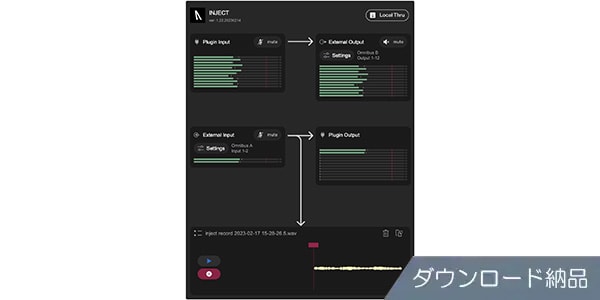
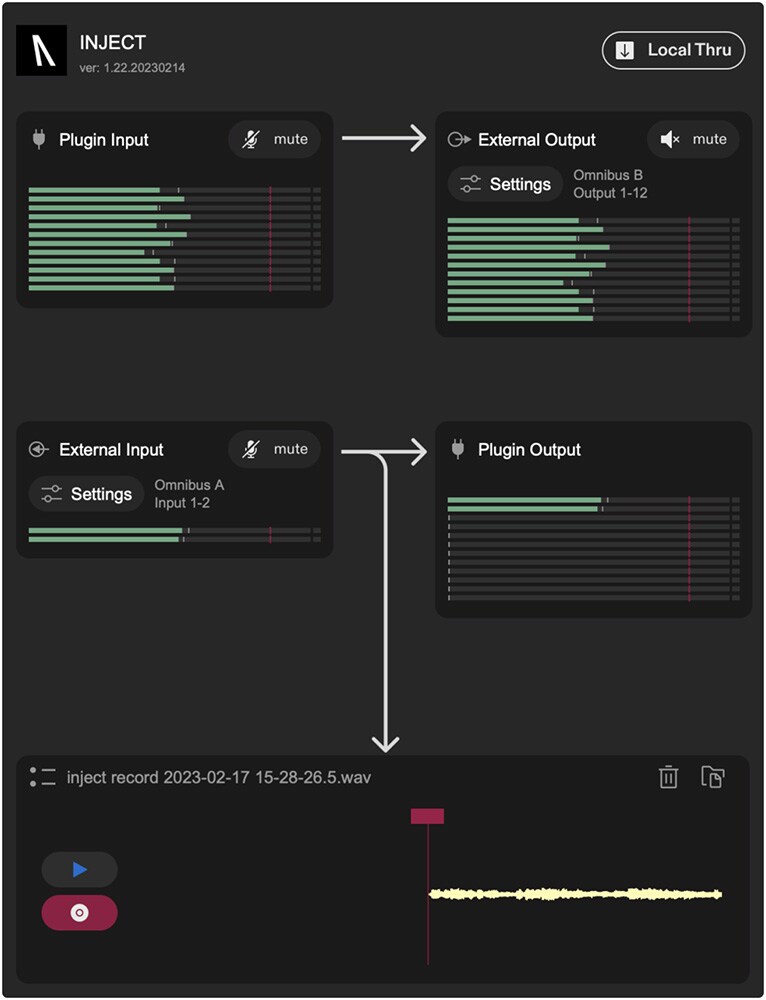


Easy audio input and output from any channel of your DAW. Download delivery.
■ Plug-in Software
---------------
■ Download Delivery
The activation code will be delivered to your registered e-mail address approximately 10 minutes after the completion of your purchase.
You will receive an e-mail with information on how to install the product by activating the code on the D2R page below. (You can also click the email icon on the D2R page to view the information.)
If you do not have a D2R page account, please click “New Registration” on the D2R page to register as a user.
If you do not have a D2R page account, please click “Click here to register” on the D2R page to register.
It may take a few minutes for the information to be reflected in your purchase history.
Click on “Support Information” in the “Order Details” section to view the activation information.
For more information on installation/usage, please contact the manufacturer.
---------------
INJECT - Enables easy routing of audio inputs and outputs on any channel of the DAW
INJECT - streamlines workflow when using external audio devices, allowing audio to be sent and received between applications and between USB audio devices
Key Features
Routes audio to and from any audio device
Up to 16 channels can be configured
Built-in recorder with drag-and-drop support
Runs on Mac or PC
Seamless integration between device and DAW
INJECT plug-ins for Mac or Windows can work with any channel in your DAW and can send audio from or to any audio device in your system, whether software or hardware (using CoreAudio or WDM).
INJECT has a built-in recorder, sample rate converter, and multi-channel input/output for each channel of your DAW.
INJECT's built-in stereo virtual driver facilitates audio routing between applications.
Further enhance your creativity with minimal setup.
∙ Record directly to channels from USB synthesizers, iPad, or browser - no need to switch playback engines in your DAW
Built-in recorder with drag-and-drop functionality for quick sampling
Audio can be routed from channels in the DAW to OBS or LISTENTO WEB TRANSMITTER
System Requirements
Please refer to the distributor's product page for the latest system requirements.
---------------
■ Download Delivery
The activation code will be delivered to your registered e-mail address approximately 10 minutes after the completion of your purchase.
You will receive an e-mail with information on how to install the product by activating the code on the D2R page below. (You can also click the email icon on the D2R page to view the information.)
If you do not have a D2R page account, please click “New Registration” on the D2R page to register as a user.
If you do not have a D2R page account, please click “Click here to register” on the D2R page to register.
It may take a few minutes for the information to be reflected in your purchase history.
Click on “Support Information” in the “Order Details” section to view the activation information.
For more information on installation/usage, please contact the manufacturer.
---------------
INJECT - Enables easy routing of audio inputs and outputs on any channel of the DAW
INJECT - streamlines workflow when using external audio devices, allowing audio to be sent and received between applications and between USB audio devices
Key Features
Routes audio to and from any audio device
Up to 16 channels can be configured
Built-in recorder with drag-and-drop support
Runs on Mac or PC
Seamless integration between device and DAW
INJECT plug-ins for Mac or Windows can work with any channel in your DAW and can send audio from or to any audio device in your system, whether software or hardware (using CoreAudio or WDM).
INJECT has a built-in recorder, sample rate converter, and multi-channel input/output for each channel of your DAW.
INJECT's built-in stereo virtual driver facilitates audio routing between applications.
Further enhance your creativity with minimal setup.
∙ Record directly to channels from USB synthesizers, iPad, or browser - no need to switch playback engines in your DAW
Built-in recorder with drag-and-drop functionality for quick sampling
Audio can be routed from channels in the DAW to OBS or LISTENTO WEB TRANSMITTER
System Requirements
Please refer to the distributor's product page for the latest system requirements.
商品レビューProduct Review




不適切な投稿として報告しますか?
理由
ご協力ありがとうございました
投稿を削除しますか?
投稿されたレビューを削除しました。
Audiomovers
INJECT ダウンロード納品
Item ID:339352
8,800 yen(incl. tax)

88Pt(1%)Detail
- 88Pts
通常ポイント
- 88Pts
Total
 Download
 Only the serial number will be sent to your registered email address. Orders cannot be changed or cancelled after they have been placed by the customer.
- In Stock
- In Stock, can be shipped when order is confirmed.
- Low Stock
- Low Stock, may be sold out soon.
- Scheduled date
- Expected to arrive at Sound House on this date.
- TBA
- Expected date of arrival at Sound House to be determined.
- Back Order
- It needs to be orderd from the manufacturer. Please inquire about the estimated date of arrival.
- Mfr. Delivery
- Must be ordered from manufacturer. Please inquire about the estimated date of arrival.
- Download
- Only the serial number will be sent to your registered email address.
- Special Order
- Made to order item or must be ordered from manufacturer. May take several weeks or months.
- No Longer Available
- Product is no longer available due to having been discoutined or other reasons.
Rating


この商品に関連するセレクションRelated Articles


-
 Discount Sale
-
 Outlet
-
 New Arrivals
-
 Podcast (streaming)
-
 Headphones / Earphones
-
 Microphones
-
 Wireless Equipment
-
 Speakers
-
 Power Amps
-
 Mixers
-
 Processors
-
 Portable PA Systems
-
 Recorders
-
 Karaoke
-
 Guitars
-
 Basses
-
 Ukuleles
-
 Drums & Percussion
-
 Pianos / Synthesizers
-
 Wind Instruments
-
 Stringed Instruments
-
 Japanese Instruments
-
 Harmonicas, Other
-
 Software
-
 DJ & VJ
-
 Stands
-
 Cables & Connectors
-
 Racks & Cases
-
 Lighting
-
 Stage & Truss
-
 Video Equipment
-
 PC PERIPHERALS
-
 Power Supplies
-
 Studio Furniture
-
 Household Items, Other
-
 Alcoholic Beverages
Search by Brand
Brand List








- Sound House
- 〒286-0825 14-3 Shinizumi , Narita City, Chiba
- Monday-Friday 10:00-17:00
- Narita Call Center
- TEL. 0476-89-1111
- FAX. 0476-89-2222
- Tokushima Call Center
- TEL. 0885-38-1111
- FAX. 0885-38-1100
- Showroom Hours
- Monday-Friday 10:00-17:00
closed on Saturdays, Sundays and Holidays


© Sound House

すべてのレビューを見る