




- Software
- PLUG IN / SOFTWARE
- Compressors / limiters / EQs
- APOGEE/Apogee FX Pultec Bundle download delivery
APOGEE / Apogee FX Pultec Bundle download delivery
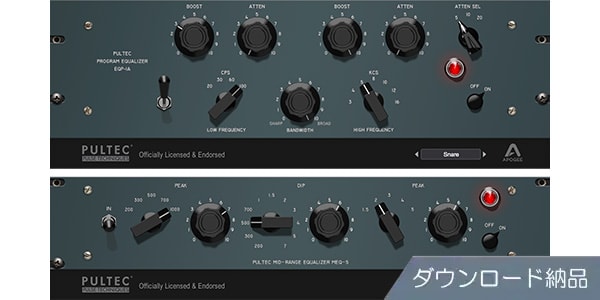
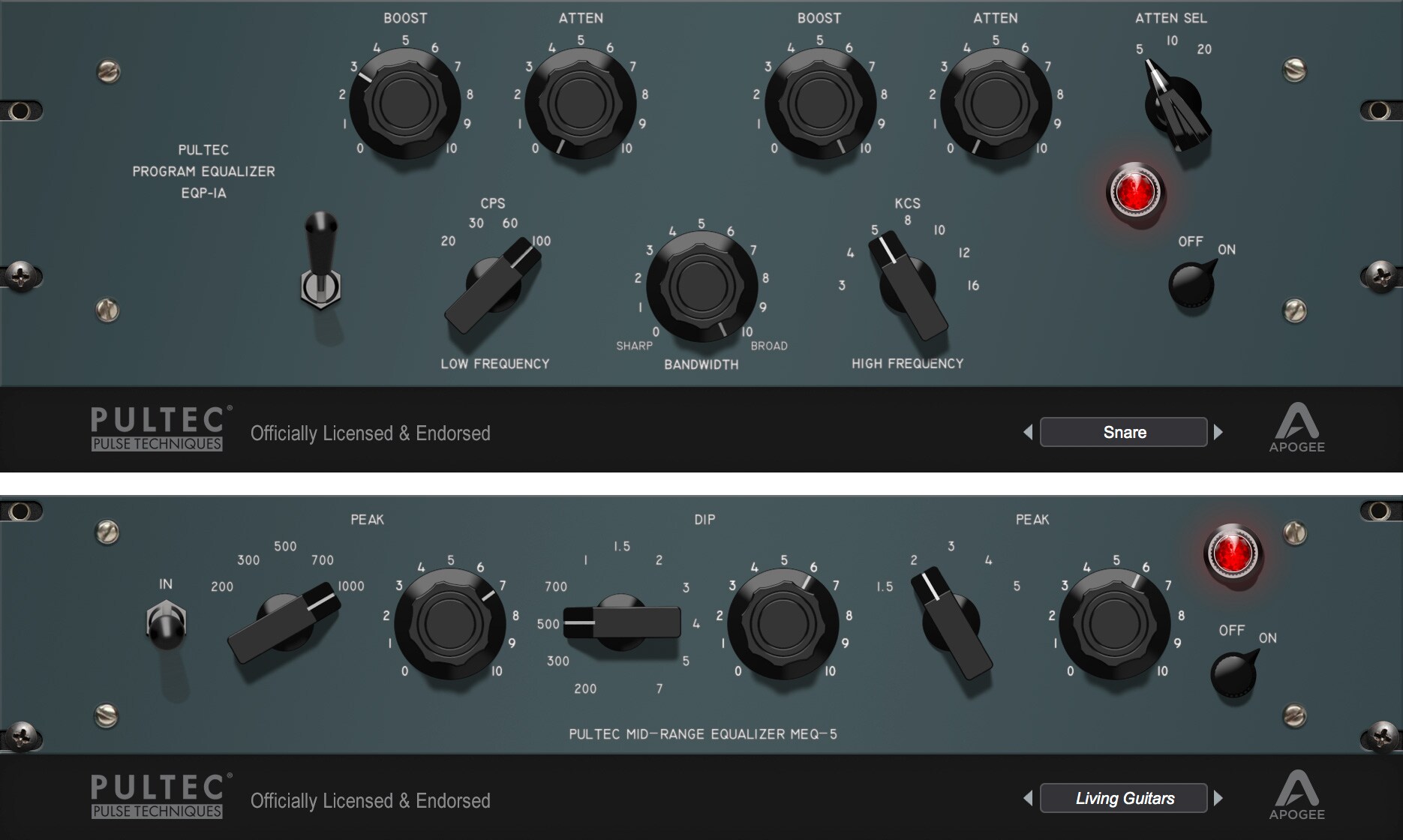


The Apogee FX Pultec Bundle is a selection of premium plug-ins, both modern and vintage. By combining it with audio hardware DSP, a flexible workflow is realized. Download delivery.
■Plug-in
■EQ
---------------
■Download delivery
・Approximately 10 minutes after completing your purchase, you will receive an activation code to your registered email address.
・By activating the code you receive on the D2R page below, you will receive information by email for installing the product. (You can also display the information by clicking on the email icon on the D2R page)
D2R page
If you do not have an account on the D2R page, please register as a user from the ‘Click here to register’ link on the D2R page.
You can also check your activation code for D2R registration by clicking on ‘Order Details’ in your My Page or Purchase History on Soundhouse.
Please note that it may take a few minutes for the information to be reflected in your purchase history.
Clicking on ‘Support Information’ in ‘Order Details’ will display the activation information.
For details on installation/usage, please contact the manufacturer.
---------------
The Apogee FX Pultec Bundle is a bundle that includes the following products.
・EQP-1A
・MEQ-5
Apogee FX Rack, now available
For over 30 years, Apogee Electronics has been the standard for digital audio recording for professionals. With a unique and innovative approach to creating hardware products that aim for the ultimate in sound quality, and with a strong focus on the user experience, Apogee has continued to capture the musical moments of creators and performers around the world.
Apogee FX Rack brings this expertise and approach to the world of software audio plug-ins. By combining premium plug-ins, selected from both modern and vintage sources, with audio hardware DSP, Apogee FX Rack provides a simple and flexible workflow.
Apogee FX Rack Workflow
With Apogee FX Rack, you can choose how to use it to suit your workflow.
Native Mode
This is a mode where you use Apogee FX Rack like a general plug-in without using Apogee hardware on a compatible DAW on a plug-in Mac.
Print Mode
The hardware DSP in your Apogee Element Series and Ensemble Thunderbolt interfaces, now activated by the Apogee FX Rack system, offer two additional workflow options when recording.
This is a mode where FX Rack is applied directly to the input of Apogee hardware. You can launch the FX Rack plug-in within the Apogee Control software, apply your desired processing to the recording, and then record the effects applied to the DAW track.
DualPath Monitor mode
DualPath Monitor provides a simple solution for building a mix while retaining flexible processing during recording. Open the Apogee FX Rack plug-in in your DAW and link it to the Apogee hardware input. The same FX Rack processor will then run in parallel on the monitor path as a low-latency version. Any operation you make on either plug-in is instantly mirrored on the other, keeping your sound changes uniform. Many hardware controls, such as mic pre-amp gain, can also be controlled from the DAW, so there is no need to switch between the two windows.
Apogee hardware that can use DSP
The Print and DualPath Monitoring modes of the Apogee FX Rack can be used with the Apogee Ensemble Thunderbolt and Element Series.
■EQ
---------------
■Download delivery
・Approximately 10 minutes after completing your purchase, you will receive an activation code to your registered email address.
・By activating the code you receive on the D2R page below, you will receive information by email for installing the product. (You can also display the information by clicking on the email icon on the D2R page)
D2R page
If you do not have an account on the D2R page, please register as a user from the ‘Click here to register’ link on the D2R page.
You can also check your activation code for D2R registration by clicking on ‘Order Details’ in your My Page or Purchase History on Soundhouse.
Please note that it may take a few minutes for the information to be reflected in your purchase history.
Clicking on ‘Support Information’ in ‘Order Details’ will display the activation information.
For details on installation/usage, please contact the manufacturer.
---------------
The Apogee FX Pultec Bundle is a bundle that includes the following products.
・EQP-1A
・MEQ-5
Apogee FX Rack, now available
For over 30 years, Apogee Electronics has been the standard for digital audio recording for professionals. With a unique and innovative approach to creating hardware products that aim for the ultimate in sound quality, and with a strong focus on the user experience, Apogee has continued to capture the musical moments of creators and performers around the world.
Apogee FX Rack brings this expertise and approach to the world of software audio plug-ins. By combining premium plug-ins, selected from both modern and vintage sources, with audio hardware DSP, Apogee FX Rack provides a simple and flexible workflow.
Apogee FX Rack Workflow
With Apogee FX Rack, you can choose how to use it to suit your workflow.
Native Mode
This is a mode where you use Apogee FX Rack like a general plug-in without using Apogee hardware on a compatible DAW on a plug-in Mac.
Print Mode
The hardware DSP in your Apogee Element Series and Ensemble Thunderbolt interfaces, now activated by the Apogee FX Rack system, offer two additional workflow options when recording.
This is a mode where FX Rack is applied directly to the input of Apogee hardware. You can launch the FX Rack plug-in within the Apogee Control software, apply your desired processing to the recording, and then record the effects applied to the DAW track.
DualPath Monitor mode
DualPath Monitor provides a simple solution for building a mix while retaining flexible processing during recording. Open the Apogee FX Rack plug-in in your DAW and link it to the Apogee hardware input. The same FX Rack processor will then run in parallel on the monitor path as a low-latency version. Any operation you make on either plug-in is instantly mirrored on the other, keeping your sound changes uniform. Many hardware controls, such as mic pre-amp gain, can also be controlled from the DAW, so there is no need to switch between the two windows.
Apogee hardware that can use DSP
The Print and DualPath Monitoring modes of the Apogee FX Rack can be used with the Apogee Ensemble Thunderbolt and Element Series.
商品レビューProduct Review




不適切な投稿として報告しますか?
理由
ご協力ありがとうございました
投稿を削除しますか?
投稿されたレビューを削除しました。
APOGEE
Apogee FX Pultec Bundle download delivery
Item ID:327116
46,200 yen(incl. tax)

462Pt(1%)Detail
- 462Pts
通常ポイント
- 462Pts
Total
 Download
 Only the serial number will be sent to your registered email address. Orders cannot be changed or cancelled after they have been placed by the customer.
- In Stock
- In Stock, can be shipped when order is confirmed.
- Low Stock
- Low Stock, may be sold out soon.
- Scheduled date
- Expected to arrive at Sound House on this date.
- TBA
- Expected date of arrival at Sound House to be determined.
- Back Order
- It needs to be orderd from the manufacturer. Please inquire about the estimated date of arrival.
- Mfr. Delivery
- Must be ordered from manufacturer. Please inquire about the estimated date of arrival.
- Download
- Only the serial number will be sent to your registered email address.
- Special Order
- Made to order item or must be ordered from manufacturer. May take several weeks or months.
- No Longer Available
- Product is no longer available due to having been discoutined or other reasons.
Rating


この商品に関連するセレクションRelated Articles


-
 Discount Sale
-
 Outlet
-
 New Arrivals
-
 Podcast (streaming)
-
 Headphones / Earphones
-
 Microphones
-
 Wireless Equipment
-
 Speakers
-
 Power Amps
-
 Mixers
-
 Processors
-
 Portable PA Systems
-
 Recorders
-
 Karaoke
-
 Guitars
-
 Basses
-
 Ukuleles
-
 Drums & Percussion
-
 Pianos / Synthesizers
-
 Wind Instruments
-
 Stringed Instruments
-
 Japanese Instruments
-
 Harmonicas, Other
-
 Software
-
 DJ & VJ
-
 Stands
-
 Cables & Connectors
-
 Racks & Cases
-
 Lighting
-
 Stage & Truss
-
 Video Equipment
-
 PC PERIPHERALS
-
 Power Supplies
-
 Studio Furniture
-
 Household Items, Other
-
 Alcoholic Beverages
Search by Brand
Brand List








- Sound House
- 〒286-0825 14-3 Shinizumi , Narita City, Chiba
- Monday-Friday 10:00-17:00
- Narita Call Center
- TEL. 0476-89-1111
- FAX. 0476-89-2222
- Tokushima Call Center
- TEL. 0885-38-1111
- FAX. 0885-38-1100
- Showroom Hours
- Monday-Friday 10:00-17:00
closed on Saturdays, Sundays and Holidays


© Sound House

すべてのレビューを見る