


- Processors
- DI
- Active DIs
- IK MULTIMEDIA/TONEX Capture
IK MULTIMEDIA / TONEX Capture
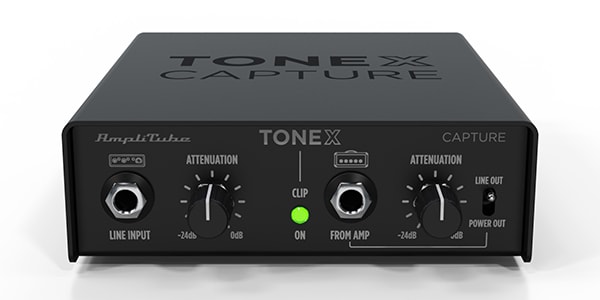
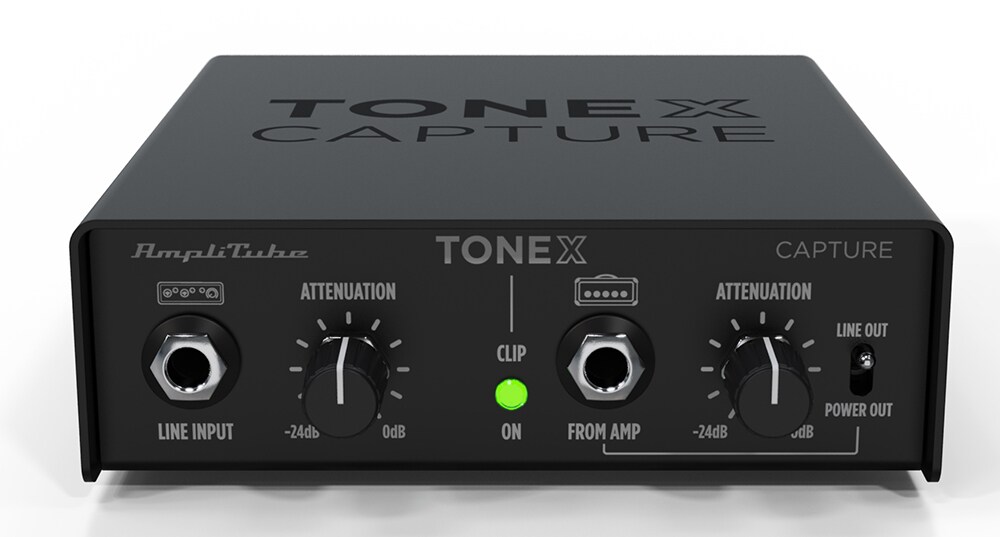
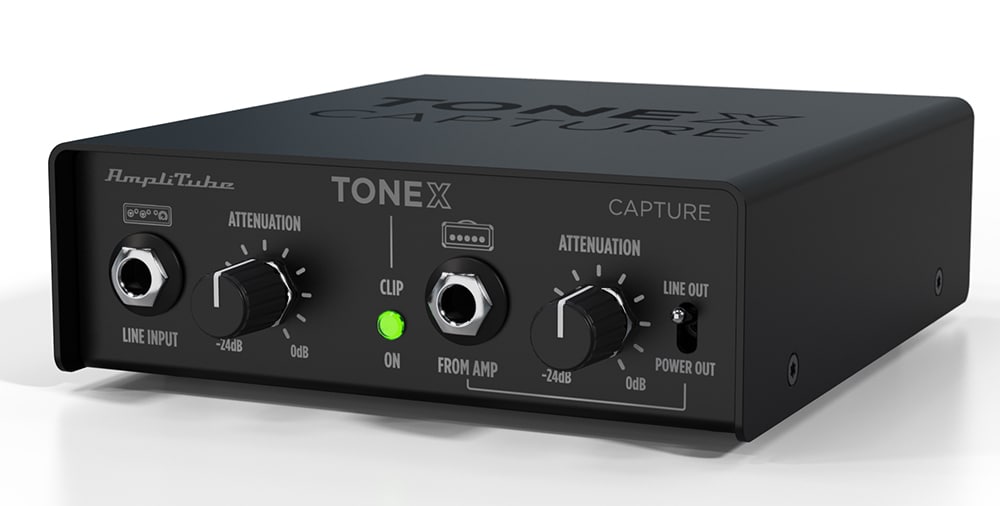
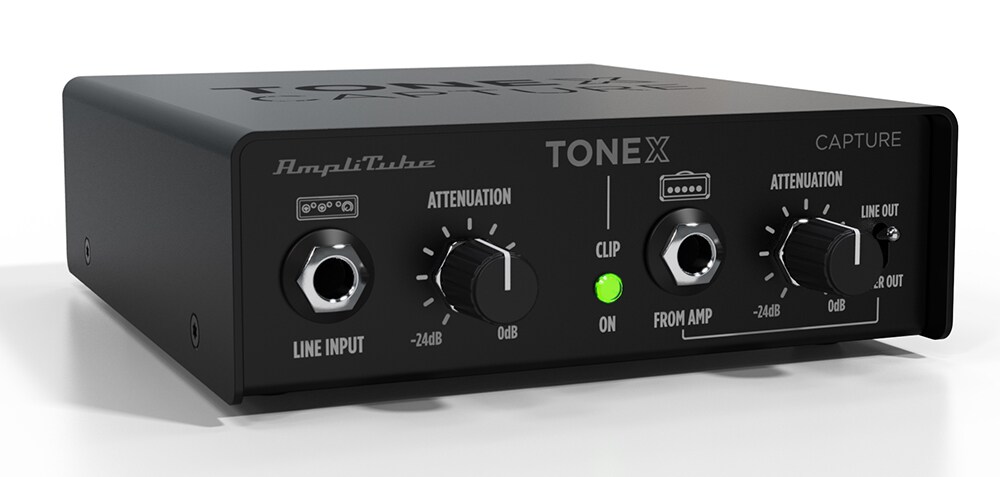
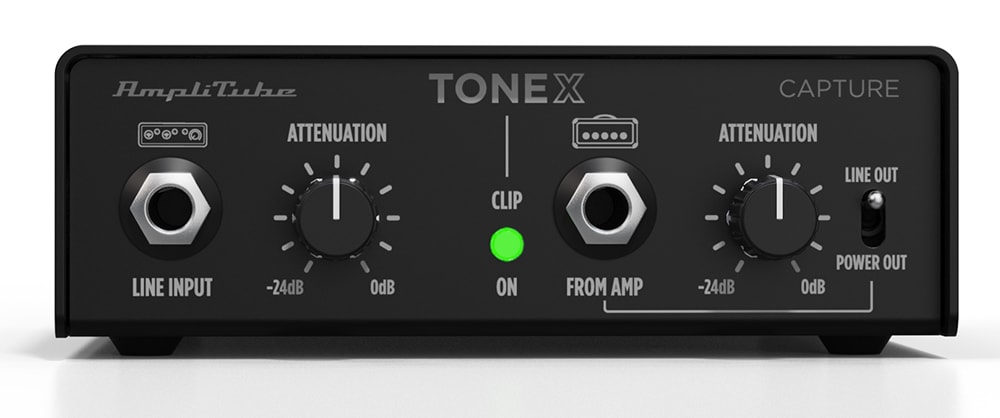
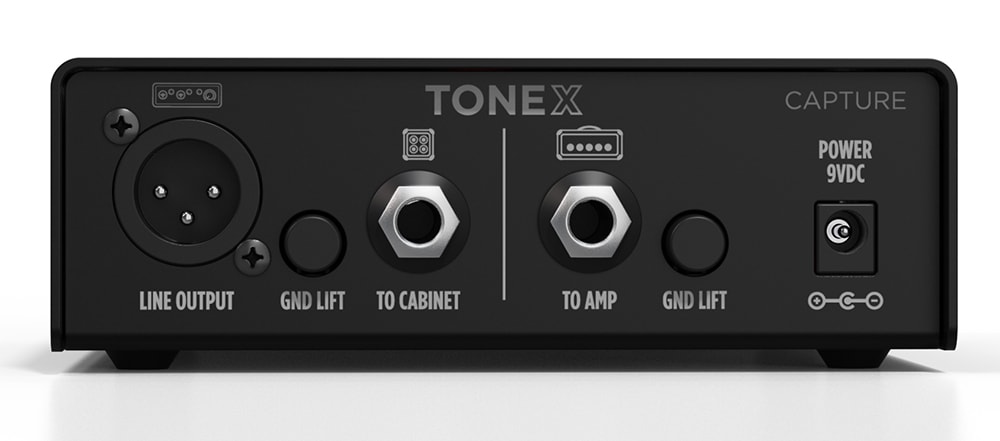



IK Multimedia / TONEX Capture is an all-in-one device that makes it easy to capture amplifier tones. It provides an ideal way to model equipment using TONEX software. In addition to modeling, it can also be used for re-amping and amp recording.
■Tone Modeling/Reamping Compatible Gear
The TONEX Capture features two attenuation stages, allowing you to optimize the levels between your audio interface and amplifier.
First, connect the output of your audio interface to the TONEX Capture's LINE INPUT and use the ATTENUATION control on the left side of the front panel to attenuate the signal to the optimal level for your amplifier.
Next, input the amplified signal from your amplifier into FROM AMP and use the ATTENUATION control on the right side of the front panel to attenuate the signal to the optimal level for your audio interface.
By ensuring the signal is exchanged at the appropriate levels, you can accurately capture the amplifier's behavior.
Capture Your Rig Freely
With TONEX Capture, setting up your rig is incredibly simple. Connect your amplifier, combo, or pedals to your audio interface and use the TONEX software to create high-quality Tone Models.
Amplifier (Direct)
* Attenuate the signal input from the audio interface to the LINE INPUT to the optimal level for the amplifier using the ATTENUATION control on the left side of the front panel.
* Attenuate the signal input from the amplifier to FROM AMP to the optimal level for the audio interface using the ATTENUATION control on the right side of the front panel.
This method allows recording at home without the need for a soundproof room or microphone. The Tone Model captured directly from the amplifier can be finalized using hundreds of professional virtual cabinets and IRs powered by TONEX's VIR? technology.
* Even when capturing directly from the amplifier, always connect a speaker cabinet or load box to the “TO CABINET” terminal to prevent damage to the amplifier.
Amplifier + Cabinet
If a microphone and recording space are available, it is also possible to capture the sound including the cabinet.
* The output from the audio interface is processed into an appropriate signal via TONEX Capture and input to the amplifier.
* The sound from the cabinet is picked up with a microphone and input to the audio interface.
This method allows you to accurately capture the entire tone of the rig, including the cabinet. TONEX's AI Machine Modeling is highly advanced, and it's even possible to isolate the cabinet sound later.
Amp + Cabinet & Direct
By capturing both the direct signal from the amplifier and the amp + cabinet signal, you can build the best guitar/bass tone.
* Connect the direct signal from FROM AMP and the microphone signal capturing the cabinet simultaneously.
* TONEX software can capture both the microphone-passed signal and the direct signal for tone modeling.
The TONEX Capture FROM AMP circuit is passive, so it doesn't put a load on the amplifier or add any unwanted coloration to the tone.
Pedals
TONEX Capture allows you to capture pedals to create Tone Models, or use it to add analog texture to recorded sounds by running them through hardware pedals.
? Connect your audio interface and pedal using TONEX Capture's TO AMP circuit.
? Connect the pedal back to the interface's instrument input.
It's very simple!
Share/Download Your Favorite Tone Models
Tone Models created with TONEX Capture can be shared with users worldwide via ToneNET. You can also access 200 official premium Tone Models.
Key Features
* Supports tone modeling, amp recording, and re-amping
* Connects audio interface and amp at the correct level
* Captures amp signal before cabinet*
* Eliminates hum and noise through ground lift and galvanic isolation
* Ideal for capturing Tone Models, also usable for re-amping and amp recording
* Includes TONEX SE for Mac/PC (20 amps with 200 Tone Models, 10 pedals)
*TONEX Capture does not function as a load box. The “TO CABINET” terminal on the rear panel must always be connected to a speaker cabinet or load box.
The TONEX Capture features two attenuation stages, allowing you to optimize the levels between your audio interface and amplifier.
First, connect the output of your audio interface to the TONEX Capture's LINE INPUT and use the ATTENUATION control on the left side of the front panel to attenuate the signal to the optimal level for your amplifier.
Next, input the amplified signal from your amplifier into FROM AMP and use the ATTENUATION control on the right side of the front panel to attenuate the signal to the optimal level for your audio interface.
By ensuring the signal is exchanged at the appropriate levels, you can accurately capture the amplifier's behavior.
Capture Your Rig Freely
With TONEX Capture, setting up your rig is incredibly simple. Connect your amplifier, combo, or pedals to your audio interface and use the TONEX software to create high-quality Tone Models.
Amplifier (Direct)
* Attenuate the signal input from the audio interface to the LINE INPUT to the optimal level for the amplifier using the ATTENUATION control on the left side of the front panel.
* Attenuate the signal input from the amplifier to FROM AMP to the optimal level for the audio interface using the ATTENUATION control on the right side of the front panel.
This method allows recording at home without the need for a soundproof room or microphone. The Tone Model captured directly from the amplifier can be finalized using hundreds of professional virtual cabinets and IRs powered by TONEX's VIR? technology.
* Even when capturing directly from the amplifier, always connect a speaker cabinet or load box to the “TO CABINET” terminal to prevent damage to the amplifier.
Amplifier + Cabinet
If a microphone and recording space are available, it is also possible to capture the sound including the cabinet.
* The output from the audio interface is processed into an appropriate signal via TONEX Capture and input to the amplifier.
* The sound from the cabinet is picked up with a microphone and input to the audio interface.
This method allows you to accurately capture the entire tone of the rig, including the cabinet. TONEX's AI Machine Modeling is highly advanced, and it's even possible to isolate the cabinet sound later.
Amp + Cabinet & Direct
By capturing both the direct signal from the amplifier and the amp + cabinet signal, you can build the best guitar/bass tone.
* Connect the direct signal from FROM AMP and the microphone signal capturing the cabinet simultaneously.
* TONEX software can capture both the microphone-passed signal and the direct signal for tone modeling.
The TONEX Capture FROM AMP circuit is passive, so it doesn't put a load on the amplifier or add any unwanted coloration to the tone.
Pedals
TONEX Capture allows you to capture pedals to create Tone Models, or use it to add analog texture to recorded sounds by running them through hardware pedals.
? Connect your audio interface and pedal using TONEX Capture's TO AMP circuit.
? Connect the pedal back to the interface's instrument input.
It's very simple!
Share/Download Your Favorite Tone Models
Tone Models created with TONEX Capture can be shared with users worldwide via ToneNET. You can also access 200 official premium Tone Models.
Key Features
* Supports tone modeling, amp recording, and re-amping
* Connects audio interface and amp at the correct level
* Captures amp signal before cabinet*
* Eliminates hum and noise through ground lift and galvanic isolation
* Ideal for capturing Tone Models, also usable for re-amping and amp recording
* Includes TONEX SE for Mac/PC (20 amps with 200 Tone Models, 10 pedals)
*TONEX Capture does not function as a load box. The “TO CABINET” terminal on the rear panel must always be connected to a speaker cabinet or load box.
商品レビューProduct Review




不適切な投稿として報告しますか?
理由
ご協力ありがとうございました
投稿を削除しますか?
投稿されたレビューを削除しました。
IK MULTIMEDIA
TONEX Capture
Item ID:321922
48,400 yen(incl. tax)

2,201Pt(4%)Detail
- 484Pts
通常ポイント
- 1,717Pts
ボーナスポイント
- 2,201Pts
Total
 Back Order
 - In Stock
- In Stock, can be shipped when order is confirmed.
- Low Stock
- Low Stock, may be sold out soon.
- Scheduled date
- Expected to arrive at Sound House on this date.
- TBA
- Expected date of arrival at Sound House to be determined.
- Back Order
- It needs to be orderd from the manufacturer. Please inquire about the estimated date of arrival.
- Mfr. Delivery
- Must be ordered from manufacturer. Please inquire about the estimated date of arrival.
- Download
- Only the serial number will be sent to your registered email address.
- Special Order
- Made to order item or must be ordered from manufacturer. May take several weeks or months.
- No Longer Available
- Product is no longer available due to having been discoutined or other reasons.
Rating


この商品に関連するセレクションRelated Articles


-
 Discount Sale
-
 Outlet
-
 New Arrivals
-
 Podcast (streaming)
-
 Headphones / Earphones
-
 Microphones
-
 Wireless Equipment
-
 Speakers
-
 Power Amps
-
 Mixers
-
 Processors
-
 Portable PA Systems
-
 Recorders
-
 Karaoke
-
 Guitars
-
 Basses
-
 Ukuleles
-
 Drums & Percussion
-
 Pianos / Synthesizers
-
 Wind Instruments
-
 Stringed Instruments
-
 Japanese Instruments
-
 Harmonicas, Other
-
 Software
-
 DJ & VJ
-
 Stands
-
 Cables & Connectors
-
 Racks & Cases
-
 Lighting
-
 Stage & Truss
-
 Video Equipment
-
 PC PERIPHERALS
-
 Power Supplies
-
 Studio Furniture
-
 Household Items, Other
-
 Alcoholic Beverages
Search by Brand
Brand List








- Sound House
- 〒286-0825 14-3 Shinizumi , Narita City, Chiba
- Monday-Friday 10:00-17:00
- Narita Call Center
- TEL. 0476-89-1111
- FAX. 0476-89-2222
- Tokushima Call Center
- TEL. 0885-38-1111
- FAX. 0885-38-1100
- Showroom Hours
- Monday-Friday 10:00-17:00
closed on Saturdays, Sundays and Holidays


© Sound House

すべてのレビューを見る