


- Household Items, Other
- Others
- Others
- Anker/Eufy Security SmartTrack Card (2-pack) (for iPhone)
Anker / Eufy Security SmartTrack Card (2-pack) (for iPhone)
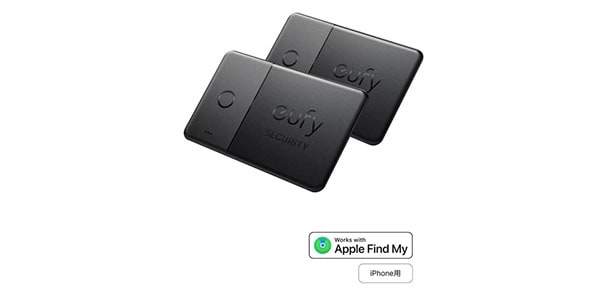
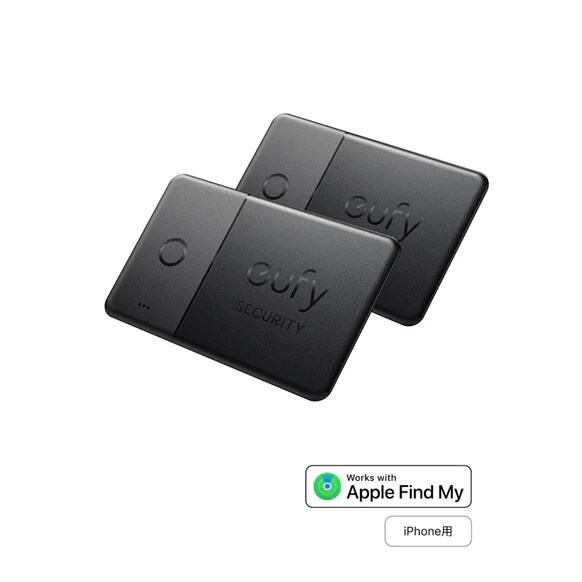
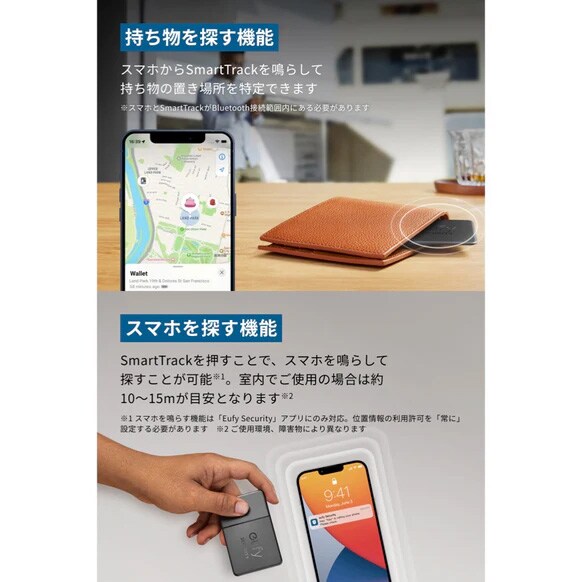
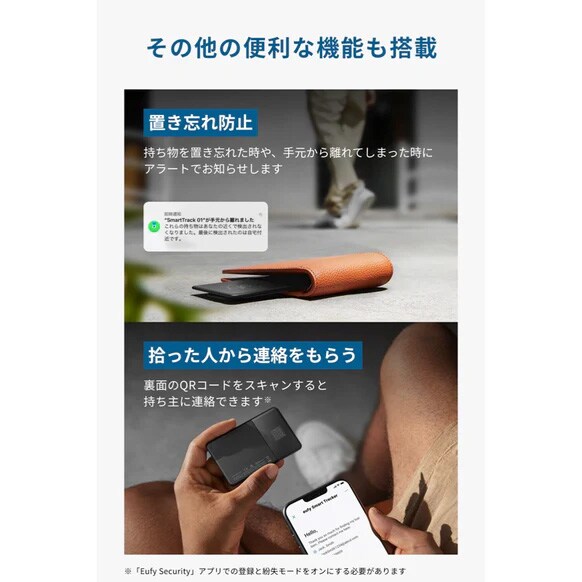


The ""Eufy Security SmartTrack Card (2-pack) for iPhone"" is a card-type anti-loss tracker compatible with Apple's ""Find My"" feature.
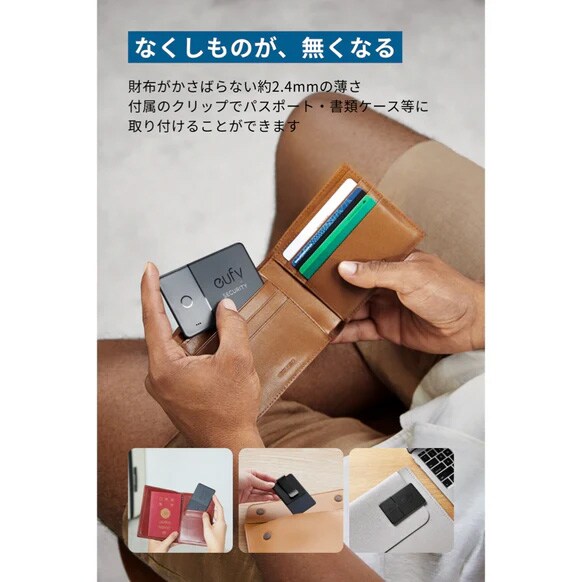
■ Never lose your belongings again
- Its slim design (approximately 2.4mm) makes it easy to store in wallets and credit card holders. The included metal clip allows you to attach it to passports, credit card holders, etc.
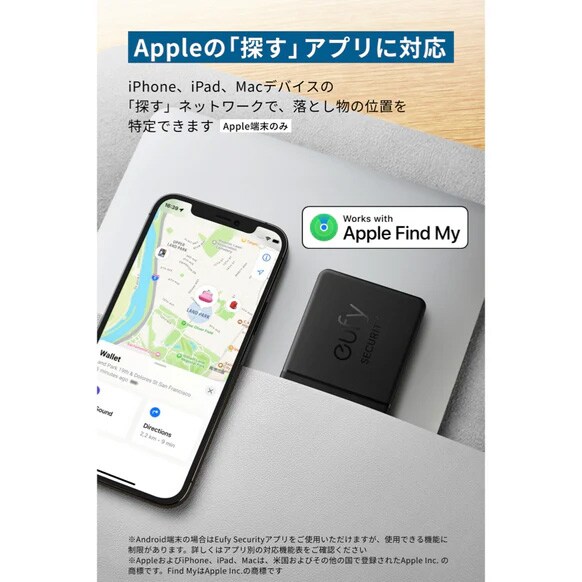
■ Compatible with Apple's ""Find My""
- Locate lost items using the ""Find My"" network on your iPhone, iPad, and Mac devices.
*Some features may not be supported. Apple, iPhone, iPad, and Mac are trademarks of Apple Inc., registered in the U.S. and other countries. Find My is a trademark of Apple Inc.
*The ""Find My"" feature is only compatible with Apple devices.
■ Features to prevent loss
- Includes a notification function that emits a sound to locate your belongings and helps prevent misplacement.
*Location access permission must be set to ""Always"".
■Size: Approx. 85 x 54 x 2.4mm
■Weight: Approx. 12.4g
■Battery life: Up to 3 years (battery not replaceable)
■Dustproof and waterproof rating: IPX4
*Waterproof against light rain and water droplets. Submersion may lead to malfunction.
■Supplementary explanation
Frequently asked questions
Q: How do I perform the initial setup?
(1) Put the app into pairing mode.
・""Find My"" app (Apple devices only): Select ""Find My Device"" > ""Add Other Items""
・""Eufy Security"" app: Select ""Add Device"" > ""SmartTrack"" > ""Placement Location""
(2) Pair the app and the device. Press and hold for 2 seconds until the device beeps. Follow the instructions on the app screen to complete the setup.
*Please refer to the included instruction manual for details. If you cannot connect, please reset (quickly press the device 5 times within 5 seconds, then press and hold for 5 seconds until you hear a sound).
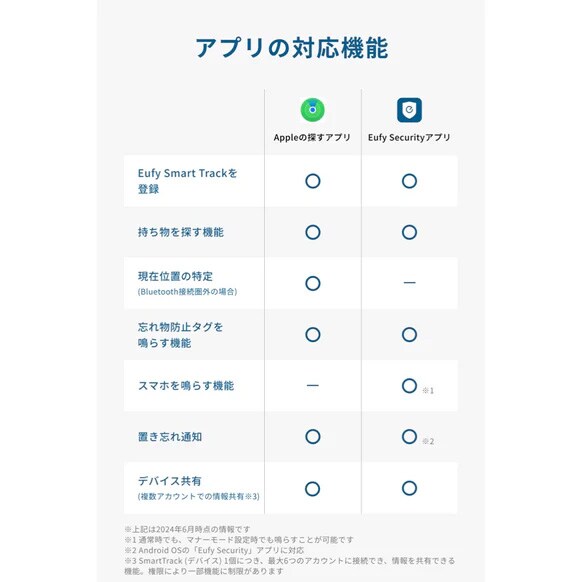
Q: What devices can I use the ""Find My"" app on? Q: Can I use it on an Android device?
A: The ""Find My"" app is only compatible with Apple devices. Android users can use the Eufy Security app, but there are limitations on the available functions. Please check the app-specific function compatibility table for details.
Q: Are there any settings required to use ""Ring My Phone"" and ""Forgotten Phone Notification""?
A: Please make the following settings from your phone's settings screen.
iOS: Set location access to ""Always,"" turn on precise location services, and turn off power saving mode.
Android: Set location access to ""Always Allow,"" and turn off battery optimization.
*The ""Ring My Phone"" function is only compatible with Android 9.0 and above.
Eufy Security app: Turn on ""Ring My Phone,"" and set location access and app notifications to ""Always Allow.""
Q: Is it okay to put it in my wallet with credit cards and other cards?
A: It will not interfere with IC cards or magnetic cards. Also, because it is designed to easily fit into the usage environment, it may be slightly curved in its initial state, but this does not affect the product's specifications.
Q: What is the Bluetooth communication range when ringing my phone? (How far away can it communicate?)
A: The maximum range is approximately 80m, but for indoor use, it's approximately 10-15m. This may vary depending on the environment and obstacles.
■Package Contents: Eufy Security SmartTrack Card, Metal Clip, Quick Start Guide, 18-Month Warranty + 6 Months (after Anker membership registration), Safety Manual, Customer Support
■Product Model Number: E87B2N11 (Black) *Product specifications are subject to change without notice.
■Compatible App: Eufy App
■Caution
・This product is for your own use only. Acquiring the location information of others without their consent is prohibited by Japanese law. A smartphone is required to use this product.
・We do not recommend using this product for monitoring children or pets.
・The battery is not replaceable. It may be slightly curved initially due to its design to easily fit various environments, but this does not affect the product's specifications.
* When using the ""Find My"" app, we recommend updating to the latest version of iOS, iPadOS, or macOS. If using ""Find My Device"" on Apple Watch, the latest version of watchOS is required (※ ""Find My"" is only compatible with Apple devices).
* When using the Eufy Security app, a lost device notification will arrive approximately 3 minutes after leaving the Bluetooth connection range. The timing of the notification may vary depending on the usage environment.
* There are no additional costs for using this product. When using the Eufy Security app, please ensure that the firmware is updated.
* The Eufy Security app is compatible with iOS 14.5 or later and Android 8.0 or later (as of February 2023).
* This product may not be usable with some airlines; please check the checked baggage and carry-on baggage regulations of each airline in advance.
* This product can be used overseas, but location sharing is not available in South Korea. Furthermore, it may not be usable in other countries or regions depending on local laws.
? Apple, Apple Watch, iPadOS, macOS, watchOS, and the Apple logo are trademarks of Apple Inc., registered in the U.S. and other countries. Find My is a trademark of Apple Inc. Android is a trademark of Google LLC.
? Product packaging may change without notice. Depending on when you purchase the product, it may come in different packaging. Please be aware of this in advance. Also, product specifications may change without notice.
商品レビューProduct Review




不適切な投稿として報告しますか?
理由
ご協力ありがとうございました
投稿を削除しますか?
投稿されたレビューを削除しました。
Anker
Eufy Security SmartTrack Card (2-pack) (for iPhone)
Item ID:392750
6,990 yen(incl. tax)

69Pt(1%)Detail
- 69Pts
通常ポイント
- 69Pts
Total
 Back Order
 - In Stock
- In Stock, can be shipped when order is confirmed.
- Low Stock
- Low Stock, may be sold out soon.
- Scheduled date
- Expected to arrive at Sound House on this date.
- TBA
- Expected date of arrival at Sound House to be determined.
- Back Order
- It needs to be orderd from the manufacturer. Please inquire about the estimated date of arrival.
- Mfr. Delivery
- Must be ordered from manufacturer. Please inquire about the estimated date of arrival.
- Download
- Only the serial number will be sent to your registered email address.
- Special Order
- Made to order item or must be ordered from manufacturer. May take several weeks or months.
- No Longer Available
- Product is no longer available due to having been discoutined or other reasons.
Rating


この商品に関連するセレクションRelated Articles

-
 Discount Sale
-
 Outlet
-
 New Arrivals
-
 Podcast (streaming)
-
 Headphones / Earphones
-
 Microphones
-
 Wireless Equipment
-
 Speakers
-
 Power Amps
-
 Mixers
-
 Processors
-
 Portable PA Systems
-
 Recorders
-
 Karaoke
-
 Guitars
-
 Basses
-
 Ukuleles
-
 Drums & Percussion
-
 Pianos / Synthesizers
-
 Wind Instruments
-
 Stringed Instruments
-
 Japanese Instruments
-
 Harmonicas, Other
-
 Software
-
 DJ & VJ
-
 Stands
-
 Cables & Connectors
-
 Racks & Cases
-
 Lighting
-
 Stage & Truss
-
 Video Equipment
-
 PC PERIPHERALS
-
 Power Supplies
-
 Studio Furniture
-
 Household Items, Other
-
 Alcoholic Beverages
Search by Brand
Brand List








- Sound House
- 〒286-0825 14-3 Shinizumi , Narita City, Chiba
- Monday-Friday 10:00-17:00
- Narita Call Center
- TEL. 0476-89-1111
- FAX. 0476-89-2222
- Tokushima Call Center
- TEL. 0885-38-1111
- FAX. 0885-38-1100
- Showroom Hours
- Monday-Friday 10:00-17:00
closed on Saturdays, Sundays and Holidays


© Sound House

すべてのレビューを見る