


- Software
- Software Synth/Samplers
- Other sound sources
- Engine Audio (by Best Service)/DARK ERA 2 Download Delivery
Engine Audio (by Best Service) / DARK ERA 2 Download Delivery
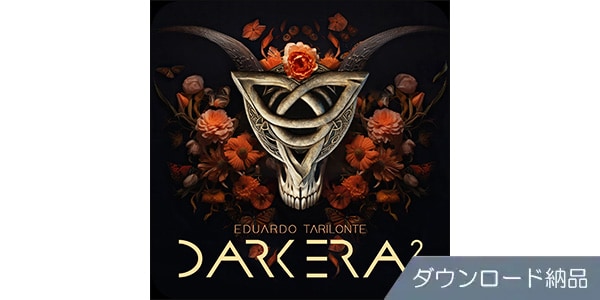


Cinematic soundtrack that evokes the profound mysteries of ancient Scandinavia and the Viking era. Delivered via download.
■Software Sound Source
---------------
■Download Delivery
・Approximately 10 minutes after completing your purchase, only the activation code will be delivered to your registered email address.
・By activating the received code on the following D2R page, you will receive product installation information via email. (Information can also be displayed by clicking the email icon on the D2R page.)
D2R Page
*If you do not have a D2R page account, please register as a user from ""Register Here"" on the D2R page.
・You can also check the activation code for D2R registration by clicking ""Order Details"" in your purchase history on your Sound House My Page.
*It may take a few minutes for the information to be reflected in your purchase history.
・Clicking ""Support Information"" in ""Order Details"" will display the activation information.
・For details on installation/usage, please contact the manufacturer. ---------------
DARK ERA 2 is a software instrument created by producer Eduardo Tarilonte, who has produced a variety of cinematic sound sources, that revives the sounds of the pre-medieval Dark Ages for modern music production. In the past, sound structured actions, created communities, and gave meaning to time. DARK ERA 2 elevates this concept into a library, infusing your music with soundscapes like Viking roars, the ritualistic rhythms of pagan ceremonies, the tension of battle, and the freezing winds of Scandinavia.
DARK ERA 2 includes all the content from its predecessor, DARK ERA, along with a collection of historically valuable folk instruments. From string instruments like the tagelharpa and crwth, to primitive and nostalgic wind instruments such as bone flutes, overtone flutes, fujara, wooden lur, and war horn, and from the rough sounds of bone and stone to powerful percussion instruments including shamanic drums and skin drums, the music is enriched with ritualistic and ethnic vocal material that enhances the narrative of the songs, adding a human touch and ethereal quality. Each instrument has multiple articulations based on the actual instrument's playing technique, allowing you to freely manipulate the meticulously sampled ancient sounds. Wind instruments, in particular, offer a variety of playing techniques based on smooth legato. This software includes audio samples of actual performances, allowing you to enhance the unique character of each piece by capturing embellishments and memorable sound effects that are difficult to reproduce through programming alone. Furthermore, it features MIDI phrases mapped to string and percussion instruments, enabling you to create powerful grooves that drive the narrative with just a touch of your fingertips.
It also includes numerous soundscape patches, a specialty of Eduardo Tarilonte, that capture even the atmosphere of the music. Sound textures that allow for complex manipulation of layered sounds, and grand rhythmic loops combining multiple instruments and pulse sounds, create an immersive audio canvas that evokes a sense of unease and unreality, transporting the listener to another world.
With a volume exceeding its predecessor and an intuitive interface, this software allows you to quickly create a unique world in film and game music, as well as in other creative music production.
■Contents
* To capture the finest details of each instrument, all instruments are recorded using high-quality microphones and preamps, minimizing reverberation as much as possible. This allows for flexible sound shaping within your DAW and ensures good compatibility with other ERA series products.
* Instruments with multiple articulations can be switched using key switches.
* Volume / Pan / Pitch / Expression / Color (EQ) / Attack Time / Release Time are adjustable. Individual controls are provided for each layer, including vibrato strength and speed, frequency of applying random detune to the sound, and volume of specific articulations. Convolution reverb is applied to each layer by default.
* Some tracks in the Percussion / Strings / Wind / Sound Design / Voice categories include MIDI phrases that synchronize with the DAW project tempo.
* Layers in the Strings category include round-robin samples.
* The Wind category has a smooth legato articulation set as the default.
* Some layers in the Wind category include audio samples of actual performances, such as decorative phrases and sound effects (tempo synchronization with DAW projects is not supported).
* The Voice category includes sounds inspired by Inuit and other northern tribes, such as throat singing, shouts, and vocal rhythms.
* Some layers in the Voice category allow adjustment of harmonics by changing mouth opening using the modulation wheel.
* The Sound Design category includes over 100 types of sounds, including Epic Loops that rhythmically support sounds, Rhythmin Pads that have melodic and rhythmic elements to fill the gaps between drums and melodic instruments, and Soundscapes that generate textures to create atmosphere.
* Epic Loop layers map four variations, fills and endings (ensemble and single hits), and pulse sounds that work well with the rhythm for each main loop.
* Layers in the Sound Design category can use up to 20 different sounds in a single layer. The dedicated Mixer screen allows for individual volume and pan adjustments of sounds. Automation using MIDI CC enables the creation of complex, moving textures.
*All content from the previous title, 'DARK ERA', is included.
■Software Overview
After years of licensing sample players and accumulating extensive experience with sampling instruments, BEST SERVICE has leveraged this expertise to develop Engine Player, its proprietary software environment. This innovative platform not only introduces a new sample player compatible with all major platforms, but also provides a comprehensive suite of tools for instrument creation, copy protection, and license management. The main focus is on simplicity, affordability, and above all, flexibility.
• Uses Engine Player
• Simple interface
• Browser with two display options: Gallery / List
• Performance monitor to track CPU and RAM usage
*The Engine Player tutorial video (in English) can be viewed here:
■ System Requirements
For the latest system requirements, including supported operating systems, please refer to the Engine Player page on the Engine Audio website:
*Please refer to the Engine Player page on the Engine Audio website:
*Please refer to the Engine Player page on the Engine Audio website:
*Please refer to the Engine Player page on the Engine Audio website:
*Please refer to the browser with two display options: Gallery / List
*Please refer to the browser
---------------
■Download Delivery
・Approximately 10 minutes after completing your purchase, only the activation code will be delivered to your registered email address.
・By activating the received code on the following D2R page, you will receive product installation information via email. (Information can also be displayed by clicking the email icon on the D2R page.)
D2R Page
*If you do not have a D2R page account, please register as a user from ""Register Here"" on the D2R page.
・You can also check the activation code for D2R registration by clicking ""Order Details"" in your purchase history on your Sound House My Page.
*It may take a few minutes for the information to be reflected in your purchase history.
・Clicking ""Support Information"" in ""Order Details"" will display the activation information.
・For details on installation/usage, please contact the manufacturer. ---------------
DARK ERA 2 is a software instrument created by producer Eduardo Tarilonte, who has produced a variety of cinematic sound sources, that revives the sounds of the pre-medieval Dark Ages for modern music production. In the past, sound structured actions, created communities, and gave meaning to time. DARK ERA 2 elevates this concept into a library, infusing your music with soundscapes like Viking roars, the ritualistic rhythms of pagan ceremonies, the tension of battle, and the freezing winds of Scandinavia.
DARK ERA 2 includes all the content from its predecessor, DARK ERA, along with a collection of historically valuable folk instruments. From string instruments like the tagelharpa and crwth, to primitive and nostalgic wind instruments such as bone flutes, overtone flutes, fujara, wooden lur, and war horn, and from the rough sounds of bone and stone to powerful percussion instruments including shamanic drums and skin drums, the music is enriched with ritualistic and ethnic vocal material that enhances the narrative of the songs, adding a human touch and ethereal quality. Each instrument has multiple articulations based on the actual instrument's playing technique, allowing you to freely manipulate the meticulously sampled ancient sounds. Wind instruments, in particular, offer a variety of playing techniques based on smooth legato. This software includes audio samples of actual performances, allowing you to enhance the unique character of each piece by capturing embellishments and memorable sound effects that are difficult to reproduce through programming alone. Furthermore, it features MIDI phrases mapped to string and percussion instruments, enabling you to create powerful grooves that drive the narrative with just a touch of your fingertips.
It also includes numerous soundscape patches, a specialty of Eduardo Tarilonte, that capture even the atmosphere of the music. Sound textures that allow for complex manipulation of layered sounds, and grand rhythmic loops combining multiple instruments and pulse sounds, create an immersive audio canvas that evokes a sense of unease and unreality, transporting the listener to another world.
With a volume exceeding its predecessor and an intuitive interface, this software allows you to quickly create a unique world in film and game music, as well as in other creative music production.
■Contents
* To capture the finest details of each instrument, all instruments are recorded using high-quality microphones and preamps, minimizing reverberation as much as possible. This allows for flexible sound shaping within your DAW and ensures good compatibility with other ERA series products.
* Instruments with multiple articulations can be switched using key switches.
* Volume / Pan / Pitch / Expression / Color (EQ) / Attack Time / Release Time are adjustable. Individual controls are provided for each layer, including vibrato strength and speed, frequency of applying random detune to the sound, and volume of specific articulations. Convolution reverb is applied to each layer by default.
* Some tracks in the Percussion / Strings / Wind / Sound Design / Voice categories include MIDI phrases that synchronize with the DAW project tempo.
* Layers in the Strings category include round-robin samples.
* The Wind category has a smooth legato articulation set as the default.
* Some layers in the Wind category include audio samples of actual performances, such as decorative phrases and sound effects (tempo synchronization with DAW projects is not supported).
* The Voice category includes sounds inspired by Inuit and other northern tribes, such as throat singing, shouts, and vocal rhythms.
* Some layers in the Voice category allow adjustment of harmonics by changing mouth opening using the modulation wheel.
* The Sound Design category includes over 100 types of sounds, including Epic Loops that rhythmically support sounds, Rhythmin Pads that have melodic and rhythmic elements to fill the gaps between drums and melodic instruments, and Soundscapes that generate textures to create atmosphere.
* Epic Loop layers map four variations, fills and endings (ensemble and single hits), and pulse sounds that work well with the rhythm for each main loop.
* Layers in the Sound Design category can use up to 20 different sounds in a single layer. The dedicated Mixer screen allows for individual volume and pan adjustments of sounds. Automation using MIDI CC enables the creation of complex, moving textures.
*All content from the previous title, 'DARK ERA', is included.
■Software Overview
After years of licensing sample players and accumulating extensive experience with sampling instruments, BEST SERVICE has leveraged this expertise to develop Engine Player, its proprietary software environment. This innovative platform not only introduces a new sample player compatible with all major platforms, but also provides a comprehensive suite of tools for instrument creation, copy protection, and license management. The main focus is on simplicity, affordability, and above all, flexibility.
• Uses Engine Player
• Simple interface
• Browser with two display options: Gallery / List
• Performance monitor to track CPU and RAM usage
*The Engine Player tutorial video (in English) can be viewed here:
■ System Requirements
For the latest system requirements, including supported operating systems, please refer to the Engine Player page on the Engine Audio website:
*Please refer to the Engine Player page on the Engine Audio website:
*Please refer to the Engine Player page on the Engine Audio website:
*Please refer to the Engine Player page on the Engine Audio website:
*Please refer to the browser with two display options: Gallery / List
*Please refer to the browser
商品レビューProduct Review




不適切な投稿として報告しますか?
理由
ご協力ありがとうございました
投稿を削除しますか?
投稿されたレビューを削除しました。
Engine Audio (by Best Service)
DARK ERA 2 Download Delivery
Item ID:388558
43,758 yen(incl. tax)

437Pt(1%)Detail
- 437Pts
通常ポイント
- 437Pts
Total
 Download
 Only the serial number will be sent to your registered email address. Orders cannot be changed or cancelled after they have been placed by the customer.
- In Stock
- In Stock, can be shipped when order is confirmed.
- Low Stock
- Low Stock, may be sold out soon.
- Scheduled date
- Expected to arrive at Sound House on this date.
- TBA
- Expected date of arrival at Sound House to be determined.
- Back Order
- It needs to be orderd from the manufacturer. Please inquire about the estimated date of arrival.
- Mfr. Delivery
- Must be ordered from manufacturer. Please inquire about the estimated date of arrival.
- Download
- Only the serial number will be sent to your registered email address.
- Special Order
- Made to order item or must be ordered from manufacturer. May take several weeks or months.
- No Longer Available
- Product is no longer available due to having been discoutined or other reasons.
Rating


この商品に関連するセレクションRelated Articles



-
 Discount Sale
-
 Outlet
-
 New Arrivals
-
 Podcast (streaming)
-
 Headphones / Earphones
-
 Microphones
-
 Wireless Equipment
-
 Speakers
-
 Power Amps
-
 Mixers
-
 Processors
-
 Portable PA Systems
-
 Recorders
-
 Karaoke
-
 Guitars
-
 Basses
-
 Ukuleles
-
 Drums & Percussion
-
 Pianos / Synthesizers
-
 Wind Instruments
-
 Stringed Instruments
-
 Japanese Instruments
-
 Harmonicas, Other
-
 Software
-
 DJ & VJ
-
 Stands
-
 Cables & Connectors
-
 Racks & Cases
-
 Lighting
-
 Stage & Truss
-
 Video Equipment
-
 PC PERIPHERALS
-
 Power Supplies
-
 Studio Furniture
-
 Household Items, Other
-
 Alcoholic Beverages
Search by Brand
Brand List








- Sound House
- 〒286-0825 14-3 Shinizumi , Narita City, Chiba
- Monday-Friday 10:00-17:00
- Narita Call Center
- TEL. 0476-89-1111
- FAX. 0476-89-2222
- Tokushima Call Center
- TEL. 0885-38-1111
- FAX. 0885-38-1100
- Showroom Hours
- Monday-Friday 10:00-17:00
closed on Saturdays, Sundays and Holidays


© Sound House

すべてのレビューを見る