


- Software
- Plug-in/Software
- Compressors / limiters / EQs
- WAVES/Curves Resolve Download Delivery
WAVES / Curves Resolve Download Delivery
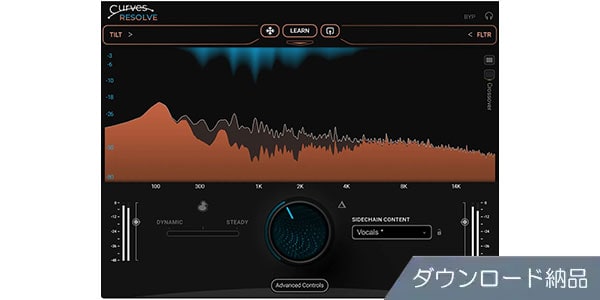
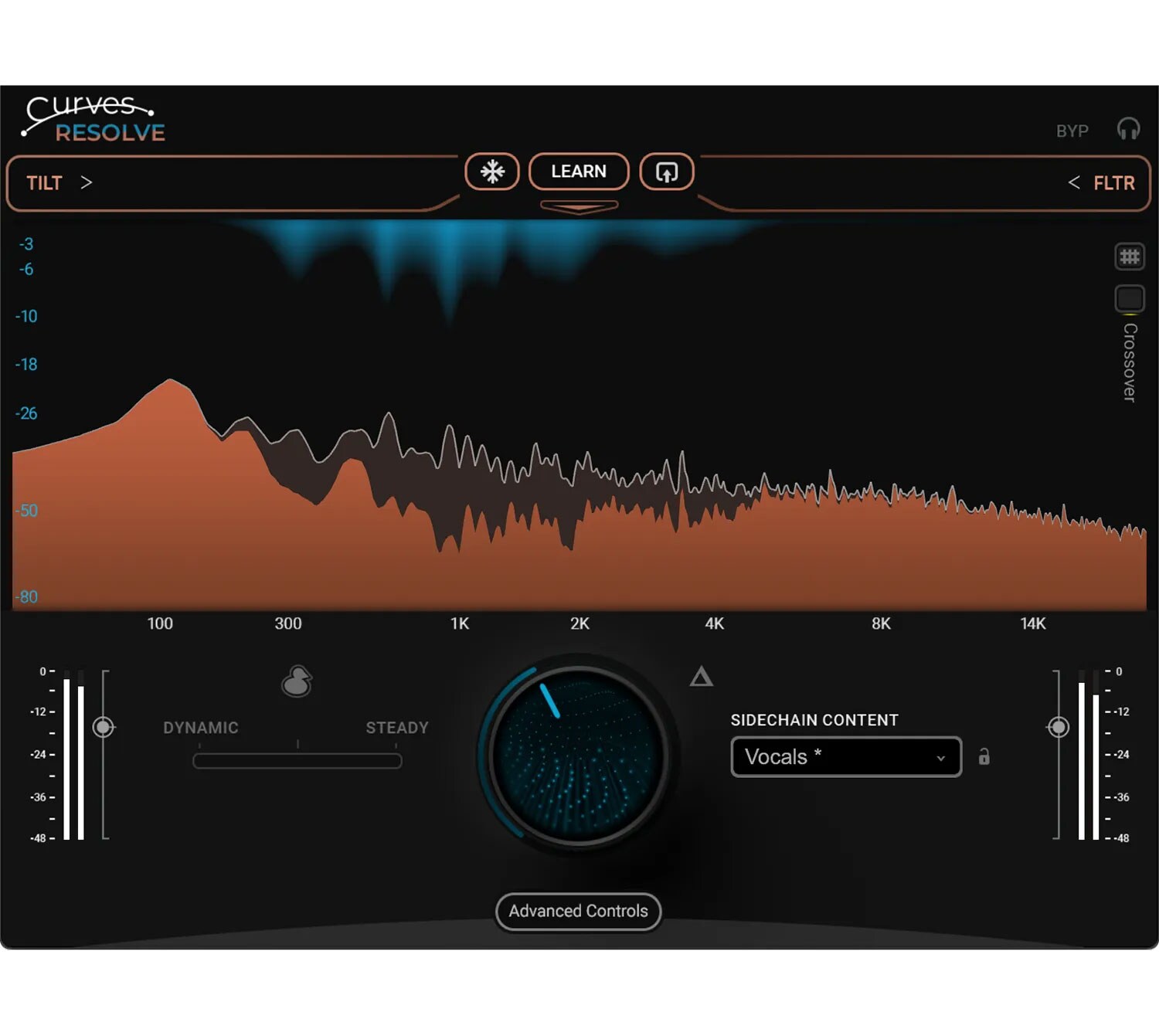
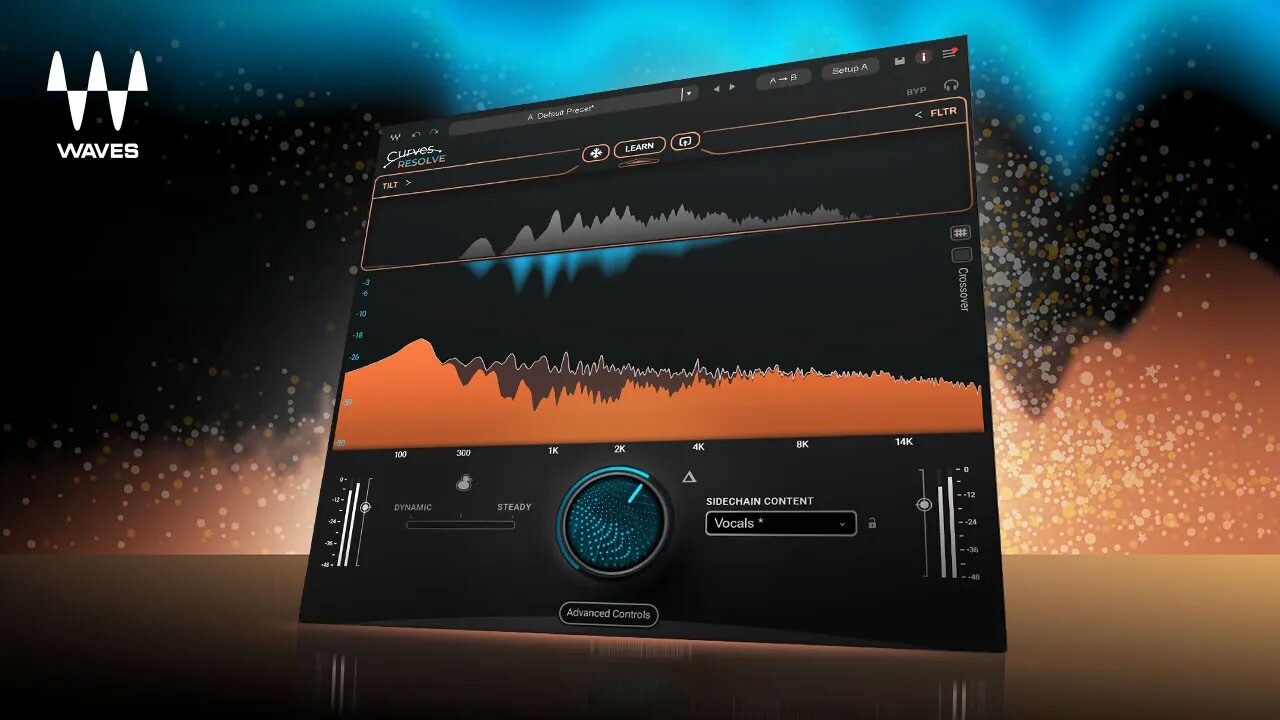


Intelligent resolution of mix conflicts. Delivered via download.
■ Plugin
---------------
■ Download Delivery
・After purchase, only the serial number will be delivered to your registered email address.
If the stock status is ""DL Immediate Delivery,"" the serial number will be sent immediately after your order.
If the stock status is ""Backordered,"" it will take several days after your order for the serial number to be sent after we receive it from the manufacturer.
・You can also check the serial number by clicking ""Order Details"" in your purchase history on your Sound House My Page.
*Even if it's ""DL Immediate Delivery,"" it may take several minutes for the information to be reflected in your purchase history.
・Clicking ""Download"" in ""Order Details"" will take you to the manufacturer's page for serial registration.
・Clicking ""Support Information"" in ""Order Details"" will display manufacturer and installation information.
・For detailed information on installation/usage, please contact the manufacturer.
FAQ Page: What is Download Delivery?
---------------
The sounds you've chosen are perfect. The arrangement is solid, and the tracks have great energy. Yet, the mix sounds muddy...
This is because multiple tracks are competing for the same frequency band.
This phenomenon is called sound masking.
When masking occurs, even if the individual sounds are good, the overall sound becomes muddy.
What Curves Resolve Solves
Curves Resolve is an innovative plugin that automatically resolves ""collisions"" between tracks.
By processing one track while ""listening"" to another track, it creates space only at points where frequencies clash.
No masking, no congestion, no muddiness
Leads to a transparent and rich mix.
And most importantly, it's less prone to over-processing.
■Features
・Instantly resolves mix conflicts
Detects situations where tracks clash in the same frequency band and applies processing only to the ""parts"" where they clash. This results in a natural and clear mix.
・Intelligent ducking
Curves Resolve also functions powerfully as a ducking tool.
- Wide
Full-bandwidth ducking handles the dynamics of the entire music.
- Unmask (Smart)
Targets only the clashing frequencies, leaving other bands unchanged.
In other words, it's a new type of intelligent ducking that ""acts only where it's needed, not unnecessary ducking.""
・Sidechain adjustment
Filter and tilt adjustments are possible for sidechain signals. Because Resolve controls ""what it listens to and decides,"" the processing is always musical and intentional.
• Real-time & Learning Carving
- Dynamic
Reacts to collisions in real time and instantly creates space.
- Steady
The Learn function understands the entire song and provides consistent processing.
- Blend
It's also possible to mix and use the best of both.
• Instant Snapshots
Optimized snapshots are available for each instrument, such as vocals, bass, guitar, and synth. You can start optimal processing immediately without having to create settings each time.
• The ""Feeling of Tracks Fitting Together""
All sounds blend beautifully, each playing its own role. That moment is the ""perfect mix"" that Curves Resolve aims for.
*Please be sure to check the information on the distributor's website for the latest operating environment.
---------------
■ Download Delivery
・After purchase, only the serial number will be delivered to your registered email address.
If the stock status is ""DL Immediate Delivery,"" the serial number will be sent immediately after your order.
If the stock status is ""Backordered,"" it will take several days after your order for the serial number to be sent after we receive it from the manufacturer.
・You can also check the serial number by clicking ""Order Details"" in your purchase history on your Sound House My Page.
*Even if it's ""DL Immediate Delivery,"" it may take several minutes for the information to be reflected in your purchase history.
・Clicking ""Download"" in ""Order Details"" will take you to the manufacturer's page for serial registration.
・Clicking ""Support Information"" in ""Order Details"" will display manufacturer and installation information.
・For detailed information on installation/usage, please contact the manufacturer.
FAQ Page: What is Download Delivery?
---------------
The sounds you've chosen are perfect. The arrangement is solid, and the tracks have great energy. Yet, the mix sounds muddy...
This is because multiple tracks are competing for the same frequency band.
This phenomenon is called sound masking.
When masking occurs, even if the individual sounds are good, the overall sound becomes muddy.
What Curves Resolve Solves
Curves Resolve is an innovative plugin that automatically resolves ""collisions"" between tracks.
By processing one track while ""listening"" to another track, it creates space only at points where frequencies clash.
No masking, no congestion, no muddiness
Leads to a transparent and rich mix.
And most importantly, it's less prone to over-processing.
■Features
・Instantly resolves mix conflicts
Detects situations where tracks clash in the same frequency band and applies processing only to the ""parts"" where they clash. This results in a natural and clear mix.
・Intelligent ducking
Curves Resolve also functions powerfully as a ducking tool.
- Wide
Full-bandwidth ducking handles the dynamics of the entire music.
- Unmask (Smart)
Targets only the clashing frequencies, leaving other bands unchanged.
In other words, it's a new type of intelligent ducking that ""acts only where it's needed, not unnecessary ducking.""
・Sidechain adjustment
Filter and tilt adjustments are possible for sidechain signals. Because Resolve controls ""what it listens to and decides,"" the processing is always musical and intentional.
• Real-time & Learning Carving
- Dynamic
Reacts to collisions in real time and instantly creates space.
- Steady
The Learn function understands the entire song and provides consistent processing.
- Blend
It's also possible to mix and use the best of both.
• Instant Snapshots
Optimized snapshots are available for each instrument, such as vocals, bass, guitar, and synth. You can start optimal processing immediately without having to create settings each time.
• The ""Feeling of Tracks Fitting Together""
All sounds blend beautifully, each playing its own role. That moment is the ""perfect mix"" that Curves Resolve aims for.
*Please be sure to check the information on the distributor's website for the latest operating environment.
商品レビューProduct Review




不適切な投稿として報告しますか?
理由
ご協力ありがとうございました
投稿を削除しますか?
投稿されたレビューを削除しました。
WAVES
Curves Resolve Download Delivery
Item ID:383599
13,200 yen(incl. tax)

660Pt(5%)Detail
- 132Pts
通常ポイント
- 528Pts
ポイント5倍キャンペーン
- 660Pts
Total
 Back Order
 - In Stock
- In Stock, can be shipped when order is confirmed.
- Low Stock
- Low Stock, may be sold out soon.
- Scheduled date
- Expected to arrive at Sound House on this date.
- TBA
- Expected date of arrival at Sound House to be determined.
- Back Order
- It needs to be orderd from the manufacturer. Please inquire about the estimated date of arrival.
- Mfr. Delivery
- Must be ordered from manufacturer. Please inquire about the estimated date of arrival.
- Download
- Only the serial number will be sent to your registered email address.
- Special Order
- Made to order item or must be ordered from manufacturer. May take several weeks or months.
- No Longer Available
- Product is no longer available due to having been discoutined or other reasons.
Rating


この商品に関連するセレクションRelated Articles

-
 Discount Sale
-
 Outlet
-
 New Arrivals
-
 Podcast (streaming)
-
 Headphones / Earphones
-
 Microphones
-
 Wireless Equipment
-
 Speakers
-
 Power Amps
-
 Mixers
-
 Processors
-
 Portable PA Systems
-
 Recorders
-
 Karaoke
-
 Guitars
-
 Basses
-
 Ukuleles
-
 Drums & Percussion
-
 Pianos / Synthesizers
-
 Wind Instruments
-
 Stringed Instruments
-
 Japanese Instruments
-
 Harmonicas, Other
-
 Software
-
 DJ & VJ
-
 Stands
-
 Cables & Connectors
-
 Racks & Cases
-
 Lighting
-
 Stage & Truss
-
 Video Equipment
-
 PC PERIPHERALS
-
 Power Supplies
-
 Studio Furniture
-
 Household Items, Other
-
 Alcoholic Beverages
Search by Brand
Brand List








- Sound House
- 〒286-0825 14-3 Shinizumi , Narita City, Chiba
- Monday-Friday 10:00-17:00
- Narita Call Center
- TEL. 0476-89-1111
- FAX. 0476-89-2222
- Tokushima Call Center
- TEL. 0885-38-1111
- FAX. 0885-38-1100
- Showroom Hours
- Monday-Friday 10:00-17:00
closed on Saturdays, Sundays and Holidays


© Sound House

すべてのレビューを見る