


- Software
- Plug-in/Software
- Other plug-in software
- Nugen Audio/MasterCheck 2 Download Delivery
Nugen Audio / MasterCheck 2 Download Delivery
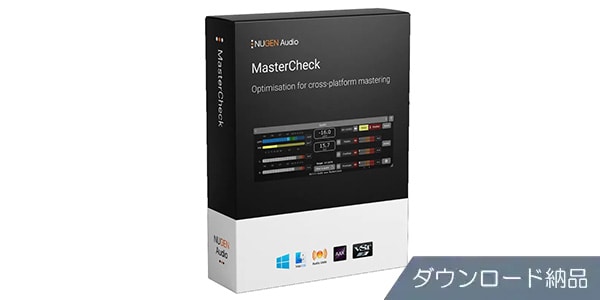
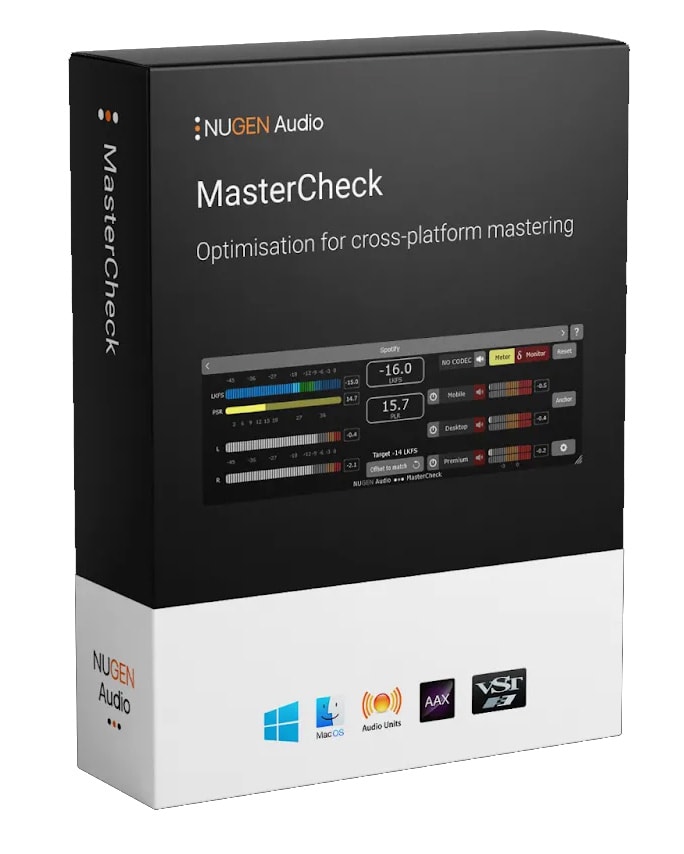
Use a single master to check the sound across various streaming platforms. Delivered via download.
■ Plugin
■ Analyzer
---------------
■ Download Delivery
・Approximately 10 minutes after completing your purchase, only the activation code will be delivered to your registered email address.
・By activating the received code on the D2R page below, you will receive product installation information via email. (Information can also be displayed by clicking the email icon on the D2R page.)
D2R Page
*If you do not have a D2R page account, please register as a user from ""Register Here"" on the D2R page.
・You can also check the D2R registration activation code by clicking ""Order Details"" in your purchase history on your Sound House My Page.
*It may take a few minutes for the information to be reflected in your purchase history.
・Clicking ""Support Information"" in ""Order Details"" will display the activation information.
*For detailed installation/usage instructions, please contact the manufacturer.
---------------
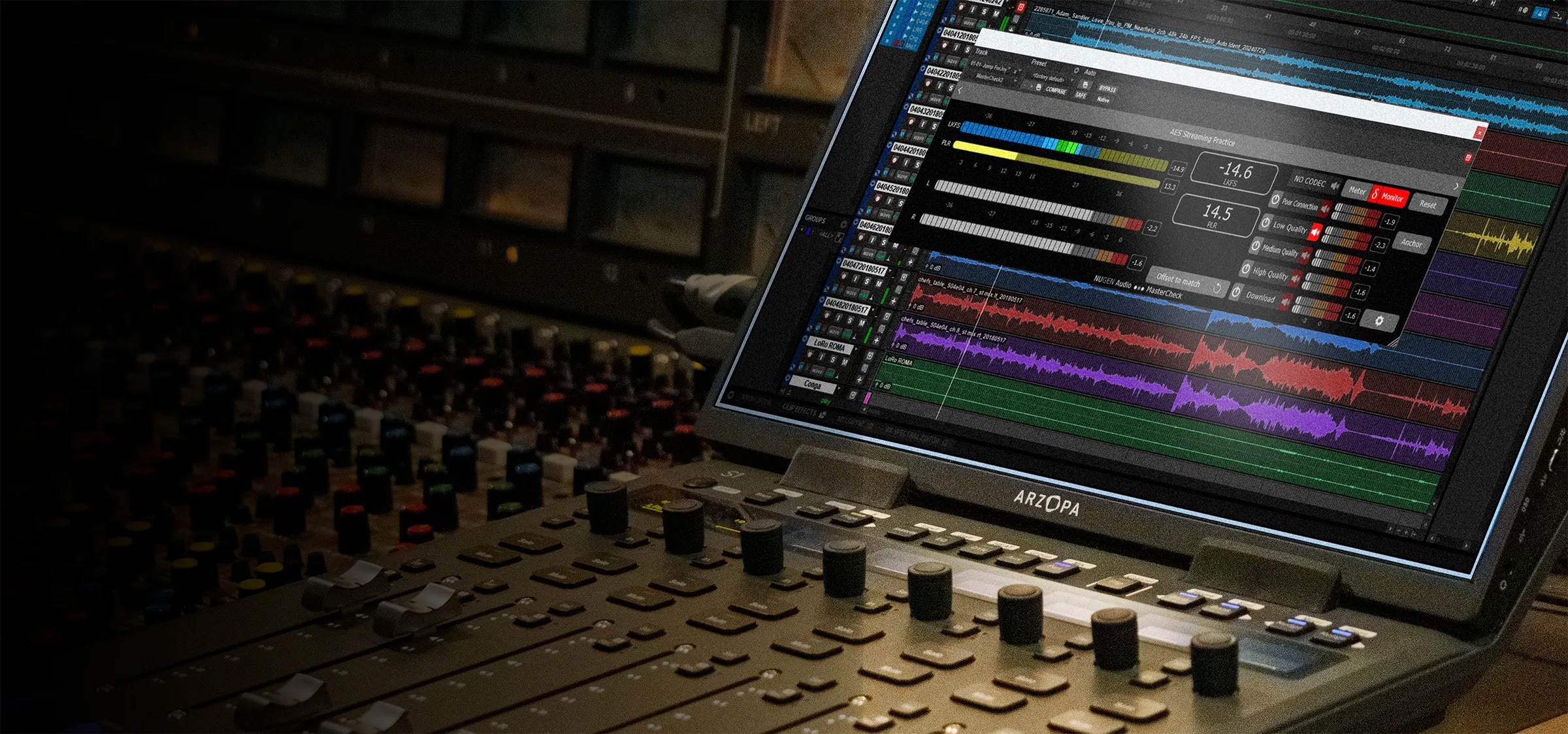
MasterCheck is a plugin optimized for cross-platform mastering to ensure consistent sound quality across all platforms, including physical media, digital distribution, and streaming. In addition to standard loudness and true peak measurements, it allows you to simulate and verify the impact of each platform's loudness normalization and compression codecs on your tracks.
By determining the optimal balance between measured loudness and dynamics and anticipating changes due to encoding, you can prevent unexpected problems after distribution.
Comparison with Reference Audio
How does your music sound to listeners? Previously, you might have optimized your masters for home audio, car audio, headphones, and earphones. In this age of streaming, you should also optimize for each streaming platform.
MasterCheck provides presets for data compression and loudness normalization for the following major distribution media, which can be auditioned within your DAW.
• Spotify
• Apple Music
• Tidal
• YouTube
• Soundcloud
• Bandcamp
• Qobuz
• Pandora
Manual codec mode selection and the loudness match feature support even more streaming media.
Mixing and Mastering, Stereo and Surround
Until now, volume and cross-platform optimization have been considered primarily the responsibility of mastering engineers, not mixers, artists, or producers. However, if a mix is excessively hot (loud) or excessively compressed, there's little room for improvement! Therefore, it makes sense to refer to Integrated Loudness, PLR*, PSR**, and True Peak even during the mixing stage. Furthermore, MasterCheck can be an effective demonstration tool for clients who still believe that ""louder is better.""
PLR*: Abbreviation for Peak to Loudness Ratio, the ratio of peak level to loudness value.
PSR**: Abbreviation for Peak to Short Term Loudness Ratio, the ratio of peak level to short-term loudness.
MasterCheck supports up to 7.1.4 channels and is compatible with Dolby Atmos bed-track sound and other immersive 3D surround audio formats. With its resizable landscape display, MasterCheck can be seamlessly integrated into virtually any layout or workflow, regardless of screen size.
For the latest system requirements, please refer to the manufacturer's page: .
■ Analyzer
---------------
■ Download Delivery
・Approximately 10 minutes after completing your purchase, only the activation code will be delivered to your registered email address.
・By activating the received code on the D2R page below, you will receive product installation information via email. (Information can also be displayed by clicking the email icon on the D2R page.)
D2R Page
*If you do not have a D2R page account, please register as a user from ""Register Here"" on the D2R page.
・You can also check the D2R registration activation code by clicking ""Order Details"" in your purchase history on your Sound House My Page.
*It may take a few minutes for the information to be reflected in your purchase history.
・Clicking ""Support Information"" in ""Order Details"" will display the activation information.
*For detailed installation/usage instructions, please contact the manufacturer.
---------------
MasterCheck is a plugin optimized for cross-platform mastering to ensure consistent sound quality across all platforms, including physical media, digital distribution, and streaming. In addition to standard loudness and true peak measurements, it allows you to simulate and verify the impact of each platform's loudness normalization and compression codecs on your tracks.
By determining the optimal balance between measured loudness and dynamics and anticipating changes due to encoding, you can prevent unexpected problems after distribution.
Comparison with Reference Audio
How does your music sound to listeners? Previously, you might have optimized your masters for home audio, car audio, headphones, and earphones. In this age of streaming, you should also optimize for each streaming platform.
MasterCheck provides presets for data compression and loudness normalization for the following major distribution media, which can be auditioned within your DAW.
• Spotify
• Apple Music
• Tidal
• YouTube
• Soundcloud
• Bandcamp
• Qobuz
• Pandora
Manual codec mode selection and the loudness match feature support even more streaming media.
Mixing and Mastering, Stereo and Surround
Until now, volume and cross-platform optimization have been considered primarily the responsibility of mastering engineers, not mixers, artists, or producers. However, if a mix is excessively hot (loud) or excessively compressed, there's little room for improvement! Therefore, it makes sense to refer to Integrated Loudness, PLR*, PSR**, and True Peak even during the mixing stage. Furthermore, MasterCheck can be an effective demonstration tool for clients who still believe that ""louder is better.""
PLR*: Abbreviation for Peak to Loudness Ratio, the ratio of peak level to loudness value.
PSR**: Abbreviation for Peak to Short Term Loudness Ratio, the ratio of peak level to short-term loudness.
MasterCheck supports up to 7.1.4 channels and is compatible with Dolby Atmos bed-track sound and other immersive 3D surround audio formats. With its resizable landscape display, MasterCheck can be seamlessly integrated into virtually any layout or workflow, regardless of screen size.
For the latest system requirements, please refer to the manufacturer's page: .
商品レビューProduct Review




不適切な投稿として報告しますか?
理由
ご協力ありがとうございました
投稿を削除しますか?
投稿されたレビューを削除しました。
Nugen Audio
MasterCheck 2 Download Delivery
Item ID:382921
42,240 yen(incl. tax)

2,111Pt(5%)Detail
- 422Pts
通常ポイント
- 1,689Pts
ポイント5倍キャンペーン
- 2,111Pts
Total
 Download
 Only the serial number will be sent to your registered email address. Orders cannot be changed or cancelled after they have been placed by the customer.
- In Stock
- In Stock, can be shipped when order is confirmed.
- Low Stock
- Low Stock, may be sold out soon.
- Scheduled date
- Expected to arrive at Sound House on this date.
- TBA
- Expected date of arrival at Sound House to be determined.
- Back Order
- It needs to be orderd from the manufacturer. Please inquire about the estimated date of arrival.
- Mfr. Delivery
- Must be ordered from manufacturer. Please inquire about the estimated date of arrival.
- Download
- Only the serial number will be sent to your registered email address.
- Special Order
- Made to order item or must be ordered from manufacturer. May take several weeks or months.
- No Longer Available
- Product is no longer available due to having been discoutined or other reasons.
Rating


この商品に関連するセレクションRelated Articles


-
 Discount Sale
-
 Outlet
-
 New Arrivals
-
 Podcast (streaming)
-
 Headphones / Earphones
-
 Microphones
-
 Wireless Equipment
-
 Speakers
-
 Power Amps
-
 Mixers
-
 Processors
-
 Portable PA Systems
-
 Recorders
-
 Karaoke
-
 Guitars
-
 Basses
-
 Ukuleles
-
 Drums & Percussion
-
 Pianos / Synthesizers
-
 Wind Instruments
-
 Stringed Instruments
-
 Japanese Instruments
-
 Harmonicas, Other
-
 Software
-
 DJ & VJ
-
 Stands
-
 Cables & Connectors
-
 Racks & Cases
-
 Lighting
-
 Stage & Truss
-
 Video Equipment
-
 PC PERIPHERALS
-
 Power Supplies
-
 Studio Furniture
-
 Household Items, Other
-
 Alcoholic Beverages
Search by Brand
Brand List








- Sound House
- 〒286-0825 14-3 Shinizumi , Narita City, Chiba
- Monday-Friday 10:00-17:00
- Narita Call Center
- TEL. 0476-89-1111
- FAX. 0476-89-2222
- Tokushima Call Center
- TEL. 0885-38-1111
- FAX. 0885-38-1100
- Showroom Hours
- Monday-Friday 10:00-17:00
closed on Saturdays, Sundays and Holidays


© Sound House

すべてのレビューを見る