


- Software
- Plug-in/Software
- Compressors / limiters / EQs
- ANTELOPE AUDIO/VEQ-HLF download delivery
ANTELOPE AUDIO / VEQ-HLF download delivery
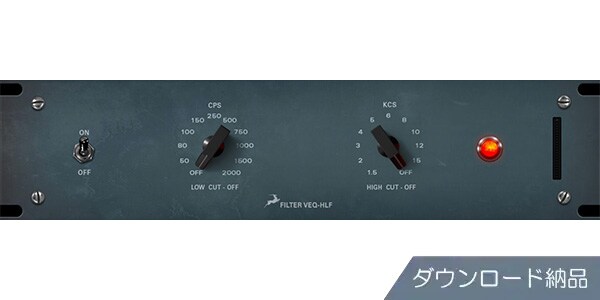
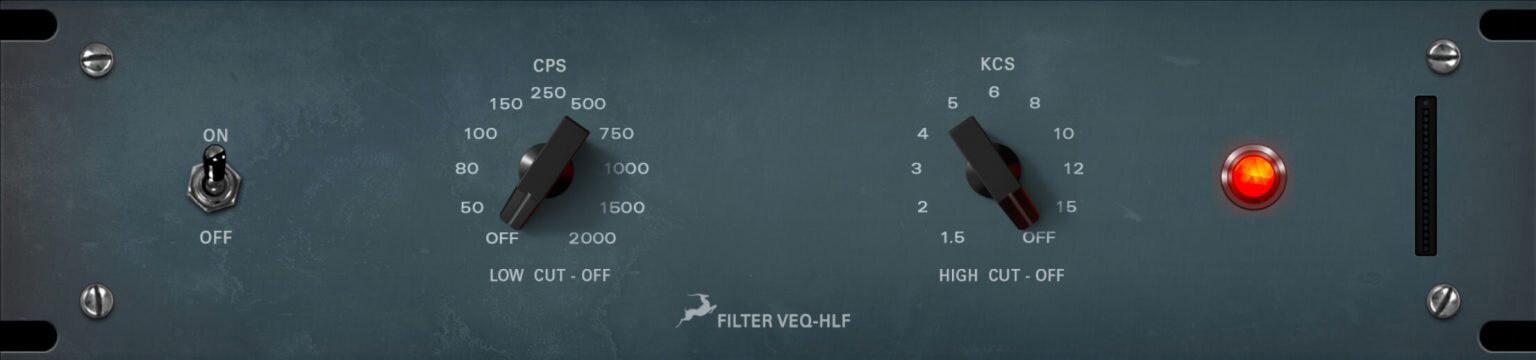


ANTELOPE AUDIO's ""Synergy Core Native"" hardware modeling series faithfully recreates the legendary EQs used in countless tracks. Download now.
■Plug-ins
■Synergy Core Native / Real-Time FX
*Along with the Synergy Core Native plug-in, you will also receive Real-Time FX for use with Antelope Audio devices.
■Hardware Modeling
===================================
■Download Delivery
- After purchase, only the serial number will be delivered to your registered email address.
- You can also check your serial number by clicking ""Order Details"" in your purchase history on your Sound House My Page.
* Even in the case of ""Instant Download Delivery,"" it may take a few minutes for the information to be reflected in your purchase history.
- Clicking ""Download"" in ""Order Details"" will take you to the manufacturer's page for serial registration.
- Clicking ""Support Information"" in ""Order Details"" will display manufacturer and installation information.
- For detailed installation/usage instructions, please contact the manufacturer.
If the stock status is ""In stock for immediate download,"" your serial number will be sent immediately after you place your order.
If the stock status is ""Backorder,"" it will take a few days after your order to receive the serial number from the manufacturer before it is sent.
FAQ page: What is download delivery?
====================================
■What is Real-Time FX?
■What is Synergy Core Native?
This simple yet effective filter features two knobs: a passive low-cut filter and a passive high-cut filter, with carefully selected frequency intervals.
With 10 selectable frequencies per band, it's the perfect tool for creating space in your mix by cutting unwanted frequencies at both ends of the audio spectrum while maintaining a musical analog tone.
Even if you don't use the cutoff filters, you can achieve its unique and popular sound coloring by inserting the VEQ-HLF into your processing chain.
■System Requirements
For the latest system requirements, please refer to the manufacturer website product page.
■Synergy Core Native / Real-Time FX
*Along with the Synergy Core Native plug-in, you will also receive Real-Time FX for use with Antelope Audio devices.
■Hardware Modeling
===================================
■Download Delivery
- After purchase, only the serial number will be delivered to your registered email address.
- You can also check your serial number by clicking ""Order Details"" in your purchase history on your Sound House My Page.
* Even in the case of ""Instant Download Delivery,"" it may take a few minutes for the information to be reflected in your purchase history.
- Clicking ""Download"" in ""Order Details"" will take you to the manufacturer's page for serial registration.
- Clicking ""Support Information"" in ""Order Details"" will display manufacturer and installation information.
- For detailed installation/usage instructions, please contact the manufacturer.
If the stock status is ""In stock for immediate download,"" your serial number will be sent immediately after you place your order.
If the stock status is ""Backorder,"" it will take a few days after your order to receive the serial number from the manufacturer before it is sent.
FAQ page: What is download delivery?
====================================
■What is Real-Time FX?
■What is Synergy Core Native?
This simple yet effective filter features two knobs: a passive low-cut filter and a passive high-cut filter, with carefully selected frequency intervals.
With 10 selectable frequencies per band, it's the perfect tool for creating space in your mix by cutting unwanted frequencies at both ends of the audio spectrum while maintaining a musical analog tone.
Even if you don't use the cutoff filters, you can achieve its unique and popular sound coloring by inserting the VEQ-HLF into your processing chain.
■System Requirements
For the latest system requirements, please refer to the manufacturer website product page.
商品レビューProduct Review




不適切な投稿として報告しますか?
理由
ご協力ありがとうございました
投稿を削除しますか?
投稿されたレビューを削除しました。
ANTELOPE AUDIO
VEQ-HLF download delivery
Item ID:380777
16,800 yen(incl. tax)

840Pt(5%)Detail
- 168Pts
通常ポイント
- 672Pts
ポイント5倍キャンペーン
- 840Pts
Total
 Download
 Only the serial number will be sent to your registered email address. Orders cannot be changed or cancelled after they have been placed by the customer.
- In Stock
- In Stock, can be shipped when order is confirmed.
- Low Stock
- Low Stock, may be sold out soon.
- Scheduled date
- Expected to arrive at Sound House on this date.
- TBA
- Expected date of arrival at Sound House to be determined.
- Back Order
- It needs to be orderd from the manufacturer. Please inquire about the estimated date of arrival.
- Mfr. Delivery
- Must be ordered from manufacturer. Please inquire about the estimated date of arrival.
- Download
- Only the serial number will be sent to your registered email address.
- Special Order
- Made to order item or must be ordered from manufacturer. May take several weeks or months.
- No Longer Available
- Product is no longer available due to having been discoutined or other reasons.
Rating


この商品に関連するセレクションRelated Articles



-
 Discount Sale
-
 Outlet
-
 New Arrivals
-
 Podcast (streaming)
-
 Headphones / Earphones
-
 Microphones
-
 Wireless Equipment
-
 Speakers
-
 Power Amps
-
 Mixers
-
 Processors
-
 Portable PA Systems
-
 Recorders
-
 Karaoke
-
 Guitars
-
 Basses
-
 Ukuleles
-
 Drums & Percussion
-
 Pianos / Synthesizers
-
 Wind Instruments
-
 Stringed Instruments
-
 Japanese Instruments
-
 Harmonicas, Other
-
 Software
-
 DJ & VJ
-
 Stands
-
 Cables & Connectors
-
 Racks & Cases
-
 Lighting
-
 Stage & Truss
-
 Video Equipment
-
 PC PERIPHERALS
-
 Power Supplies
-
 Studio Furniture
-
 Household Items, Other
-
 Alcoholic Beverages
Search by Brand
Brand List








- Sound House
- 〒286-0825 14-3 Shinizumi , Narita City, Chiba
- Monday-Friday 10:00-17:00
- Narita Call Center
- TEL. 0476-89-1111
- FAX. 0476-89-2222
- Tokushima Call Center
- TEL. 0885-38-1111
- FAX. 0885-38-1100
- Showroom Hours
- Monday-Friday 10:00-17:00
closed on Saturdays, Sundays and Holidays


© Sound House

すべてのレビューを見る